SiplaceX4_en.pdf - 第208页
1 - 14 S tudent Guide SIPLACE X 5 Gantry Edition 09/2005 14 5.3.3.2 Vision board (digit al) The vision board are connect on the top of th e head interface. Th at board is u sed on the gantry with a C&P head and TWIN-…
1 - 13
Student Guide SIPLACE X
Edition 09/2005 5 Gantry
13
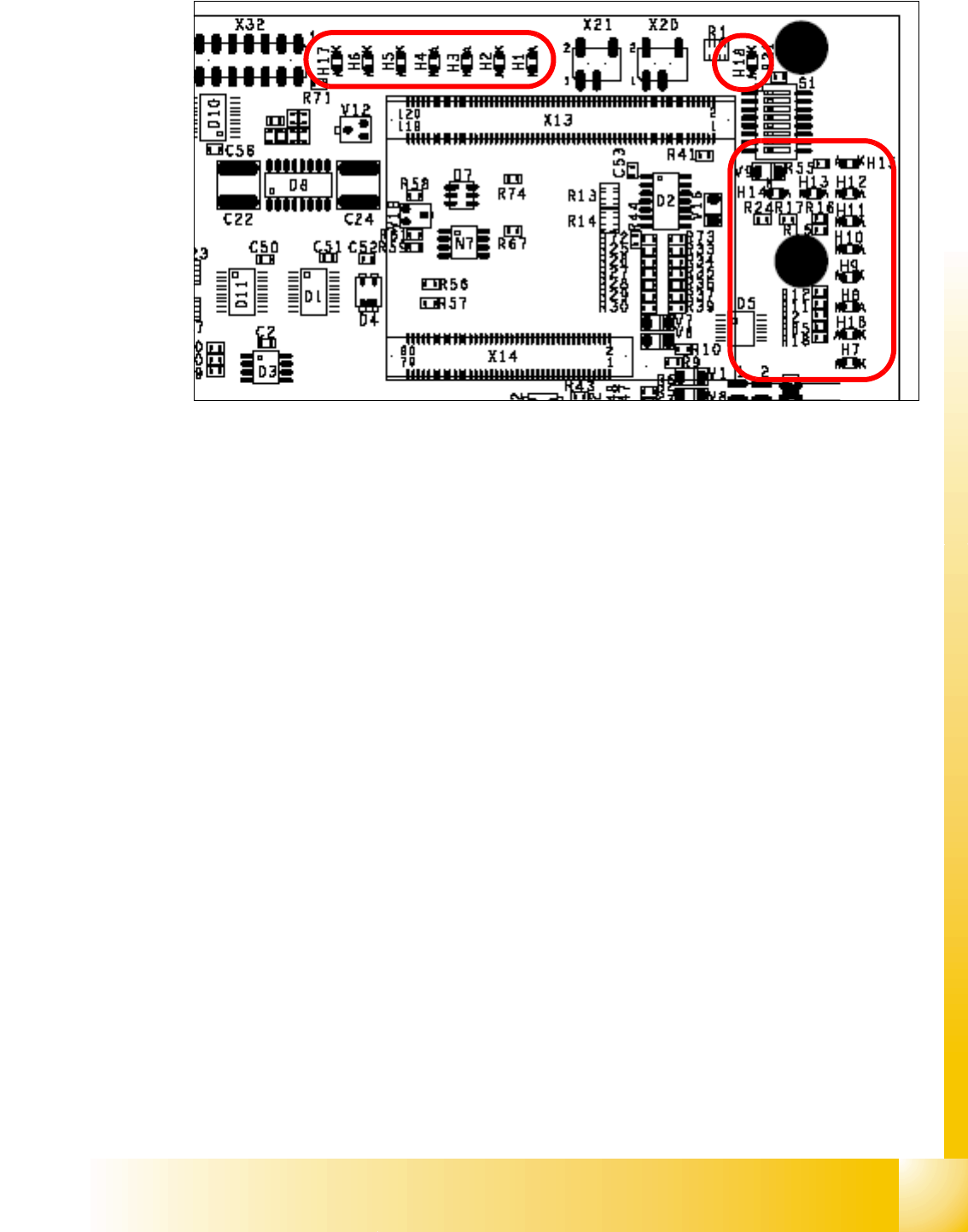
Description LED‘S on the Headinterface: 5
LED H1-H6,H17,H18 (functional check)
– H17 SPI - Serial parallel interface (Test)
– H6 D-ON -Digital ON 5V DC/DC Converter (Power supply Head interface, generated from the
24V)
– H5 H-OK -Head adapter board connected
– H4 C-In - CAN Internal (status off)
– H3 MRST -Main Reset (always off)
– H2 F-UC -Failur - UC test
– H1 MP - Main Power fail, mean 5 V power supply being missing at the machine
(e.g. CAN Bus)
– H18 1 Wire LED shows the high level on PIN 1 of 5V ON is green --> OK
LED H7- H15, H1B (LED´s for voltages)
– H14 Vcc - shows the output signal of the DC/DC converter (H6) +5 V
– H13 N15V - Minus 15 Volt (for the Twin Head --> Force sensor board)
– H15 P3,3V -Controller OK
– H12 P15V -Plus 15 Volt light barrier bottom C&P head
– H11 P24V -24 Volt power supply (e.g.stepper motor)
– H10 AV ER - Failure 5 V
– H9 EN AN - 16 Bit processor connected and power supply OK
– H8 P5V - 5 Volt Power supply track signals X-Axis --> ON Power fail
– H1 B P5V - 5 Volt for digital circuits
– H7 X-Temp -Temperature monitoring X-Axis
1 - 14
Student Guide SIPLACE X
5 Gantry Edition 09/2005
14
5.3.3.2 Vision board (digital)
The vision board are connect on the top of the head interface. That board is used on the gantry
with a C&P head and TWIN-head.
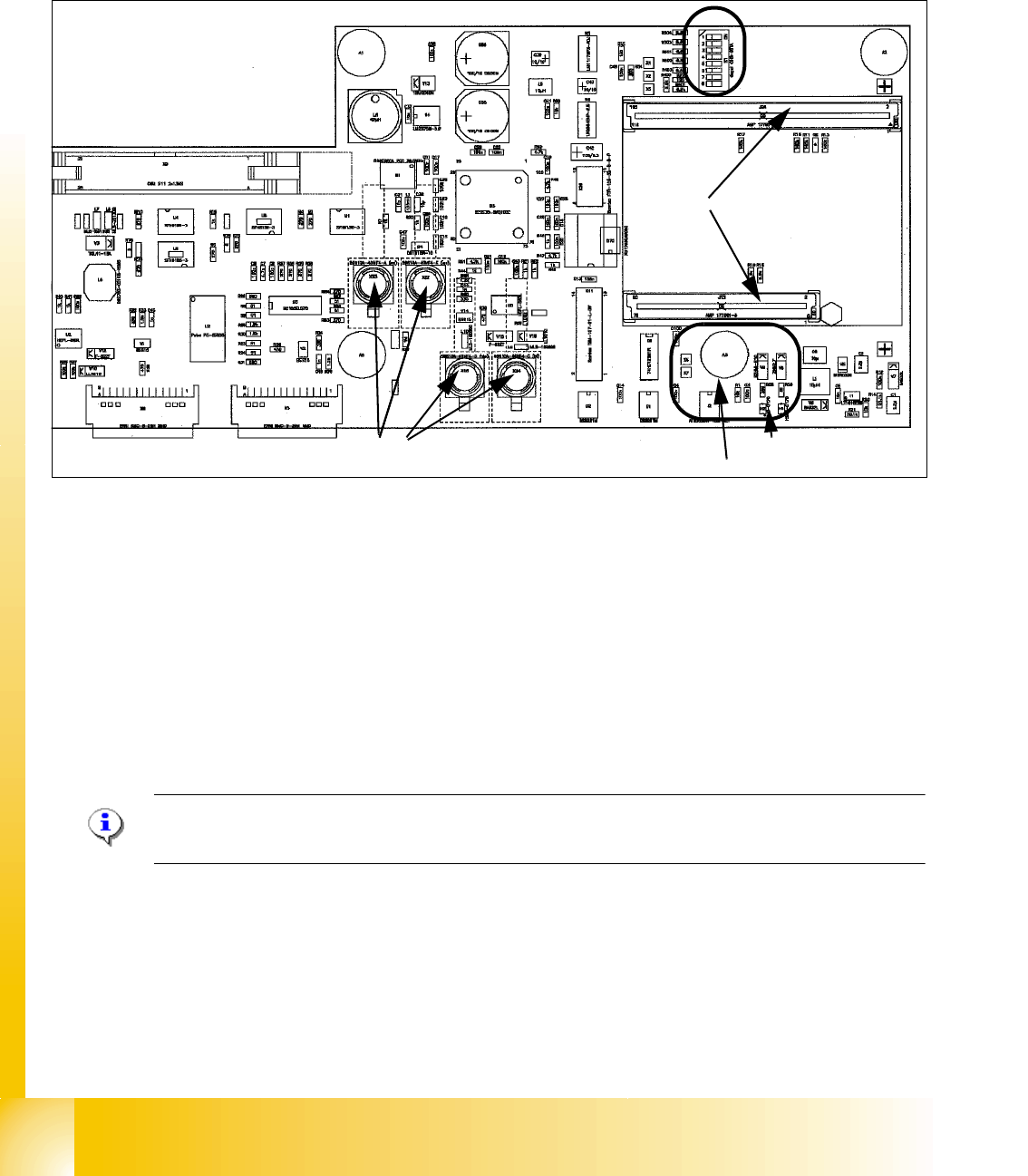
Fig. 5.3 - 5 Vision board
1. X8 Connector illumination and video signals PCB camera
2. X3 Connector illumination and video signals component camera
3. LED‘s P15V - 15Volt / Vcc - Power supply Vision board
4. DIP Switch
5. CAN Prozessor 16 Bit (TQM Module)
6. DC/DC Converter 15 --> 5V for Visionsystem.
7. Connector X22 - X24 Connectors for the video cable to the trailing cable
Please Note:
The DIP Switch configuration for the gantry is decribed in chapter gantry .
6
1
2
3
4
5
7
1 - 15
Student Guide SIPLACE X
Edition 09/2005 5 Gantry
15
5.3.3.3 CAN Processorboard 16 Bit
The 16 BIT CAN Processor are use for different functions of the following units: (see chapter com-
munication and control too)
– Visionboard, communication and control via the CAN Bus to the vision computer.
– Head processor board (C500), if Twin head installed, control the vacuumgenerator.
– Head processor board (C500), if C&P head installed, control the head sequence.
– Visionboard for the stationary IC (FC) - Camera (sector 2 and 4), communication and con-
trol via the CAN Bus to the Vision computer.
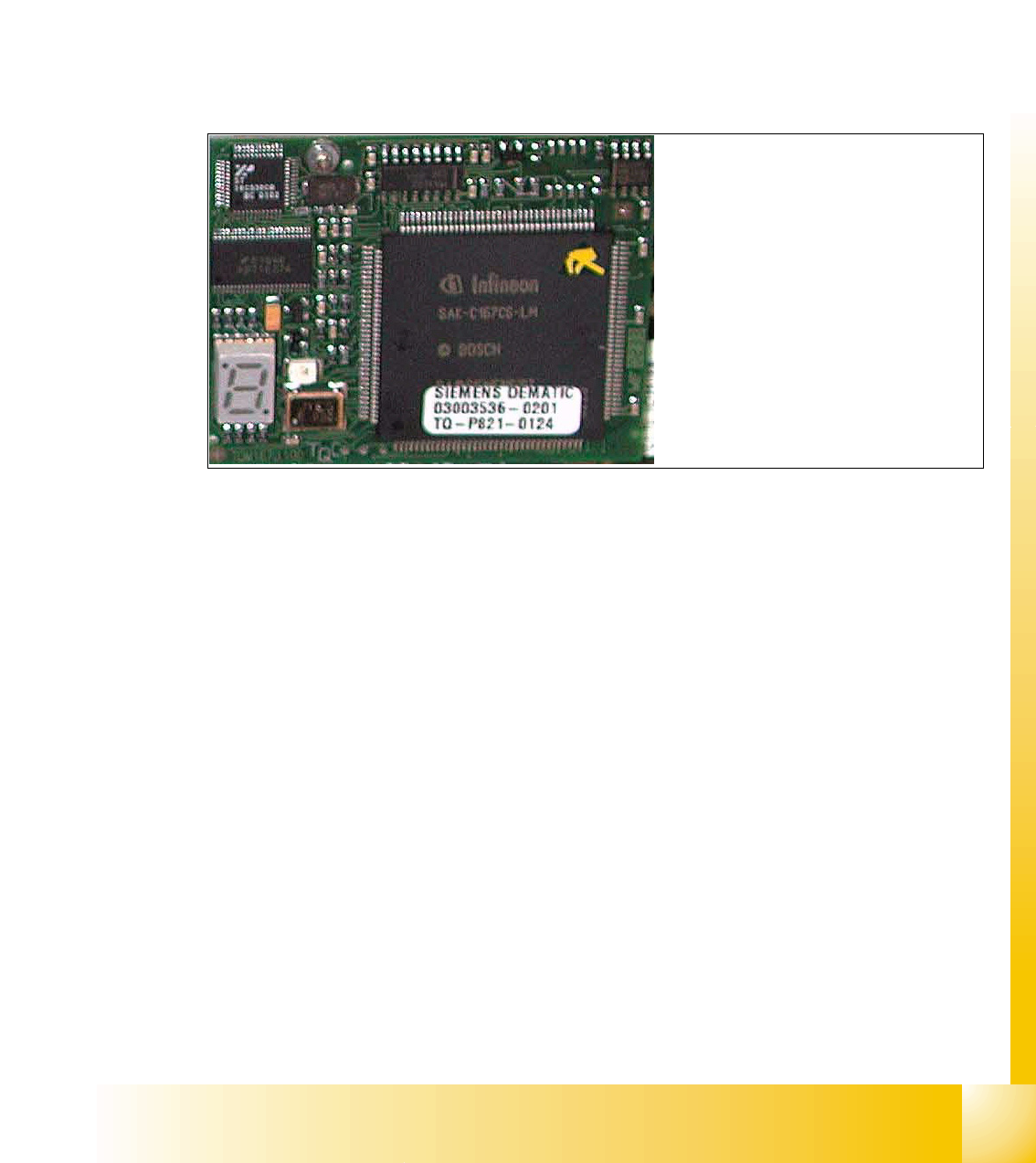
Fig. 5.3 - 6 16 Bit Processor (TQM Module)
Description 7 Segment display ( Standard mode " . " flashed):
– After switch ON the machine appears " 0 " on the display
– Display " b " Bios is started.
– Display flash alternately "b" and " . " --> none Application available or can not started.
– Display " -I " und " I- " Application is loaded and now starts.
– The " . " on the display flashed.
(1) 7 Segment display
(2) LED red at the bei manual RESET
on the Processors
(3) 16 Bit Processor
2
3
1