SiplaceX4_en.pdf - 第267页
1 - 39 S tudent Guide SIPLACE X Edition 09/2005 6 Coll ect &Place-Head 6/12 39 6.3.24 Det ailed turning process at DP-st ation - 3. Swiveling off Fig. 6.3 - 21 Detailed turning proce ss at DP-station - Swiveling off …
1 - 38
Student Guide SIPLACE X
6 Collect &Place-Head 6/12 Edition 09/2005
38
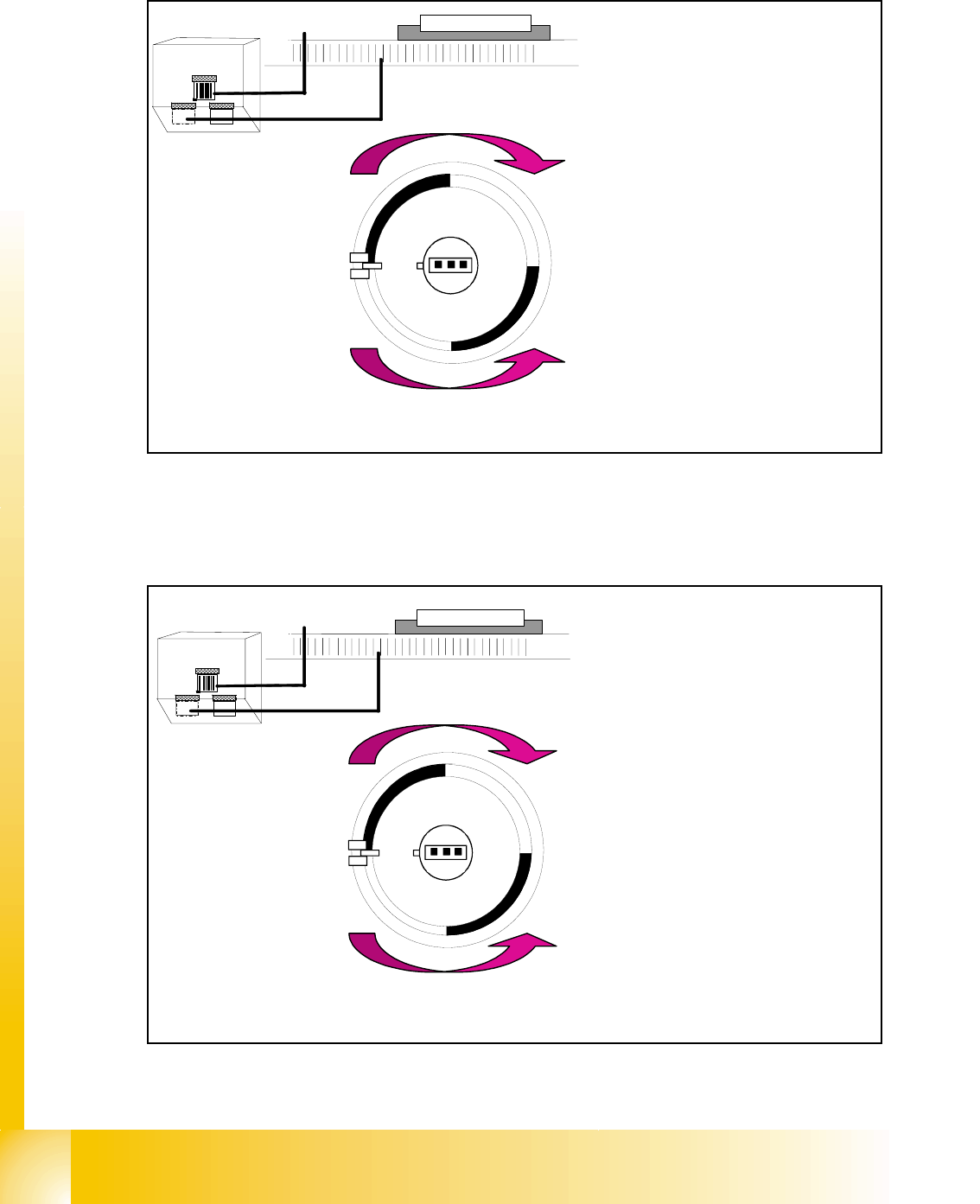
6.3.22 Detailed turning process at DP-station - Positioning to pick up angle
Fig. 6.3 - 19 Detailed turning process at DP-station - Positioning to pick up angle
6.3.23 Detailed turning process at DP-station - Positioning to placement angle
Fig. 6.3 - 20 Detailed turning process at DP-station - Positioning to placement angle
Zero pulse
window
Track signals
bright dark
transition is
zero pulse
¼ turning
Turning directions
– The axis drive moves the seg-
ment to the 0-pulse and checks
the signal level for 3 digits.
– The axis runs in absolute posi-
tioning mode to one of the zero
pulses and check this zero
pulse. For a pick up angle of
90° the axis drive move direct
to the 90° black-bright transi-
tion.
– End signal is set when actual
position deviation is within al-
lowed deviation of position.
– There is no difference between
0° and 180° / 90° or -90° pick
up angle.
Zero pulse
window
Track signals
bright dark
transition is
zero pulse
¼ turning
Turning directions
– When DP-station is swiveled in
the axiscontroller is activated
and ..
– .. the actual position is set to zero
by setting the position counter
DP-axis to 0.
– The DP-drive is operated in rela-
tive positioning mode.
– The DP-axis starts to the target
position taken from calibrated,
programmed and centered val-
ues.
– End signal is set when actual po-
sition deviation is within allowed
deviation of position.
1 - 39
Student Guide SIPLACE X
Edition 09/2005 6 Collect &Place-Head 6/12
39
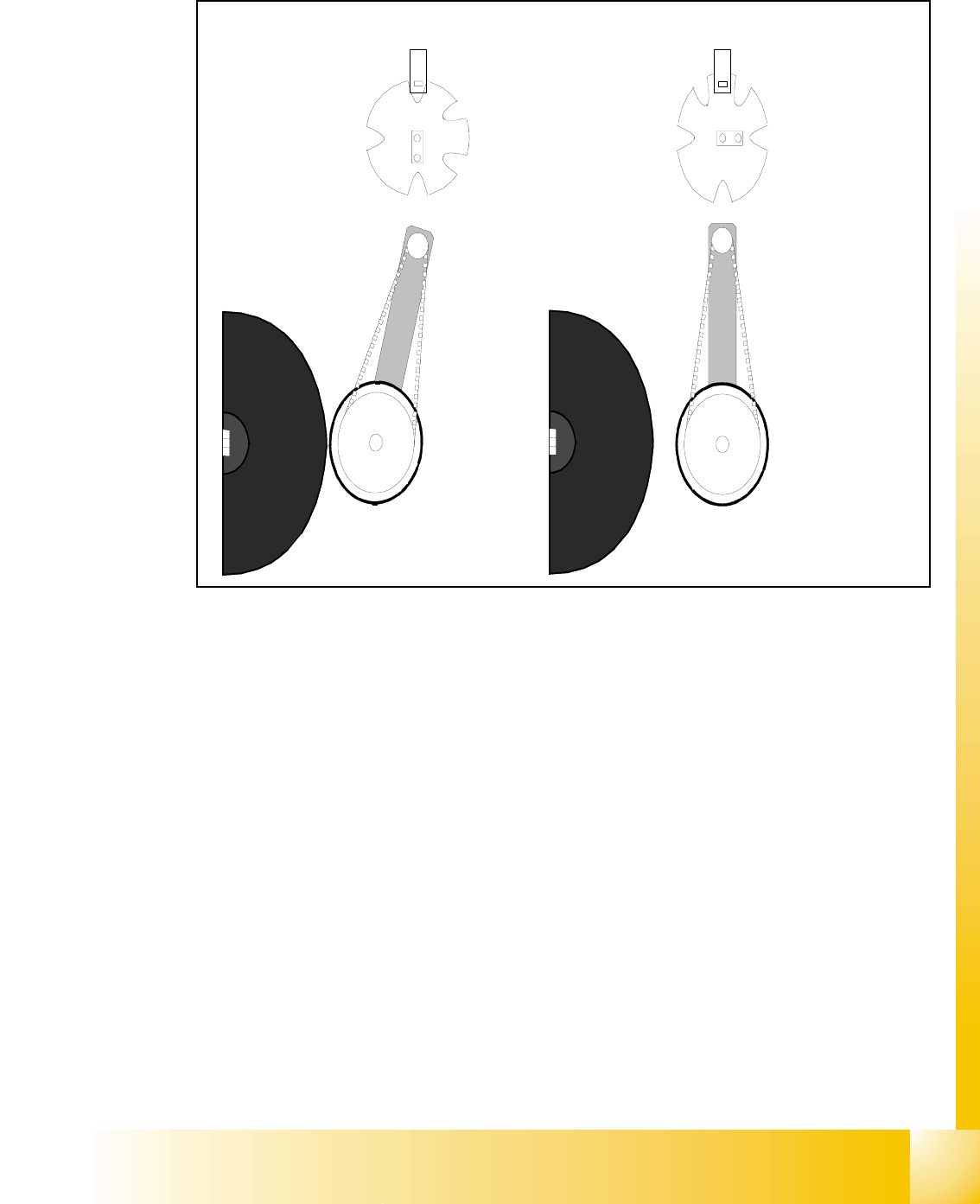
6.3.24 Detailed turning process at DP-station - 3. Swiveling off
Fig. 6.3 - 21 Detailed turning process at DP-station - Swiveling off
– Start requirement for swiveling off is the end signal of DP-positioning.
– The DP-drive contact the sleeve. The positioning is finished with an end signal.
– The stepper motor is controlled by the light barrier on the cam disc.
– Picture 1 shows the swiveled in state.
– From the swiveled in state the stepper motor turn 90° counter clockwise to swivel off.
– Picture 2 shows the swiveled off state.
2.
1.
1 - 40
Student Guide SIPLACE X
6 Collect &Place-Head 6/12 Edition 09/2005
40
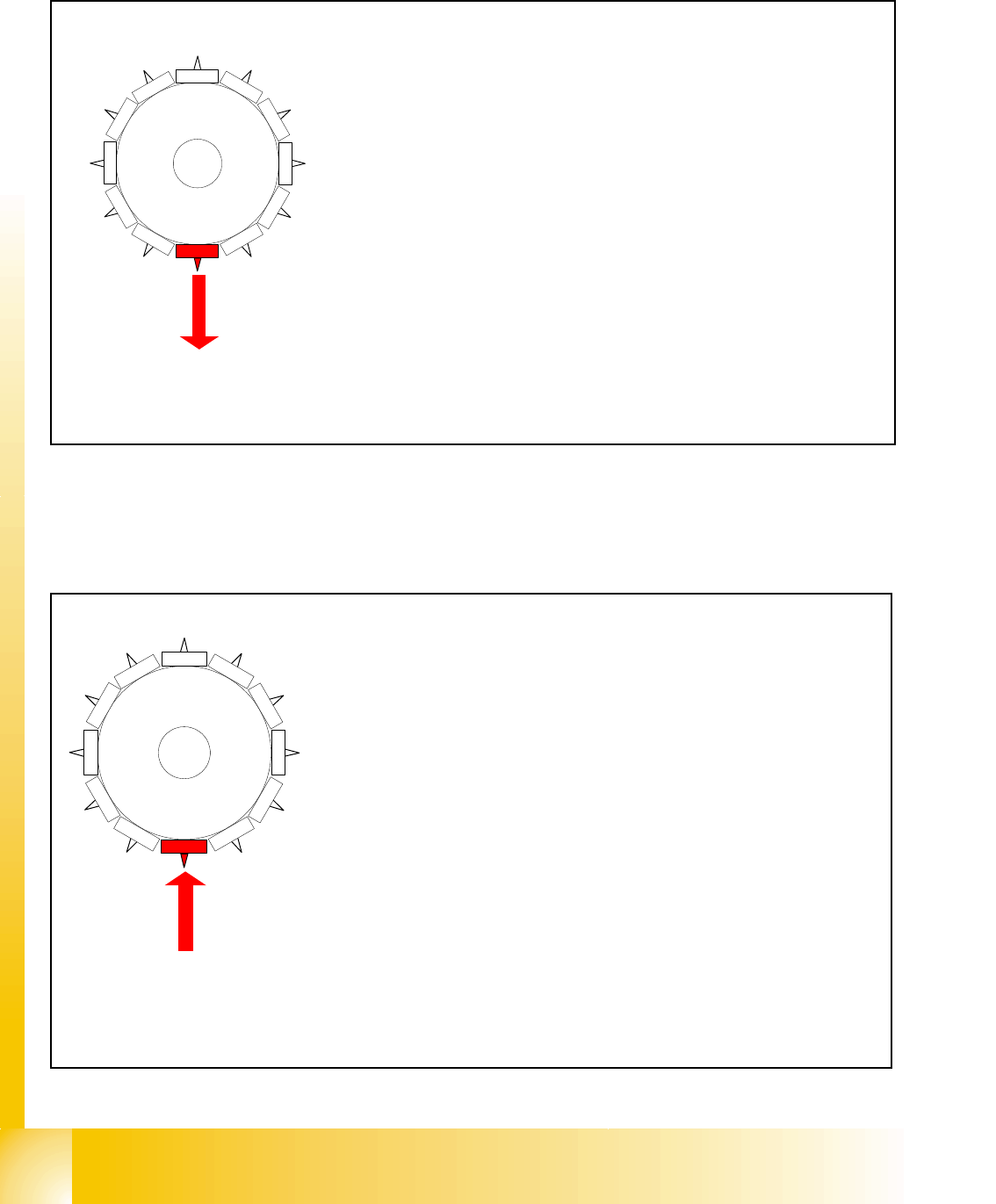
6.3.25 Pick up sequence detailed: Z-axis downwards
Fig. 6.3 - 22 Pick up sequence detailed: Z-axis downwards
6.3.26 Pick up sequence detailed Z-axis upwards
Fig. 6.3 - 23 Pick up sequence detailed Z-axis upwards
1
2
1
1
10
9
8
7
6
5
1
2
3
4
Start gantry axes to the pick up position next feeder &Communica-
tion to component table: Start signal to Gantry axes.
– Next feeder signal / this opens feeder flap.
End signal X-, Y- & Star-axis:
end signal Star-axis..
..activate vacuum check:
Segment sealed? before pick up X / Y end signals existing
Z-axis starts:
Z-axis starts positioning downward
Light barrier (LB) above:
enables LB bottom
LB bottom switches:
end signal Z-axis positioning downwards;
activate valve drive to vacuum.
1
2
1
1
10
9
8
7
6
5
1
2
3
4
LB bottom switches:
end signal positioning Z-axis down; valve drive to vacuum; both actions
finished?
Start signal to move up
Z-axis started:
– positioning Z-axis upwards
LB above switches:
– reset LB bottom signal; 1
st
vacuum request component picked up?
(return OK) Enables start signal for gantry axes
Communication to component table:
– „close feeder flap“ and stroke feeder
Z-axis end signal (Z-axis on 0-position DP-station swiveled off):
– 2nd vacuum request component picked up?
Enable start for Star-axis