SiplaceX4_en.pdf - 第345页
1 - 29 S tudent Guide SIPLACE X Edition 09/2005 7 T win-Head 29 7 Fig. 7.4 - 7 Correction values after zero calibration ➠ Press "OK". The correction value will be a ccepted - now the refe rence value equals th …
1 - 28
Student Guide SIPLACE X
7 Twin-Head Edition 09/2005
28
7.4.6 Zero calibration for pressure regulator on the Twin- Head
The vacuum generator is a part at the Twin head and creates the vacuum and air kiss for the pick
up and placement process. The zero calibration for the vacuum generator should be make for the
first set up on customer side and after exchanging the vacuum generator or twin module.
7
If you don‘t calibrate the vacuum generator you use wrong thershold values for open and closed
vacuum and it could be you get error messages about "No component on the nozzle or nozzle is
dirty".
7
With the aid of the zero calibration we positioning the motor of the vacuum generator into a middle
or neutral position, so that you don‘t have any vacuum or air kiss on the nozzle.
7
7.4.6.1 Zero calibration vacuum generator
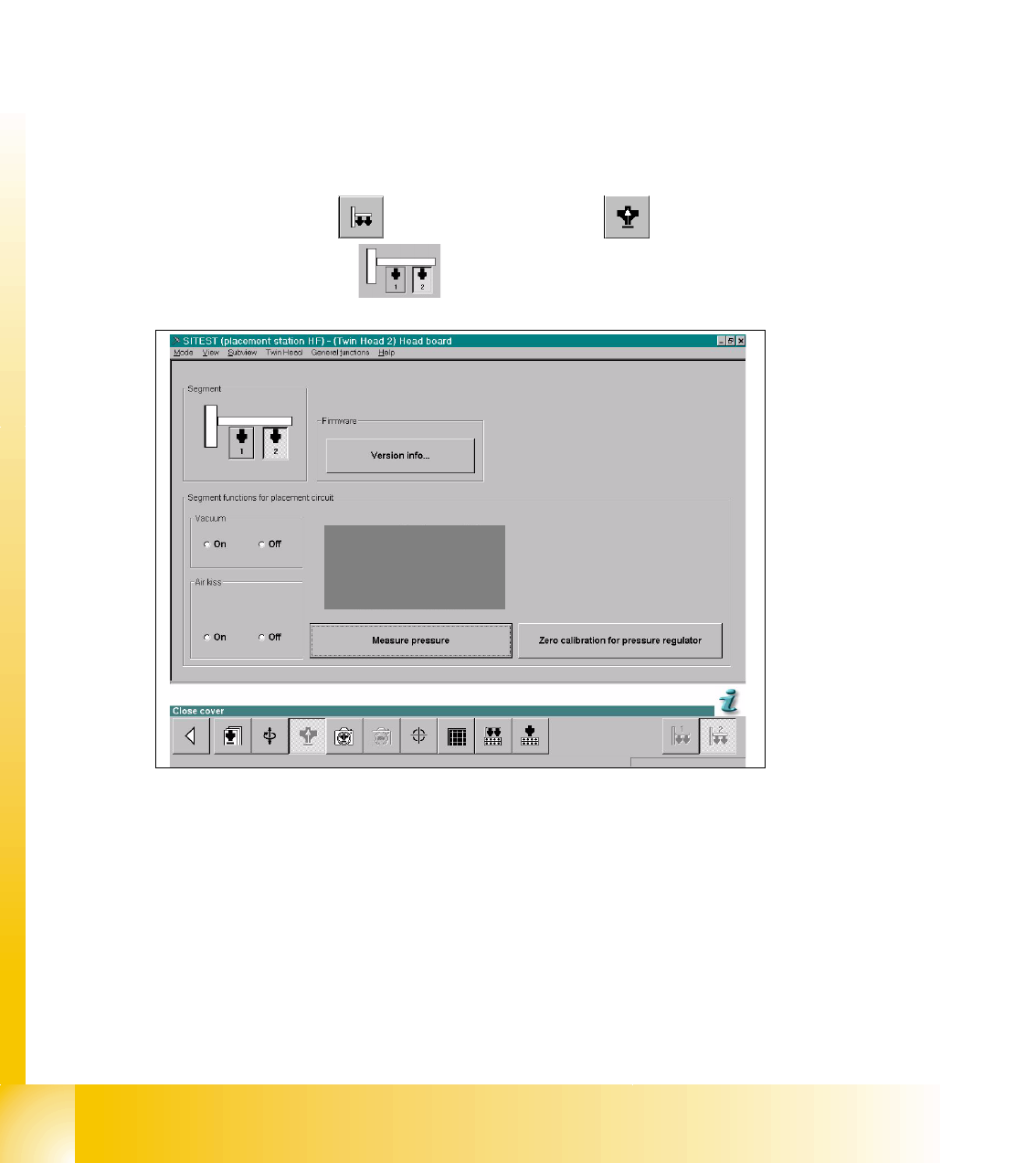
➠ Start the SITEST.
7
Sitest: 7 ➠ Select "Twin head" ==> Select "Head board"
➠ Select the "Segment"
Fig. 7.4 - 6 SITEST Functions Head board
➠ Close the nozzle of the appropriate Twin module (e.g. by sealing it with your finger tip).
==> Select "Zero calibration pressure regulator"
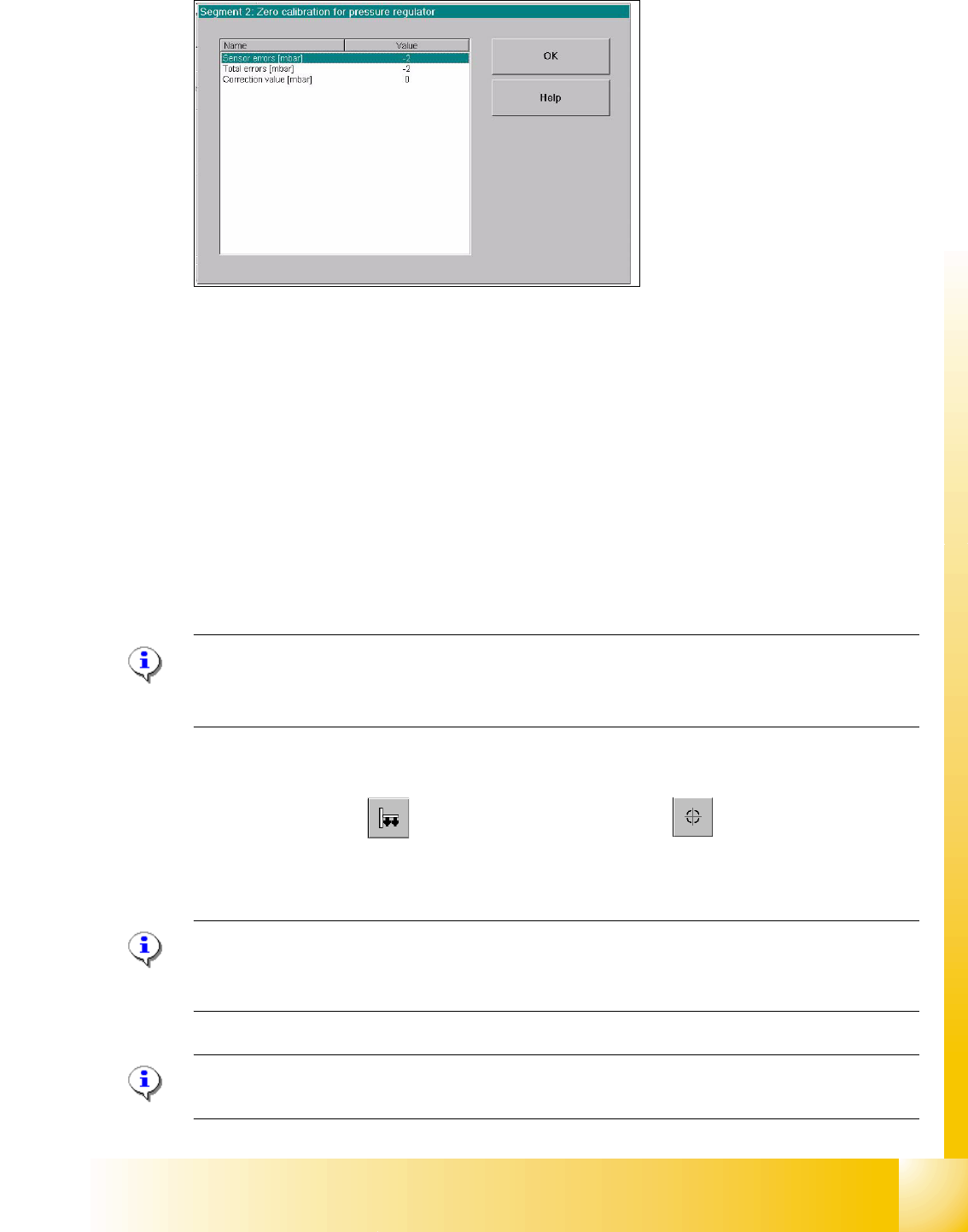
The following display appears and show the correction values.
1 - 29
Student Guide SIPLACE X
Edition 09/2005 7 Twin-Head
29
7
Fig. 7.4 - 7 Correction values after zero calibration
➠ Press "OK".
The correction value will be accepted - now the reference value equals the ambient pressure.
7.4.6.2 Check the Zero calibration of the vacuum generator
Sitest: 7
Select "Twin head" ==> Select "Head board" ==> Press the button "Measure pressure"
If you check the zero calibration the preconditions are "Vacuum is OFF" and "Air kiss is OFF"
(siehe Fig. 7.4 - 6).
Please Note
The pressure deviation to the ambient pressure in the case of 0 - mbar calibration should not
exceed for ± 10 mbar. 7
7.4.6.3 Calibrate closed vacuum
Sitest: 7
➠ Select "Twin Head" ==>Select "calibration functions"
==> Select Sie "Calibrate closed vacuum"
Please Note:The value for "closed vacuum" will be measured automatically for both Twin mod-
ules.
In the dialog window the former and the new values are shown. 7
Please Note:
The indication "closed vacuum" equals "Threshold value closed" in SITEST. 7
1 - 30
Student Guide SIPLACE X
7 Twin-Head Edition 09/2005
30
7.4.6.4 Check the pressure tightness of the vacuum system
➠ Start SITEST.
➠ Move the gantry so that you can easily reach the nozzle of the Twin Head with one and the
keyboard with the other hand.
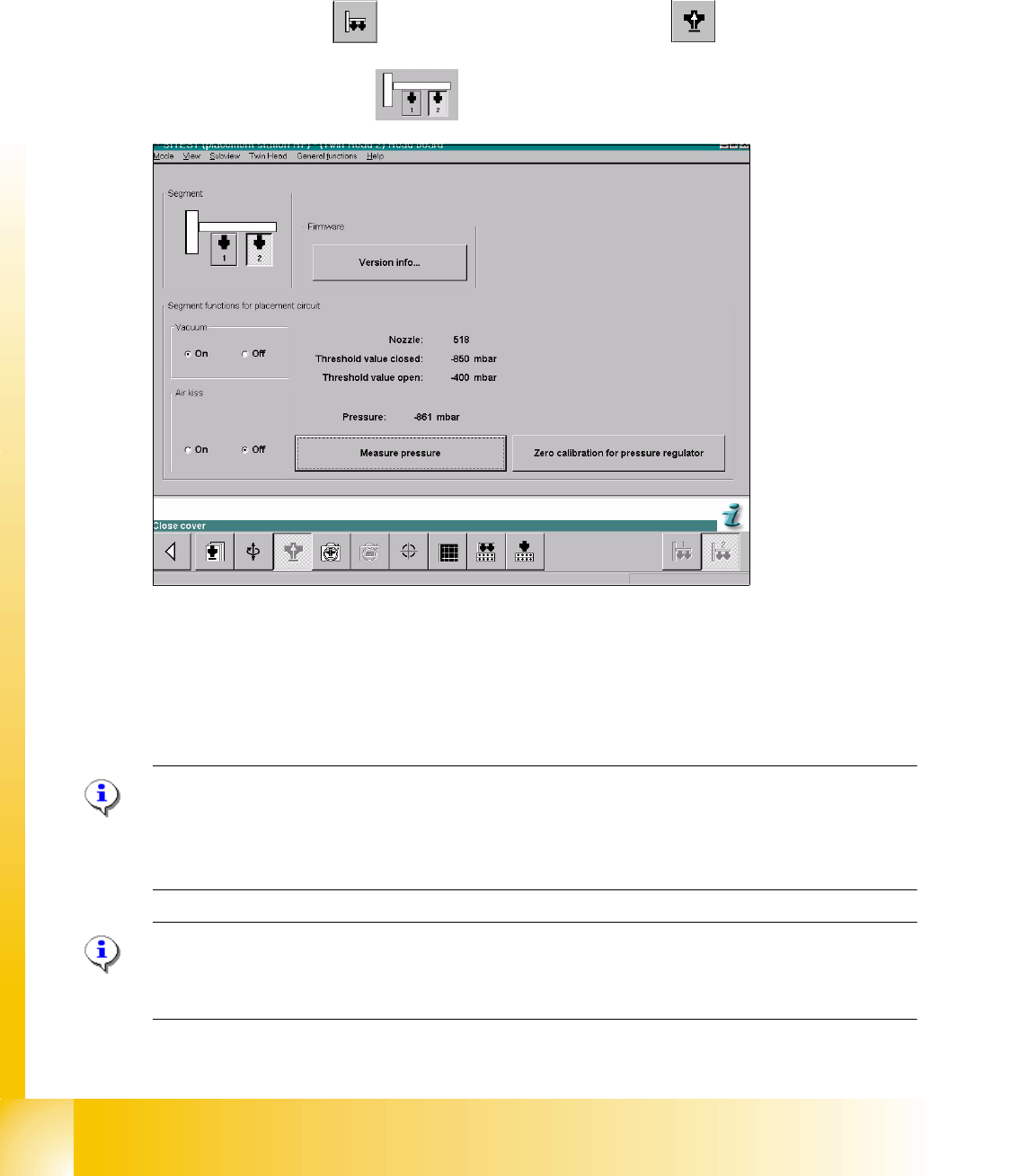
Sitest 7 ➠ Select "Twin head" ==> Select "Head board functions"
==>Select Twin module
fig. 7.4 - 8 SITEST functions head board functions
➠ Switch "on" the vacuum.
➠ Close the nozzle of the appropriate P&P module (e.g. by sealing it with your finger tip).
➠ Select "Measure pressure".
➠ The displayed value should be close to the "Threshold value closed".
Please Note:
"Threshold value closed" (or closed vacuum) defines the maximum vacuum.
"
Threshold value open" defines the maximal allowable vacuum value for the specific nozzle type
- in case that no nozzle is setup, the value "0" is shown.
Please Note:
The value "Vacuum closed" will be determined in the menue "Calibrate Twin head"==> "Vacuum
closed calibrate".