SiplaceX4_en.pdf - 第347页
1 - 31 S tudent Guide SIPLACE X Edition 09/2005 7 T win-Head 31 7.4.6.5 Check the "Air kiss" pressure ➠ S tart SITEST . ➠ Move the gantry so that you c an easily reach the nozzle of the T win Head with one and …
1 - 30
Student Guide SIPLACE X
7 Twin-Head Edition 09/2005
30
7.4.6.4 Check the pressure tightness of the vacuum system
➠ Start SITEST.
➠ Move the gantry so that you can easily reach the nozzle of the Twin Head with one and the
keyboard with the other hand.
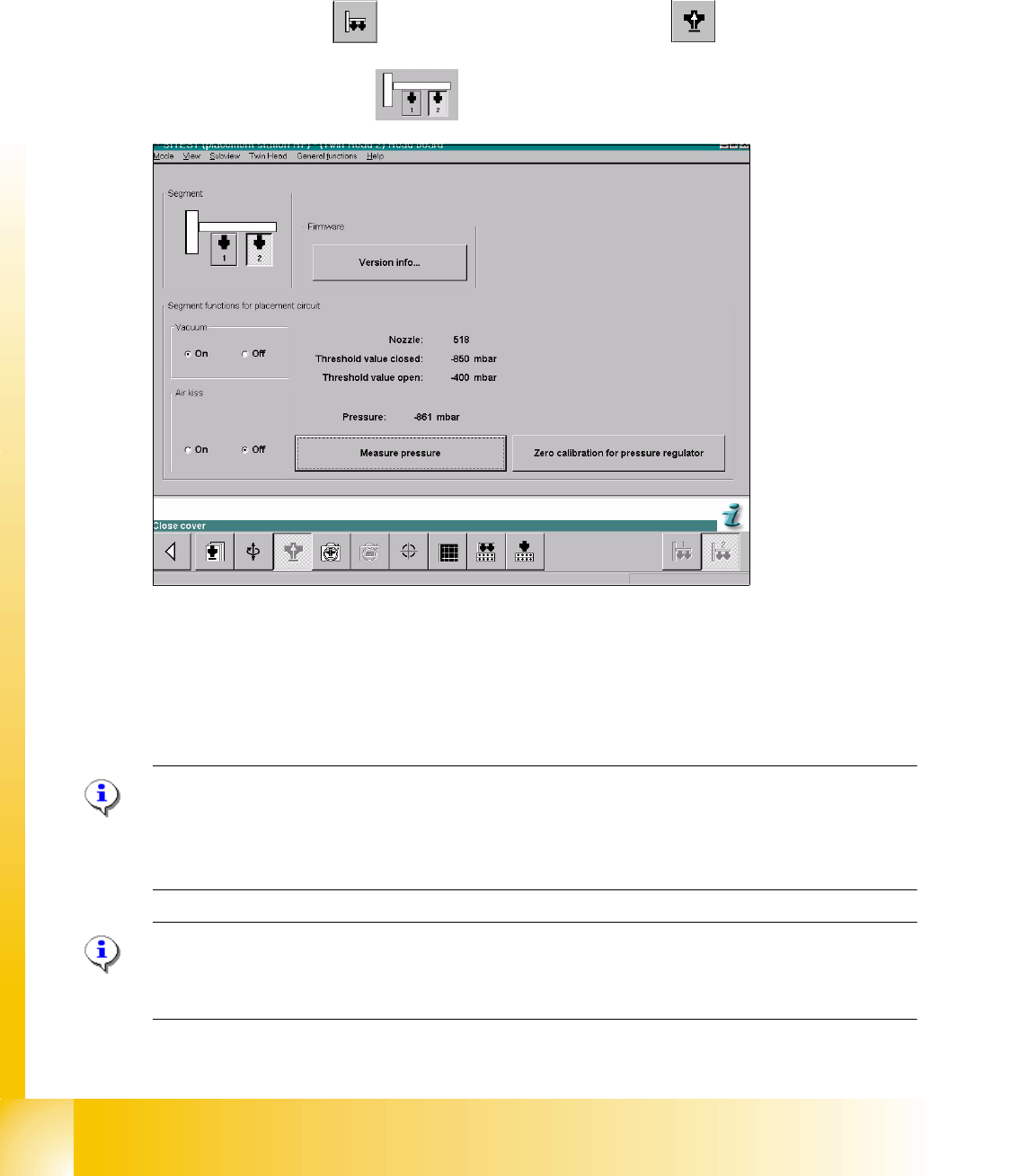
Sitest 7 ➠ Select "Twin head" ==> Select "Head board functions"
==>Select Twin module
fig. 7.4 - 8 SITEST functions head board functions
➠ Switch "on" the vacuum.
➠ Close the nozzle of the appropriate P&P module (e.g. by sealing it with your finger tip).
➠ Select "Measure pressure".
➠ The displayed value should be close to the "Threshold value closed".
Please Note:
"Threshold value closed" (or closed vacuum) defines the maximum vacuum.
"
Threshold value open" defines the maximal allowable vacuum value for the specific nozzle type
- in case that no nozzle is setup, the value "0" is shown.
Please Note:
The value "Vacuum closed" will be determined in the menue "Calibrate Twin head"==> "Vacuum
closed calibrate".
1 - 31
Student Guide SIPLACE X
Edition 09/2005 7 Twin-Head
31
7.4.6.5 Check the "Air kiss" pressure
➠ Start SITEST.
➠ Move the gantry so that you can easily reach the nozzle of the Twin Head with one and the
keyboard with the other hand.
Please Note:
The value for the "Air kiss" pressure can be edited between 0 and 400 mbar. Standard value (only
for SITEST): 400 mbar 7
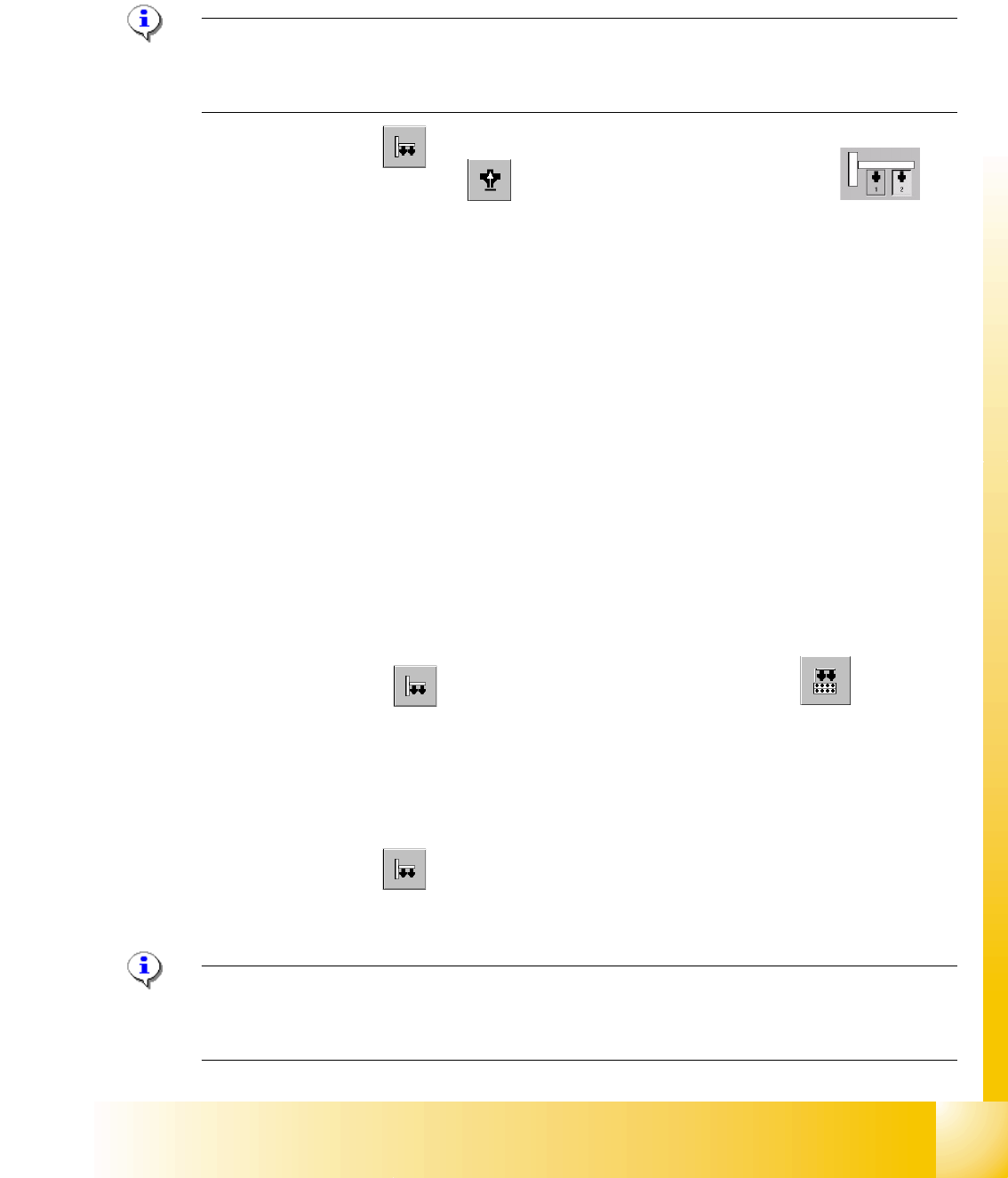
➠ Select "Twin Head"
Sitest: 7 ➠ Select "Head board functions" ==> Select the Twin module (segment)
➠ Switch "on" the air kiss.
➠ Close the nozzle of the appropriate Twin module (e.g. by sealing it with your finger tip).
➠ You can edit and modify the value for the forced air pressure or leave the standard value.
➠ Select "Measure pressure".
➠ The measured value should correspond (approx.) with the given value.
7.4.7 Calibrating the Twin- Head
During initial set-up or after replacement of a Twin module the Twin Head must be calibrated. The
Offset between TWIN Segment and PCB-camera center is meassured.
7
➠ Put the nozzles 517 by hand on the segments of the P&P modules.
➠ Make sure that the first nozzle from the garages are empty and depend on this the filling
level from the nozzle changer are edited, this is necessary for the calibration of the pick-up
height.
➠ Enter the nozzle "517" for both Twin modules as active nozzle on the Twin Head:
Sitest: 7 ==> Select "Twin Head" ==> Select "nozzle changer head functions" 7
7
==> Select the appropriate "segment" out of the list. 7
==> Select "Edit" ==> Select "517" and "accept". 7
==> Activate the checkbox "selected segment". 7
==> Select "Confirm exchange". 7
7
➠ Select "Twin Head" ==> Select "Calibrate machine"
==> Activate only "Twin Head" of the appropriate placement area.
==> Select "Start".
Please Note: The following points are calibrate automatically:
- MA-Zero point, PCB Camera, Calibration tool position, Head height, TH calibration Offset modul
1and 2, IC Camera, (option FC Camera) Nozzle changer. 7
1 - 32
Student Guide SIPLACE X
7 Twin-Head Edition 09/2005
32
7.4.8 Mechanical adjustment the incremental encoder Z-axis
Please Note:
The incremental encoder on the Z-Axis must be adjust to a distance of 0,4 mm +/- 0,1 mm to the
incremental scale. Please adjust the incremental encoder parallel to the incremental scale. For the
distance use a plastic feeler gauge of 0,4 mm.
After this adjustment of the incremental encoder you have to check the zero pulse and track sig-
nals (see chapter Tracksignals and Zeropulse).
7.4.9 Vision DC/DC Converter
The function of the Vision DC/DC converter is the power supply 42V for the stationary cameras.
The 42V are use for the illumination of the stationary cameras.
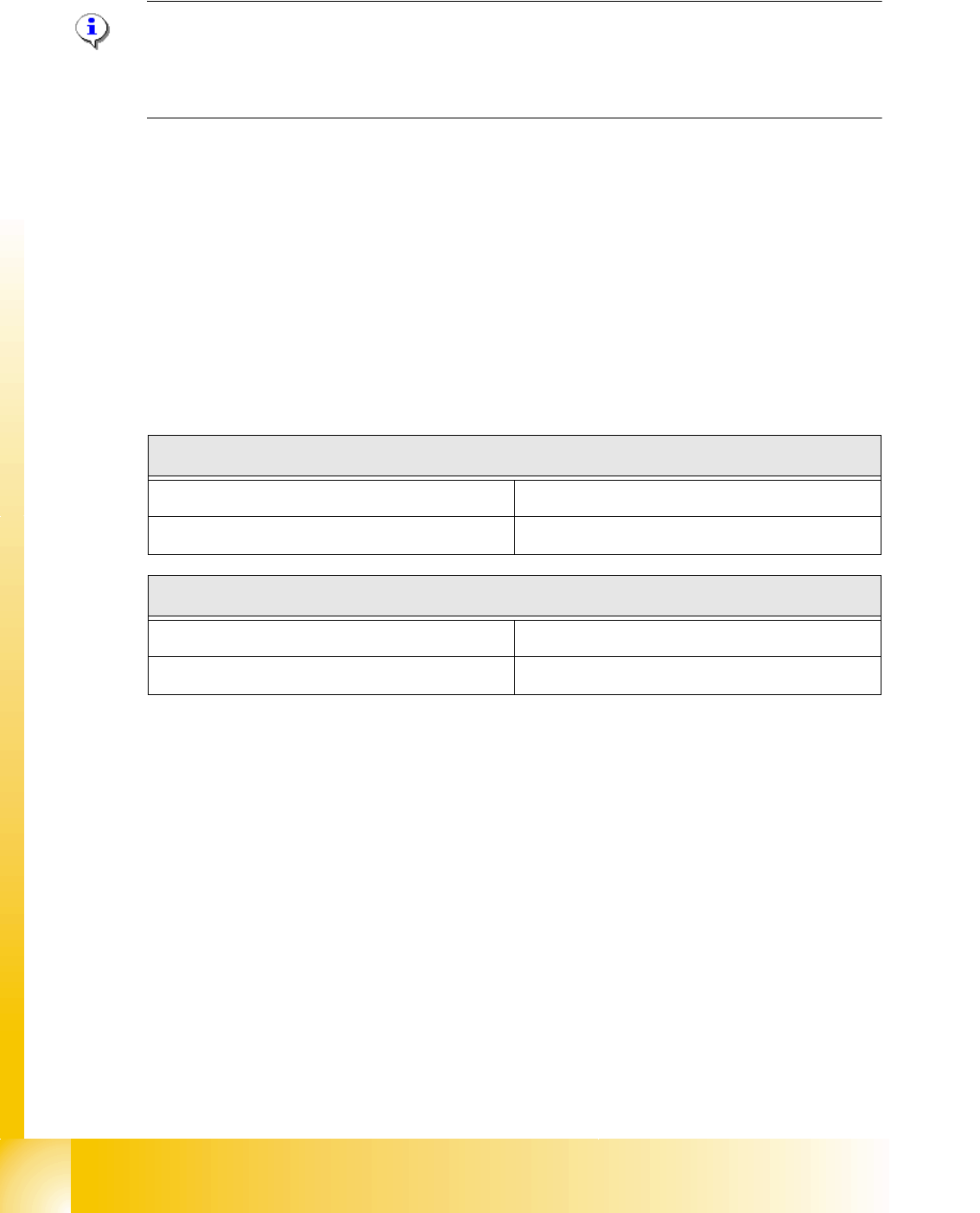
For changing the Vision DC/DC converter you have to do the following adjustments depend on
the location (Main-/ Sub- Distributor).
Tab. 7.4 - 1 Bypass, wire jumper on the connector of the DC/DC converter
Main Distributor
Bypass 1(wire jumper) 10 - 13
Bypass 2 (wire jumper) 11 - 12
Sub Distributor
Bypass 1 (wire jumper) 6 - 13
Bypass 2 (wire jumper) 4 - 12