SiplaceX4_en.pdf - 第541页
1 - 36 S tudent Guide SIPLACE X 1 1 Sitest Edition 09/2005 36 1 1.2.17.3 Head modularity Siplace X – Choose "Settings" from the Sitest- menu bar , afterwards "Head exchange" Head dat a 11 Fig. 1 1.2 -…
1 - 35
Student Guide SIPLACE X
Edition 09/2005 11 Sitest
35
11.2.17.2 Function Firmware download
Choose "Settings"of the menu- bar in Sitest and afterwards "Firmware Download".
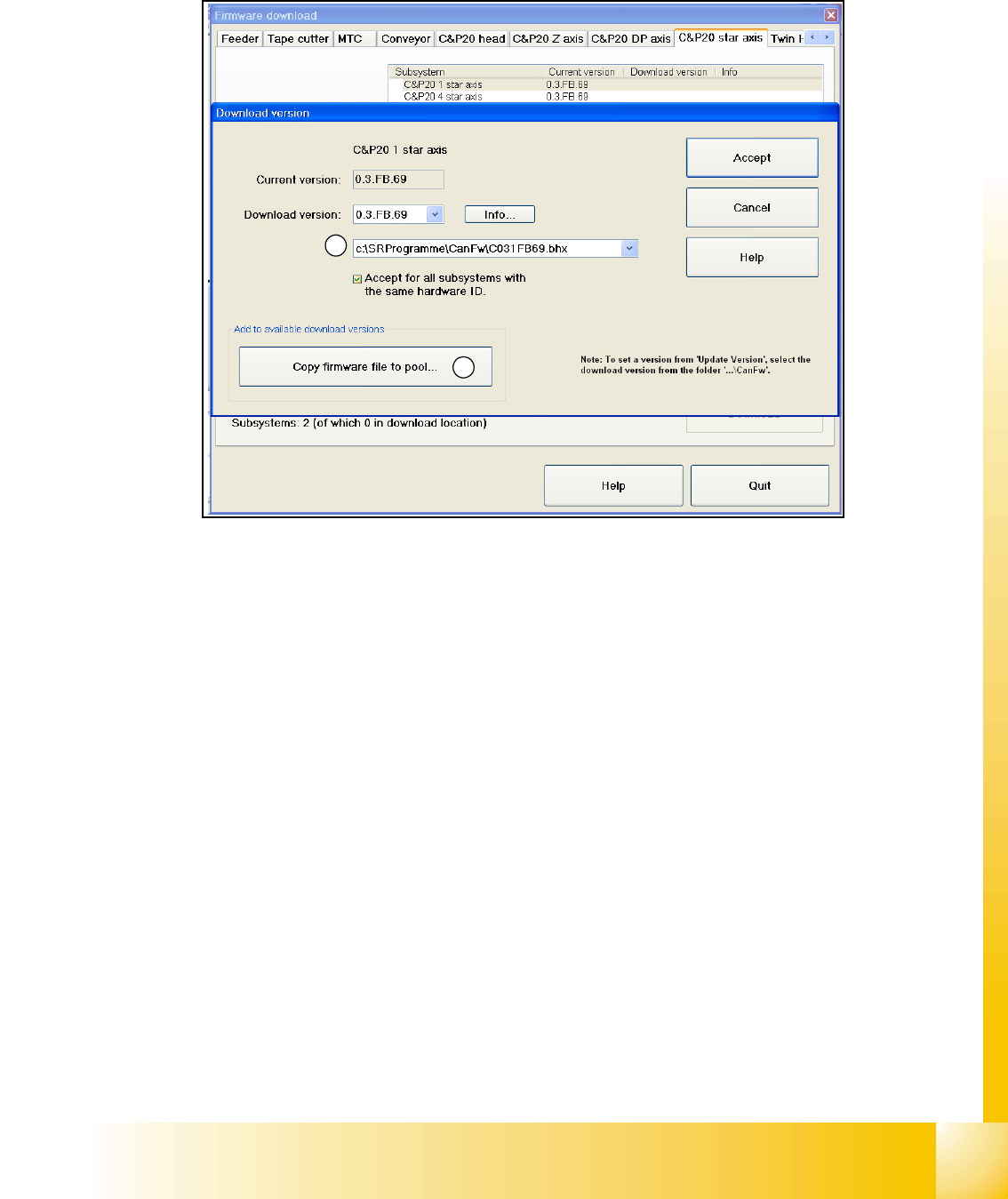
Fig. 11.2 - 20 Firmware Download
In the Can FW folder there are all current Firmware versions of all axes, tables etc.
(1) In this directory will be automatically checked up if there exist a newly firmware version of the
seperate axes,tables etc. compared to the already existing version. If there exist a new firmware
version, this new version will be offered and could be downloaded for example to the star- axis.
(2) It is also possible that you can manually copy a new firmware version in the Can FW folder.
Therefore just click on the button "Copy firmware file to pool...". A Explorer menu will appear,
where you can copy the firmware version from disk or USB-Stick into the Can FW folder. This one
inserted by you is now present in the selection menu (see
(1)).
1
2
1 - 36
Student Guide SIPLACE X
11 Sitest Edition 09/2005
36
11.2.17.3 Head modularity Siplace X
– Choose "Settings" from the Sitest- menu bar, afterwards "Head exchange"
Head data 11
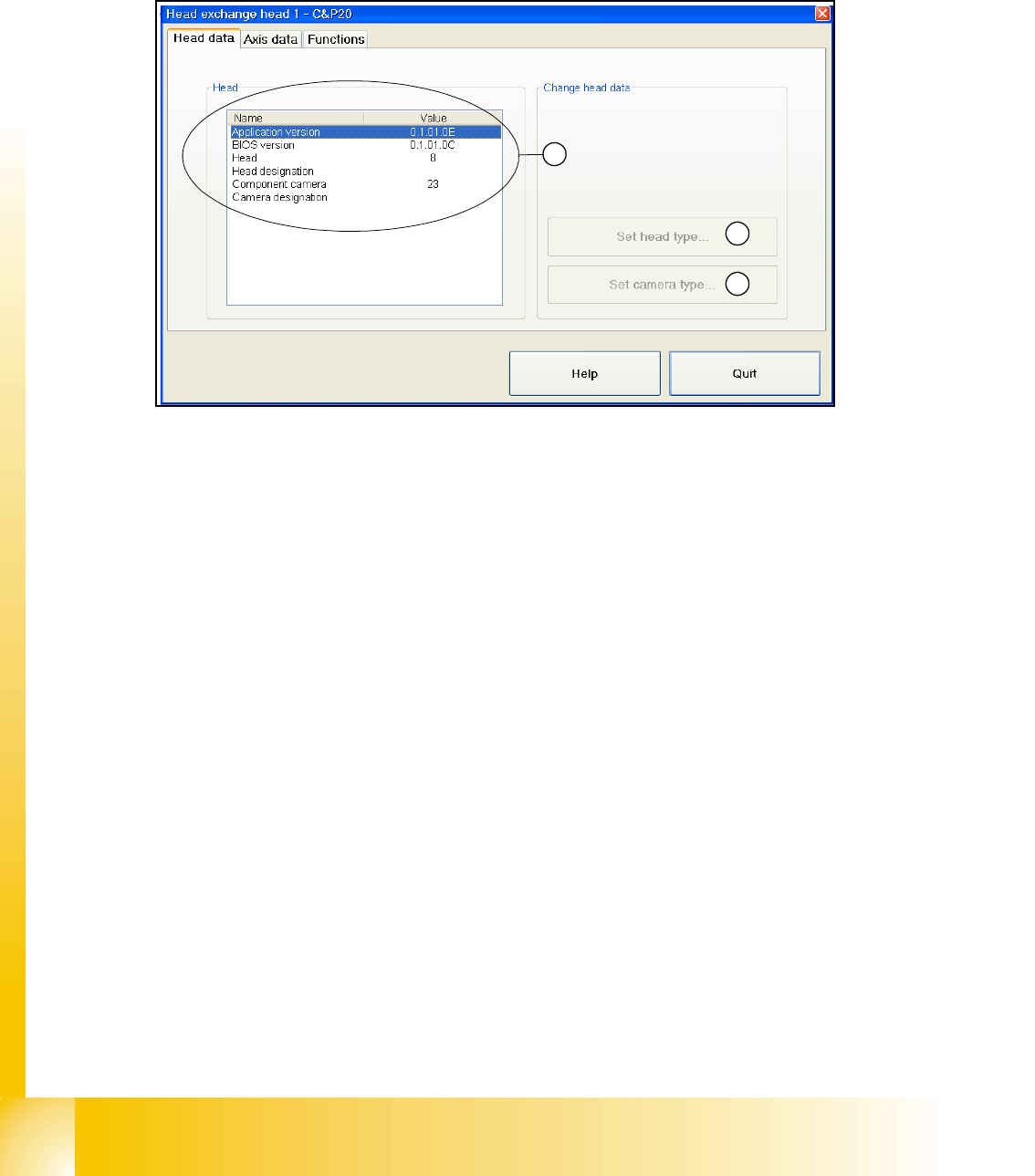
Fig. 11.2 - 21 head modularity - head data
(1) At the head exchange the corresponding head type gets select and set here.
(2) At the head exchange the corresponding camera type of the head type gets select and set
here.
(3) Here are shown the head data of the installed head. The current BIOS and application version,
the head type and the camera type of the installed head.
1
2
3
1 - 37
Student Guide SIPLACE X
Edition 09/2005 11 Sitest
37
Axis data 11
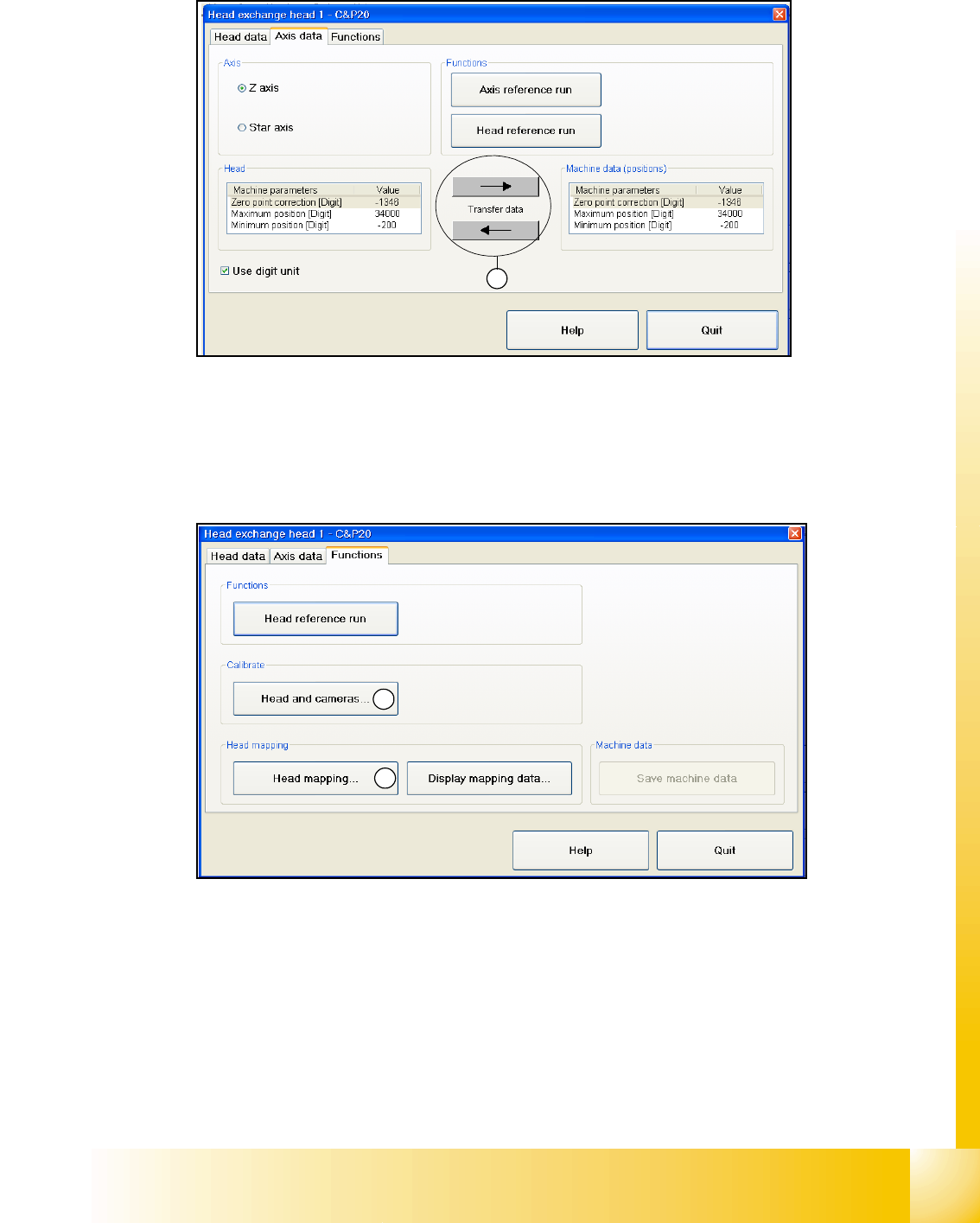
Fig. 11.2 - 22 head modularity - axis data
(1) Here you can overwrite the Z- and star axis data from the head eprom to the machine data and
the other way round.
Function 11
Fig. 11.2 - 23 head modularity - function
(1) After the head was changed, it is possible to calibrate the changed head with help of the head
exchange menu. Of course it is also possible to calibrate the other heads with this function. Basicly
you can also calibrate the new head, and already installed heads in Sitest menu "Calibrate ma-
chine..." and then "All heads and cameras..."
(2) The same is valid here, see (1). After the head exchange you can directly do a head- map-
ping.You also find the function head- mapping in Sitest menu "Calibrate machine..." and then
"Head- Mapping".
1
1
2