SiplaceX4_en.pdf - 第551页
1 - 8 S tudent Guide SIPLACE X 12 Siplace X - Head M odularity Edition 09/2005 8 Fig. 12.1 - 5 Menu "Head exchange" --> "A xis data (1) Read data from “hea d memory” write to Achsver .ma. (2) Read data …
1 - 7
Student Guide SIPLACE X
Edition 09/2005 12 Siplace X - Head Modularity
7
12.1.3 Menu Head exchange
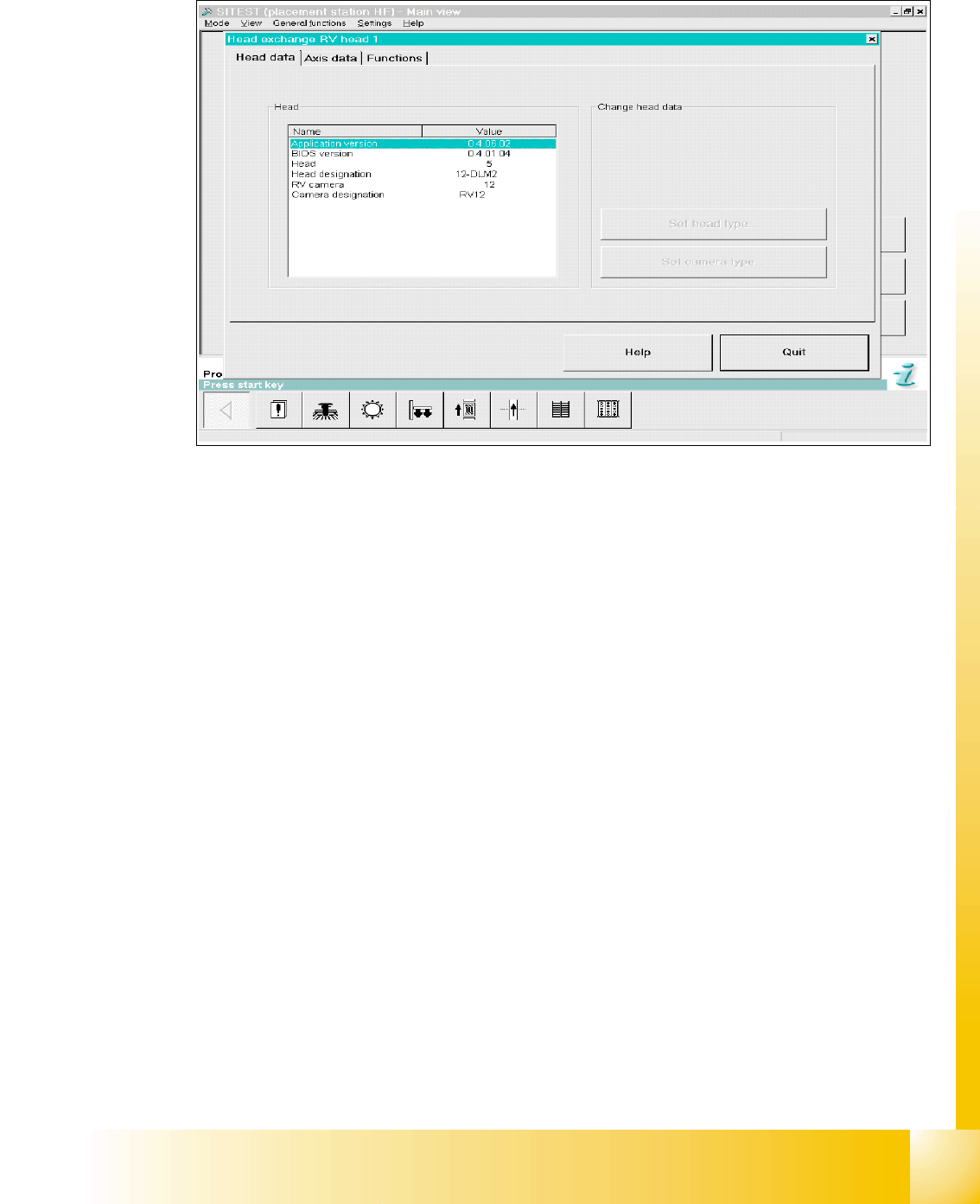
Fig. 12.1 - 4 Menu "Head exchange" --> "Head data"
Versions information and head type will be read automatically from the imtermediate board. With
the first boot sequence after the reconfiguration of the head types could be appears the message
of changing head types then the Buttons on the right site are active. Now you can edit and corret
the head typ and camera typ.
Overview head type numbers: 12
Head number ‘5’ is C&P 12
Head number ‘6’ is C&P 6
Head number ‘4’(7) is TWIN head
Head number ‘8’ is C&P 20
1 - 8
Student Guide SIPLACE X
12 Siplace X - Head Modularity Edition 09/2005
8
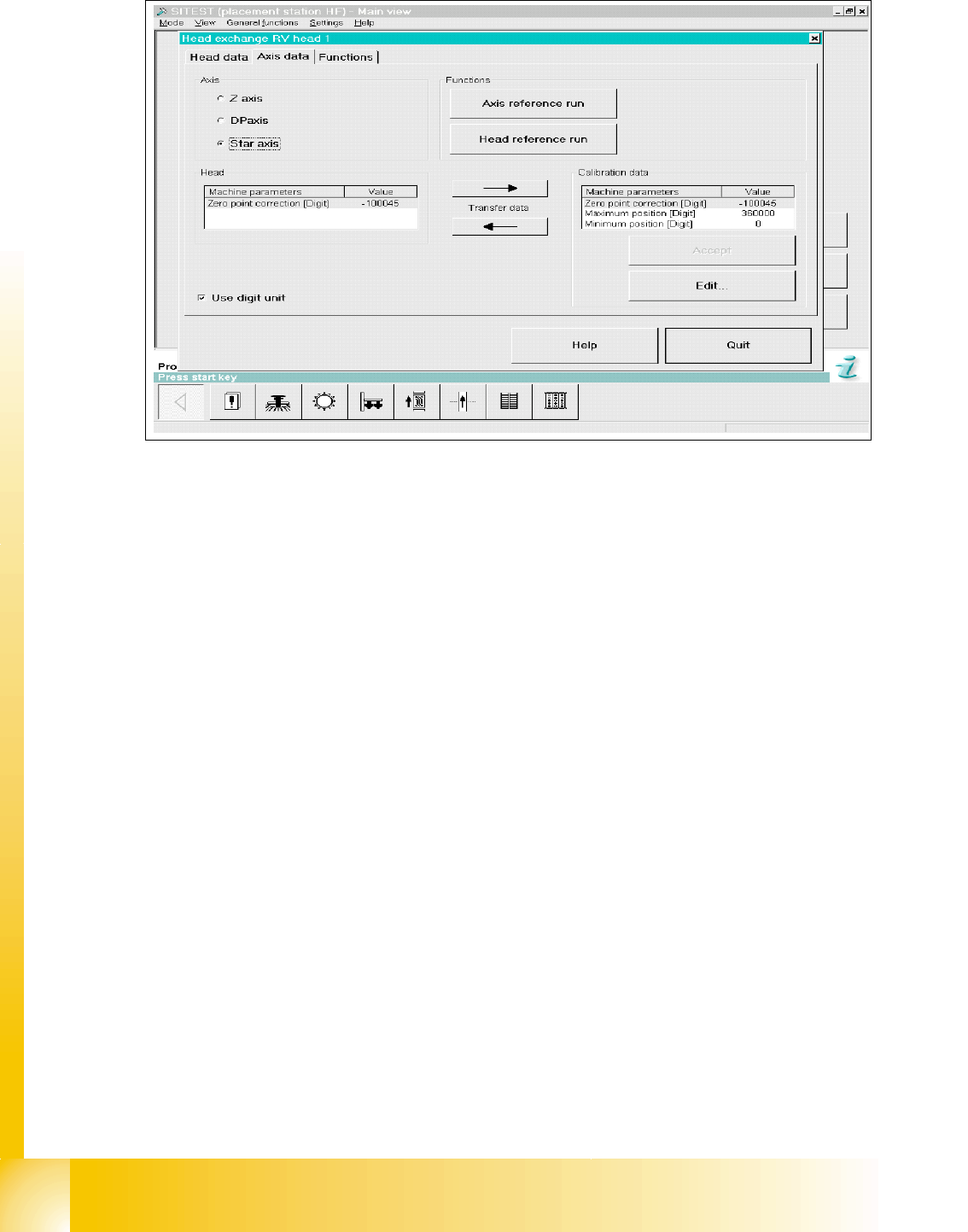
Fig. 12.1 - 5 Menu "Head exchange" --> "Axis data
(1) Read data from “head memory” write to Achsver.ma.
(2) Read data from Achsver.ma (MA data file) and write to “head memory”.
(3) Data from selected axis which are currently in the EEPROM
(4) Data from selected which are currently in the Achsver.ma file (edit).
(5) Choose head axis
(6) Link to this menu in placement head, axis reference run and head reference run.
1
6
5
4
3
2
1 - 9
Student Guide SIPLACE X
Edition 09/2005 12 Siplace X - Head Modularity
9
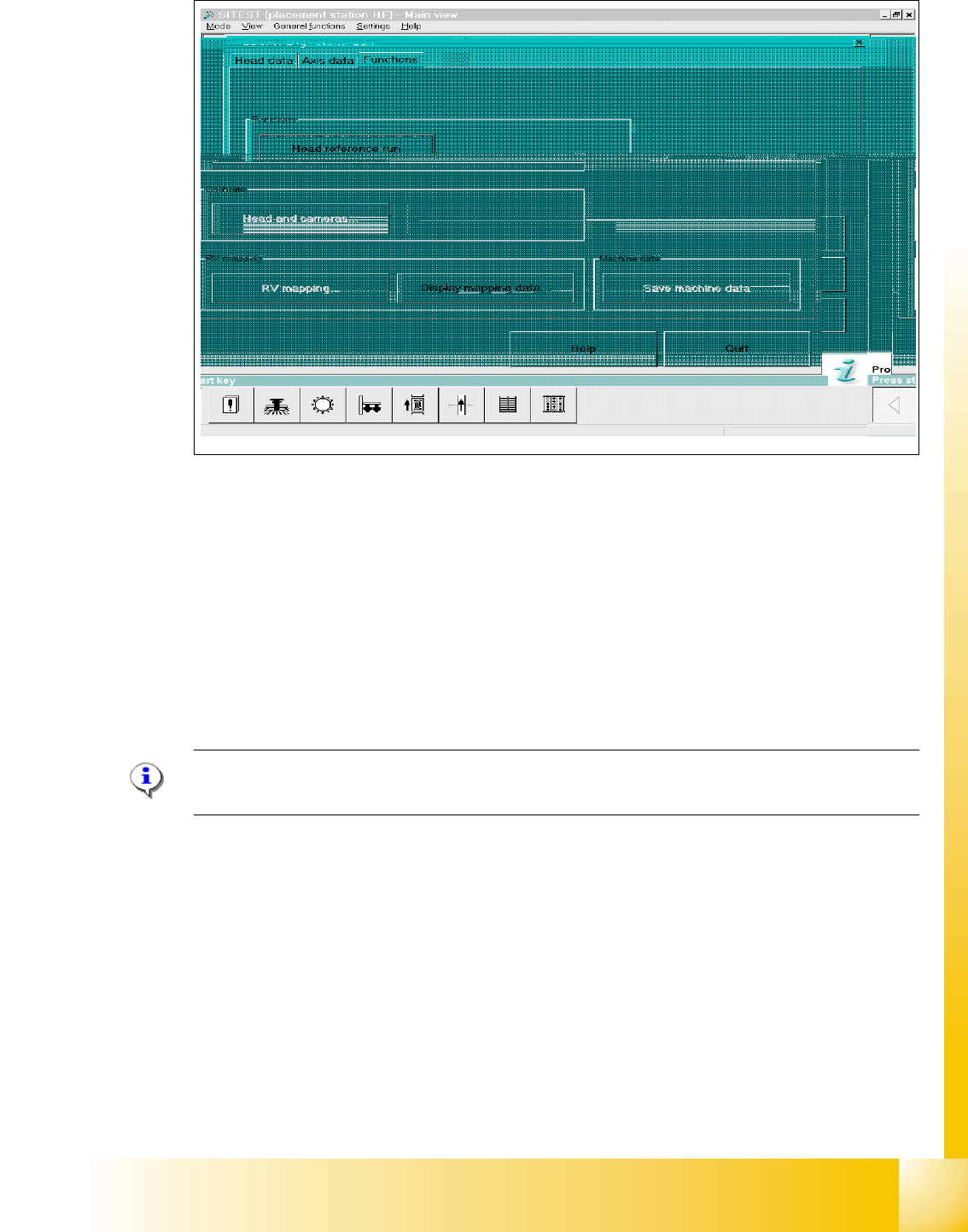
Fig. 12.1 - 6 Menu "Head exchange" --> "Functions
(1) Head reference run to check the function and for calibration reference run the whole machine.
(2) Link to calibrate head and cameras.
(3) Mapping menu
(4) Display mapping data
(5) Link to machine data
12.1.4 Calibration
Please Note:
See Chapter Sitest "Calibration".
Siplace X C&P head 12
➠ Calibrate MA zero point.
➠ Calibrate PCB camera
➠ Calibrate C&P head
➠ Component camera
➠ Segment offset 2
➠ Segment offset 1
➠ Calibrate nozzlechanger (inclusive automatic pick up height)
4
1
2
3
5