SiplaceX4_en.pdf - 第76页
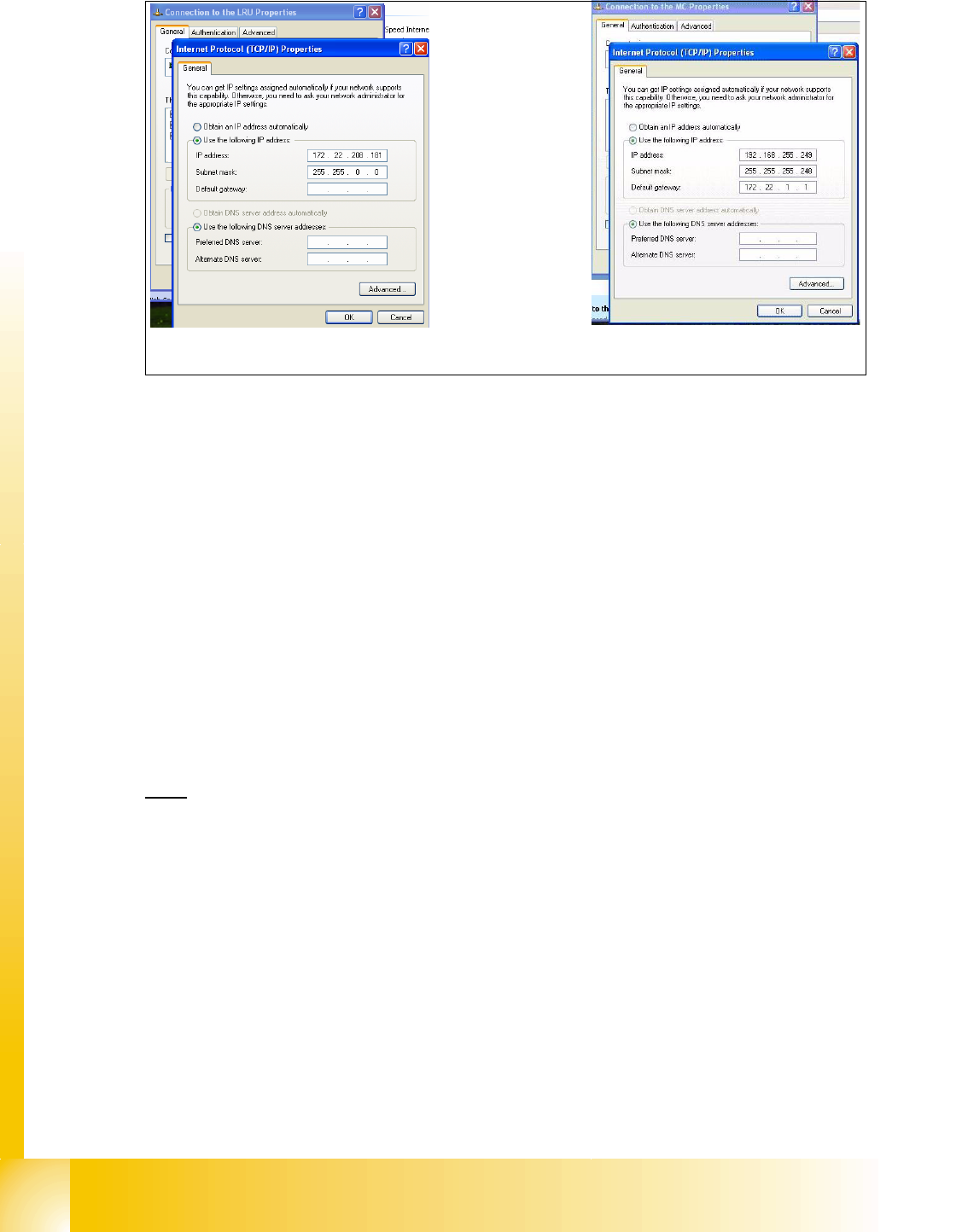
1 - 6 S tudent Guide SIPLACE X 3 Communication and Control Edition 09/2005 6 Abb. 3.2 - 1 Network boards St ationcomputer 3.2.1.2 Machinecontroller (MC) Check the internal TCP/ IP Addrress for the Mach inecontroller – Pu…

1 - 6
Student Guide SIPLACE X
3 Communication and Control Edition 09/2005
6
Abb. 3.2 - 1 Network boards Stationcomputer
3.2.1.2 Machinecontroller (MC)
Check the internal TCP/ IP Addrress for the Machinecontroller
– Put the keyboard to the MC and switch the multiplexer on the MC
– Switch ON the machine.
– Change with f4 to the other desktop, type in " sc " and press " Enter"
– Choose the folder " ETC" and press "Enter".
– Choose on the right side the "hosts-file"
– With " V " can you open the file and check the entries. Exit with " ESC ".
– Via the MC- Remoteconnection you can only check the entries.
The internal network address for the machine computer is a fixed local area network address
don‘t
change this address.
– Machinecontroller: 192.168.255.250
Entries in the hosts file:
127.255 loop
192.168.255.250 local localhost # my IP address!
192.168.255.249 autsr traceserver # station computer
192.168.255.249 autgem # gem computer
192.168.255.249 router # Rechner, for Remote Service
Interne IP Adresse für SR
Externe IP Adresse für SR
1 - 7
Student Guide SIPLACE X
Edition 09/2005 3 Communication and Control
7
3.2.2 Computer at the LAN Network
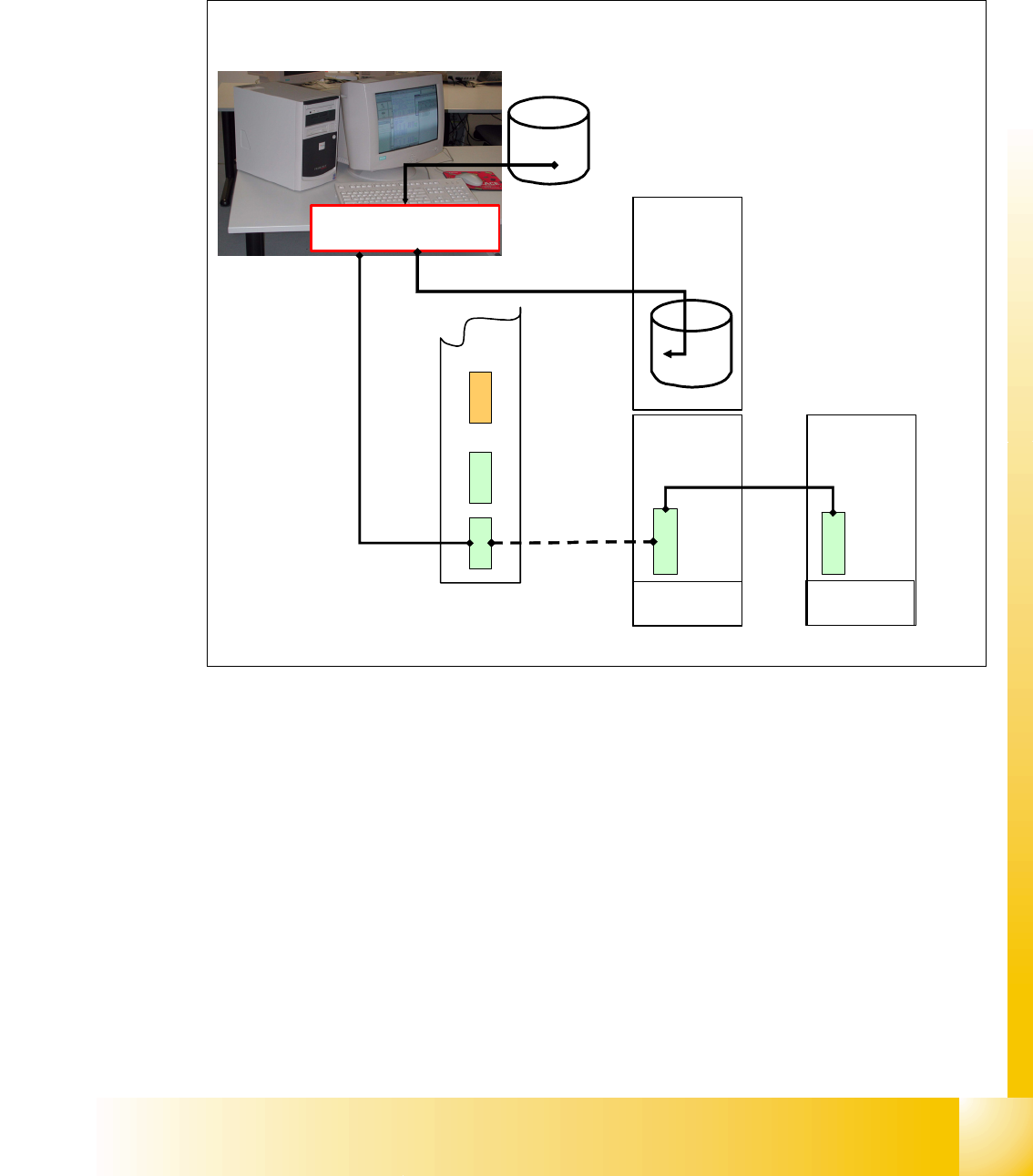
The SIPLACE Pro programming computer read the files, which are required for production, from
the hard drive and compiles it. The compile run creates the required data format and send it to the
station computer. This data files are then saved on the hard drive at the station.
Fig. 3.2 - 2 computer at LAN network
compiled Line
computer data
Machine
Controller
Station
Computer
Data for placement
program
compile run of data used
for placement program
XXX.la
XXX.rs
XXX.gf
XXX.pm
...
aktuell.nu
aktuell.rs
XXX_12.gf
XXX_5.mk
...
Dual LAN Unit