SIPLACE S-23 HM User Manual - 第13页
13 On-screen dis plays - warning and message box es Warning and message boxe s notify the u ser of faults or errors whic h have occured in t he mach ine; they also request t he user to pe rform vari ous actions. On-scree…
12
User Interface
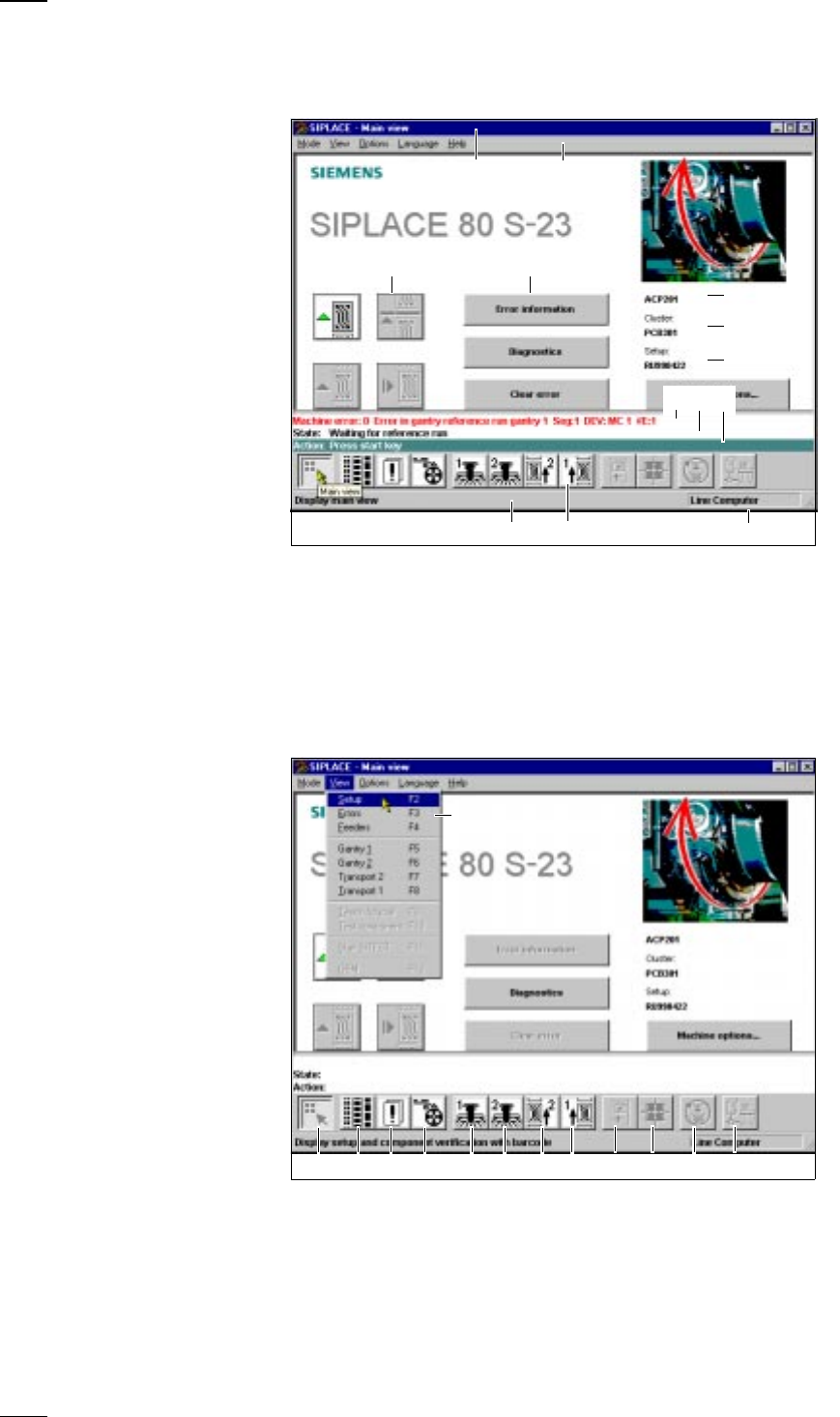
Main View - Layout and Explanation of the Symbols
Main View - Submenus
a Indicates the current menu k Error message line
s Menu line with pull-down menus l Status display
d Buttons for user actions ; Operator actions
f Button for calling submenus A Information line for menus
g Job name S Icons with bubble help text
h File name of loaded cluster D Machine operating mode
j File name of loaded setup
a Main View (F1) k SF PCB transport 1 (F8)
s Display setup (F2) l Teach and test PCB fiducial (F9)
d Display errors (F3) ; Measure cmp and change GF data (F10)
f Component feeder systems (F4) A SITEST(F11)
g SF gantry 1 (F5) S GEM status (F12), option
h SF gantry 2 (F6) D Pull-down menu
j SF PCB transport 2 (F7), option
s
df
g
j
A D
a
S
h
kl;
a sdf gh jk l ; AS
D
13
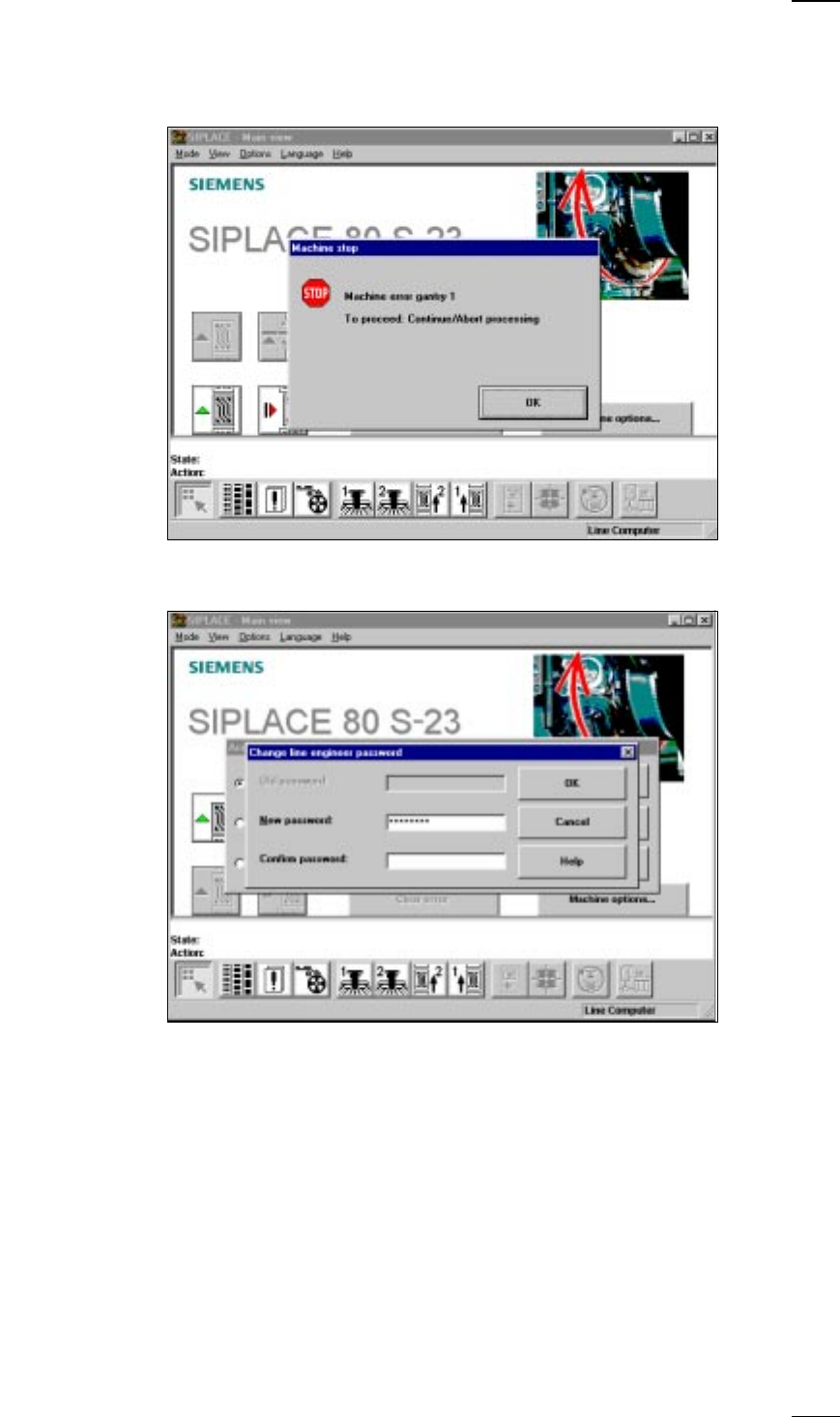
On-screen displays - warning and message boxes
Warning and message boxes notify the user of faults or errors which have
occured in the machine; they also request the user to perform various
actions.
On-screen displays - input box
● Enter the desired information into the input field and click on the OK button
to finish your input. Click on the Cancel button, if you want to discard your
input. The Help button provides access to on-line help.
14
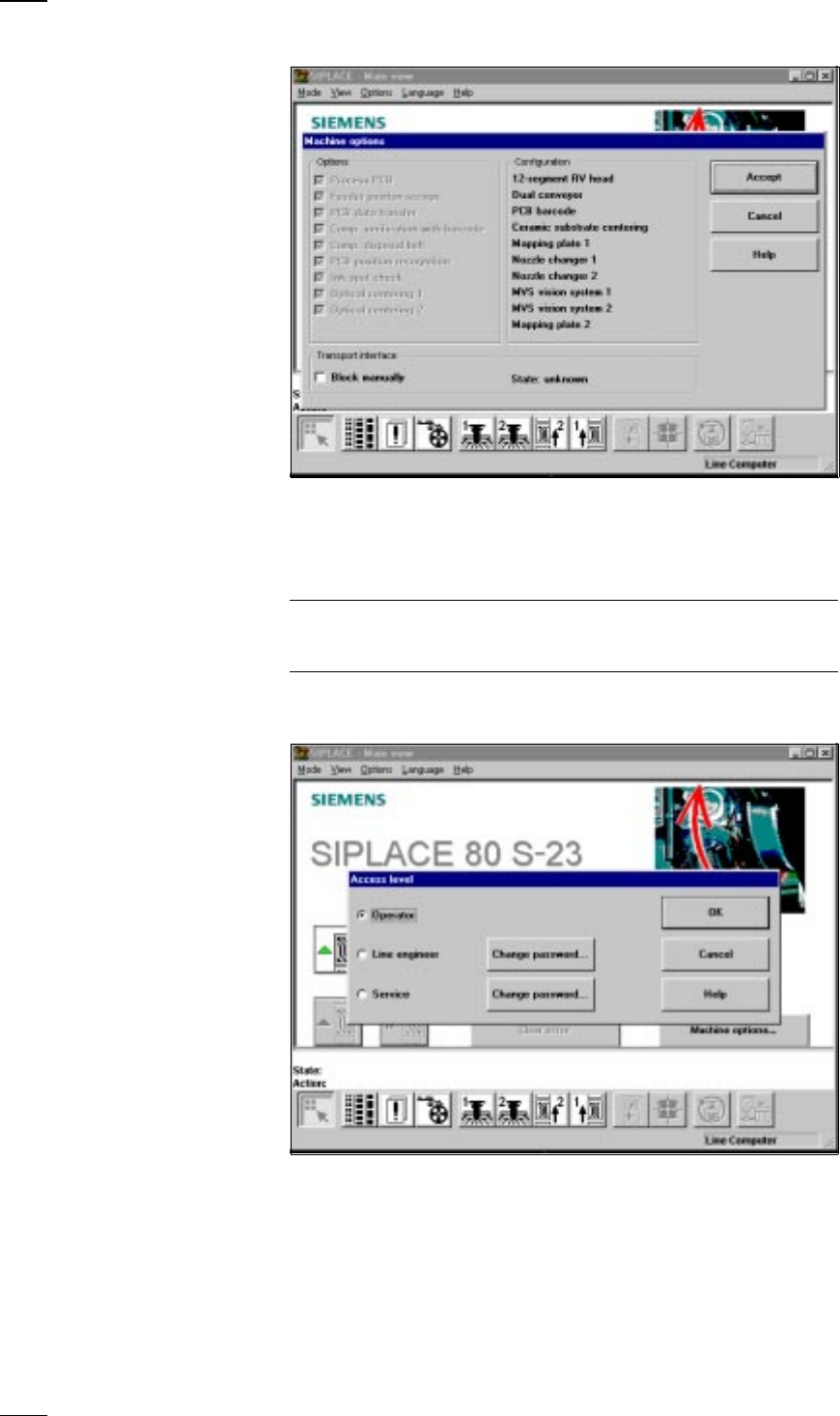
On-screen display - control box
In the control box you can activate or deactivate options. Activated options
are indicated by crosses in the check boxes. You can activate or deacti-
vate options by clicking on the check box with the mouse pointer. Click on
Accept to save the settings you have selected or discard them by pressing
Cancel. Click on the Help button to activate on-line help.
Please note, that you will need the line engineer access authorization for
certain options and that these options can only be activated or deactivated
by persons with that authorization.
On-screen display - selection box
● Click on the option you want and confirm your choice by pressing OK. You
can discard your choice by clicking on Cancel. Click on the Help button to
activate on-line help.