SIPLACE S-23 HM User Manual - 第33页
33 Continue processing Refill the com ponents which hav e run out, set th e refilled tr acks to Full and click on C ontinue processing. P lacemen t will now c ontinue until the bo ard is finished. Display e rrors menu Wi…
32
Troubleshooting
↑ UM 4.2 If errors occurs at the placement machine, such as
– track errors
– machine errors
– transport errors
– fiducial errors
– nozzle configuration errors or
– PCB bar code reading errors
it will be stopped and the warning box is displayed on the screen with a
message such as ’Track empty error ...’ and so on.
● You should comply with the instructions in the warning box and carry out
the actions requested.
WARNING
Only personnel with the corresponding training and qualifications are per-
mitted to carry out actions requiring Line engineer authorization since
improper treatment of the machine may result in serious physical injury
and considerable damage to property.
NOTE
Close the protective covers before attempting to move the axes.
If you wish to carry out head functions with the cover open, this will only be
possible with the key-operated switch in position "I".
Empty track errors
↑ UM 4.2.2 Placement of a board will continue until there is none left of all of the com-
ponents which are to be inserted. In this situation the machine will stop
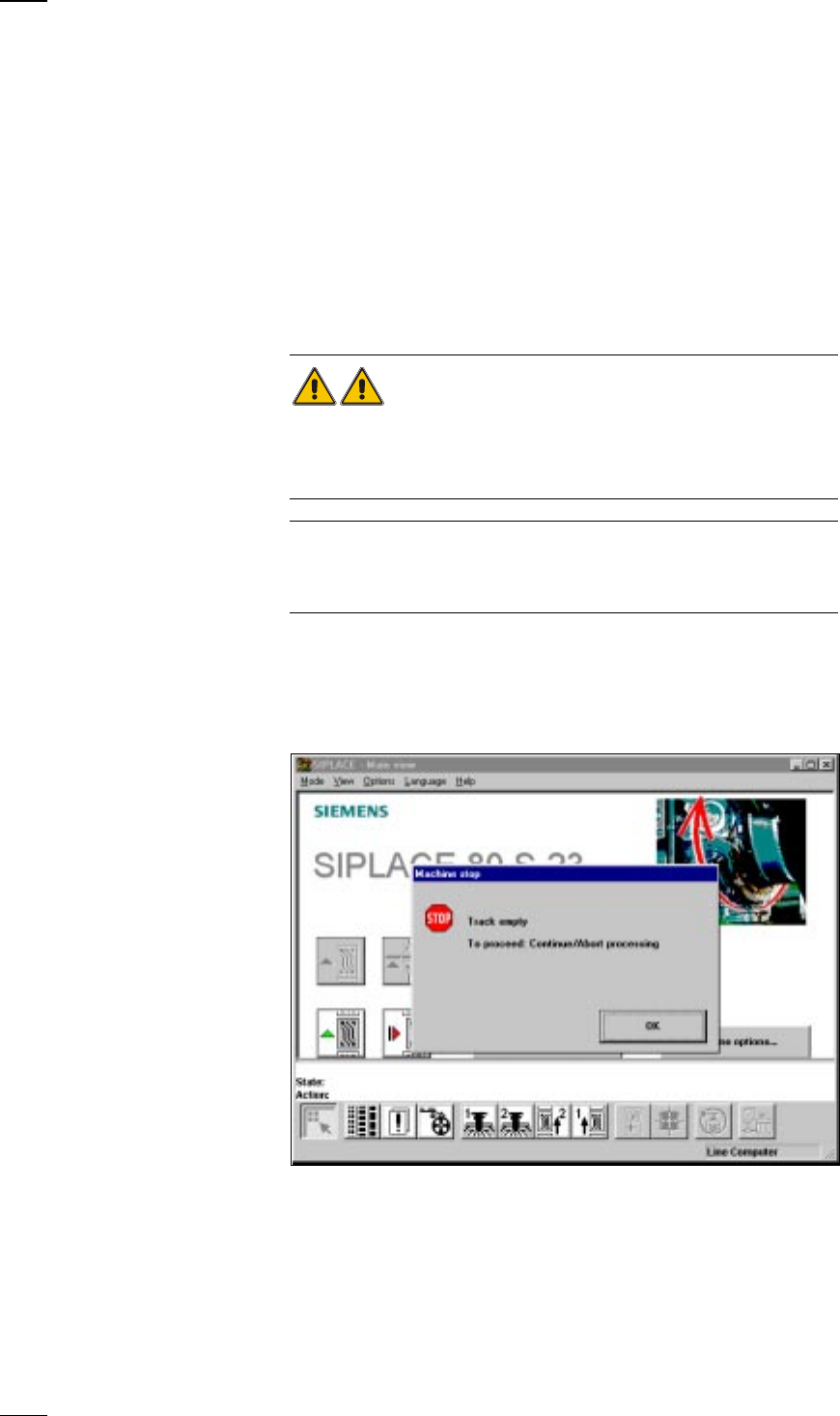
and the error message Track empty will appear on the screen.
● Click on OK to acknowledge and then select from the functions displayed:
Abort processing When you select Abort processing the board will be transported onto the
output conveyor and the components in the placement head dropped into
the rejects container. After this the gantries return to their waiting posi-
tions.
33
Continue processing Refill the components which have run out, set the refilled tracks to Full and
click on Continue processing. Placement will now continue until the board
is finished.
Display errors menu With this menu you can display a list of the errors which have occurred on
the screen.
Feeders menu This menu is used for dealing with empty tracks and track errors.
Single functions Errors caused by the gantry are corrected with the aid of this menu.
Gantry 1/2 menu
Machine errors
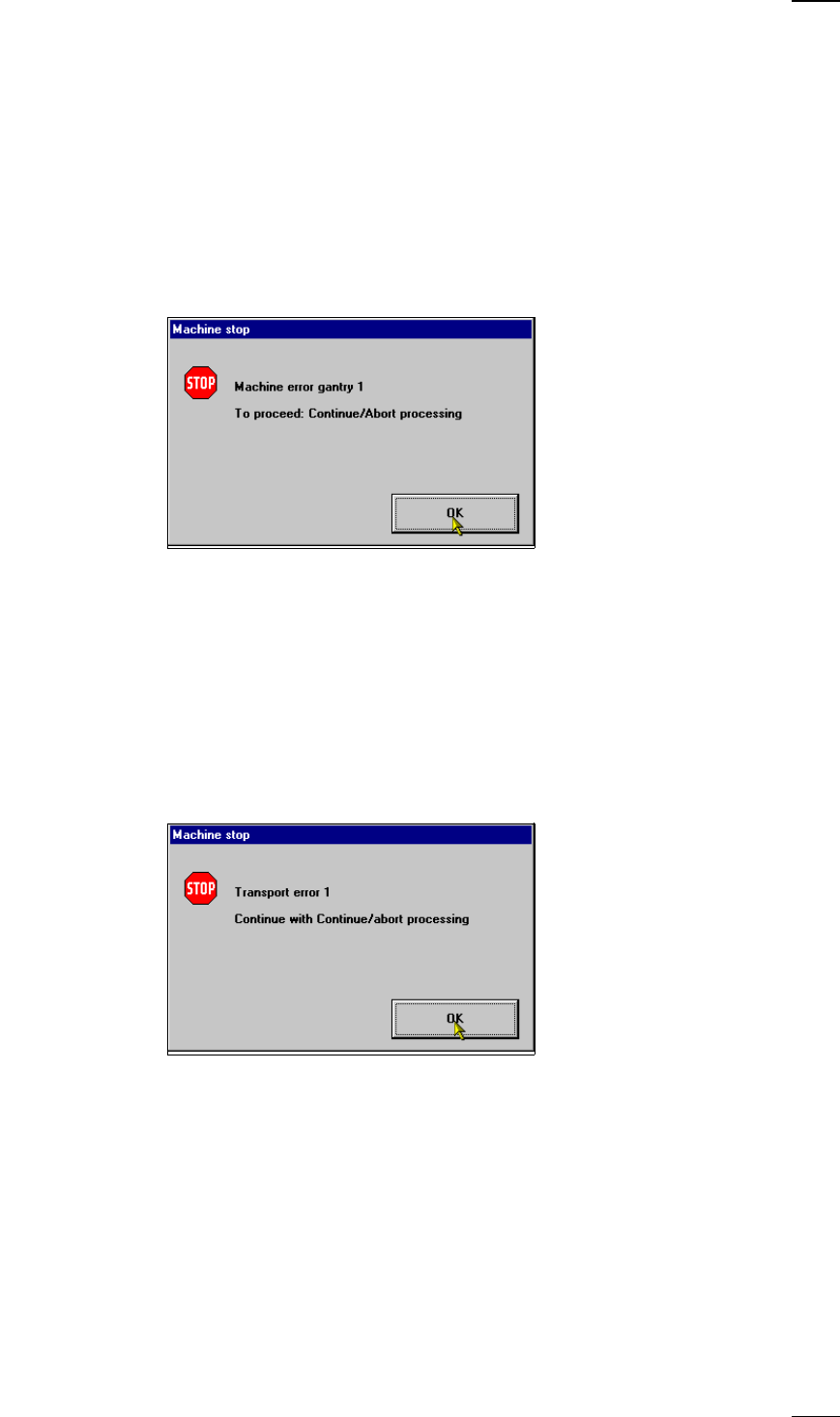
↑ UM 4.2.3 When machine errors occur such as axis errors, for example, the machine
will stop.
● Click on OK to acknowledge and then select from the functions displayed:
Abort processing With this function you can abort processing.
Continue processing With this function you can continue processing.
Display errors menu With this function you can display the machine errors which have occured
on the screen.
SF Gantries 1/2 menuSelect this menu to correct the error.
Transport errors
↑ UM 4.2.4 If boards are not being clamped, placement will be interrupted and the fol-
lowing warning box displayed on the screen:
● Click on OK to acknowledge and then select from the functions displayed:
Abort processing With this function you can abort processing.
Continue processing With this function you can continue processing.
Display errors menu With this function you can display on the screen the transport errors which
have occured.
SF Transport 1/2 Select this menu to correct the error.
menu
34
Fiducial errors
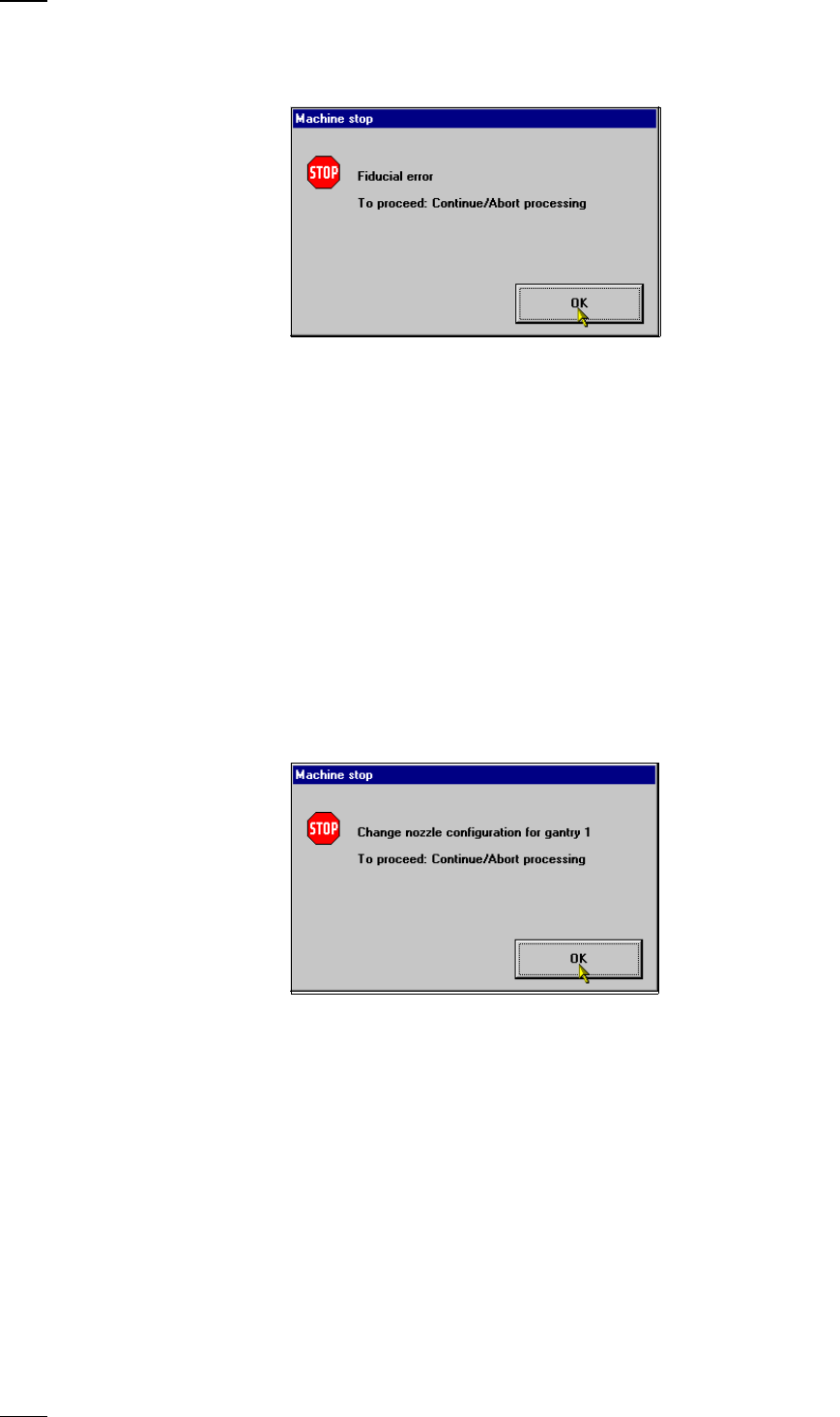
This error message will be displayed if it was not possible to find or detect
a fiducial.
● Click on OK to acknowledge and then select from the functions displayed:
Abort processing With this function you can abort processing.
Continue processing With this function you can continue processing.
Display errors menu With this function you can display the list of the machine errors which have
occured on the screen.
Single functions Select this menu to correct the error.
Gantry
Resume placement • Transport the board onto the output conveyor.
of PCB without • Replace the board on the input conveyor.
components loss • Transport the board onto the center conveyor. The board
is stopped there and clamped.
• Now select Continue placement.
Nozzle configuration errors
If an error occurs in connection with the nozzle configuration or if the con-
figuration has to be changed, the warning box Nozzle configuration error
Gantry 1/2 will be displayed on the screen.
● Click on OK to acknowledge.
SF Gantries 1/2 menuSelect the submenu Nozzle configuration revolver head and
change the nozzle.
When you quit the SF menu, a head reference run and a height reference
run with vacuum test will be carried out.
Continue processing With this function you can continue processing.