IT Feeder Manual-SM320(English V2.0)Ver1 - 第65页
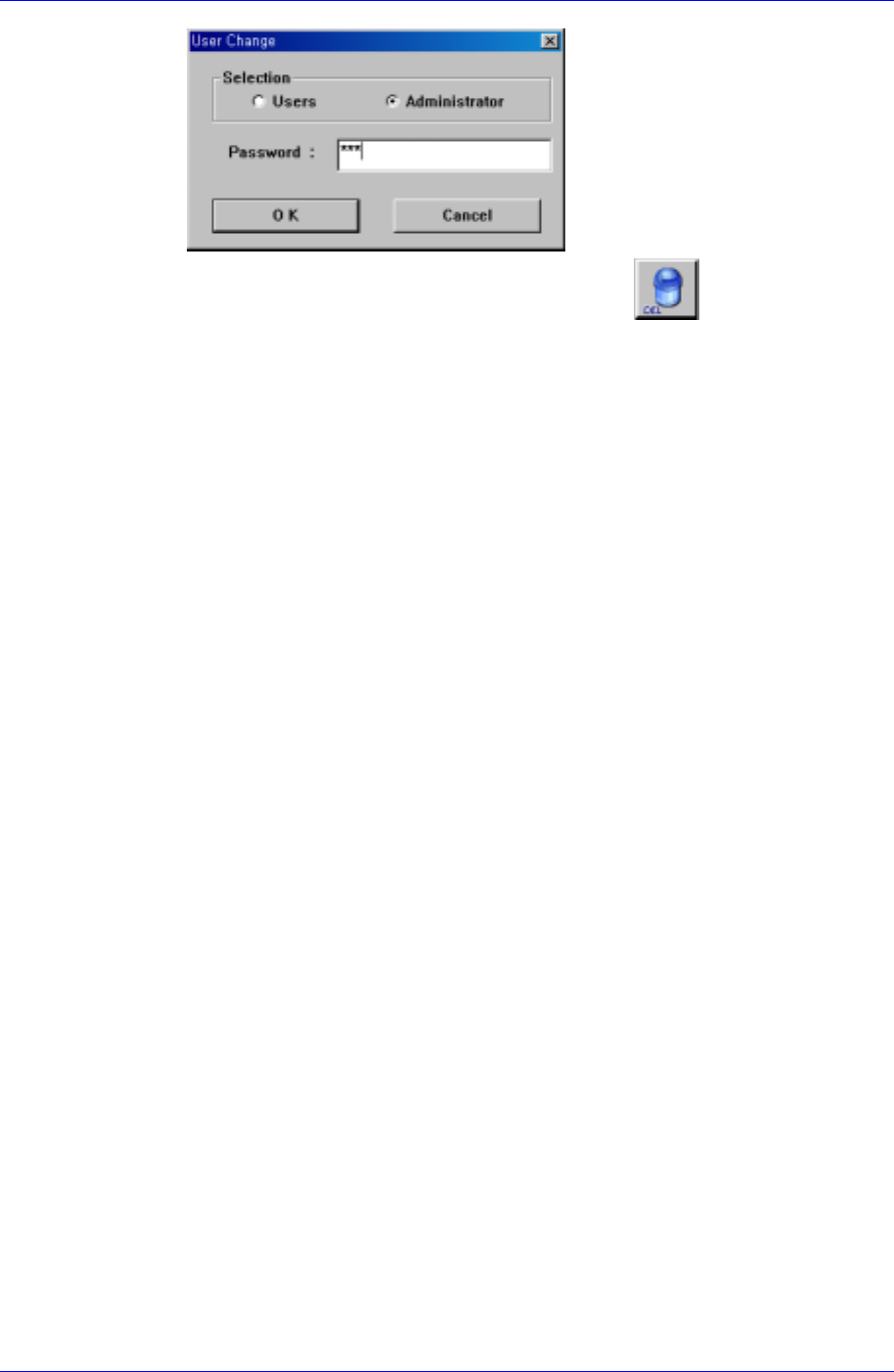
Part S tation 2-25 Only the administrator can delete parts. The administrator password is "SCP" when installing the first Part Station. It can be changed using the Configuration (F10 ) [Option- >Configuratio…
Samsung Intelligent Feeder System
③ Select the part to be deleted and delete it using the
button.
2-24
Part Station
2-25
Only the administrator can delete parts. The administrator password is "SCP" when
installing the first Part Station. It can be changed using the Configuration (F10) [Option-
>Configuration (F10)] from the menu or the tool bar, . (The password of the
supervisor is “pass8424”.)
Reference
When the reel is registered for the corresponding part, the part cannot be deleted. The part
can be deleted only after the registered reel code is deleted.
2.7.2. Reel Code Registration and Barcode Issue
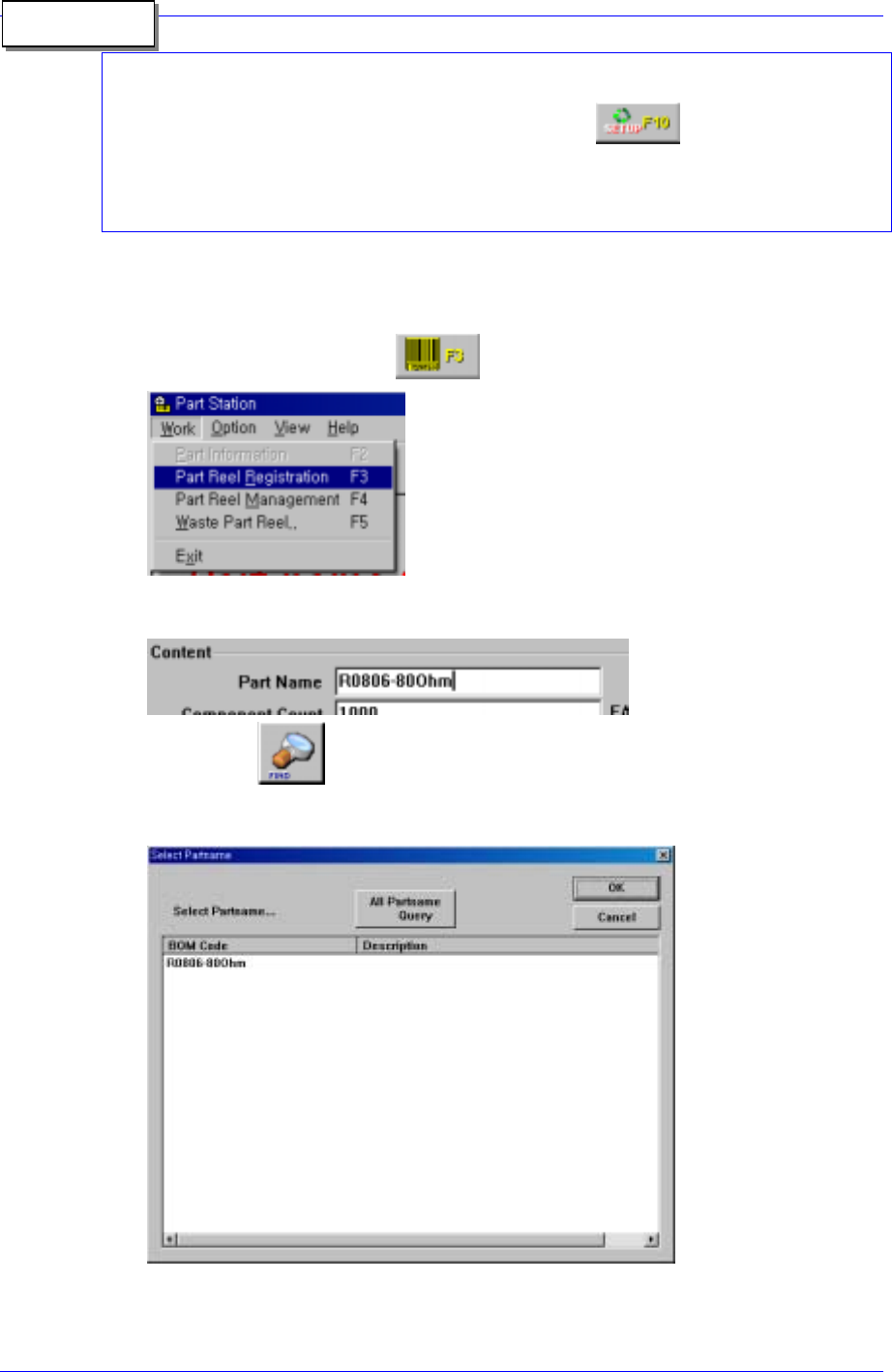
1. As shown in the following figure, select the Part Reel Registration (F3) submenu in
the Work menu or click the
button of the tool bar.
2. As indicated in the following figure, enter the part name of the reel that is to be
registered in the <Part Name> edit box.
3. Using the
button, search the corresponding part name and then the
following dialog box appears. Select the corresponding part and click the <OK>
button.
<All Part Name Query > button: Shows all parts.
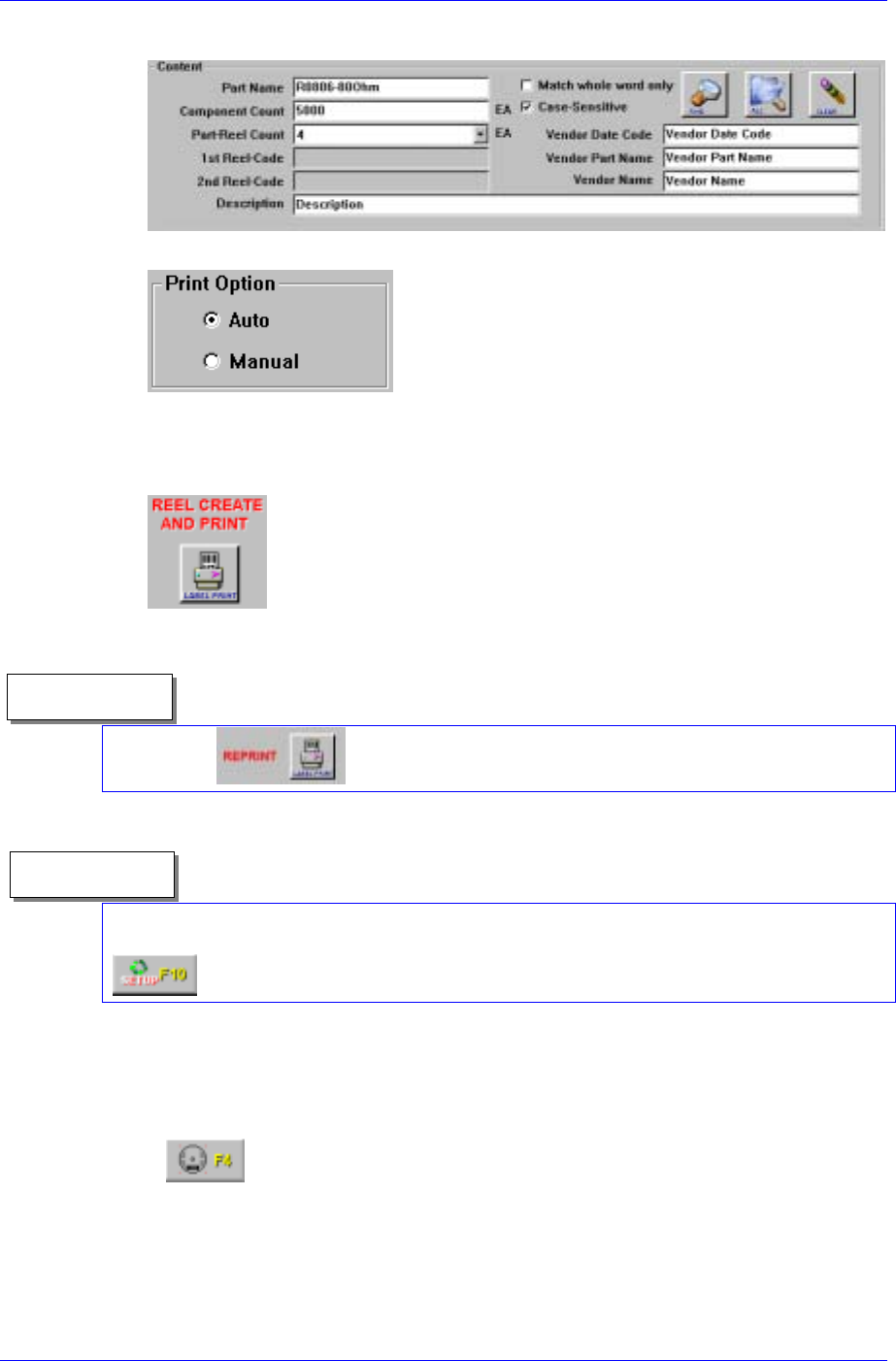
4. Enter the information (part quantity, reel quantity, manufacturer and description) on
Samsung Intelligent Feeder System
the reel to be registered.
5. Select the Print Option.
<Auto> : Issue the barcode when registering the reel code in the DB
<Manual> : Register the reel code in the DB (Bar code not issued)
6. As shown in the following figure, register the reel using the <Label Print> button.
Reference
Using the
button, the selected reel barcode can be reissued.
Reference
The option for barcode issue can be changed by the administrator by selecting the
Configuration (F10) submenu after selecting the Option menu or by clicking the
button of the tool bar.
2.7.3. Reel Deletion/Restoration
1. Reel deletion in the Part Reel Management
① Select Part Reel Management (F4) submenu in the Work menu or click the
button of the tool bar.
2-26