IT Feeder Manual-SM320(English V2.0)Ver1 - 第92页
Samsung Intelligent Feeder System Reference When inquiring about the 1st reel that is spliced, only the reel information is indicated and the button and button are not indicated on the screen. At this time, if inquiry …
Samsung Intelligent Feeder System
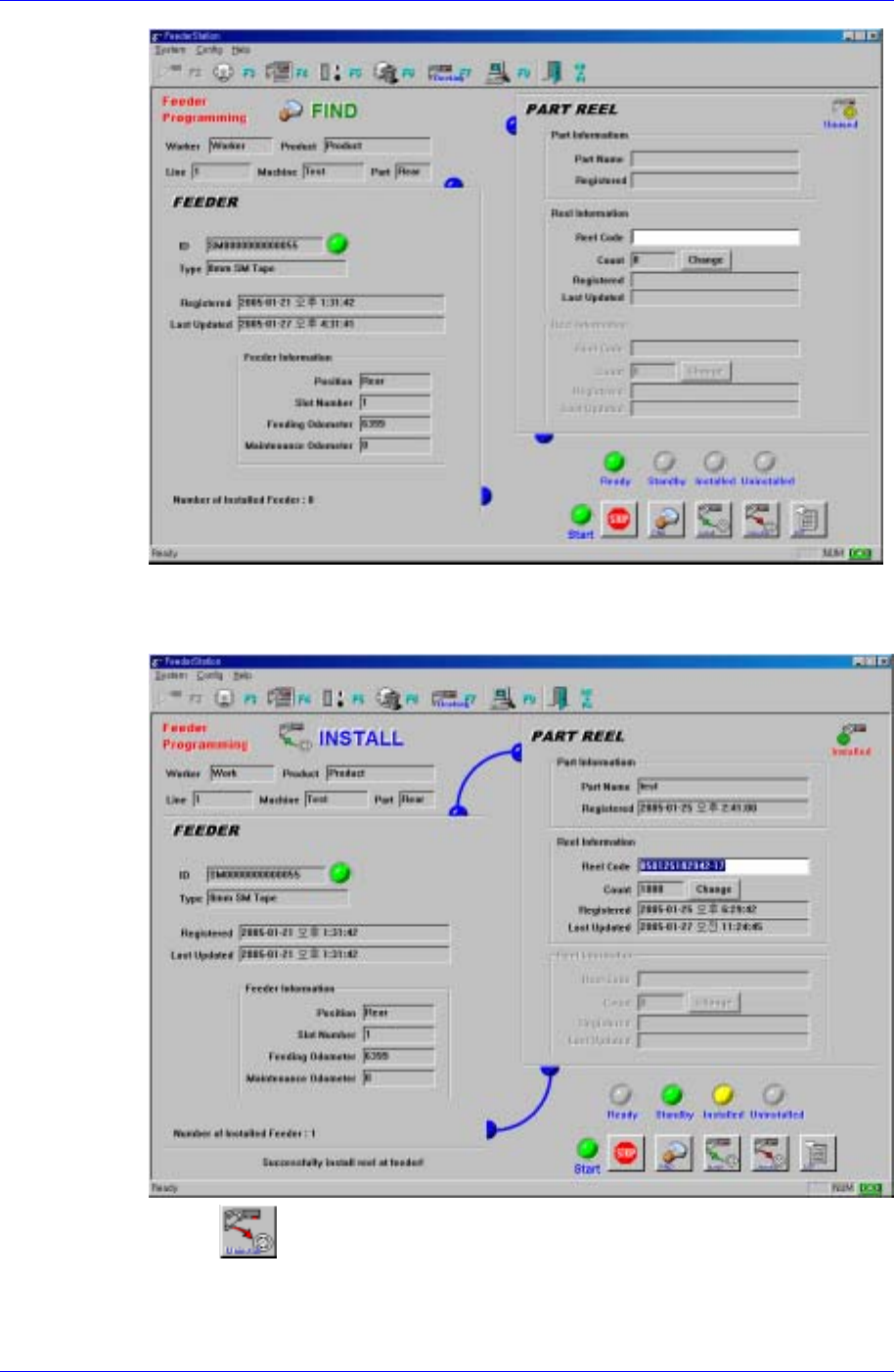
5. Next, enter the reel to be registered using the keyboard or barcode reader. Then it is
indicated that the feeder and the reel are connected as described in the following
figure.
6. If the
button is pressed to uninstall the reel, the reel is removed from the
feeder.
3-20
Feeder Station
Reference
When inputting a new reel in the installed feeder, enter a reel code in the <Reel Code>
edit box or enter the reel code using the barcode reader..
3.6.2. Splicing /Undo Splicing
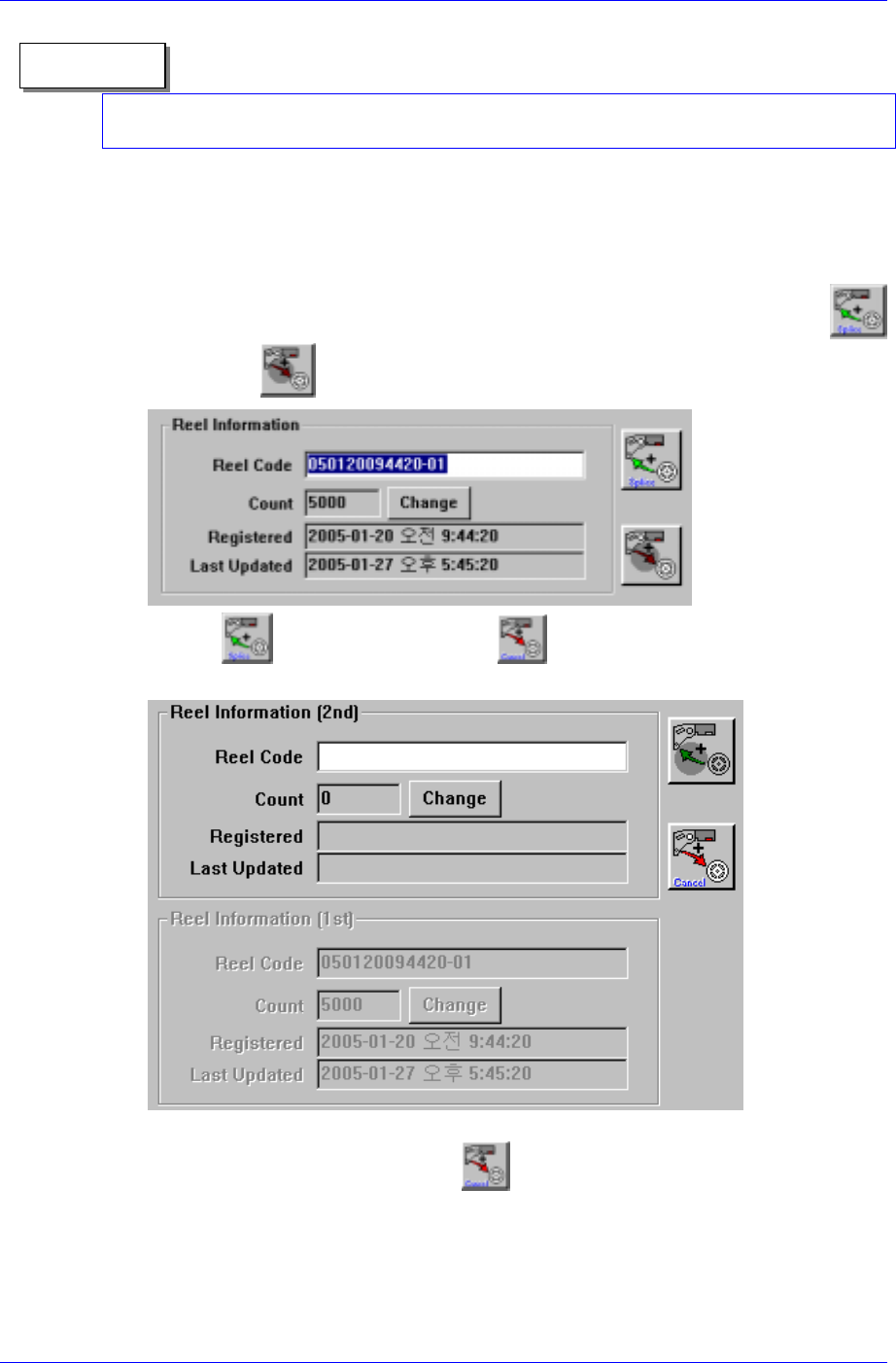
1. Enter the 1st reel to be spliced in the Find mode of the Feeder Info (F2) screen using
the keyboard or barcode reader.
2. The input information is displayed as shown in the following figure and the
button and
button are displayed.
3. If the
button is pressed, the button is enabled as shown in the
following figure and the 1st reel moves down.
4. Once the 2nd reel to be spliced is entered, the splicing is finished. At this time the
splicing can be canceled using the
button.
3-21
Samsung Intelligent Feeder System
Reference
When inquiring about the 1st reel that is spliced, only the reel information is indicated
and the button and button are not indicated on the screen. At this time, if
inquiry is made into the 2nd reel, the 1st and 2nd reel information is indicated. Undo
Splicing can be performed using the button.
3-22