3OM-1345-006_w.pdf - 第193页
5-8 AKHEDT -ID [4] Information on Active File This fi eld displays "Clear Date" and "Comment". [5] T abs and T ab Sheets The "Management Data" window is provided with the following four tabs.…
5-7
AKHEDT-ID
2. Management Data
The corresponding window enables the operator to confi rm the production
performance data covering the whole machine performance.
Note
The contents of "Type #1" are almost the same as "Type #2".
To use the required items, the management spans must be distinguished.
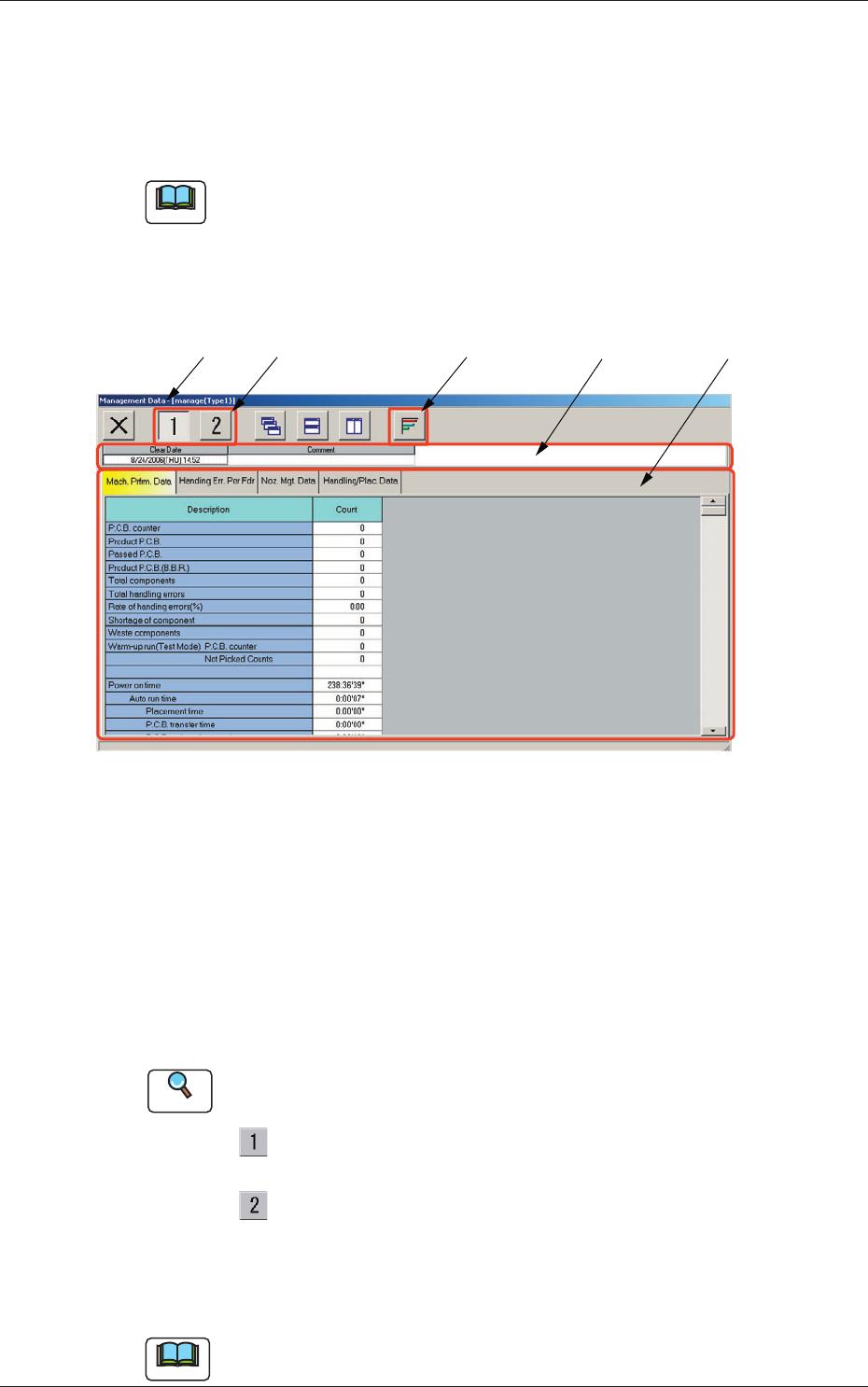
When the [Manage Dt.] button is pressed in the "MANAGEMENT DATA"
window, the "Management Data - [manage (Type1)]" window opens.
[4]
[1]
[5]
[2] [3]
Fig. 3E5 "Management Data" Window
[1] Title Bar
The active window is titled "Management Data - [manage (Type1 or
Type2)]" on this bar, making it clear which data (Type #1 or #2) is
selected.
[2] Icons
Described below is the meaning of each icon that will be used only in
the "Management Data" window.
Reference
Refer to "1.2 Basic Icons" in "Chapter 2" for the meaning of the basic
icons.
: When pressed, this opens the "Management Data -
[manage(Type1)]" window.
: When pressed, this opens the "Management Data -
[manage(Type2)]" window.
[3] [Graph Display] Button
When selected, this button graphically displays the status of each item.
Note
The handling placement data cannot be displayed graphically.
2. Management Data
0609-002
5-8
AKHEDT-ID
[4] Information on Active File
This fi eld displays "Clear Date" and "Comment".
[5] Tabs and Tab Sheets
The "Management Data" window is provided with the following four
tabs. When each tab is pressed, the corresponding tab sheet appears
inside the window.
Table 3E2
Tabs Description
Machine Performance Data
The corresponding tab sheet enables the operator to view various
counts (results of accumulated data) as machine performance data.
Handling Errors Per Feeder
The corresponding tab sheet enables the operator to view the pickup
data of each individual feeders.
Nozzle Management Data
The corresponding tab sheet enables the operator to view various
counts (results of accumulated performance data) of each individual
nozzles.
Handling/Placement Data
The corresponding tab sheet enables the operator to view the
component pickup and placement data.
[6] [7]
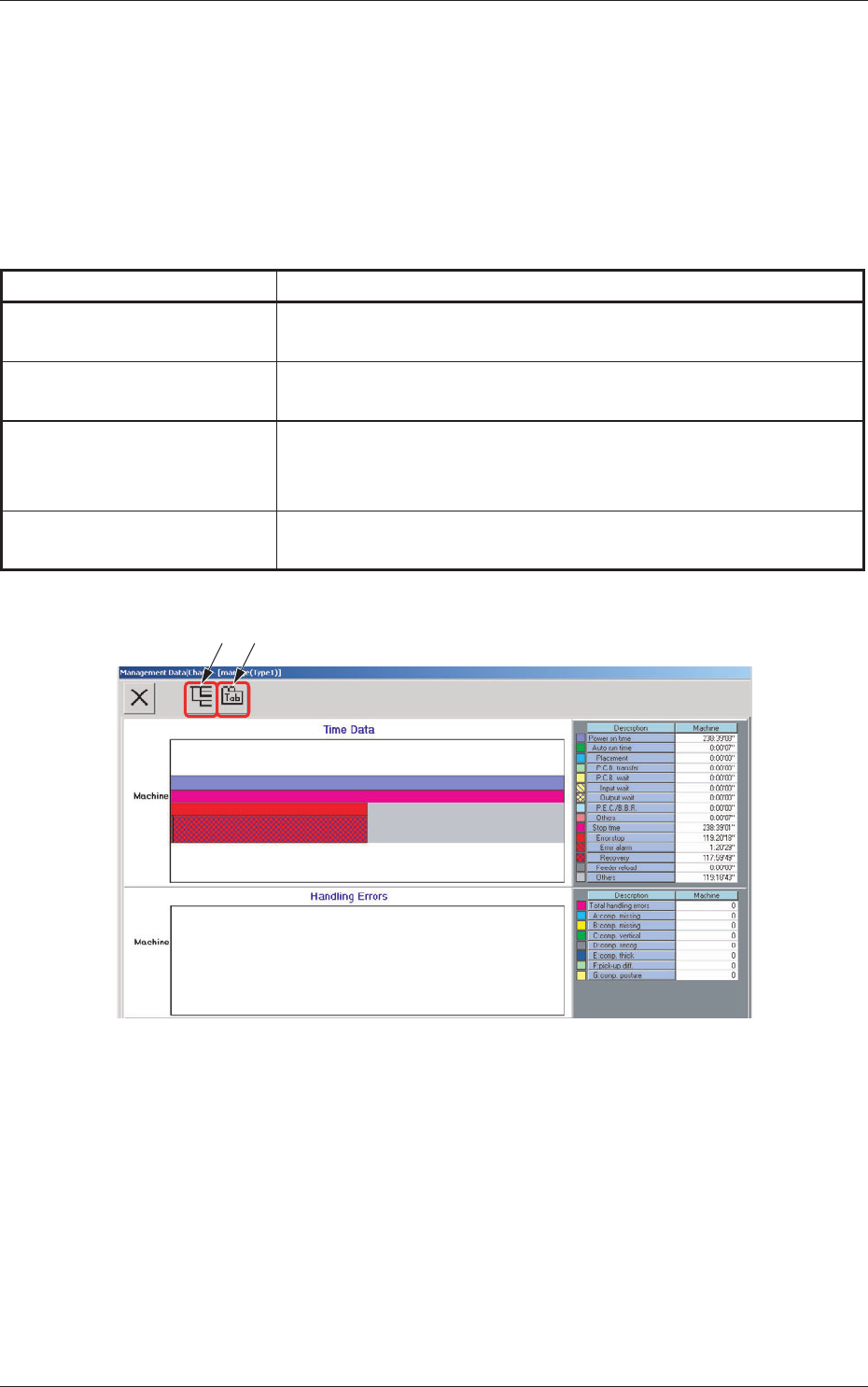
Fig. 3E5-1 "Management Data (Chart)" Window
[6] "Tree Display" Icon
When selected, this button displays the hierarchical arrangement of data
names, enabling you to select the desired data.
[7] "Tab Display" Icon
When selected, this button displays submenu sheets with extensions
called "tab", enabling you to select the desired tab sheet.
2. Management Data
0609-002
5-9
AKHEDT-ID
2.1 Machine Performance Data
0609-002
2.1 Machine Performance Data
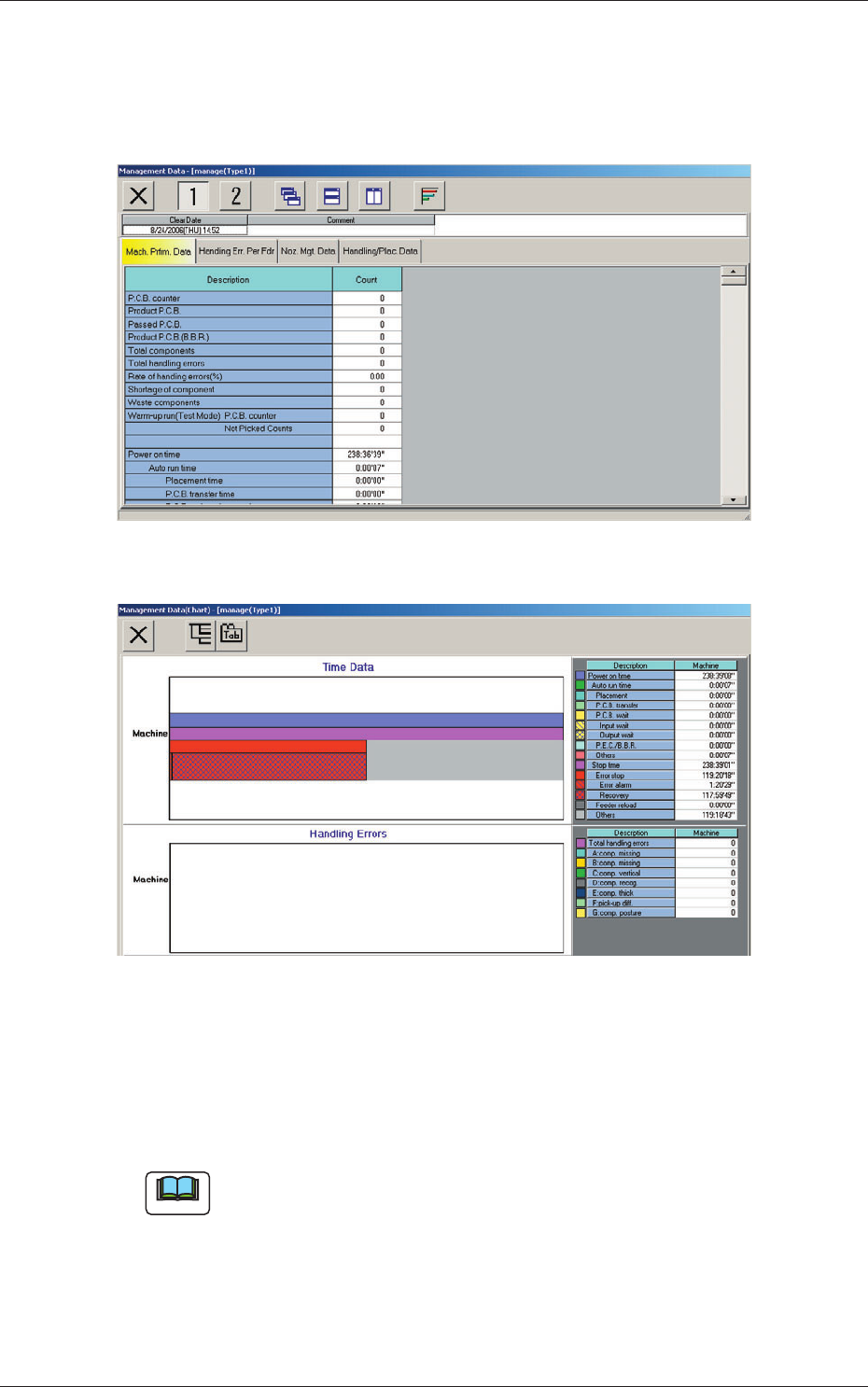
When the "Mach. Prfrm. Data" tab is pressed in the "Management Data"
window, the following tab sheet appears inside the window.
Fig. 3E6 "Mach. Prfrm. Data" Tab Sheet
Fig. 3E6-1 "Management Data (Chart)" Window
(1) PCB counter
Shown is the number of produced PCBs.
Counting is implemented when the X/Y table is zeroed after component
placement operation (when a PCB is fi nished).
Note
When a particular pattern program is set several times as current one, the
sum total is computed.