EUS0153210_YFact_Standard_E.pdf - 第104页
2-70 2 Board Explorer 2. The "Create Backup Folder" dialog box appear s. Click the [OK] button. "Create backup Folder" dialog box 64259-S0-00 3. Backup folders for all registered line s have now been …
2-69
2
Board Explorer
7. Creating the backup folders
The Factory Tools allows you to create backup folders under any desired directory to back up board data. To
create backup folders, follow these steps.
1
Start the Board Explorer.
2
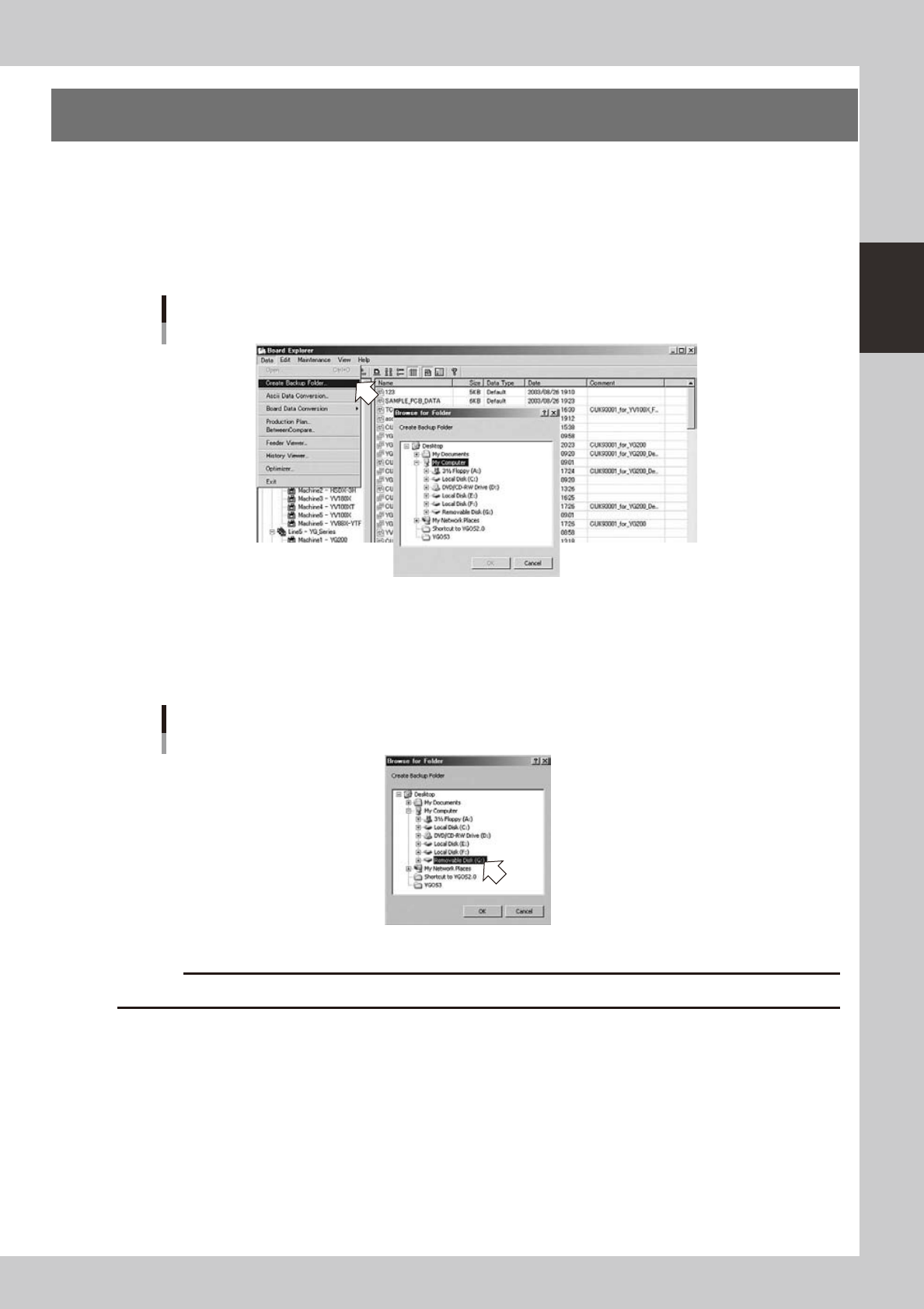
Select “Create Backup Folder” from the Data menu.
The "Browse for Folder" dialog box appears.
Data menu
Selecting "Create Backup Folder"
64257-S0-00
3
Specify the backup folder.
1. Select the directory to create a backup folder.
For example, if creating backup folders in drive "USB memory device", then select drive "USB memory
device" and click the [OK] button.
The "Browse for Folder" dialog box
64258-S0-00
c
CAUTION
CD-R drive and CD-RW drive cannot be specified to create backup folders.
2-70
2
Board Explorer
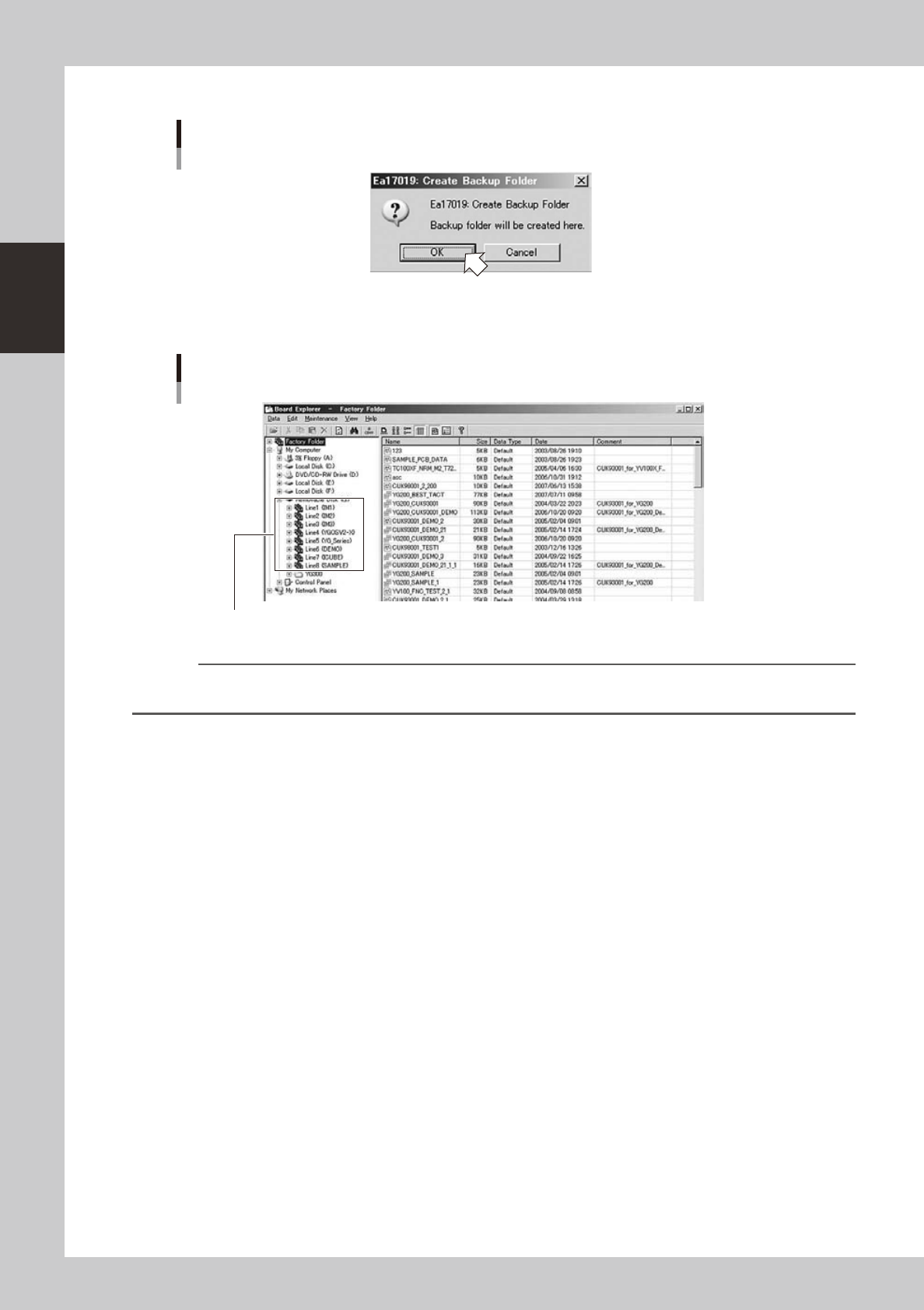
2. The "Create Backup Folder" dialog box appears. Click the [OK] button.
"Create backup Folder" dialog box
64259-S0-00
3. Backup folders for all registered lines have now been created in the selected drive (USB memory
device in this example).
Backup folders
Created backup folders
64260-S0-00
Reference
For details of how to store data in the backup folders, see the next section 6, "Managing the board data", in this
chapter.
2-71
2
Board Explorer
8. File table restoration tool
8.1 About the file table check function of each application
“Check FTABLE” of each application is executed as shown in the following table.
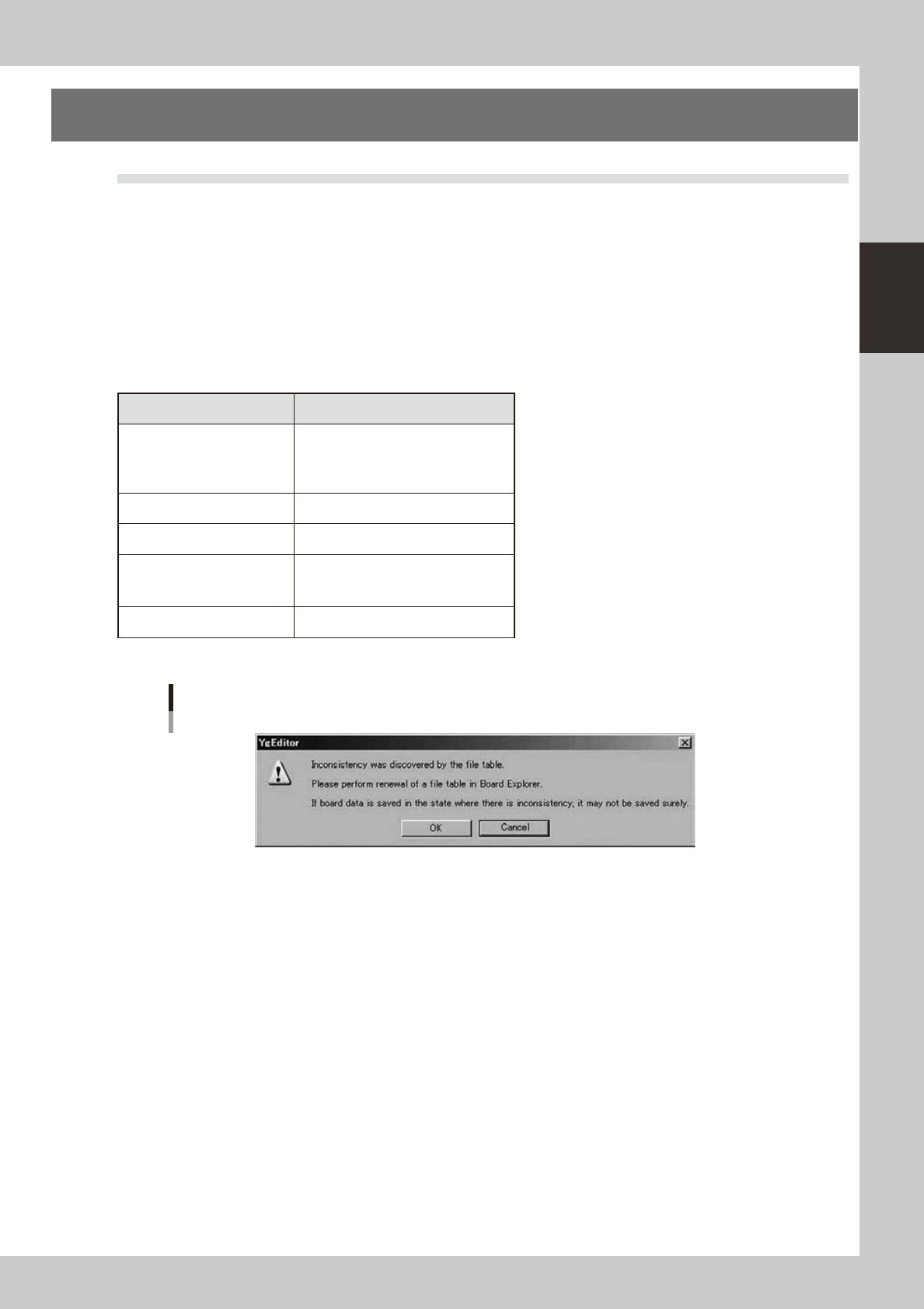
Whentheerrorisfound,thefollowingalertmessageisdisplayed.
Do when warning is displayed?
Processing is interrupted pressing the cancellation button. (The purpose is not to preserve the Board data in the state that
thereiscontradictioninFTABLE.)(WhentheOKbuttonispressed,processingdoesthecompulsioncontinuation.)
TheBoardExplorerisstarted,“UpdateFTABLE”isexecuted,andthecontradictionofthefiletableiscorrected.When
“Update FTABLE” ends, the processing that interrupts by each application is executed again.
n
It is a file table check table in each application.
Checked timing
BoardEditor
Save Board Data
Save Board Data As
Save Individual Data
Save Individual Data As
ASCII Data Conversion
After pressing [Execute] button
Line remote control
After it selects it “Board data comm”
FedderViewer
Save Board
Save As Board
Save All Board
Optimizer
After pressing [Execute] button
Alert message
64261-S0-00