EUS0153210_YFact_Standard_E.pdf - 第106页
2-72 2 Board Explorer 8.2 Update of File T able 1. Itright-clicksinthelineofthetreebytheBoardExplorer,and“UpdateFTABLE”isselected. Update FT ABLE 64262-S0-00 2. Whentheerrorisfound,thefollowingwar…
2-71
2
Board Explorer
8. File table restoration tool
8.1 About the file table check function of each application
“Check FTABLE” of each application is executed as shown in the following table.
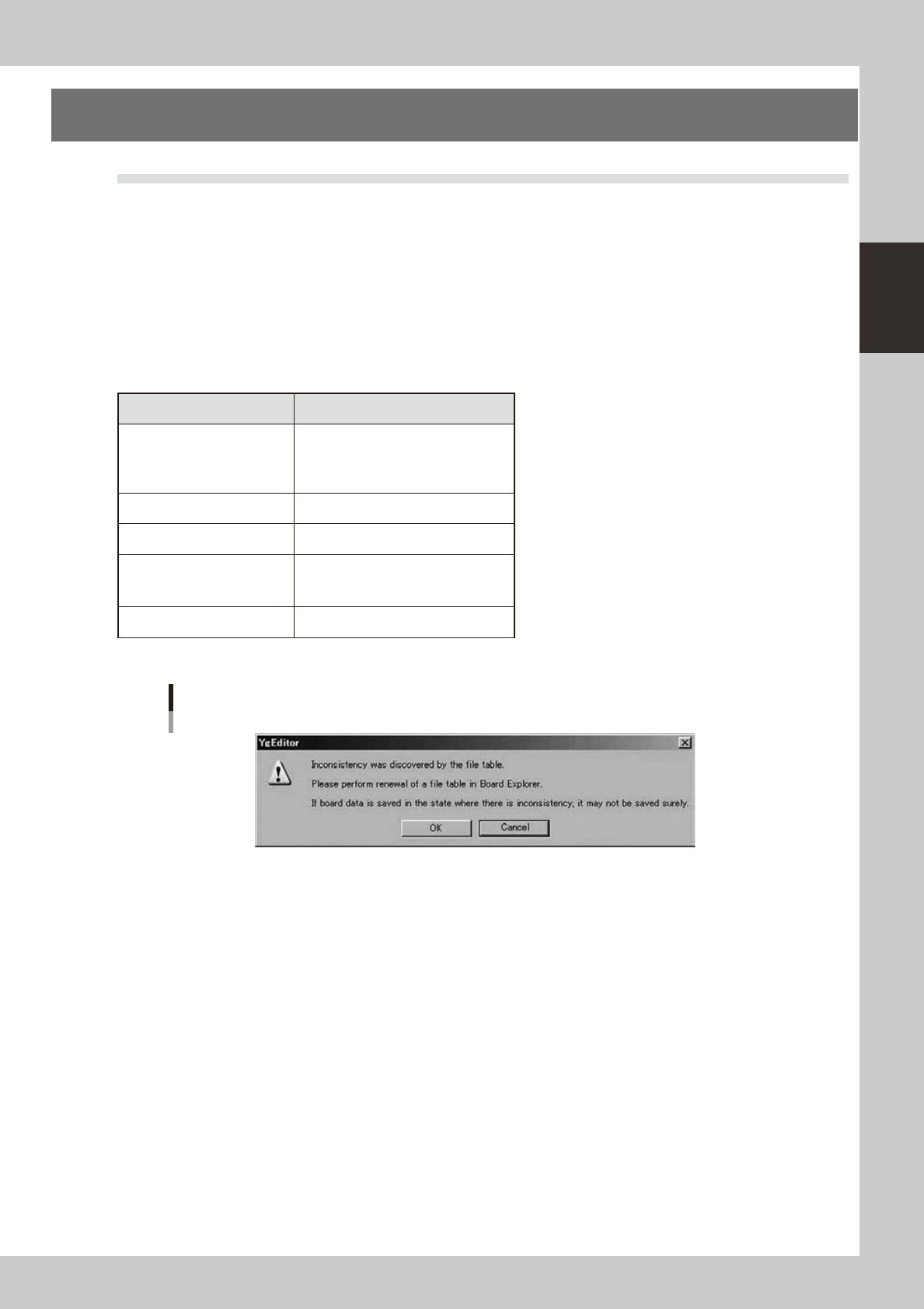
Whentheerrorisfound,thefollowingalertmessageisdisplayed.
Do when warning is displayed?
Processing is interrupted pressing the cancellation button. (The purpose is not to preserve the Board data in the state that
thereiscontradictioninFTABLE.)(WhentheOKbuttonispressed,processingdoesthecompulsioncontinuation.)
TheBoardExplorerisstarted,“UpdateFTABLE”isexecuted,andthecontradictionofthefiletableiscorrected.When
“Update FTABLE” ends, the processing that interrupts by each application is executed again.
n
It is a file table check table in each application.
Checked timing
BoardEditor
Save Board Data
Save Board Data As
Save Individual Data
Save Individual Data As
ASCII Data Conversion
After pressing [Execute] button
Line remote control
After it selects it “Board data comm”
FedderViewer
Save Board
Save As Board
Save All Board
Optimizer
After pressing [Execute] button
Alert message
64261-S0-00
2-72
2
Board Explorer
8.2 Update of File Table
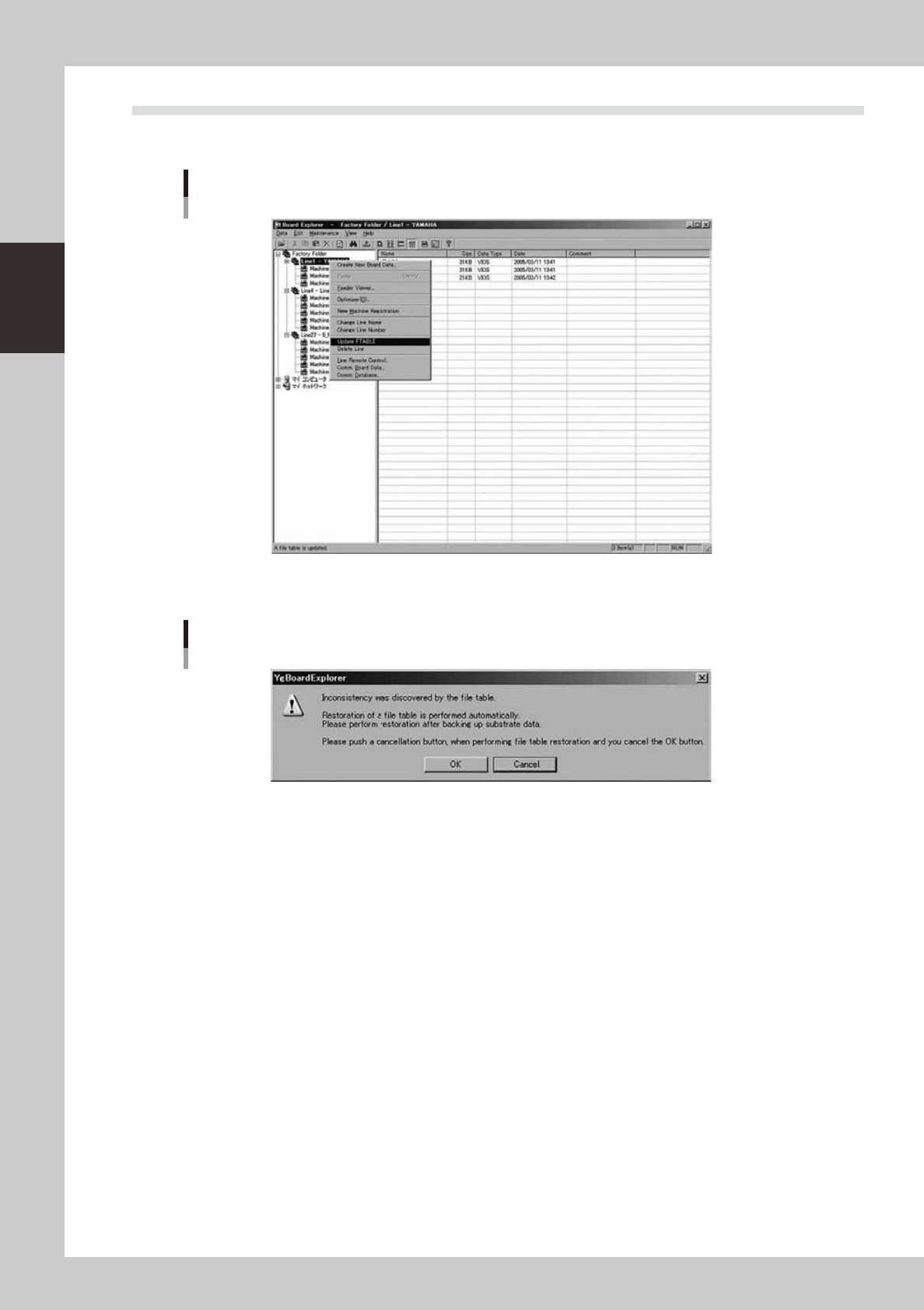
1.Itright-clicksinthelineofthetreebytheBoardExplorer,and“UpdateFTABLE”isselected.
Update FTABLE
64262-S0-00
2.Whentheerrorisfound,thefollowingwarningdialogmessageisdisplayed.
Warning dialog message
64263-S0-00
WhentheOKbuttonispressed,theautomaticrestorationprocessingisexecuted.
Whenthecancellationbuttonispressed,“UpdateFTABLE”isinterrupted.
It is also possible that the line folder in preparation for the emergency backs up. It backs up afterwards
because an automatic restoration can be canceled by pressing the cancellation button.
“Update FTABLE” is executed again after the backup is completed, and it restores it.
3.Whentheerrorisfound,itiscorrectedautomaticallywhenitisanerrorthatcanberestoredautomatically.
2-73
2
Board Explorer
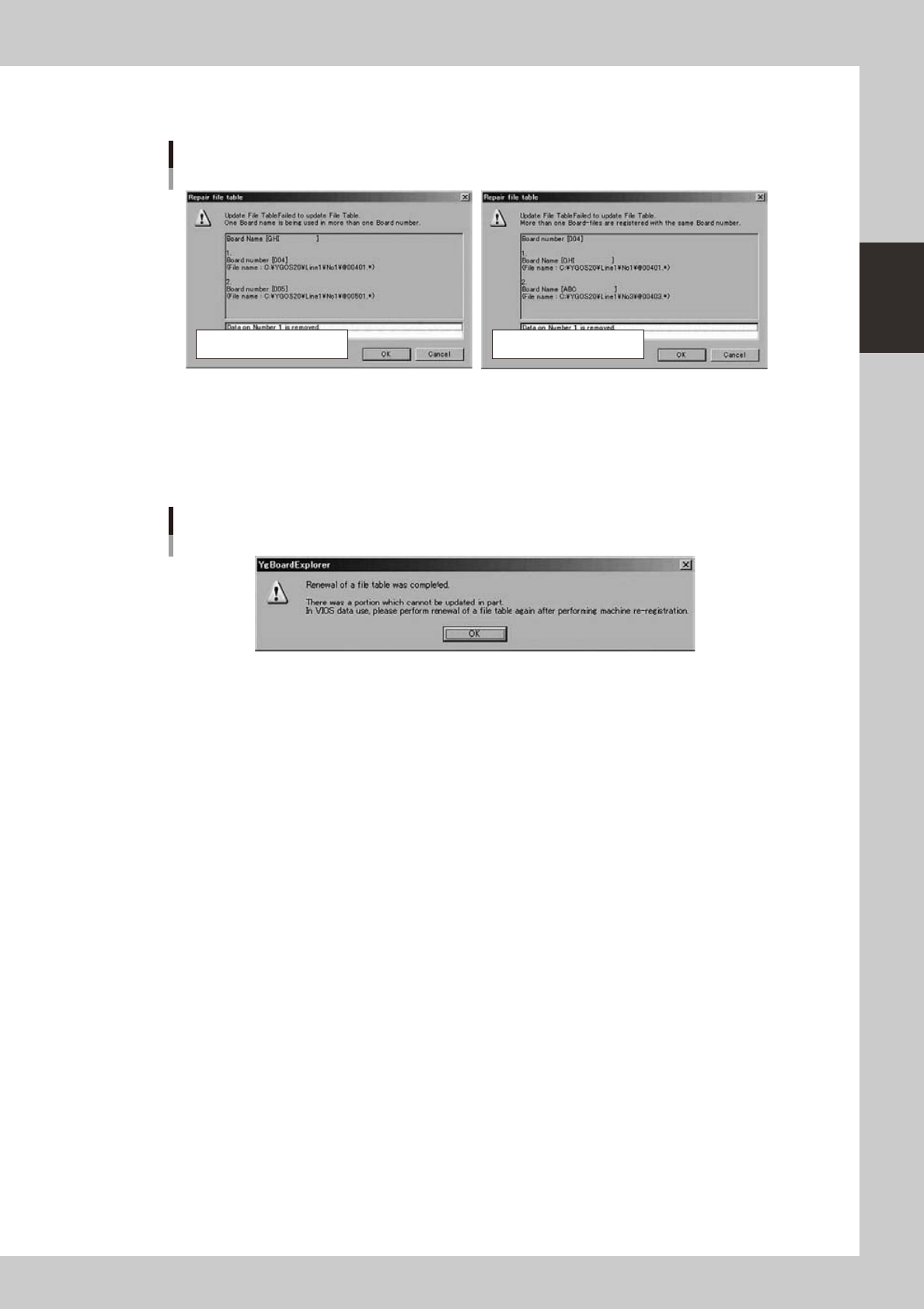
4.Whenanerrornotacceptabletorestoreautomaticallyoccurs,thefollowingerrordialogsaredisplayed.
Specifythedatatodeleteandclickthe[OK]button.
Error dialogs
Number repetition errorName repetition error
64264-S0-00
* The update processing ends after a while when the error is not found or an error not acceptable to restore
automatically doesn't exist.
*When“UpdateFTABLE”processingends,thefollowingalertmessagemightbedisplayed.
Pleaseexecute“Machinere-registration”byusingacorrectsystemdatadiskofthemachineinthatcase.
Afterwards, please execute “File table update” again.
Update FTABLE completed
64265-S0-00
*Pleasereferto“8.3Abouttheerrorkindandmethodoftherestoration”fortheerrorcontentandmethodof
the restoration.