EUS0153210_YFact_Standard_E.pdf - 第108页
2-74 2 Board Explorer 8.3 About the error kind and method of the restoration What is the name repetition error ......? • Two or more Board data of the same name exist in one machine. • Or, the Board data of the same na…
2-73
2
Board Explorer
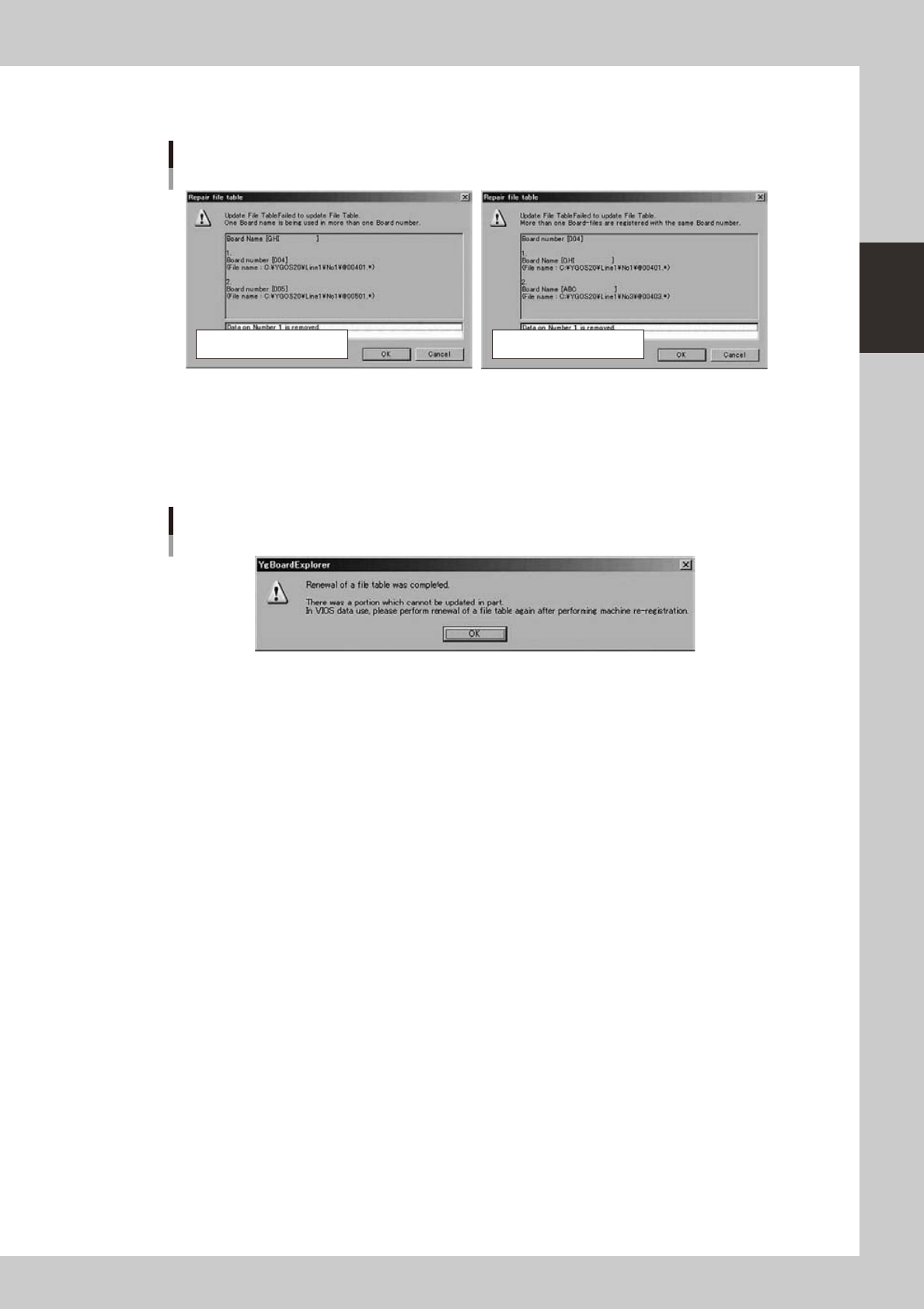
4.Whenanerrornotacceptabletorestoreautomaticallyoccurs,thefollowingerrordialogsaredisplayed.
Specifythedatatodeleteandclickthe[OK]button.
Error dialogs
Number repetition errorName repetition error
64264-S0-00
* The update processing ends after a while when the error is not found or an error not acceptable to restore
automatically doesn't exist.
*When“UpdateFTABLE”processingends,thefollowingalertmessagemightbedisplayed.
Pleaseexecute“Machinere-registration”byusingacorrectsystemdatadiskofthemachineinthatcase.
Afterwards, please execute “File table update” again.
Update FTABLE completed
64265-S0-00
*Pleasereferto“8.3Abouttheerrorkindandmethodoftherestoration”fortheerrorcontentandmethodof
the restoration.

2-74
2
Board Explorer
8.3 About the error kind and method of the restoration
What is the name repetition error......?
•Two or more Board data of the same name exist in one machine.
•Or, the Board data of the same name exist in a different Board number between machines.
Itbecomesanamerepetitionerrorwhenapplyingtotwoabove-mentionedscases.
Method of restoring name repetition error
•WhentheBoarddataofthesamenameexistsinthemachine,theBoarddatausuallyreadisleft,andtherestis
deleted.
•Whenthenameoverlapsbetweenmachines,thecorrespondenceoftheBoardnumberismeasuredanditrestoresit.
What is the number repetition error......?
•Two or more Board names exist in one Board number.
Itbecomesanumberrepetitionerrorwhenapplyingtotheabove-mentionedcase.
Method of restoring number repetition error
•The overlapping Board data is moved to the Board number that has become empty.
The Board data is not deleted.
However, it is necessary to delete either data if the board data cannot be moved (in case of maximum number of VIOS
boards).
The method of selecting the deleted Board data is the same as a past method.
* The Board number is a number treated internally in the management of the VIOS Board.
2-75
2
Board Explorer
9. Program List Editor
To perform automatic program change-over production of IT-Option, the linkage between production model
names (ASSY No.) and board program names must be registered before start production. This linkage
information is used to call the board program name from the information read by a fixed reader or hand-held
reader. This setting can be made in the Program List Editor. The Program List Editor allows registration of a
total of 10 board program names for each production model name. If a different program name is used for
each machine of one production line, "Contrast Program Name Number" to be used for each machine must
be set. For "contrast program name number", refer to the separate "IT option Automatic Program Change-
Over" manual.
c
CAUTION
The Program List Editor requires the Automatic Program Change-Over. For details on this setting, refer to the separate
"IT option Automatic Program Change-Over" manual.
9.1 Start of the Program List Editor
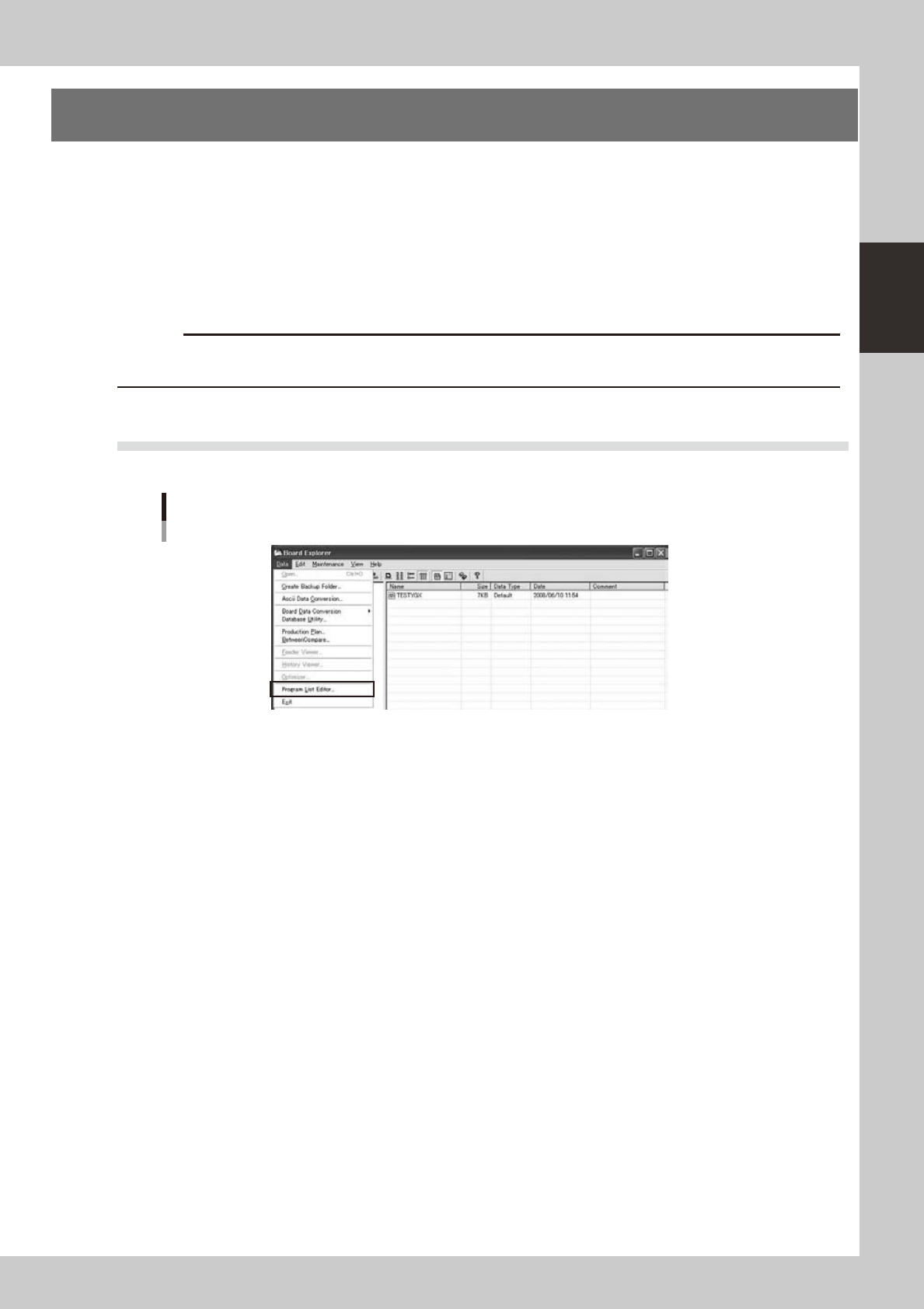
Startbyselecting[ProgramListEditor]fromthe[Data]menu.Therearenospecificstartconditions.
Start of the Program List Editor (Board Explorer)
642E1-S0-10