EUS0153210_YFact_Standard_E.pdf - 第114页
2-80 2 Board Explorer 9.5 Limitation • TheitemnameofProgramListEditorItemEditcanbeenteredupto20one-byteandtwo-bytecharacters. • WhentheProgramListEditorItemEditisusedinEnglishenvironmentaf…
2-79
2
Board Explorer
9.4 Option
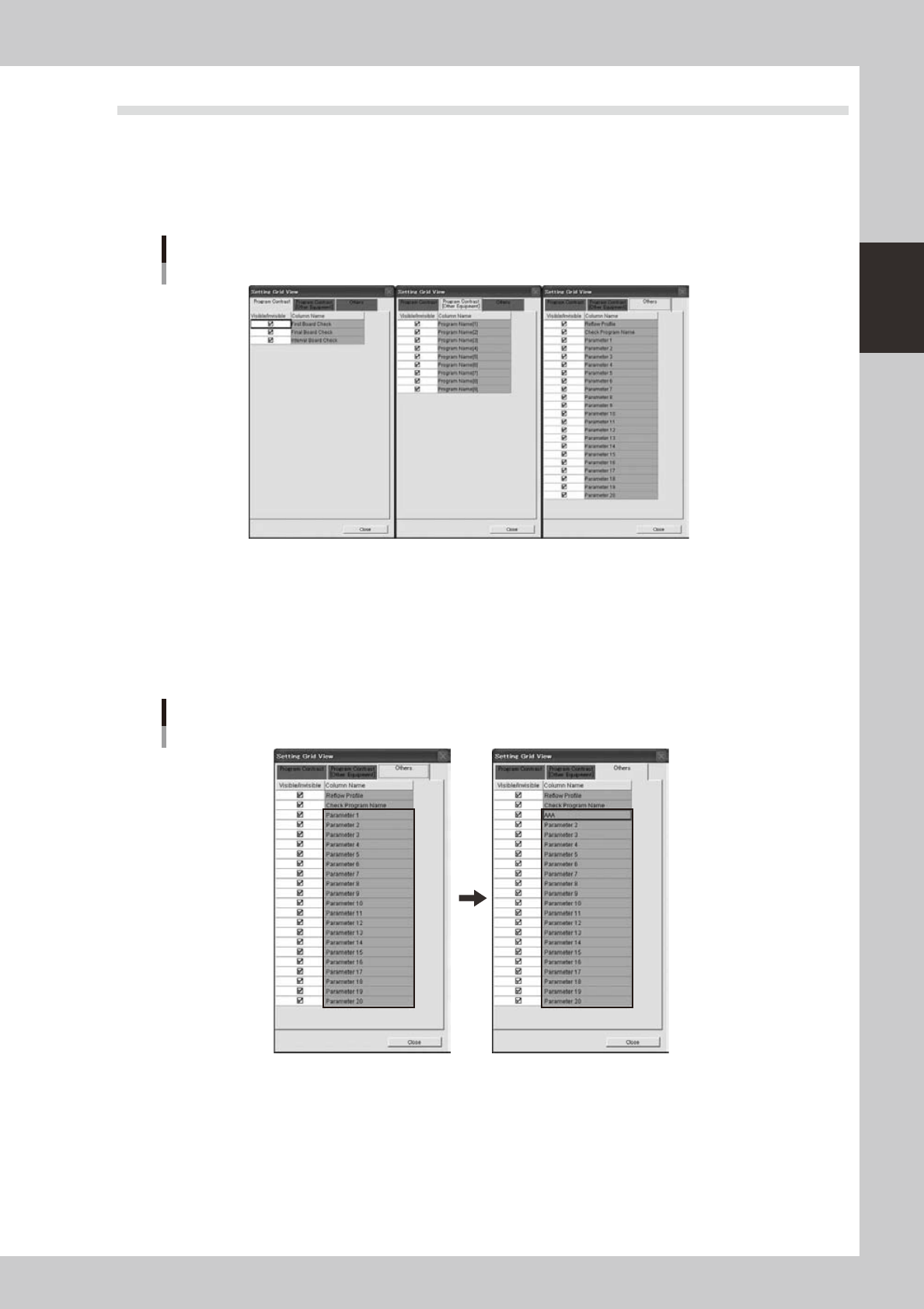
9.4.1 Grid View Setting
Asforeachgriditemof"ProgramContrast","ProgramContrast[OtherEquipment]"and"Others",displayor
non-displaycanbeselected.Select"Option"fromthe"View"menu.Thegriddisplaysettingwindowappears
and you can check desired items.
Grid View Setting
642E7-S0-00
9.4.2 Program List Editor Item Edit
1
Select [Others] in the grid display setting window.
2
Select the row to be edited (“Parameter 1” ~ “Parameter 20”) and perform
keyboard entry.
Program List Editor Edit Item
There is an edit. There is no edit.
642E8-S0-00

2-80
2
Board Explorer
9.5 Limitation
• TheitemnameofProgramListEditorItemEditcanbeenteredupto20one-byteandtwo-bytecharacters.
• WhentheProgramListEditorItemEditisusedinEnglishenvironmentaftertheitemeditingisdonewithJapanese
character in Japanese environment, the item name is not displayed correctly.
2-81
2
Board Explorer
10. Multi Lane Support
Additional features supporting the dual lane machine are listed below.
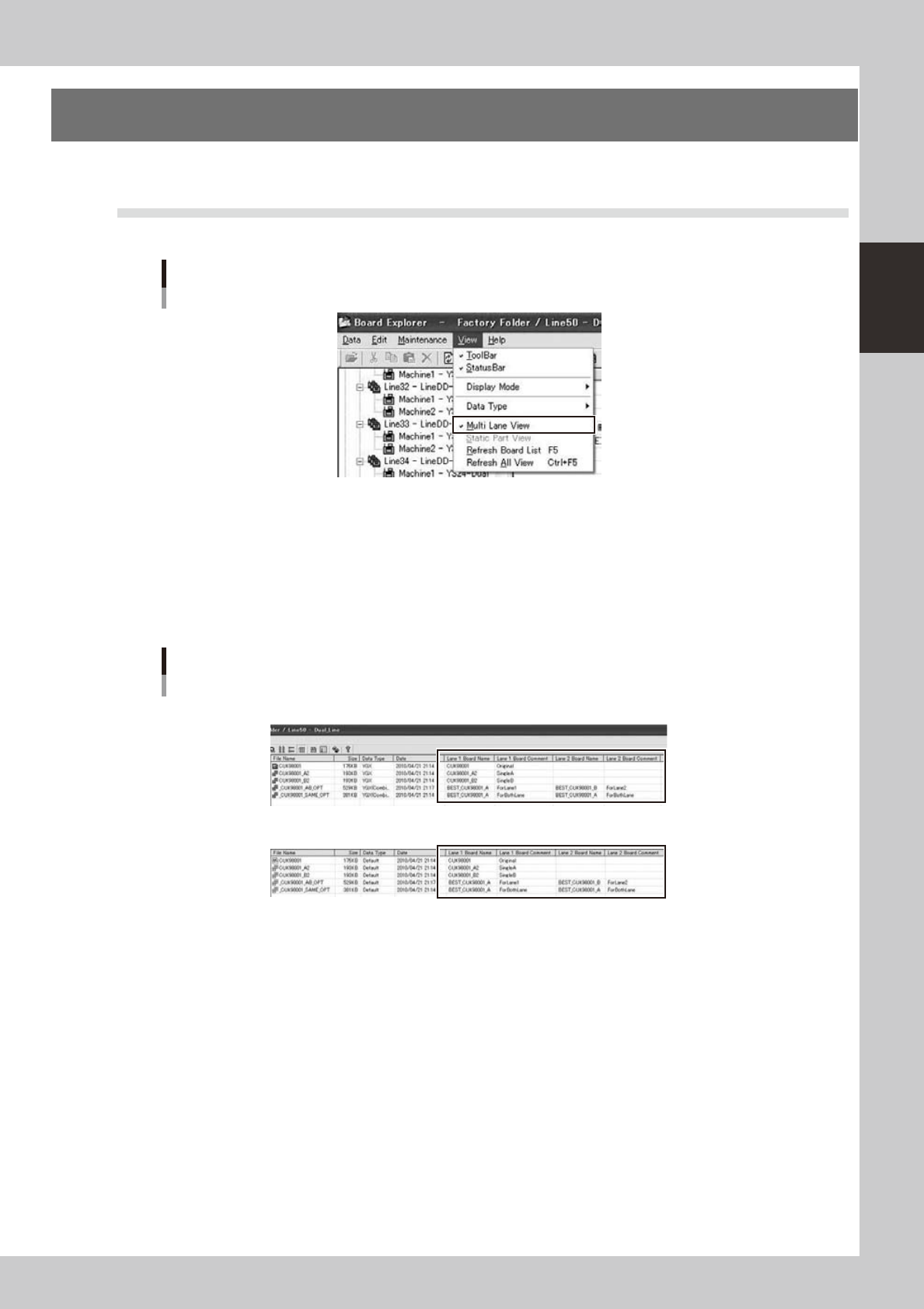
10.1 Multi Lane View
Select[MultiLaneView]fromthe[View]menu.
Multi Lane View selection
642F1-S0-00
WhenMultiLaneViewisenabled,thefollowingpointwillchange.
●
"Lane 1 Board Name" "Lane 1 Board Comment" "Lane 2 Board Name" "Lane 2 Board Comment" columns
are added on main view.
•
In case of combined board data, the board name and comment of each lane can be checked.
•
In case of YGX on Dual Lane Machine, the position of lane is changed according to lane setting.
•
Incaseofotherdatatype,VIOS,VIOS-TEXT,etc.thepositionisalwaysonlane1.
Main view
[Normal Mode]
[Default Mode]
642F2-S0-00