EUS0153210_YFact_Standard_E.pdf - 第156页
3-36 3 Board Editor n Note Data is Replace ItoperatesitforNoteDataisReplaceasfollows. ● The display of a Replace screen Select“Replace”in“Edit”menutoopenReplacescreen. “Edit” - “Replace” Menu 64361-S0-00…
3-35
3
Board Editor
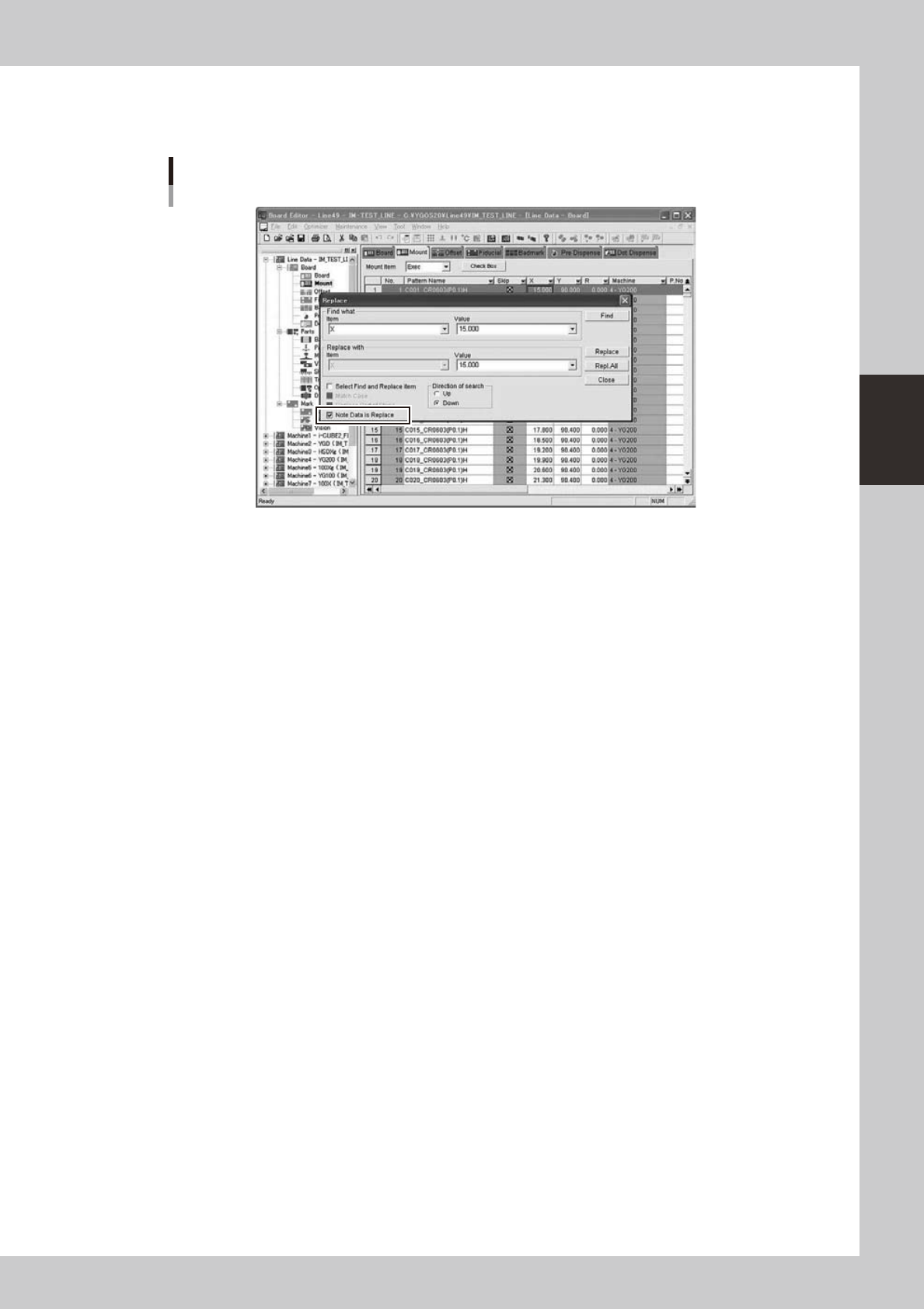
2.10.3 Function of Replacing Data with Note
Thefunctionof“NoteDataisReplace”isasfollows.
Replace Screen
64360-S0-00
“NoteDataisReplace”checkboxisaddedtotheconventionalreplacedialog.AlsoletNoteDatabethe
object of replace by selection of this item.
3-36
3
Board Editor
n
Note Data is Replace
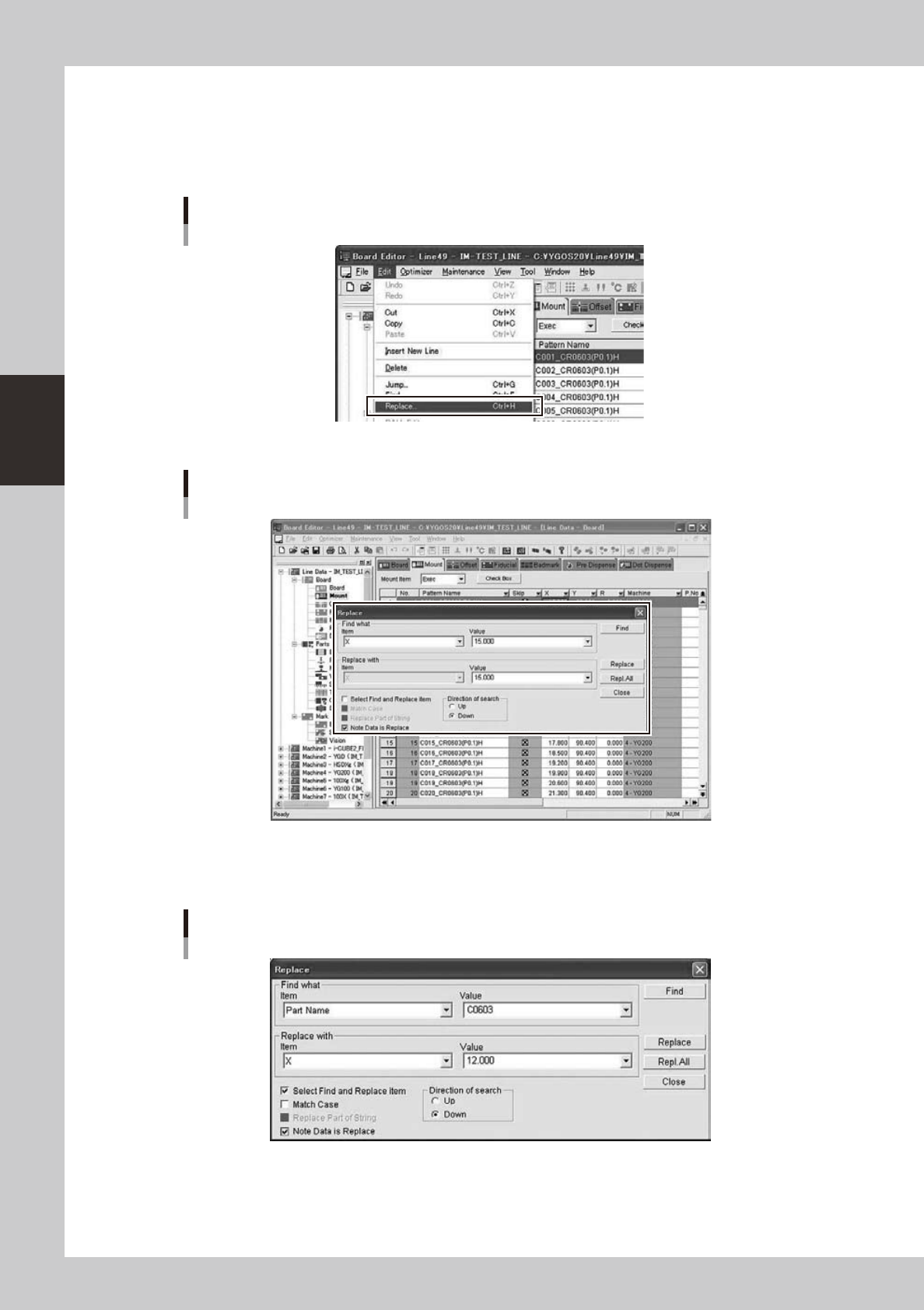
ItoperatesitforNoteDataisReplaceasfollows.
●
The display of a Replace screen
Select“Replace”in“Edit”menutoopenReplacescreen.
“Edit” - “Replace” Menu
64361-S0-00
Replace Screen opens
64362-S0-00
●
Replace Screen
AsetupofNotedataReplacecanbeperformedfromareplacescreen.
Replace Dialog
64363-S0-00

3-37
3
Board Editor
●
Replace condition setup
When“NoteDataisReplace”checkboxischecked(ON),NoteDataissetastheobjectofReplace.However,
whenfollowing“Replaceobjectinformation”
,
“Replaceobjectitem”isnotappliedtoconditions,grayoutof
Note Data is carried out and it cannot be chosen. The conditions from which Note Data is set as the object of
replace are as follows.
“Replace object information”
• Mount
• Offset
• Fiducial
• Badmark
• Dot Dispense
• Sequence
• Height
“Replace object item”
• X (X1
•
X2:Fiducial)
• Y (Y1
•
Y2:Fiducial)
• R
• Z(Sequence)
• X Offset(X1 Offset
•
X2Offset:Fiducial)
• Y Offset(Y1 Offset
•
Y2Offset:Fiducial)
• ROffset
• Z Offset(Sequence)
• XSignReverse(X1SignReverse
•
X2SignReverse:Fiducial)
• YSignReverse(Y1SignReverse
•
Y2SignReverse:Fiducial)
• RSignReverse
• ZSignReverse(Sequence)