EUS0153210_YFact_Standard_E.pdf - 第229页
5-2 5 Rank T able Editor 1.1 Contents of a BIN T able A BIN table file can contain multiple BIN tables, one for each production model or board data. BIN table BIN table BIN table Board name Combination Pattern name group…
5-1
5
Rank Table Editor
1. Overview
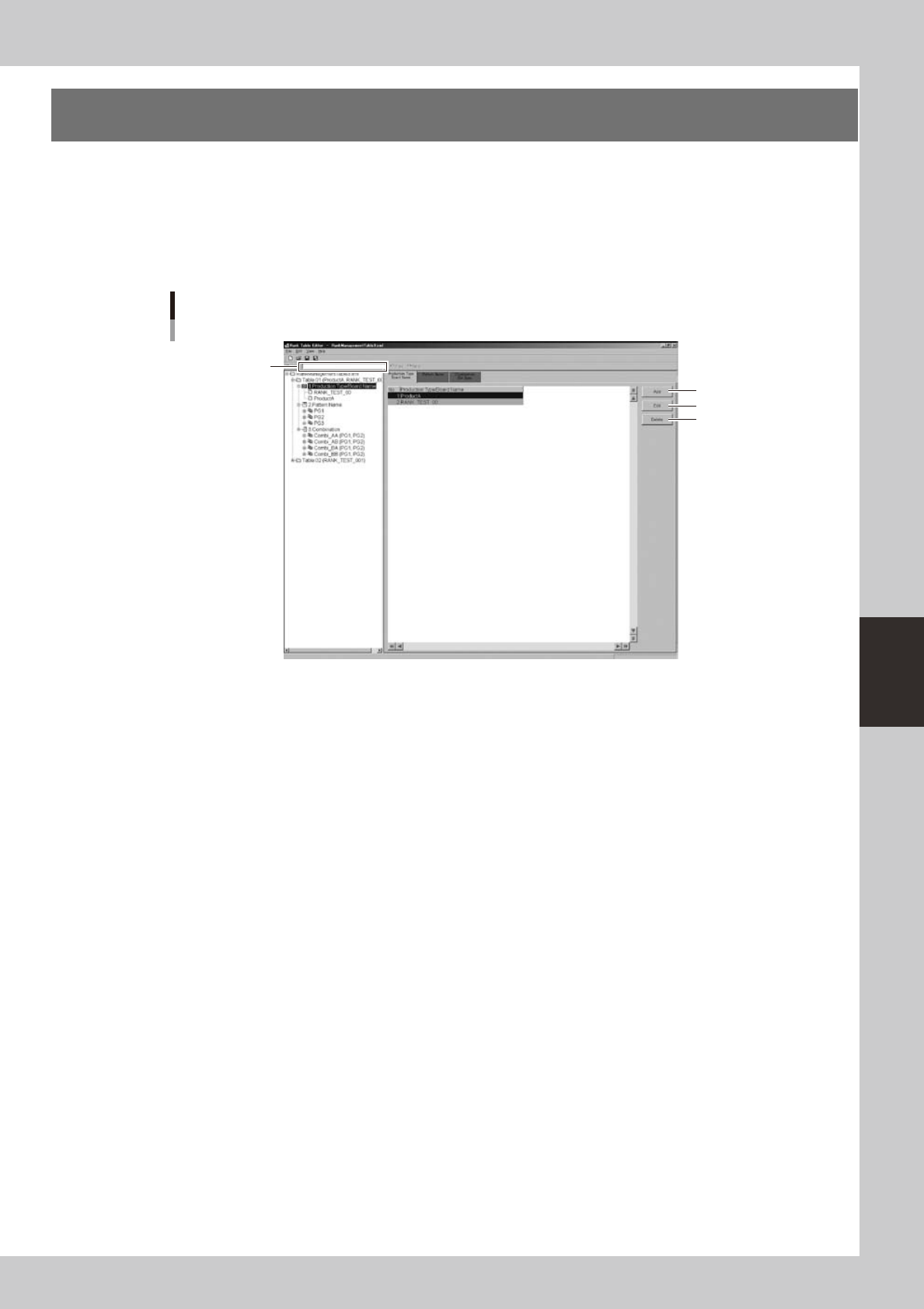
Use the BIN Table Editor to create BIN tables. The BIN Table Editor consists of a view area and an edit area.
The view area shows information such as "Production Type/Board Name" in a tree structure. You can also
select the item that you want to edit from the view area.
The edit area lets you edit information required by the BIN table, such as the "Production model / Board
name, "Pattern name group," and "Combination."
BIN Table Editor
1
2
3
4
64501-S0-00
1. Find
Allows you to search for parameter names and pattern names in the BIN table file. Enter the search string and click the
[Forward]or[Backward]button.
2. [Add] button
Adds a record named New and opens the edit dialog box.
3. [Edit] button
Edits the selected record.
4. [Delete] button
Deletes the record.
5-2
5
Rank Table Editor
1.1 Contents of a BIN Table
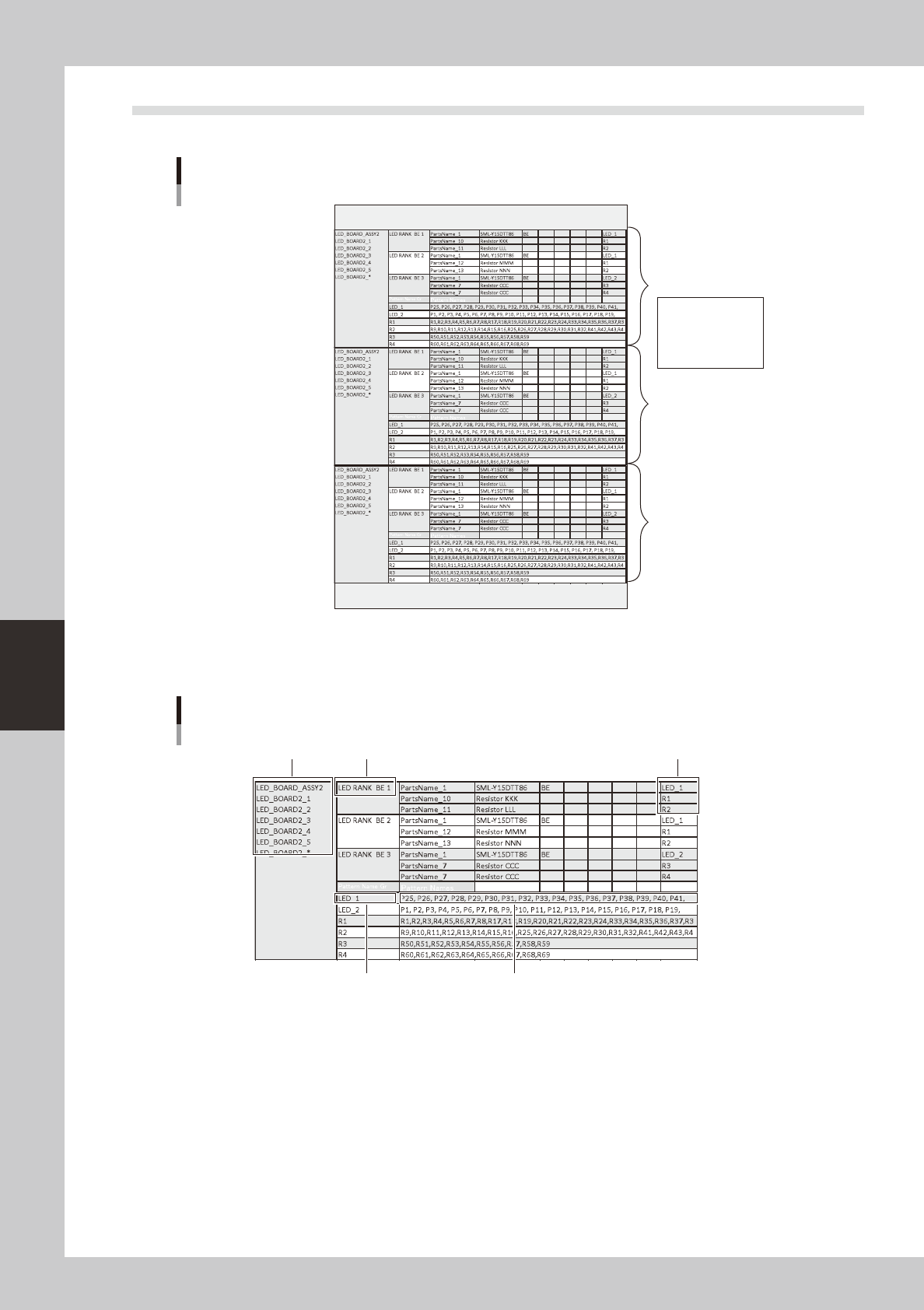
A BIN table file can contain multiple BIN tables, one for each production model or board data.
BIN table
BIN table
BIN table
Board name
Combination
Pattern name group
Pattern name
BIN table file
64756-T2-00
The BIN table contains the board name ("production model (ASSY)" in Plan mode, or "board data name" in
Machine mode), combination, pattern name group, and pattern name. For more about the combination, pattern
name group, and pattern name, refer to the sections below.
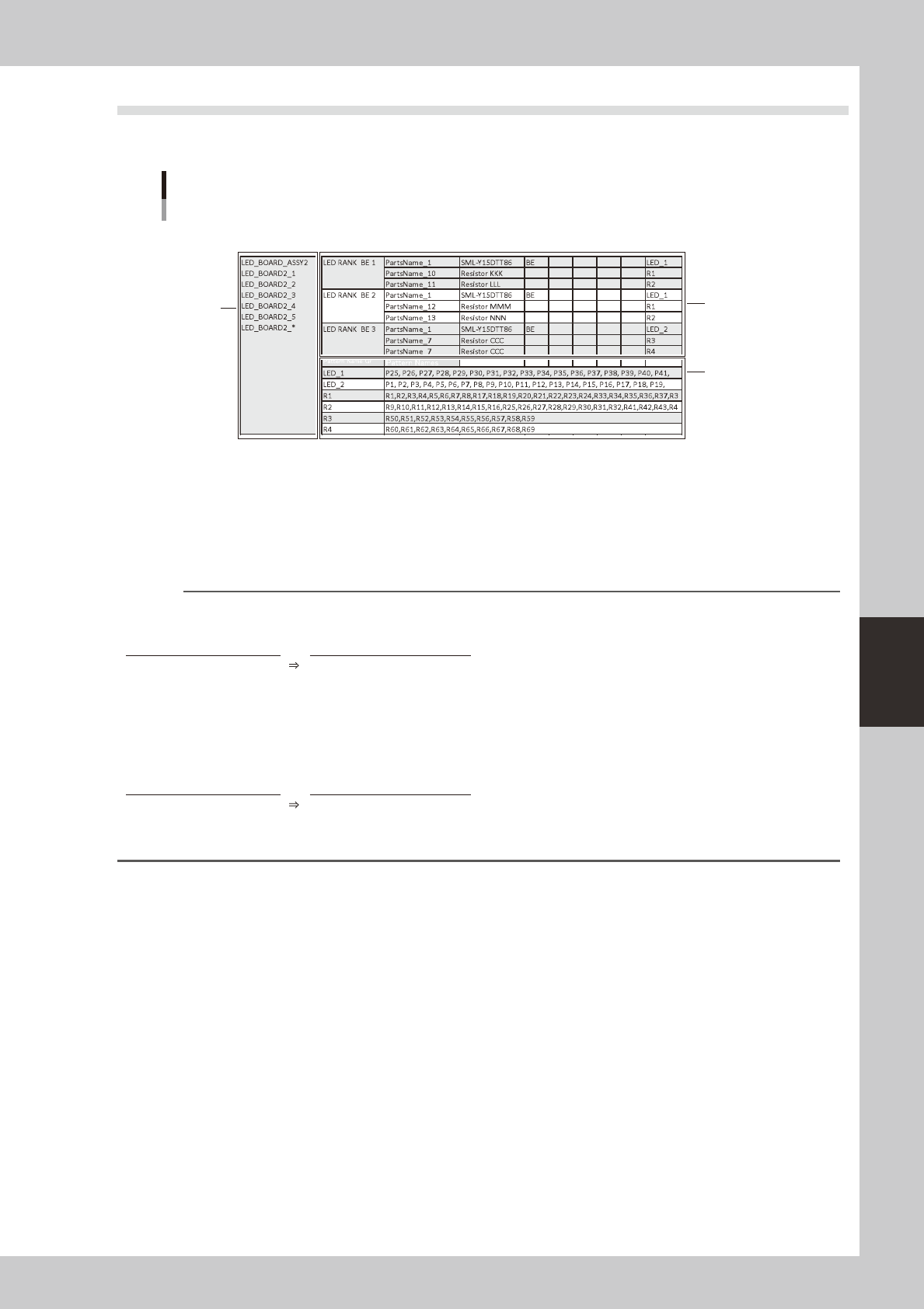
CombinationBoard name
Pattern name group Pattern names
Pattern name group that is linked
with the combination (LED BIN BE1)
BIN table
64757-T2-00
5-3
5
Rank Table Editor
1.2 Specifying the Part Characteristics (BIN)
To edit a BIN table, use BIN Table Editor. Make settings in the order of items marked 1 through 3 in the
illustration.
1
3
2
Specifying the part characteristics (BIN)
64758-T2-00
1 Production model / Board name
Specify the production model (or board name) that uses this BIN table. Note that what you specify will depend on the
mode.
Playmode : Enterthe"productionmodel(ASSY)"thatisspecifiedintheprogramlist.
Machinemode: Entertheboarddataname.
Reference
You can use wildcards when specifying the production model or board name.
Example) Specifying a different board name for each machine in Play mode
Target board Wildcard expression
ProductA_Ver_201408
ProductA_Ver_*
ProductA_Ver_201409
ProductA_Ver_201410
ProductA_Ver_201411
ProductA_Ver_201412
Example) Specifying a different board name for each machine in Machine mode
Target board Wildcard expression
ProductA_YS12
ProductA_*
ProductA_YS24
ProductA_YS24X