EUS0153210_YFact_Standard_E.pdf - 第46页
2-12 2 Board Explorer 3. Registering or deleting “lines” and “machines” When using the Board Editor of the Factor y T ools to edit Board data or optimize data, you must register “machines” connected with a “line”. This s…
2-11
2
Board Explorer
●
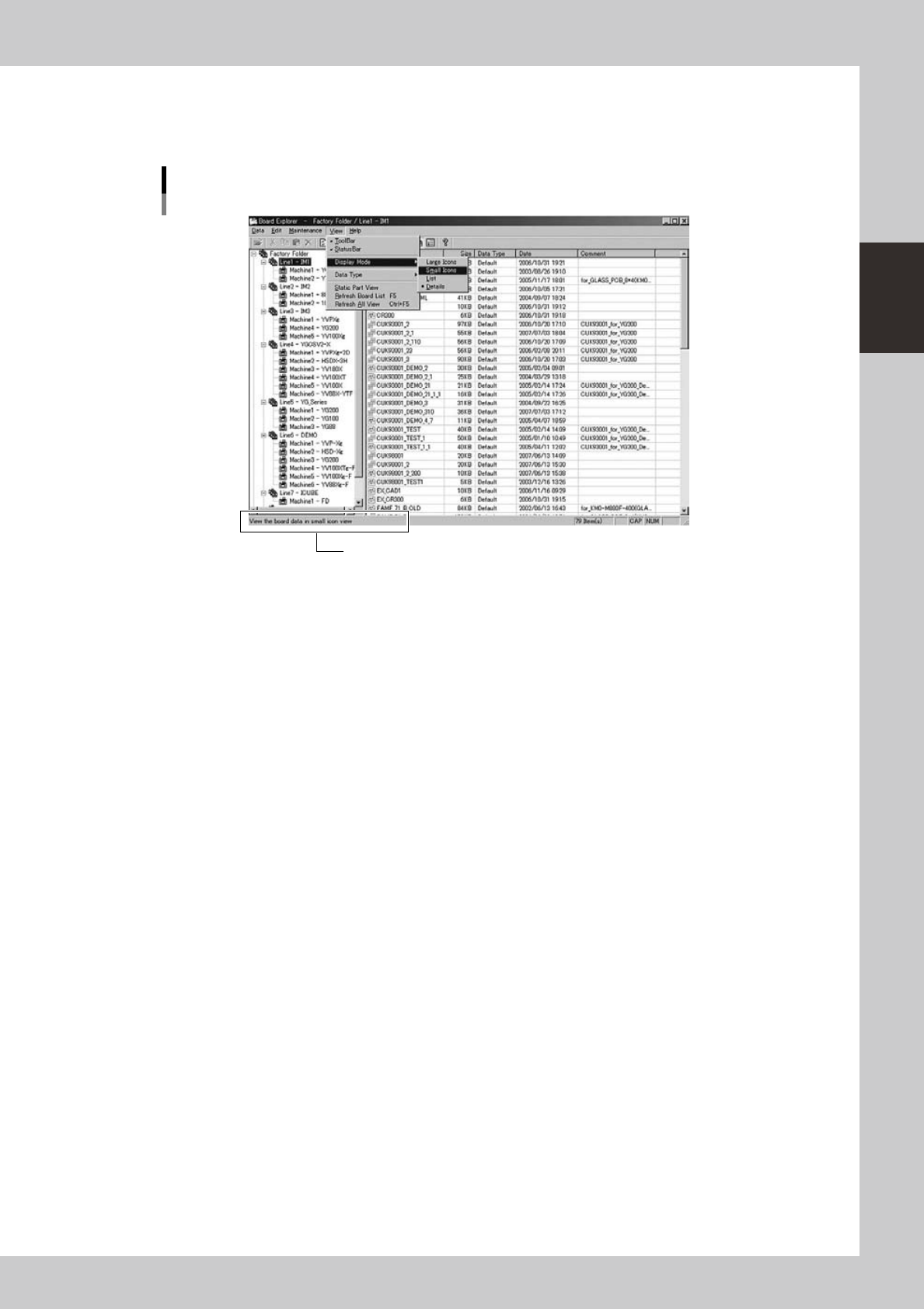
Status bar
Displays the Board Explorer operation status, as well as the status and description of an item selected by the mouse
cursor. Selecting the “Status Bar” command from the View menu shows or hides the status bar.
Status bar
Status bar
64220-S0-00
2-12
2
Board Explorer
3.
Registering or deleting “lines” and “machines”
When using the Board Editor of the Factory Tools to edit Board data or optimize data, you must register
“machines” connected with a “line”. This section explains how to register or delete “lines” and “machines”.
3.1 Registering “lines” and “machines”
1
Create a board data disk or board folder for each machine.
For a description of how to create a board data disk or board folder, refer to the programming manual
for each series.
n
NOTE
When registering a machine stored on the network, browse the "No.1" folder on the network to register the line and
machine. You do not have to create a board data disk or board folder in this case.
2
Start the Board Explorer.
3
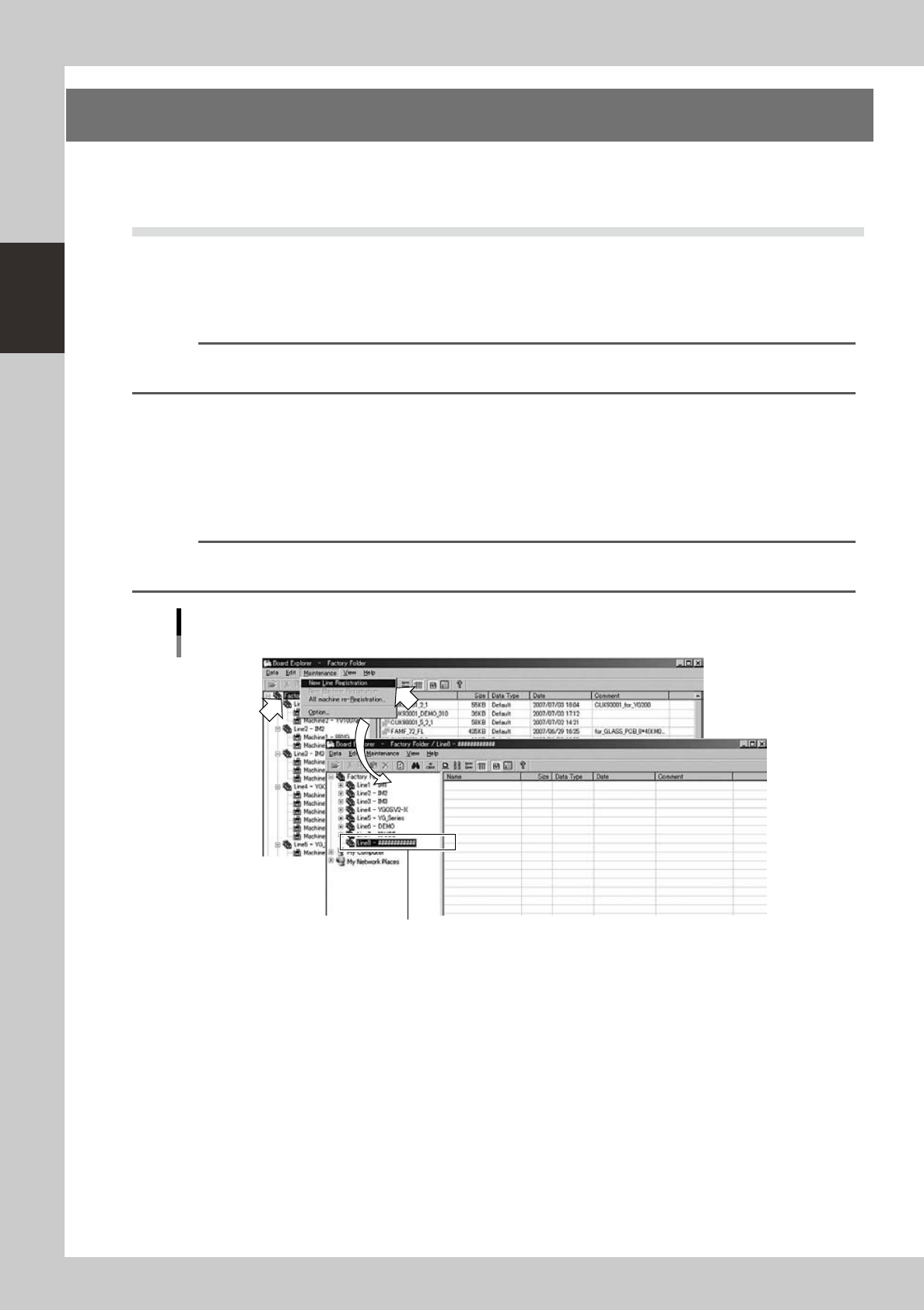
Register a new line.
1. Click the Factory Folder in the tree view.
2. Select "New Line Registration" from the Maintenance menu.
A new line is created and displayed in the tree view.
Reference
You can select the same command from the context menu that appears by clicking the right mouse button on the
Factory Folder.
Maintenance menu
Selecting "New Line Registration"
A new "line" is displayed.
64221-S0-00
2-13
2
Board Explorer
4
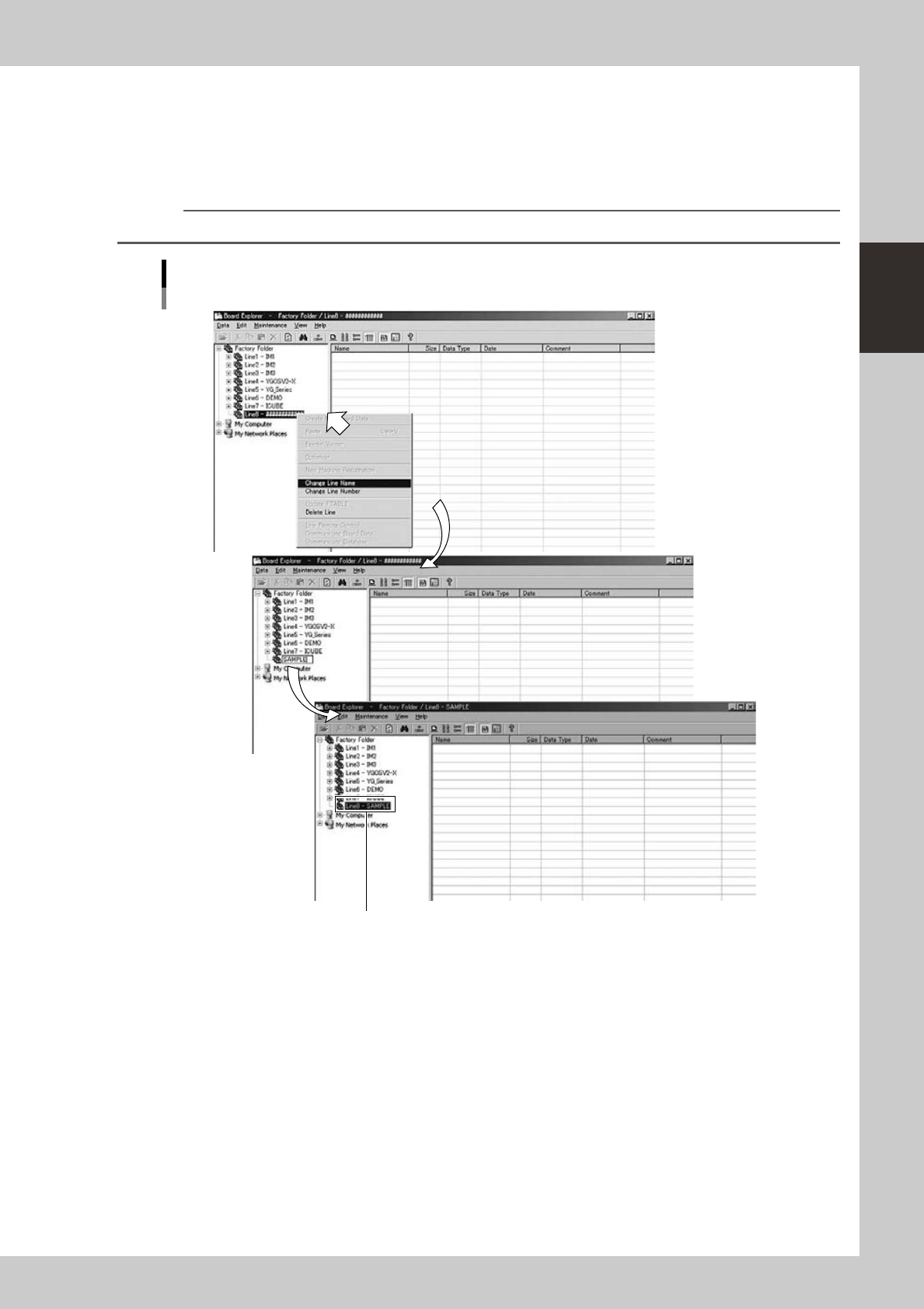
Enter the line name.
1. Click the right mouse button on the newly created line in the tree view, to display the context menu.
2. Select "Change Line Name" from the menu and type the line name.
3. Press the [Enter] key to register the line name.
The line name is displayed in the tree view.
Reference
The line name can be up to 12 alphanumeric characters including underbars.
Menu operation
Registering a new line
Registered line name is displayed.
64222-S0-00