EUS0153210_YFact_Standard_E.pdf - 第53页
2-19 2 Board Explorer 4. Factor y T ools option settings Use the Factor y T ools option settings when selecting the language to display menus and messages or specifying other optional functions. The Factor y T ools optio…
2-18
2
Board Explorer
3.2 Deleting the lines and machines
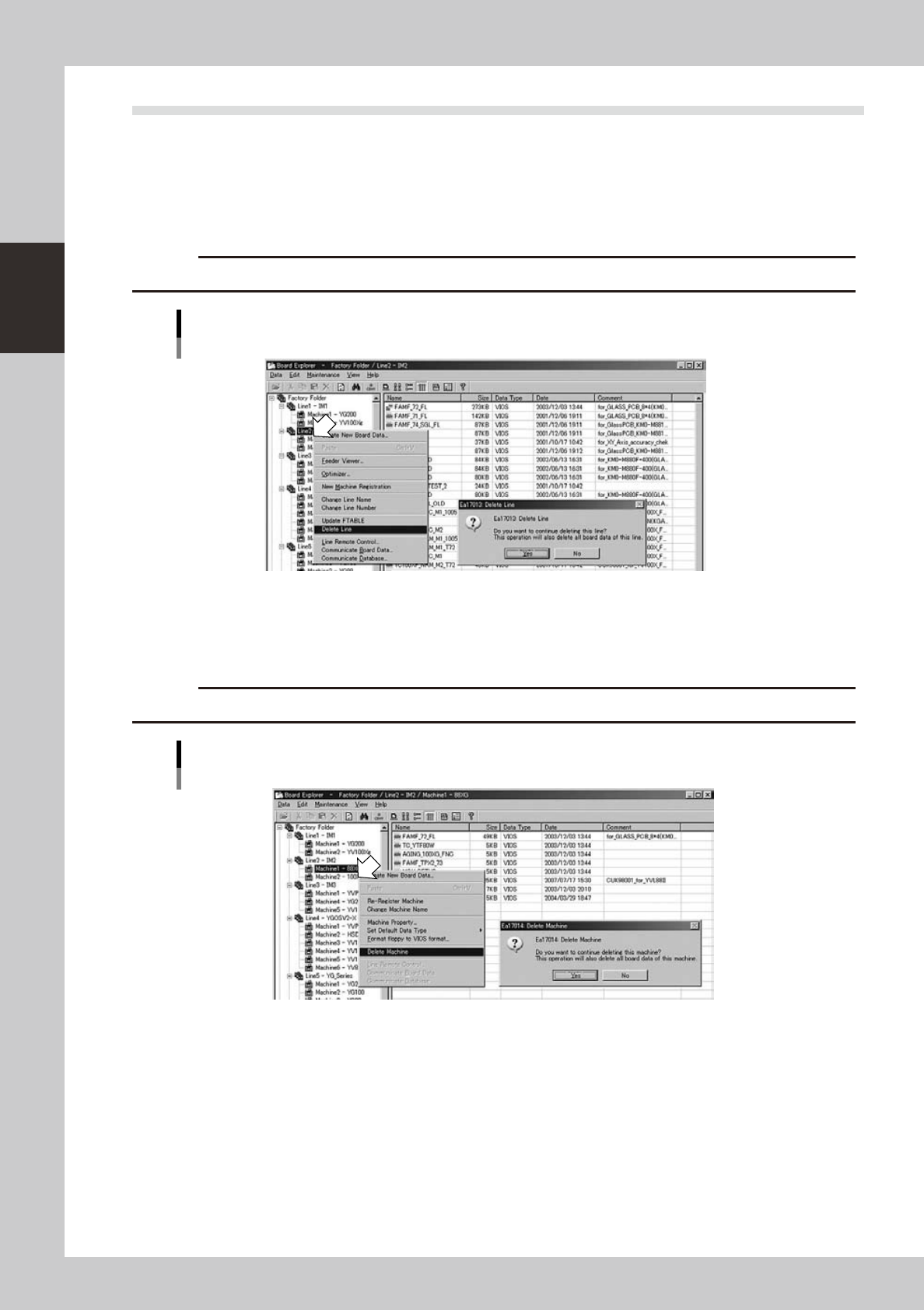
Whenyouwanttodeletearegisteredlineormachine,selectthelineormachineandpresstherightmouse
button to display the context menu.
To delete a line:
1. Select “Delete Line” from the context menu.
2.Aconfirmationdialogboxappears.Click[Yes]todeletetheselectedline.
c
CAUTION
If a line is deleted, then all machines, machine data and all board data registered with that line will also be deleted.
Deleting a line
64229-S0-00
To delete a machine:
1. Select “Delete Machine” from the context menu.
2.Aconfirmationdialogboxappears.Click[Yes]todeletetheselectedmachine.
c
CAUTION
If a machine is deleted, then machine data and board data registered for that machine will also be deleted.
Deleting a machine
64230-S0-00
2-19
2
Board Explorer
4. Factory Tools option settings
Use the Factory Tools option settings when selecting the language to display menus and messages or
specifying other optional functions.
The Factory Tools option settings can be changed from the Board Explorer, Board Editor and the Factory
Tools Start menu. This section explains the option setting from the Board Explorer.
4.1 Option setting
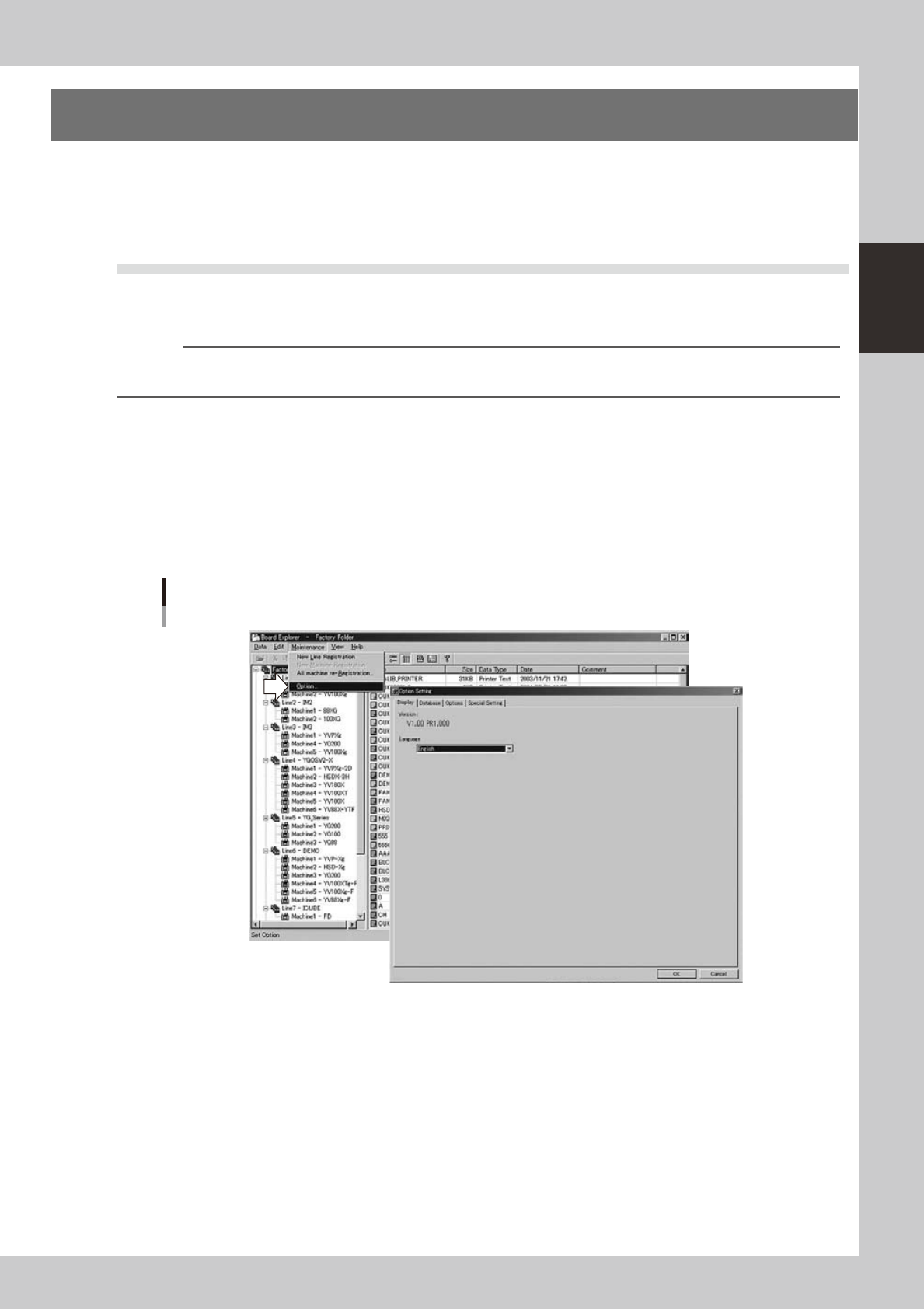
In the Board Explorer window, selecting “Factory Tools Option” from the Maintenance menu displays the
“Option Setting” dialog box. Click the tab for the option you want to check and make the necessary changes.
n
NOTE
To enable the changes you have made here, click the [OK] button to close the "Option Setting" dialog box and then
restart the Board Explorer.
4.1.1 Changing the language
The Factory Tools allows you to switch the display language between Japanese and English. To change the
display language, follow these steps.
1
Start the Board Explorer.
2
Select “Factory Tools Option” from the Maintenance menu.
The "Option Setting" dialog box appears.
Maintenance menu
Selecting "Factory Tools Option"
64231-S0-00
2-20
2
Board Explorer
3
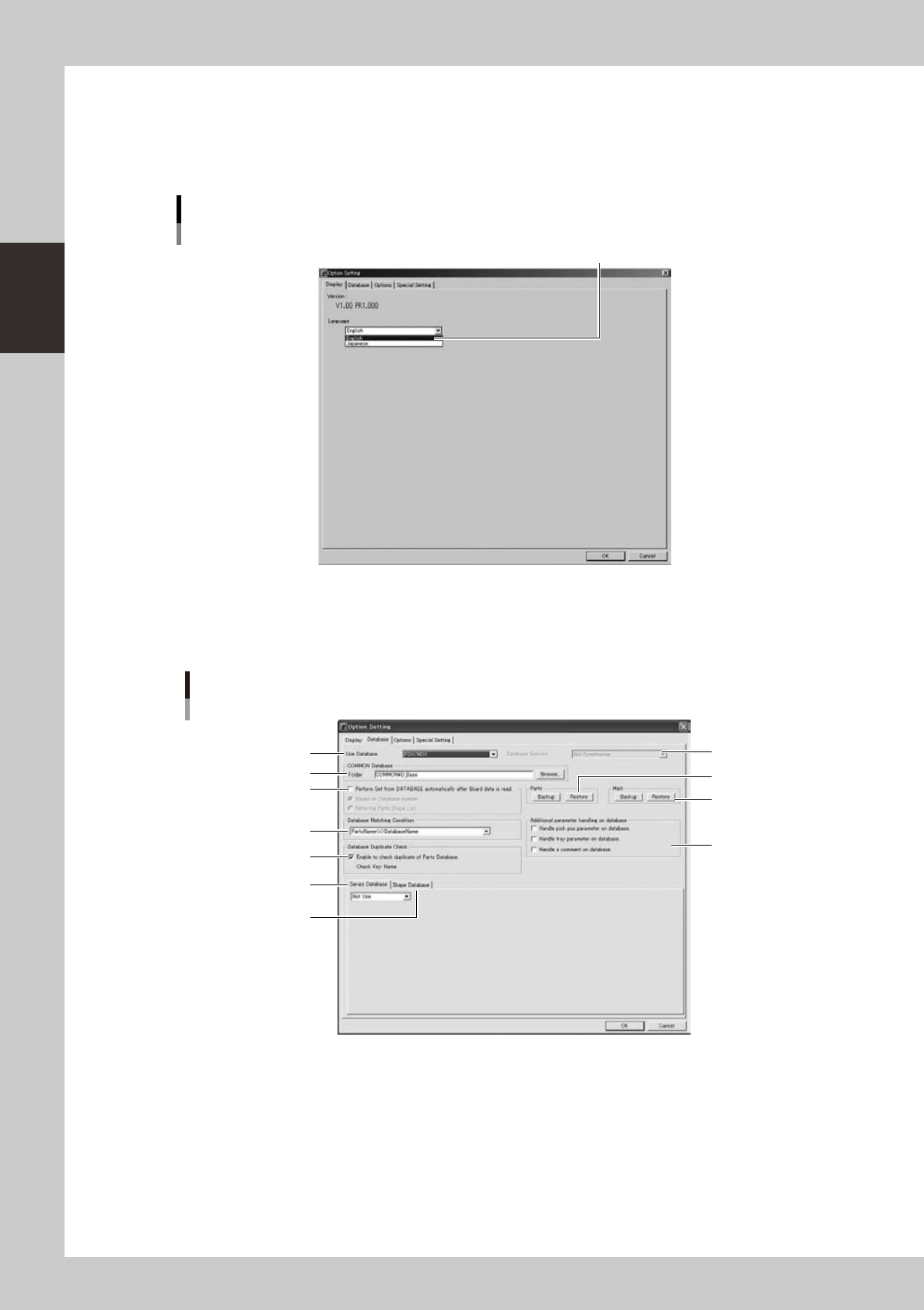
Change the language.
Select the desired language from the Language drop-down list.
4
Click the [OK] button.
The change you have made is enabled after restarting the Board Explorer.
"Option Setting" dialog box
[Display] tab for changing the language
Select the language and click [OK].
64232-S0-00
4.1.2 [Database] tab
Clickingthe[Database]tabopensthefollowingscreenforthedatabase option setting.
Factory Tools option setting
[Database] tab
2
1
4
3
11
7
5
6
10
8
9
64233-S0-20