EUS0153210_YFact_Standard_E.pdf - 第57页
2-23 2 Board Explorer 3 Select an inspector to conv ert with the "data" menu or right-click menu. Selection of inspector to con ver t • Selection from right-click • Selection from data menu 642A3-S0-00 This men…
2-22
2
Board Explorer
4.2 Inspection program conversion setting
Sets up a setting for converting board data to the Inspection program with the board explorer.
The converted Inspection program can be imported with the inspector and YViOS or YSiOS, the offline
software of the inspector.
4.2.1 Conversion of Inspection program
1
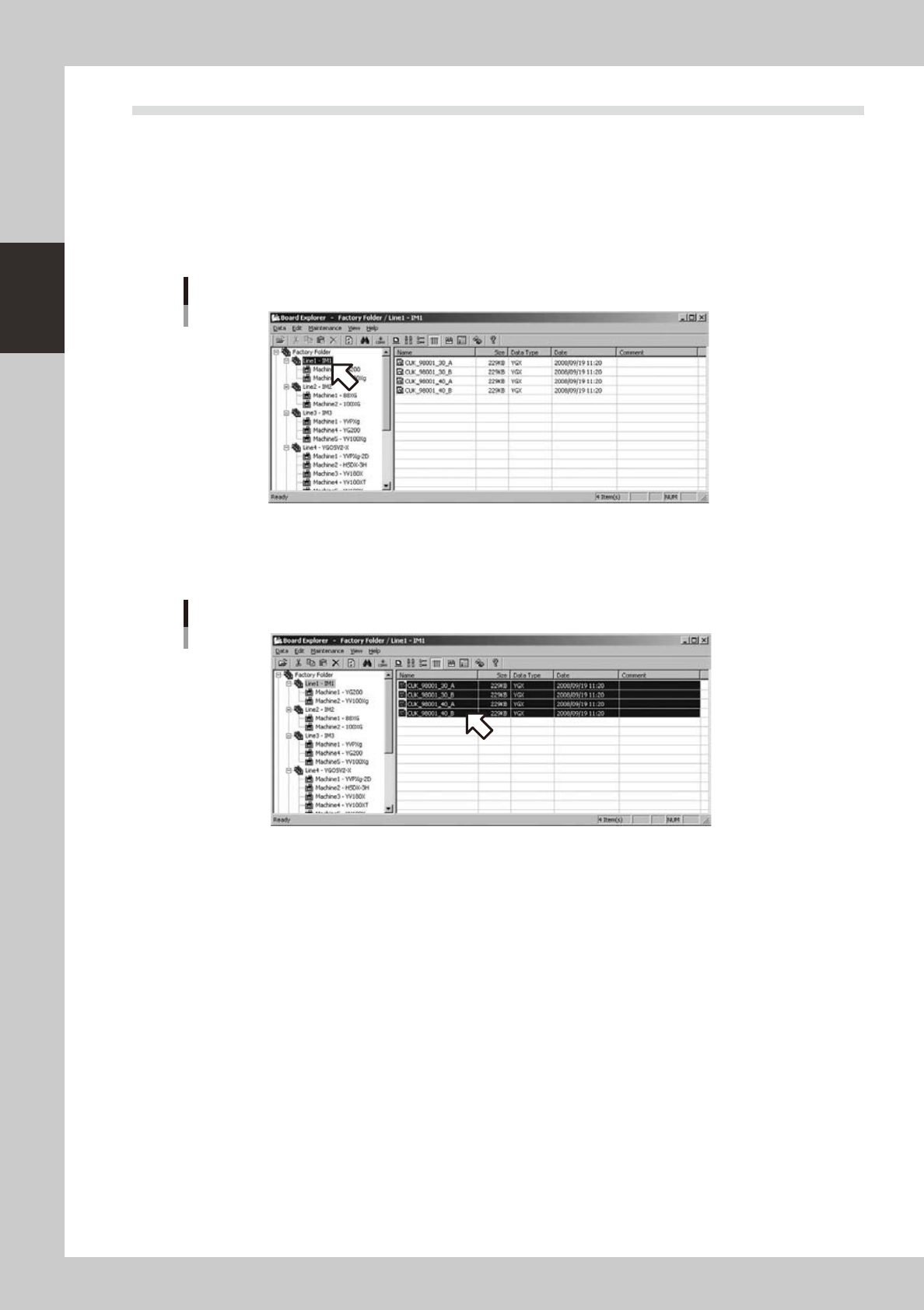
Select a line folder with the tree view of the Board explorer.
Selection of line folder
642A1-S0-00
2
Select a board data to be converted with the list view. (Multiple data can be
selected)
Selection of board data
642A2-S0-00
2-23
2
Board Explorer
3
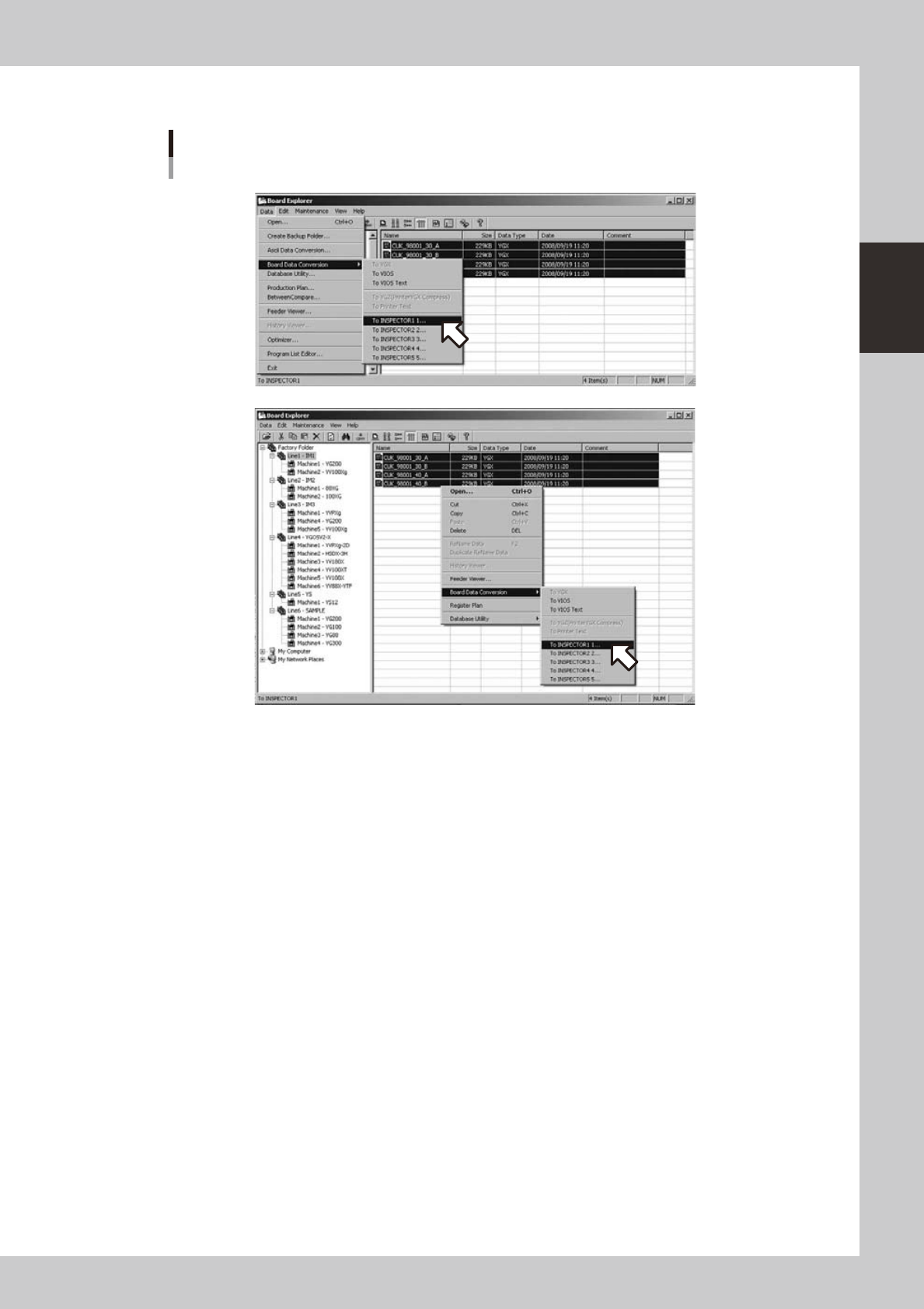
Select an inspector to convert with the "data" menu or right-click menu.
Selection of inspector to convert
• Selection from right-click
• Selection from data menu
642A3-S0-00
This menu is effective when a line folder is selected with the tree view and when a board data for a
mounter is selected with the list view at the same time.
When"UseInspectionprogramconversion"onthe"Inspectionprogramconversionsetting"screenis
turnedoff,itwillnotbeshownonthemenu.(Referto"4.2.4Howtosetup"below).
The menu shows the inspector name selected on the "Inspection program conversion setting" screen
(referto4.2.4,"Howtosetup"below).Uptofiveinspectornamescanbesetup.Whenanameofan
inspector is blank, it will not be indicated.
2-24
2
Board Explorer
4
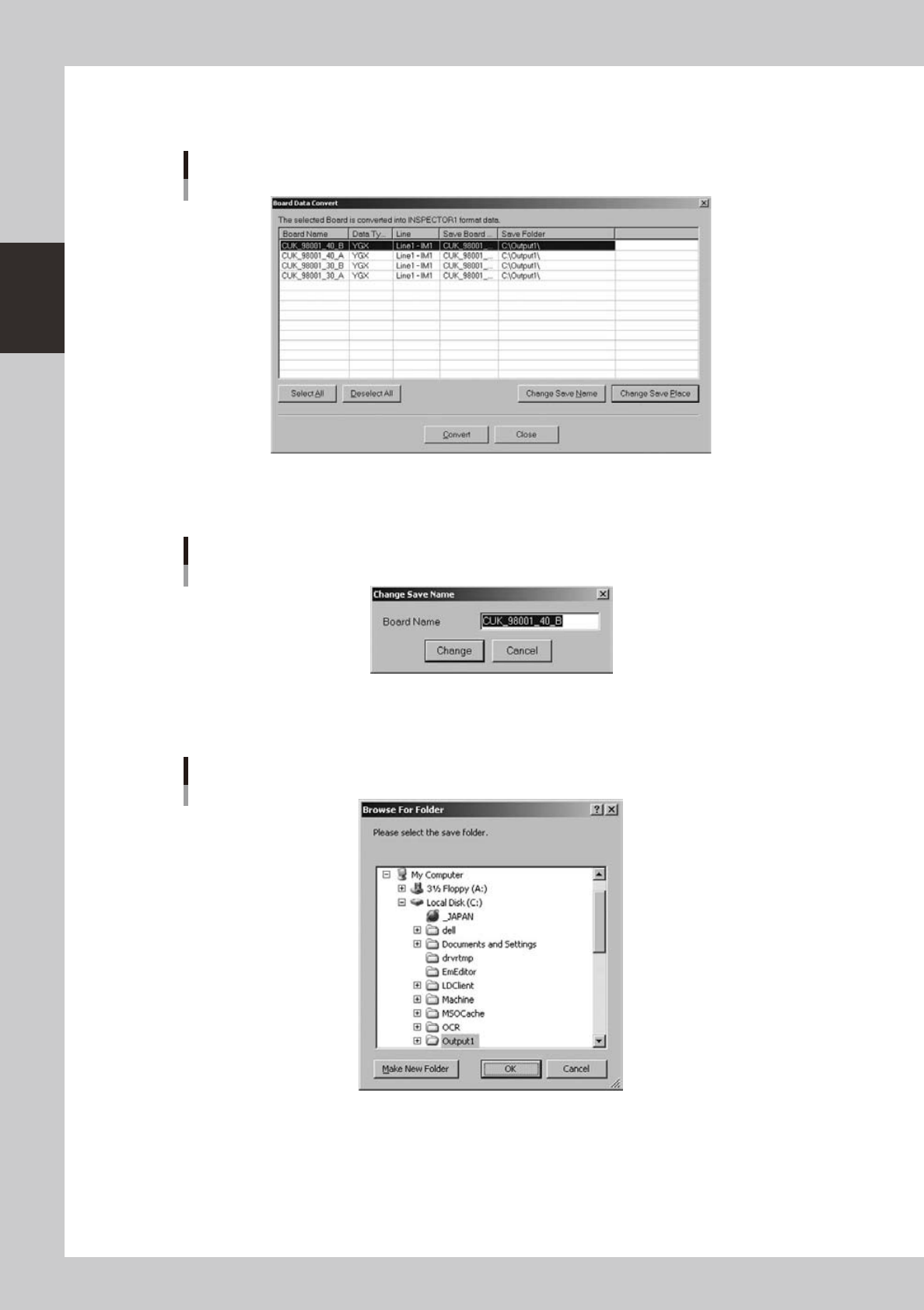
The "board data conversion" display will be shown.
Board data of a solder paste printer cannot be converted and it will not be shown in the list.
Board data conversion display
642A4-S0-00
Double-click the Save Board Name or click the [Change Save Name] button when you want to rename
the board data after conversion. The Board Name can contain up to 20 characters.
Dialog box for renaming the board data
642A5-S0-00
Double-click the destination folder or click the [Change Save Place] button when you want to change
the destination folder.
Screen for changing the destination folder
642A6-S0-00