EUS0153210_YFact_Standard_E.pdf - 第69页
2-35 2 Board Explorer 3 Set up conv ey or on the fixed side. Select front side when the conveyor of the mounter is fixed at front side: select rear sid e when fixed at rear side. Setting of con veyor on the fixed side 64…
2-34
2
Board Explorer
4.2.4 How to set up
1
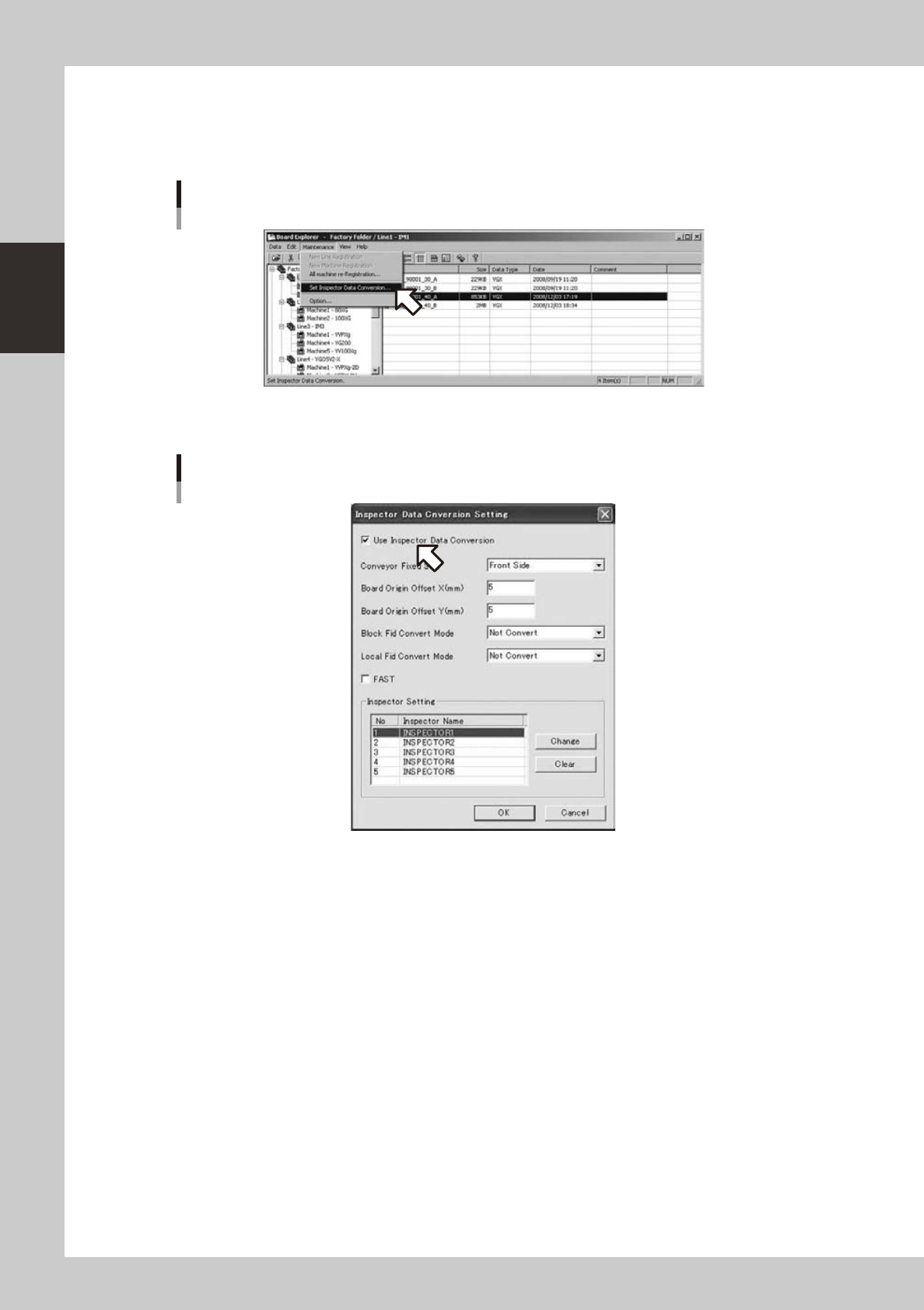
Select “Inspection program conversion setting” from the “maintenance menu” of
the board explorer.
Selecting [Inspector data conversion setting]
642C2-S0-00
2
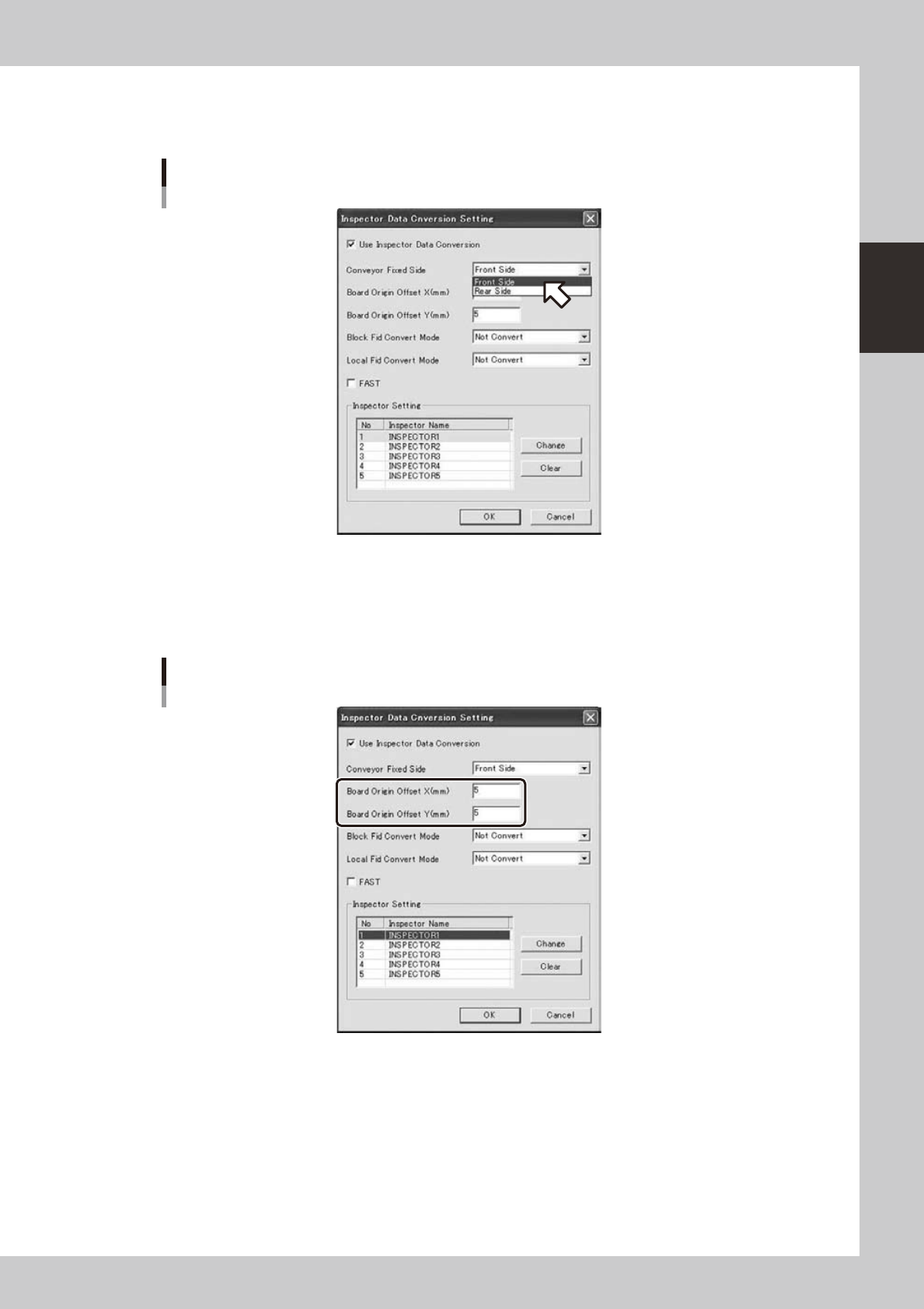
Turn on [Use Inspection program conversion].
[Use inspector data conversion] is turned on
642C3-S0-10
2-35
2
Board Explorer
3
Set up conveyor on the fixed side.
Select front side when the conveyor of the mounter is fixed at front side: select rear side when fixed at
rear side.
Setting of conveyor on the fixed side
642C4-S0-10
4
Set up board origin references X and Y.
Set X=5.000 and Y=5.000 in normal use.
If the coordination of the converted Inspection program is misaligned, correct the value within a range
of -999.999 to 999.999.
Setting of board origin references X and Y
642C5-S0-10
2-36
2
Board Explorer
5
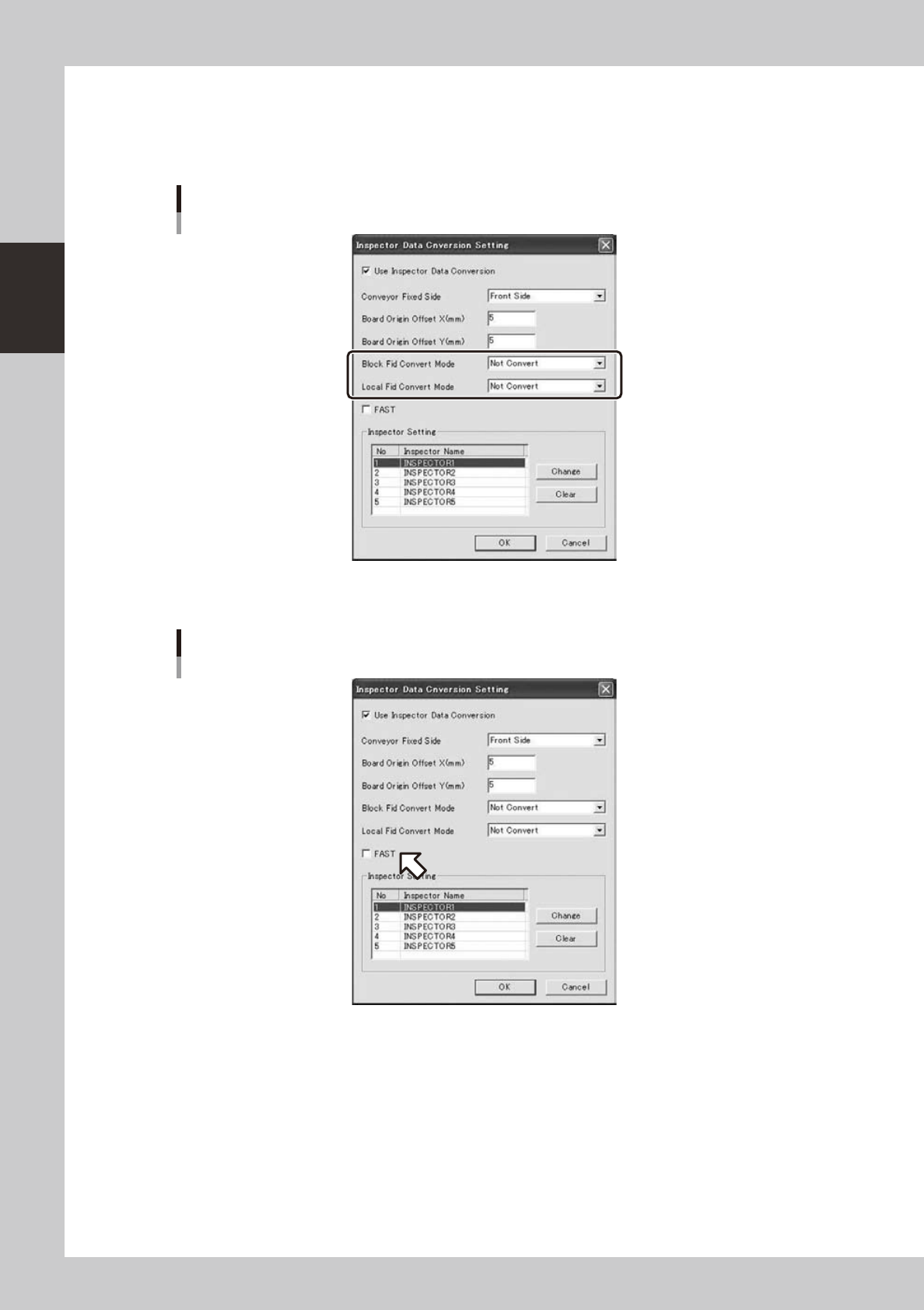
Please set the [Block Fid Convert Mode] and [Local Fid Convert Mode].
• Convert Mode : Description
• Not Convert : It does not Convert.
• Local Fiducial : It convert to Inspector’s STEP that status is “Fiducial”.
[Block Fid Convert Mode] and [Local Fid Convert Mode]
642D6-S0-00
6
If you want to convert to FAST, please check on the “FAST”.
On the “FAST”
642D7-S0-00