EUS0153210_YFact_Standard_E.pdf - 第93页
2-59 2 Board Explorer n Set from Database All This does “Set from Database All” to all specified board data by batch. Whenyouclick[SetfromDatabaseAll]buttonontheDatabaseUtilitywindow,aconfirmationdialogis…
2-58
2
Board Explorer
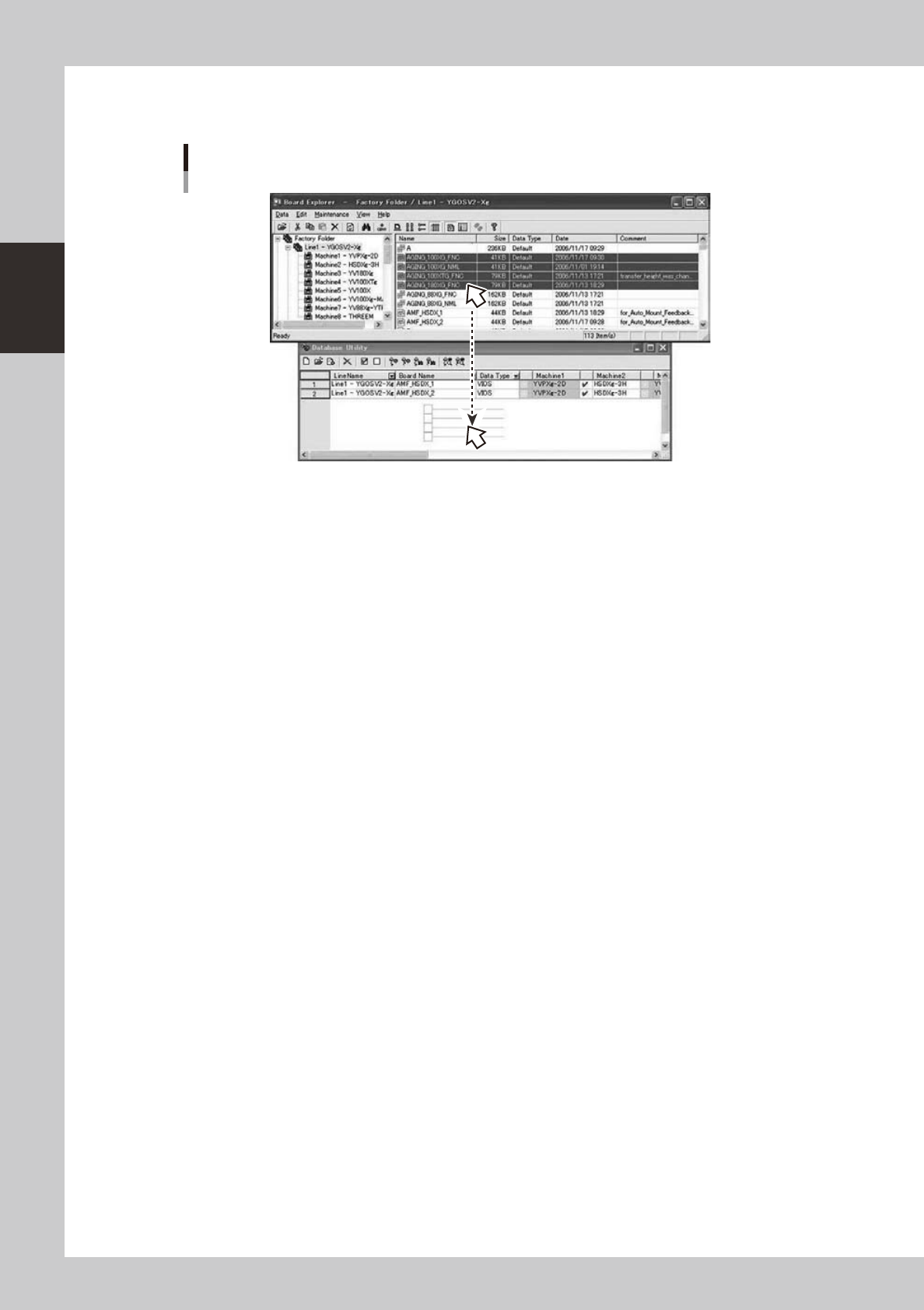
You can drag & drop board data from the Board Explorer to this window.
Only the board data that exists under the Factory Folder and the under folder can be dropped.
Drag & drop board data
64279-S0-00
2-59
2
Board Explorer
n
Set from Database All
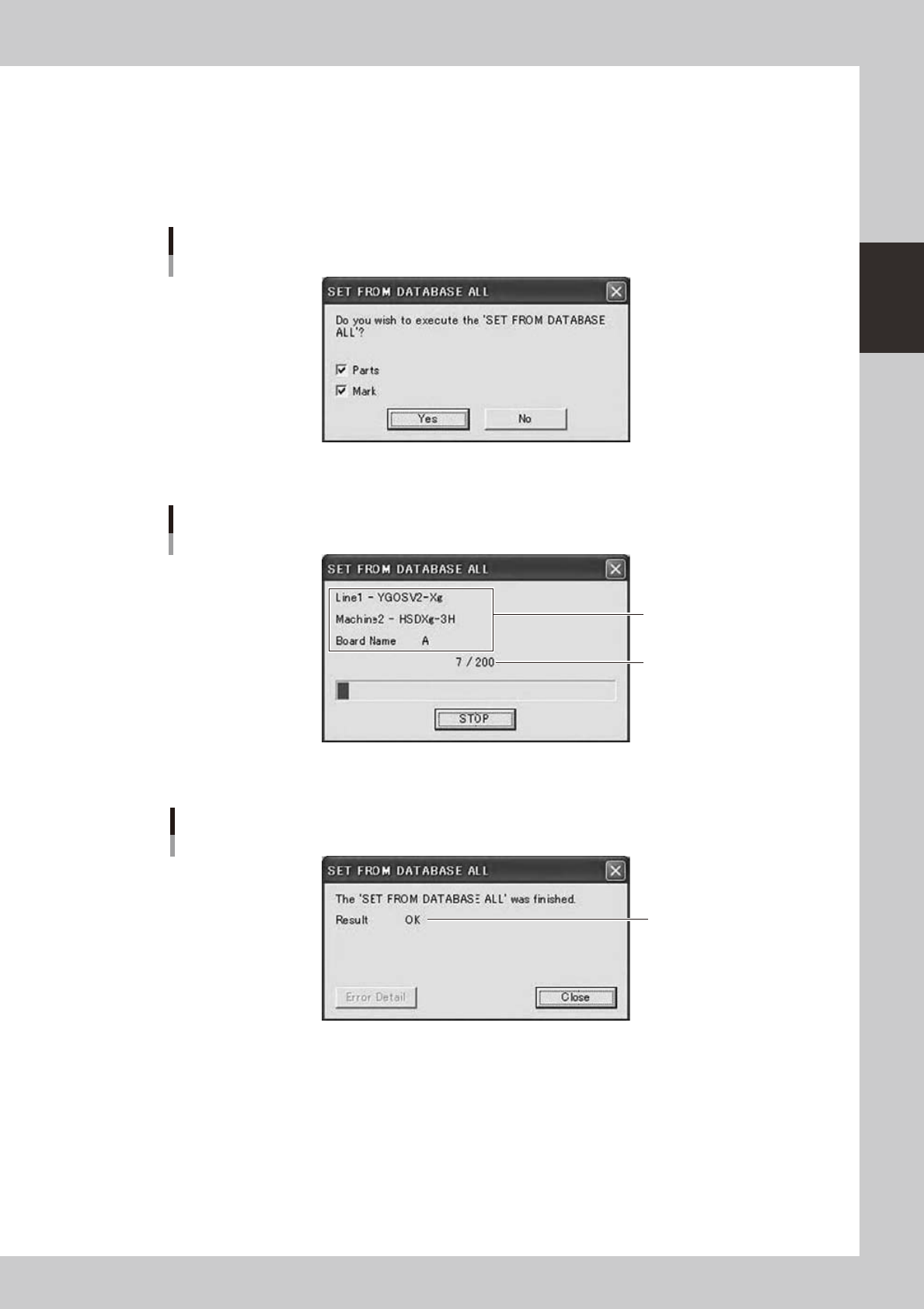
This does “Set from Database All” to all specified board data by batch.
Whenyouclick[SetfromDatabaseAll]buttonontheDatabaseUtilitywindow,aconfirmationdialogis
displayed.
Whenyouselect“SetfromDatabaseAll”menuitemintheright-clickingmenuontheBoardExplorer,the
same function can be conducted.
Confirmation dialog
64280-S0-00
Ifyouclick[Yes]button,itwillstart.
Progress dialog
Processing Line,
Machine, Board Name
Board count / All
64281-S0-00
Whenallboarddatafinished,orstopped,itdisplaysaresultdialog.
Result dialog
Result
OK / NG / STOP
64282-S0-10
2-60
2
Board Explorer
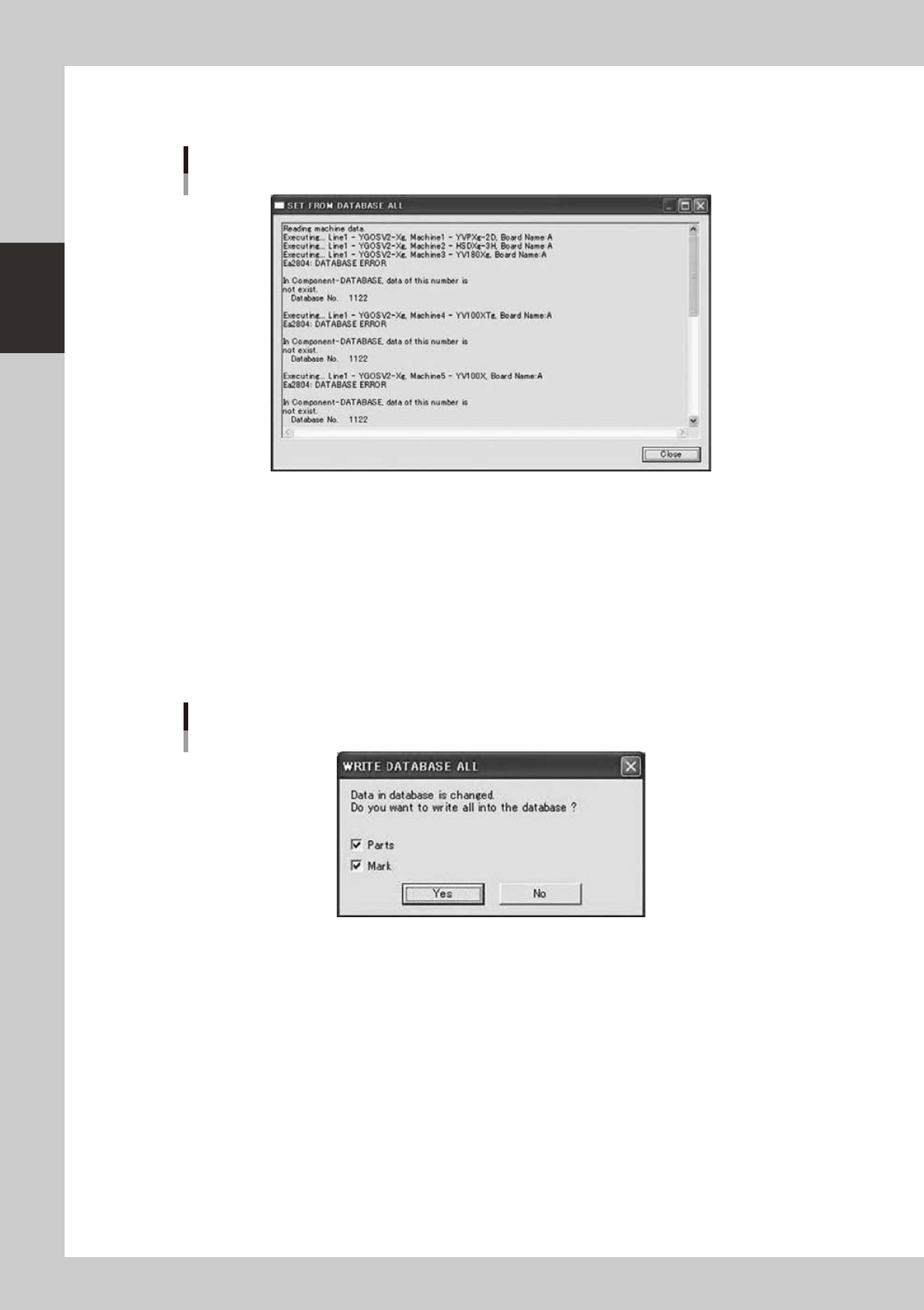
IfresultwasnotOK,youcanclick[ErrorDetail]button.
Error Detail dialog
Error Detail dialog
64283-S0-00
It displays error details up to 200 lines.
Ifyouwanttoseeall,pleaseopenlogfileusingnotepadofWindows.
n
Copy Back to Database All
This does “Copy Back to Database All” from all specified board data by batch.
Whenyouclick“CopyBacktoDatabaseAll”buttonontheDatabaseUtilitywindow,aconfirmationdialogis
displayed.
Whenyouselect“CopyBacktoDatabaseAll”menuitemintheright-clickingmenuontheBoardExplorer,the
same function can be conducted.
Confirmation dialog
64284-S0-00
Ifyouclick[Yes]button,itwillstart.
The following dialogs are similar to those in the section “
n
Set from Database All”.