EUS0153210_YFact_Standard_E.pdf - 第94页
2-60 2 Board Explorer IfresultwasnotOK,youcanclick[ErrorDetail]button. Error Detail dialog Error Detail dialog 64283-S0-00 It displays error details up to 200 lines. Ifyouwanttoseeall,pleaseopenlogfile…
2-59
2
Board Explorer
n
Set from Database All
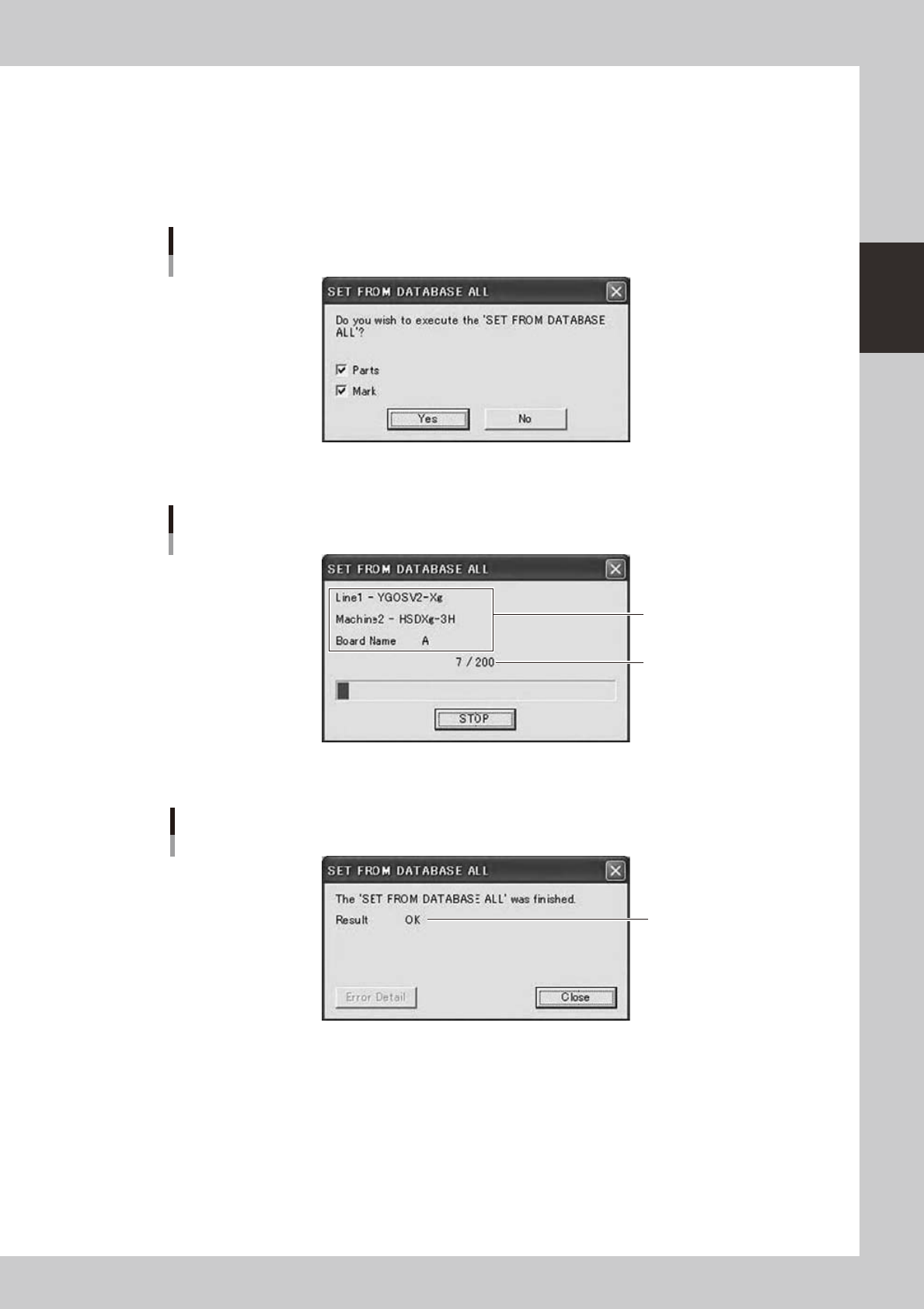
This does “Set from Database All” to all specified board data by batch.
Whenyouclick[SetfromDatabaseAll]buttonontheDatabaseUtilitywindow,aconfirmationdialogis
displayed.
Whenyouselect“SetfromDatabaseAll”menuitemintheright-clickingmenuontheBoardExplorer,the
same function can be conducted.
Confirmation dialog
64280-S0-00
Ifyouclick[Yes]button,itwillstart.
Progress dialog
Processing Line,
Machine, Board Name
Board count / All
64281-S0-00
Whenallboarddatafinished,orstopped,itdisplaysaresultdialog.
Result dialog
Result
OK / NG / STOP
64282-S0-10
2-60
2
Board Explorer
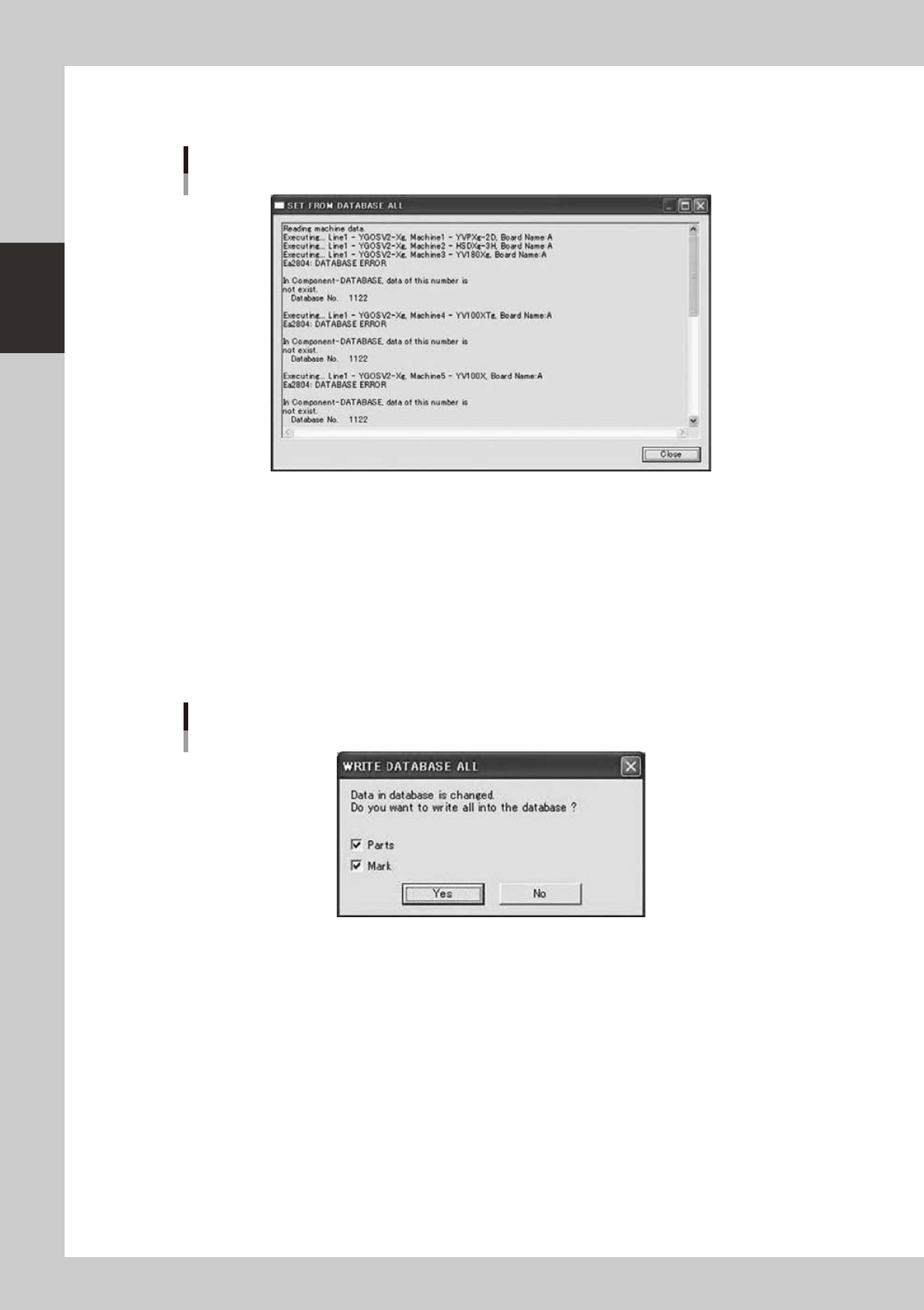
IfresultwasnotOK,youcanclick[ErrorDetail]button.
Error Detail dialog
Error Detail dialog
64283-S0-00
It displays error details up to 200 lines.
Ifyouwanttoseeall,pleaseopenlogfileusingnotepadofWindows.
n
Copy Back to Database All
This does “Copy Back to Database All” from all specified board data by batch.
Whenyouclick“CopyBacktoDatabaseAll”buttonontheDatabaseUtilitywindow,aconfirmationdialogis
displayed.
Whenyouselect“CopyBacktoDatabaseAll”menuitemintheright-clickingmenuontheBoardExplorer,the
same function can be conducted.
Confirmation dialog
64284-S0-00
Ifyouclick[Yes]button,itwillstart.
The following dialogs are similar to those in the section “
n
Set from Database All”.
2-61
2
Board Explorer
n
Database Matching
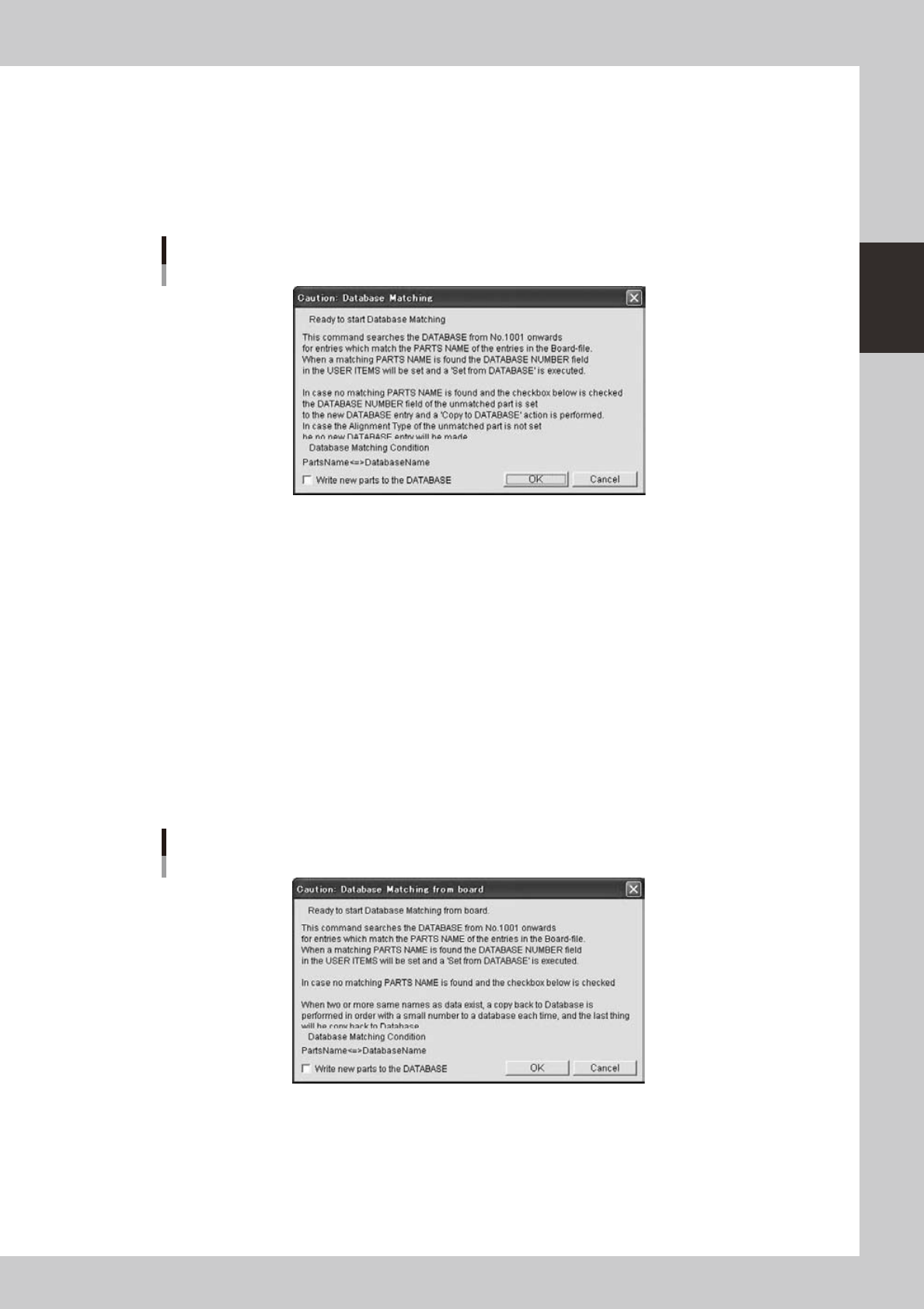
“Database Matching” is performed by batch for the board specified in the Database Utility window or the
board selected using the Board Explorer.
Whenyouclickthe[DatabaseMatching]buttonintheDatabaseUtilitywindow,theprocessingstartsaftera
confirmation dialog is displayed. The same operation can be performed by selecting the board using the Board
Explorerandselecting“DatabaseMatching”“DatabaseBoard”fromtheright-clickcontextmenuoftheBoard
Explorer.
Database Matching
64285-S0-10
If the check box in the bottom of the above message box is selected and no match is found in the user database
area, the parts data you have created for the board data will be stored into empty positions in the user database
area.
Ifyouclick[OK]button,itwillstart.
The following dialogs are similar to those in the section “
n
Set from Database All”.
n
Database Matching from board
“Database Matching from board” is performed by batch for the board specified in the Database Utility window
or the board selected using the Board Explorer.
Whenyouclickthe[DatabaseMatchingfromboard]buttonintheDatabaseUtilitywindow,theprocessing
starts after a confirmation dialog is displayed. The same operation can be performed by selecting the board
usingtheBoardExplorerandselecting“DatabaseMatching”“BoardDatabase”fromtheright-clickcontext
menu of the Board Explorer.
Database Matching from board
64286-S0-10
If the check box in the bottom of the above message box is selected and no match is found in the user database
area, the parts data you have created for the board data will be stored into empty positions in the user database
area.
Ifyouclick[OK]button,itwillstart.
The following dialogs are similar to those in the section “
n
Set from Database All”.