sh030106u.pdf - 第213页
6. NORM AL GAIN ADJ USTMENT 6 - 12 After one- touch tu ning is executed usin g the am plifier c ommand method, contro l will no t be perfor med by commands from the control ler. To re turn to th e stat e in which c ontro…
6. NORMAL GAIN ADJUSTMENT
6 - 11
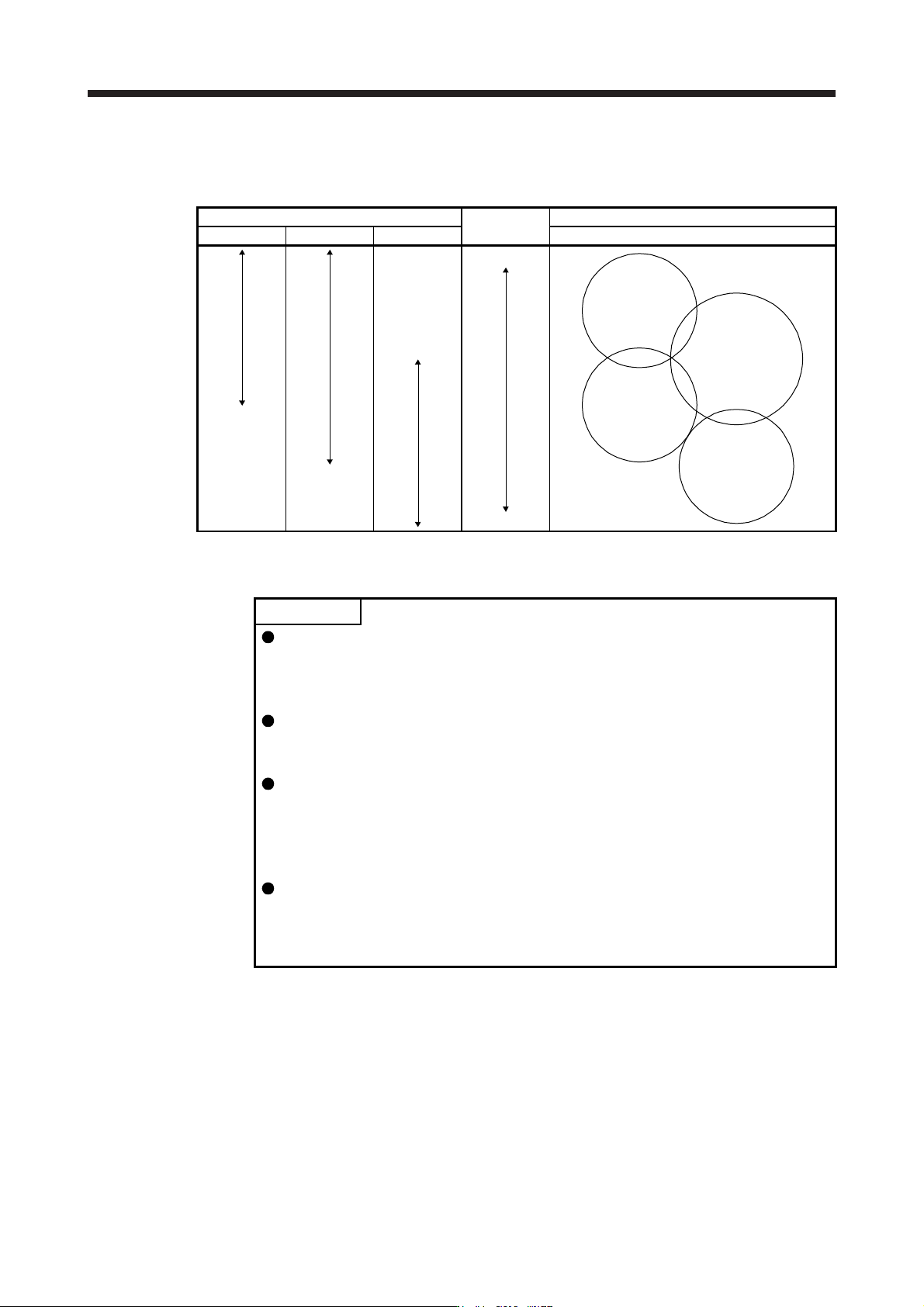
Refer to the following table for selecting a response mode.
Table 6.3 Guideline for response mode
Response mode
Response
Machine characteristic
Low mode Basic mode High mode Guideline of corresponding machine
Low response
General machine
tool conveyor
Arm robot
Precision working
machine
Inserter
Mounter
Bonder
High response
(3) One-touch tuning execution
POINT
For equipment in which overshoot during one-touch tuning is in the permissible
level of the in-position range, changing the value of [Pr. PA25 One-touch tuning
overshoot permissible level] will shorten the settling time and improve the
response.
When executing one-touch tuning in the amplifier command method, turn on
EM2. When you turn off EM2 during one-touch tuning, "C008" will be displayed
at status in error code, and the one-touch tuning will be canceled.
When executing the one-touch tuning in the amplifier command method, FLS
(Upper stroke limit) and RLS (Lower stroke limit) will be disabled. Thus, set a
permissible travel distance within a range where moving part collision never
occurs, or execute the one-touch tuning in a state in which the servo motor can
immediately stop in emergency.
When one-touch tuning is executed in the amplifier command method while
magnetic pole detection is not being performed, magnetic pole detection will be
performed, and then one-touch tuning will start after the magnetic pole detection
is completed.
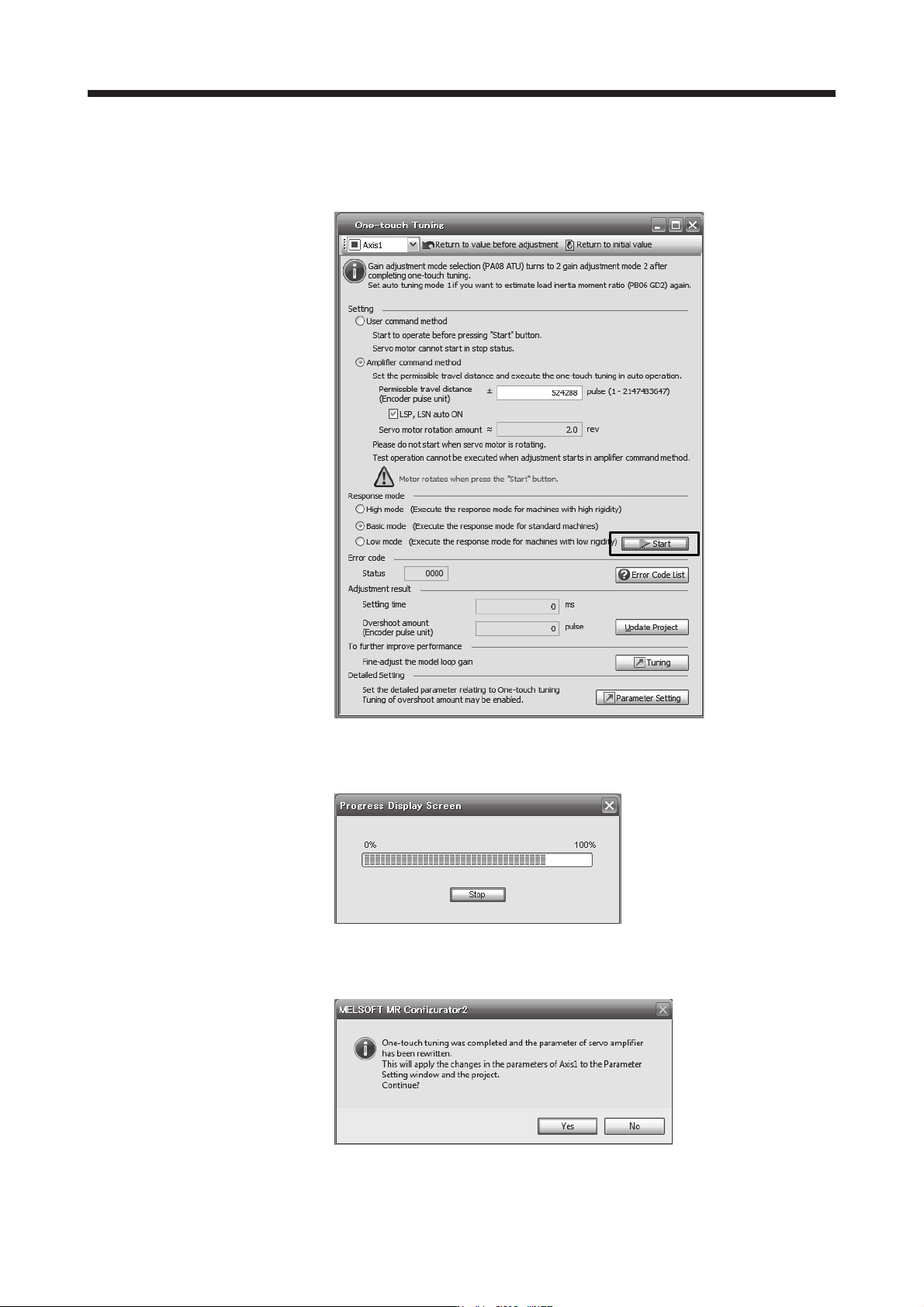
After the response mode is selected in (2) in this section, clicking "start" will start one-touch tuning. If
"start" is clicked while the servo motor stops, "C002" or "C004" will be displayed at status in error code.
(Refer to (5) in this section for error codes.)
Click "Start" with the amplifier command method selected in the servo-off, the servo-on will be
automatically enabled, and the one-touch tuning will start. In the one-touch tuning by the amplifier
command method, an optimum tuning command will be generated in the servo amplifier after servo-on.
Then, the servo motor will reciprocate, and the one-touch tuning will be executed. After the tuning is
completed or canceled, the servo amplifier will be the servo-off status. When the servo-on command is
inputted from outside, the amplifier will be the servo-on status.
6. NORMAL GAIN ADJUSTMENT
6 - 12
After one-touch tuning is executed using the amplifier command method, control will not be performed by
commands from the controller. To return to the state in which control is performed by commands from
the controller, reset the controller or cycle the power.
During processing of one-touch tuning, the progress will be displayed as follows. Tuning will be
completed at 100%.
Completing the one-touch tuning will start writing tuning parameters to the servo amplifier, and the
following window will be displayed. Select whether or not to reflect the tuning result in the project.
6. NORMAL GAIN ADJUSTMENT
6 - 13
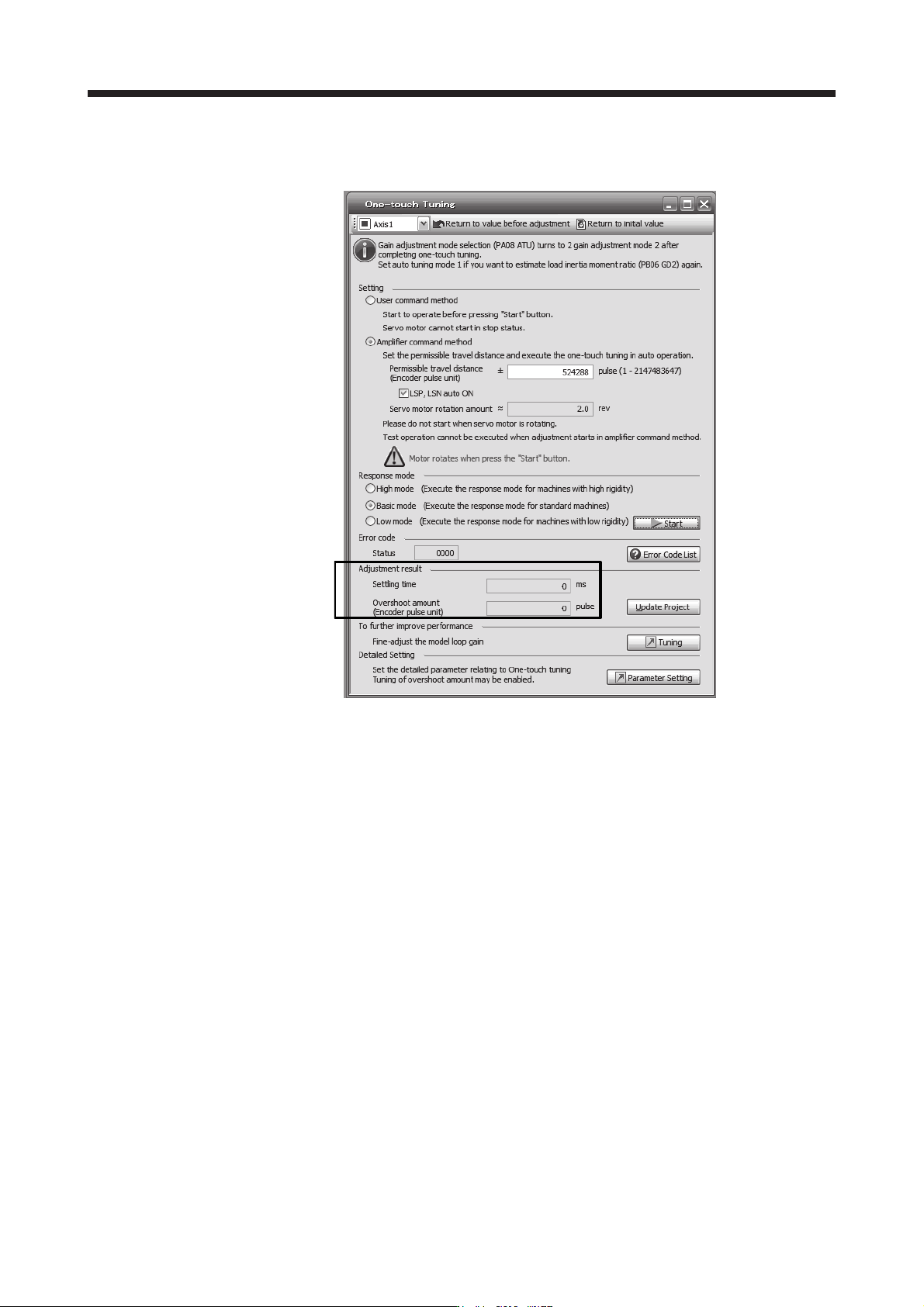
After the one-touch tuning is completed, "0000" will be displayed at status in error code. In addition,
settling time and overshoot amount will be displayed in "Adjustment result".
(4) Stop of one-touch tuning
When "Stop" is clicked during one-touch tuning, the tuning will be stopped. At this time, "C000" will
be displayed at status in error code. When the one-touch tuning is stopped, the parameter setting
will be returned to the values at the start of the one-touch tuning. Stop the servo motor before
executing the one-touch tuning again. In addition, execute it after the moving part is returned to the
tuning start position.