sh030106u.pdf - 第490页
14. USIN G A LINEAR SER VO MOTOR 14 - 23 (2) Absolute posit ion line ar enc oder POINT The data set type h ome po sition r eturn can a lso be c arr ied out. When an abs olute l inear en coder is used, th e refer ence ho …
14. USING A LINEAR SERVO MOTOR
14 - 22
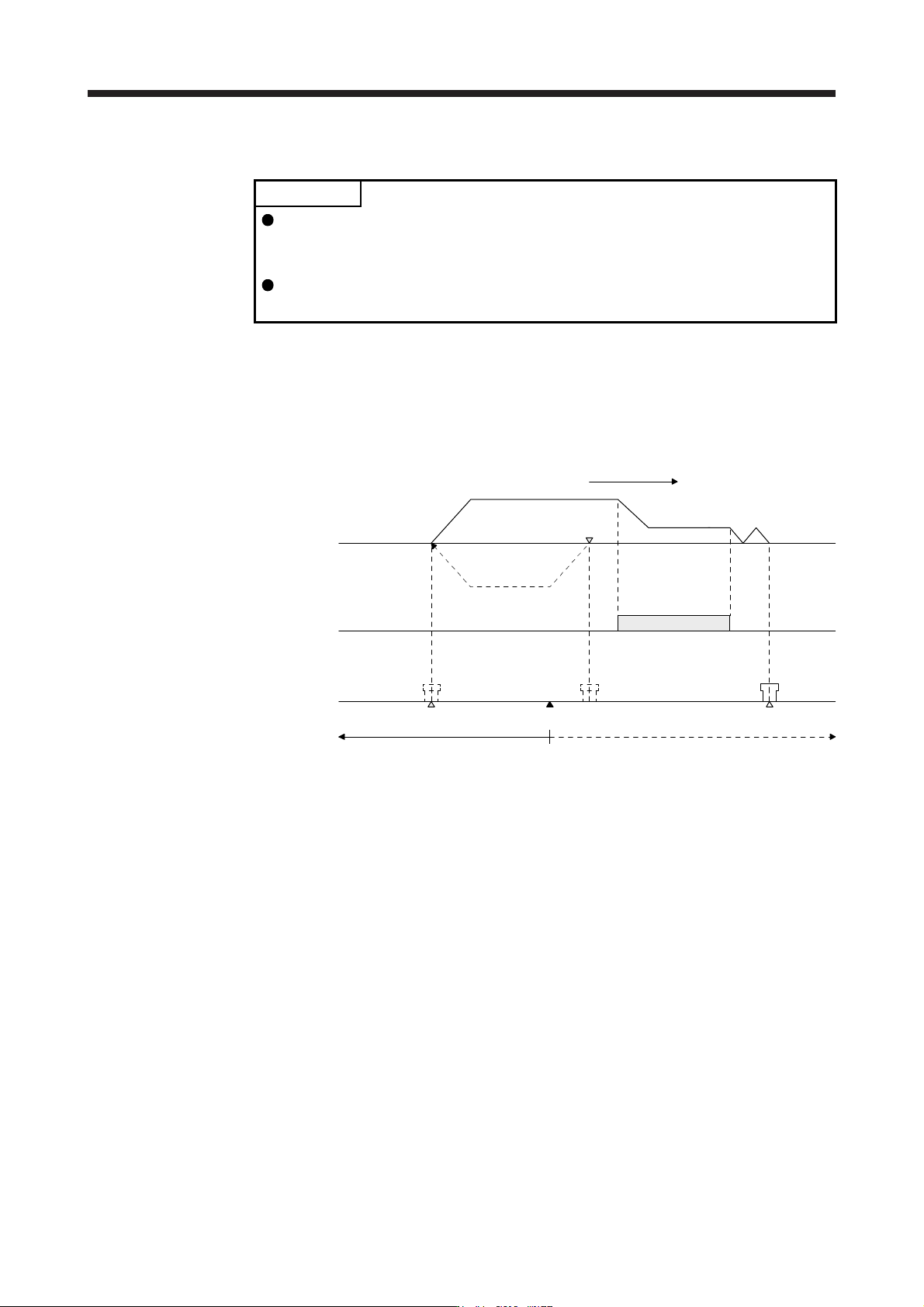
(b) When the linear encoder home position does not exist in the home position return direction
POINT
To execute a home position return securely, start a home position return after
moving the linear servo motor to the opposite stroke end with JOG operation
from the controller and others.
Change the third digit value of [Pr. PL01] according to the linear encoder
resolution.
If the home position return is performed from the position where the linear encoder does not exist in
the home position return direction, a home position return error occurs on the controller. The error
contents differ according to the controller type. Move the linear servo motor to the stroke end on the
opposite side of the home position return direction with the JOG operation from the controller and
others, and then perform a home position return.
Stroke end
Home position
Home position return speed
Creep speed
Home position return direction
ON
OFF
JOG operation
Home position returnable area Home position non-returnable area
0 mm/s
Linear encoder home position
Linear servo
motor
Proximity dog
signal
Linear servo motor
position
14. USING A LINEAR SERVO MOTOR
14 - 23
(2) Absolute position linear encoder
POINT
The data set type home position return can also be carried out.
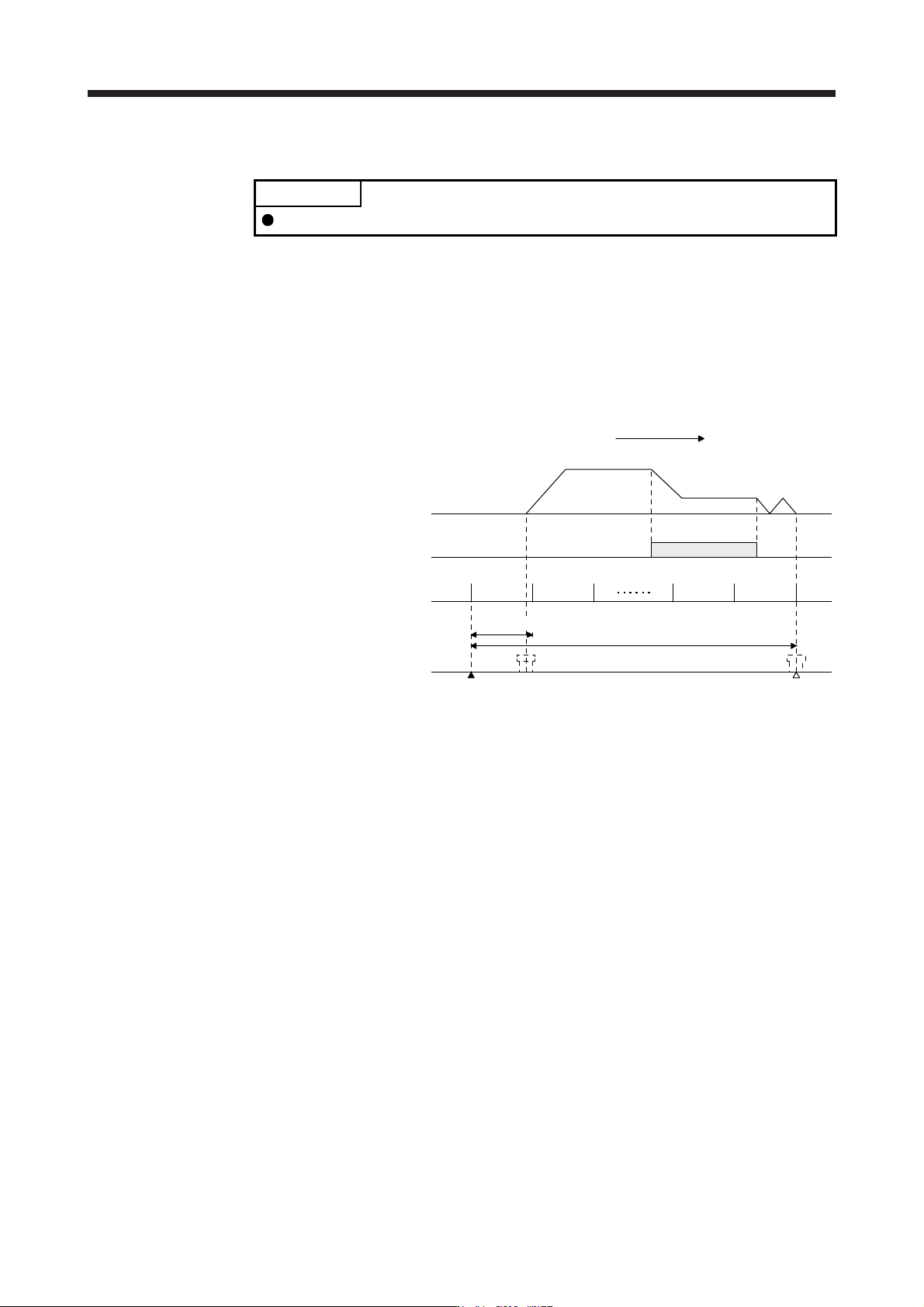
When an absolute linear encoder is used, the reference home position is the position per 1048576
pulses (changeable with the third digit of [Pr. PL01]) with reference to the linear encoder home position
(absolute position data = 0).
In the case of a proximity dog type home position return, the nearest reference home position after
proximity dog off is the home position. The linear encoder home position can be set in any position. LZ
(Encoder Z-phase pulse) is outputted based on "Stop interval selection at the home position return" in
[Pr. PL01].
1048576 pulses × n
Linear encoder home position
Home position
Home position return speed
Creep speed
Home position return direction
ON
OFF
Proximity dog
signal
Linear servo
motor
Reference home
position
Linear servo motor
position
1048576 pulses
0 mm/s
(Note)
Note. Chan
g
eable with [Pr. PL01].
14. USING A LINEAR SERVO MOTOR
14 - 24
14.3.4 Test operation mode in MR Configurator2
CAUTION
The test operation mode is designed for checking servo operation. It is not for
checking machine operation. Do not use this mode with the machine. Always use
the linear servo motor alone.
If the servo motor operates abnormally, use EM2 (Forced stop 2) to stop it.
POINT
The content described in this section indicates the environment where the servo
amplifier and a personal computer are directly connected.
When the test operation mode is selected with the test operation select switch
(SW2-1), the SSCNET III/H communication for the servo amplifier in the test
operation mode and the following servo amplifiers is blocked.
By using a personal computer and MR Configurator2, you can execute the positioning operation, the output
signal (DO) forced output, and the program operation without connecting the servo system controller.
(1) Test operation mode type
(a) Positioning operation
Positioning operation can be performed without using the servo system controller. Use this operation
with the forced stop reset. This operation may be used independently of whether the servo is on or
off and whether the servo system controller is connected or not.
Exercise control on the positioning operation screen of MR Configurator2.
1) Operation pattern
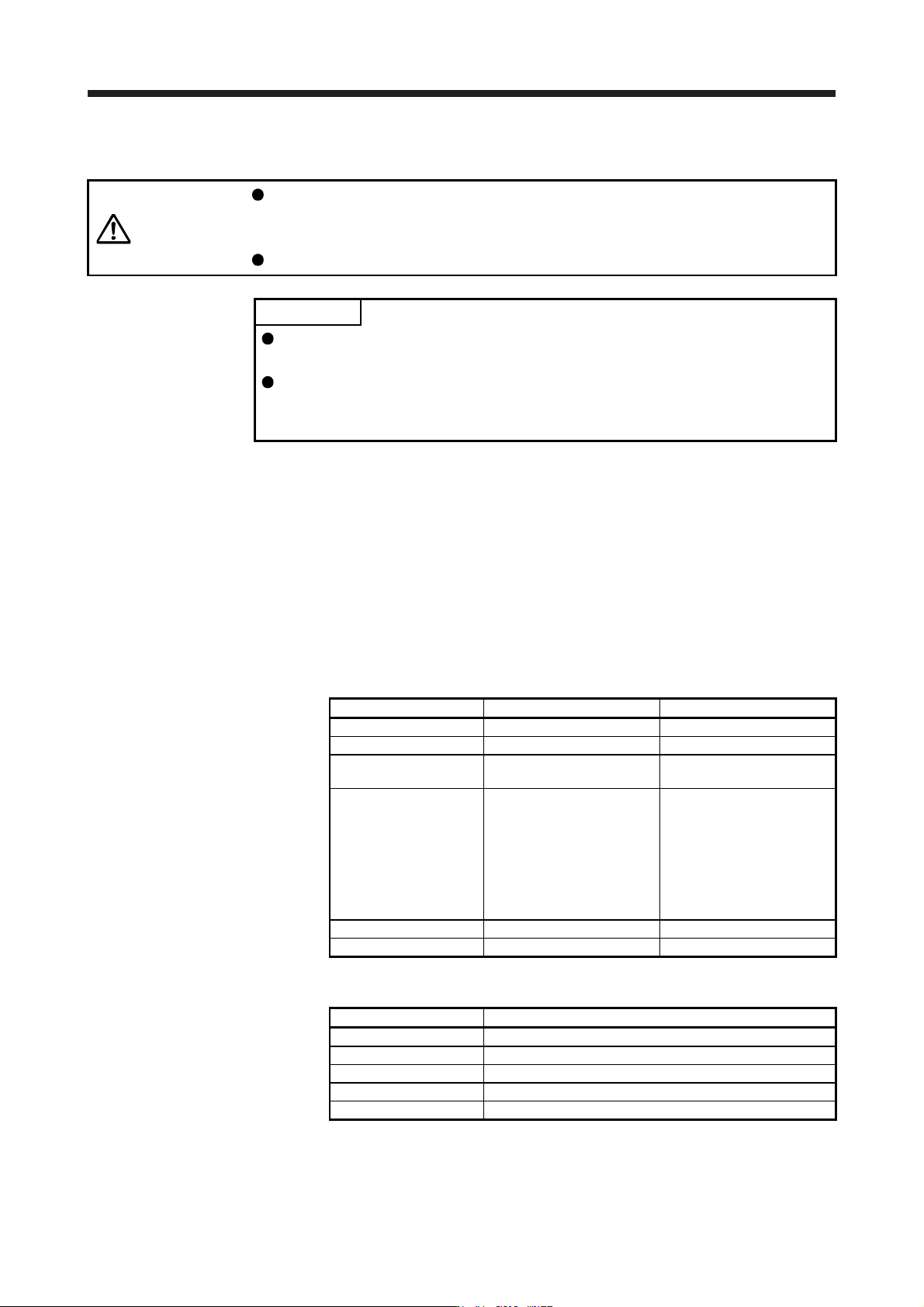
Item Initial value Setting range
Travel distance [pulse] 1048576 0 to 99999999
Speed [mm/s] 10 0 to Maximum speed
Acceleration/deceleration
time constant [ms]
1000 0 to 50000
Repeat pattern
Positive direction travel →
Negative direction travel
Positive direction travel →
Negative direction travel
Positive direction travel →
Positive direction travel
Negative direction travel →
Positive direction travel
Negative direction travel →
Negative direction travel
Dwell time [s] 2.0 01 to 50.0
Number of repeats [time] 1 1 to 9999
2) Operation method
Operation Screen control
Positive direction travel Click "Positive Direction Movement".
Negative direction travel Click "Reverse Direction Movement".
Pause Click "Pause".
Stop Click "Stop".
Forced stop Click "Forced stop".