sh030106u.pdf - 第574页
17. APPLICATIO N OF FUNCTIONS 17 - 23 No. Sym bol Name and function Initial value [unit] Setting range PX25 *TDS Tough drive sett ing Alarms may not be avoided wit h the tough drive func tion dependi ng on the situations…
17. APPLICATION OF FUNCTIONS
17 - 22
No. Symbol Name and function
Initial
value
[unit]
Setting
range
PX23 *XOP3 Function selection X-3
Refer to the
"Name and
function" column.
Setting
digit
Explanation
Initial
value
_ _ _ x
Torque limit function selection at instantaneous power failure
(instantaneous power failure tough drive selection)
0: Disabled
1: Enabled
When an instantaneous power failure occurs during operation, you
can save electric energy charged in the capacitor in the servo
amplifier by limiting torque at acceleration. You can also delay the
time until [AL. 10.2 Voltage drop in the main circuit power] occurs
with instantaneous power failure tough drive function. Doing this will
enable you to set a longer time in [Pr. PX28 SEMI-F47 function -
Instantaneous power failure detection time].
To enable the torque limit function at instantaneous power failure,
select "Enabled (_ 1 _ _)" of "SEMI-F47 function selection" in [Pr.
PX25].
This parameter setting is used with servo amplifier with software
version B0 or later.
0h
_ _ x _ For manufacturer setting 0h
_ x _ _ 0h
x _ _ _ 0h
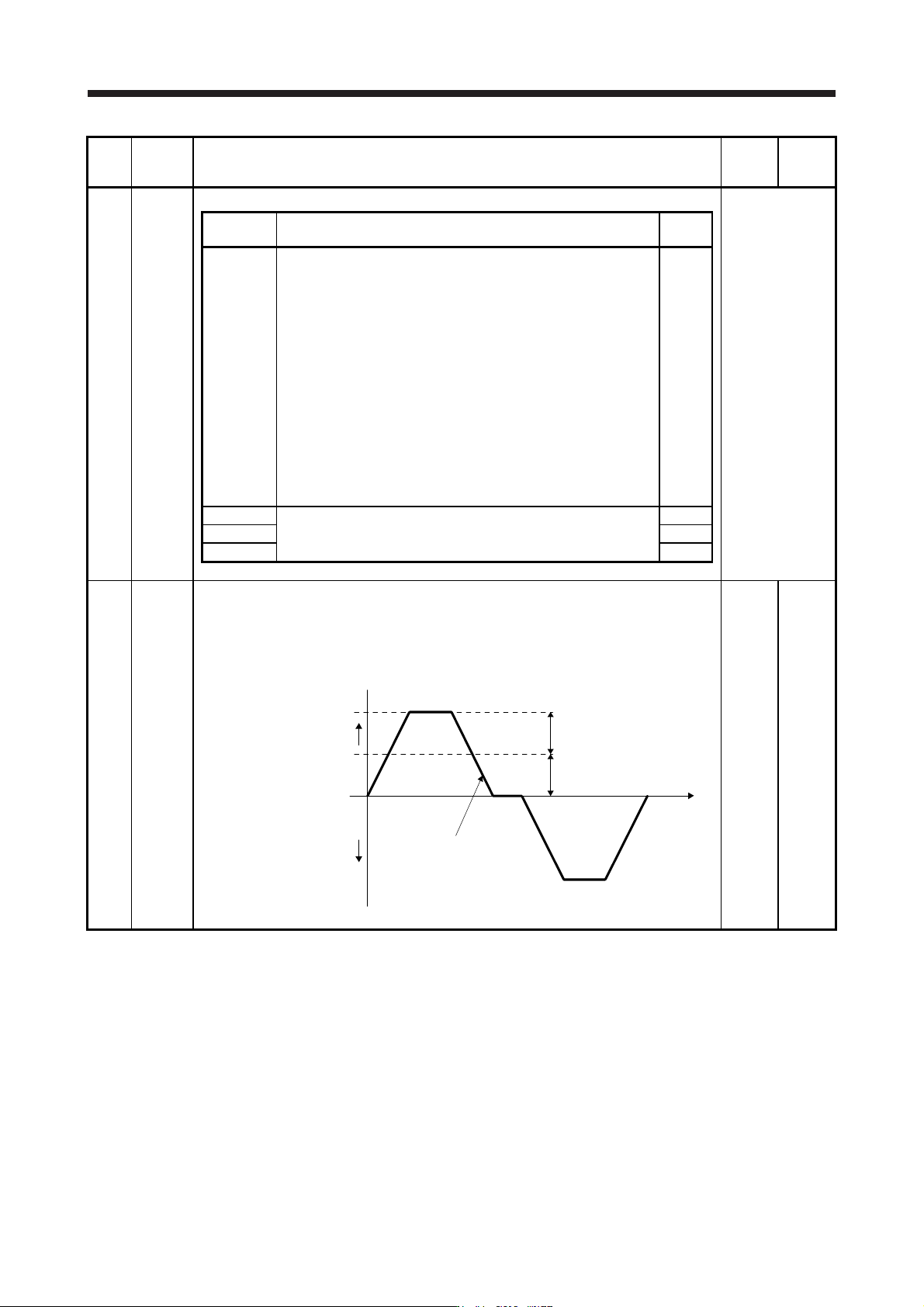
PX24 FRIC Machine diagnosis function - Friction judgment speed
Set a (linear) servo motor speed that divides a friction estimation area into high and low during
the friction estimation process of the machine diagnosis.
Setting "0" will set a value half of the rated speed.
When your operation pattern is under the rated speed, we recommend that you set a half
value of the maximum speed.
Forward rotation
direction
0 r/min
(0 mm/s)
Operation pattern
[Pr. PX24] setting
Maximum speed in operation
Servo motor
speed
Reverse rotation
direction
0
[r/min]/
[mm/s]
0 to
permis-
sible
speed
17. APPLICATION OF FUNCTIONS
17 - 23
No. Symbol Name and function
Initial
value
[unit]
Setting
range
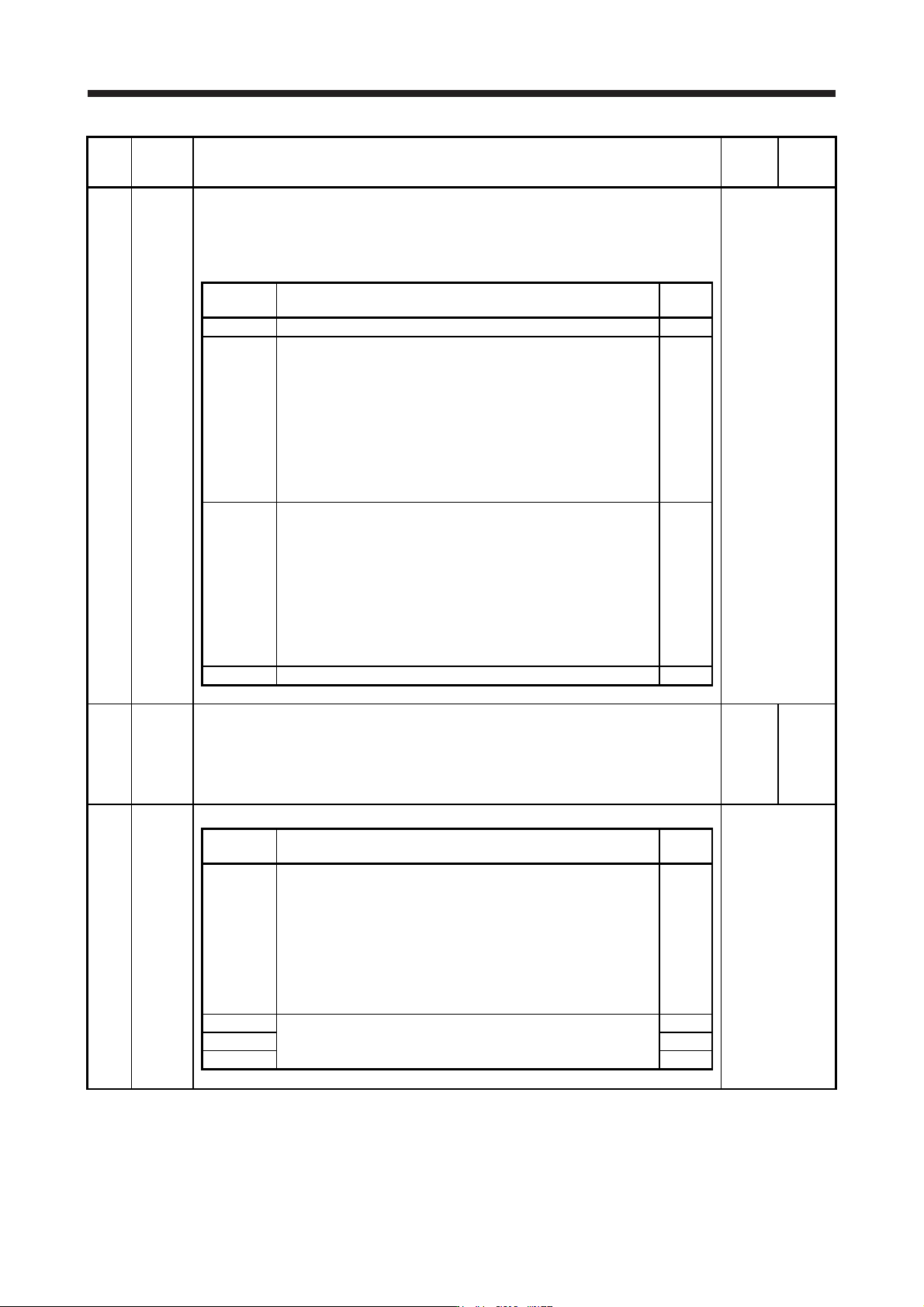
PX25 *TDS Tough drive setting
Alarms may not be avoided with the tough drive function depending on the situations of the
power supply and load fluctuation.
You can assign MTTR (During tough drive) to pins CN3-9, CN3-13, and CN3-15 with [Pr.
PD07] to [Pr. PD09].
Refer to the
"Name and
function" column.
Setting
digit
Explanation
Initial
value
_ _ _ x For manufacturer setting 0h
_ _ x _ Vibration tough drive selection
0: Disabled
1: Enabled
Selecting "1" enables to suppress vibrations by automatically
changing setting values of [Pr. PB13 Machine resonance
suppression filter 1] and [Pr. PB15 Machine resonance suppression
filter 2] in case that the vibration exceeds the value of the oscillation
level set in [Pr. PX26].
Refer to (8) in this section for details.
0h
_ x _ _ SEMI-F47 function selection
0: Disabled
1: Enabled
Selecting "1" enables to avoid triggering [AL. 10 Undervoltage]
using the electrical energy charged in the capacitor in case that an
instantaneous power failure occurs during operation. In [Pr. PX28
SEMI-F47 function - Instantaneous power failure detection time],
set the time until the occurrence of [AL. 10.1 Voltage drop in the
control circuit power].
0h
x _ _ _ For manufacturer setting 0h
PX26 OSCL1 Vibration tough drive - Oscillation detection level
Set a filter readjustment sensitivity of [Pr. PB13 Machine resonance suppression filter 1] and
[Pr. PB15 Machine resonance suppression filter 2] while the vibration tough drive is enabled.
However, setting "0" will be 50%.
Example: When you set "50" to the parameter, the filter will be readjusted at the time of 50%
or more oscillation level.
50
[%]
0
to
100
PX27 *OSCL2 Vibration tough drive function selection
Refer to the
"Name and
function" column.
Setting
digit
Explanation
Initial
value
_ _ _ x Oscillation detection alarm selection
0: [AL. 54 Oscillation detection] will occur at oscillation detection.
1: [AL. F3.1 Oscillation detection warning] will occur at oscillation
detection.
2: Oscillation detection function disabled
Select alarm or warning when an oscillation continues at a filter
readjustment sensitivity level of [Pr. PX26].
The digit is continuously enabled regardless of the vibration tough
drive in [Pr. PX25].
0h
_ _ x _ For manufacturer setting 0h
_ x _ _ 0h
x _ _ _ 0h
17. APPLICATION OF FUNCTIONS
17 - 24
No. Symbol Name and function
Initial
value
[unit]
Setting
range
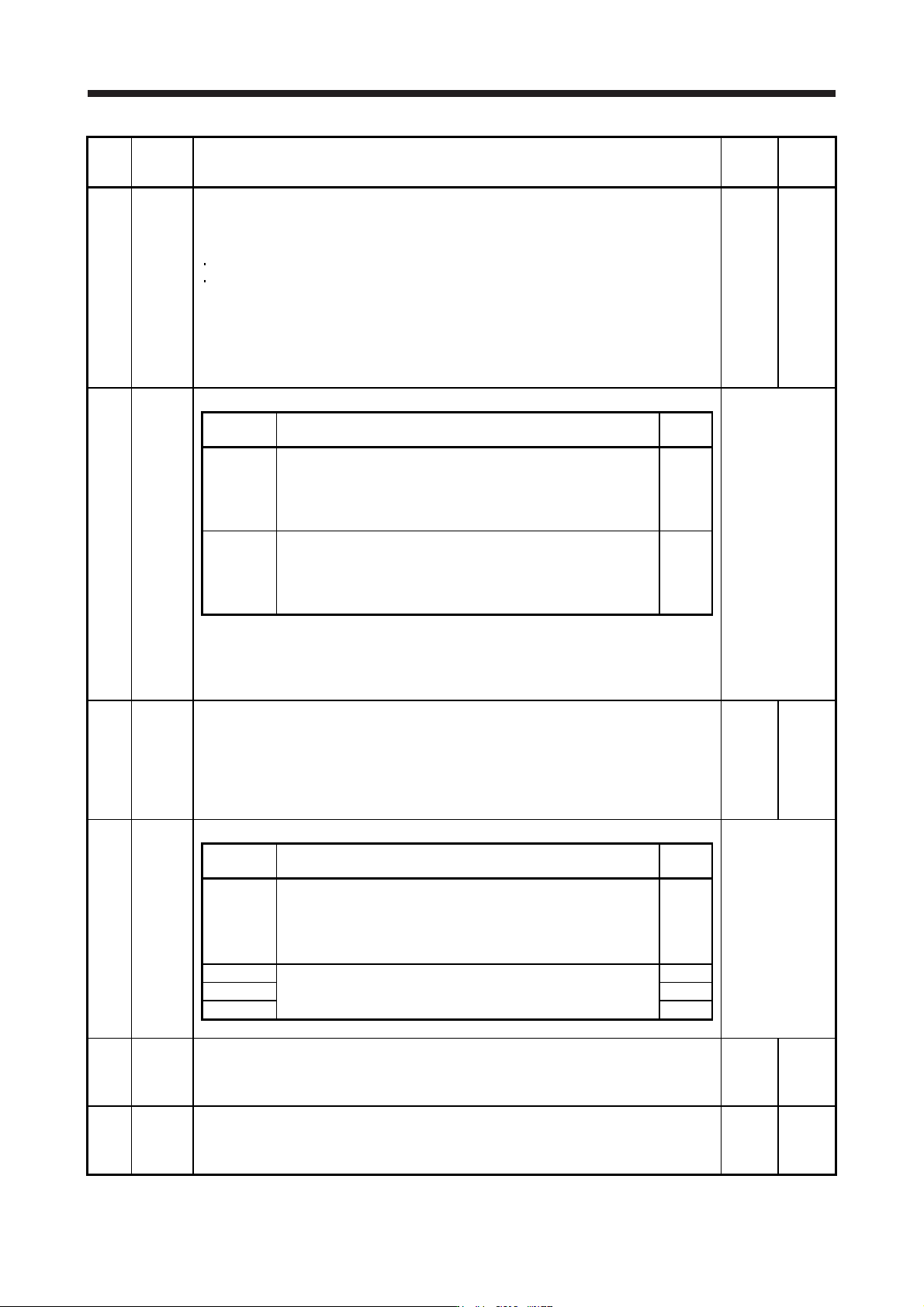
PX28 CVAT SEMI-F47 function - Instantaneous power failure detection time
Set the time until the occurrence of [AL. 10.1 Voltage drop in the control circuit power].
This parameter setting range differs depending on the software version of the servo amplifier
as follows.
Software version C0 or later: Setting range 30 ms to 200 ms
Software version C1 or earlier: Setting range 30 ms to 500 ms
To comply with SEMI-F47 standard, it is unnecessary to change the initial value (200 ms).
When the instantaneous power failure time exceeds 200 ms, and if the instantaneous power
failure voltage is less than 70 % of the rated input voltage, the power may be turned off
normally even if a value larger than 200 ms is set in the parameter.
To disable the parameter, set "Disabled (_ 0 _ _)" of "SEMI-F47 function selection" in [Pr.
PX25].
200
[ms]
30
to
500
PX29 DRAT Drive recorder arbitrary alarm trigger setting
Refer to the
"Name and
function" column.
Setting
digit
Explanation
Initial
value
_ _ x x Alarm detail No. setting
Set the digits when you execute the trigger with arbitrary alarm
detail No. for the drive recorder function.
When these digits are "0 0", only the arbitrary alarm No. setting will
be enabled.
00h
x x _ _ Alarm No. setting
Set the digits when you execute the trigger with arbitrary alarm No.
for the drive recorder function.
When "0 0" are set, arbitrary alarm trigger of the drive recorder will
be disabled.
00h
Setting example:
To activate the drive recorder when [AL. 50 Overload 1] occurs, set "5 0 0 0".
To activate the drive recorder when [AL. 50.3 Thermal overload error 4 during operation]
occurs, set "5 0 0 3".
PX30 DRT Drive recorder switching time setting
Set the drive recorder switching time.
When a USB communication is cut during using a graph function, the function will be changed
to the drive recorder function after the setting time of this parameter.
When a value from "1" to "32767" is set, it will switch after the setting value.
However, when "0" is set, it will switch after 600 s.
When "-1" is set, the drive recorder function is disabled.
0
[s]
-1
to
32767
PX31 XOP4 Function selection X-4
Refer to the
"Name and
function" column.
Setting digit Explanation
Initial
value
_ _ _ x Robust filter selection
0: Disabled
1: Enabled
When you select "Enabled" of this digit, the machine resonance
suppression filter 5 set in [Pr. PX22] is not available.
0h
_ _ x _ For manufacturer setting 0h
_ x _ _ 0h
x _ _ _ 0h
PX36 LMCP Lost motion compensation positive-side compensation value selection
Set the lost motion compensation for when reverse rotation (CW) switches to forward rotation
(CCW) in increments of 0.01% assuming the rated torque as 100%.
This parameter is supported with software version B4 or later.
0
[0.01%]
0
to
30000
PX37 LMCN Lost motion compensation negative-side compensation value selection
Set the lost motion compensation for when forward rotation (CCW) switches to reverse
rotation (CW) in increments of 0.01% assuming the rated torque as 100%.
This parameter is supported with software version B4 or later.
0
[0.01%]
0
to
30000