sh030106u.pdf - 第584页
17. APPLICATIO N OF FUNCTIONS 17 - 33 Refer to the follo wing tabl e for select ing a res ponse m ode. Table 17. 7 Guide line f or re sponse m ode Response mode Response Machi ne characterist ic Low mode Bas ic mode Hi g…
17. APPLICATION OF FUNCTIONS
17 - 32
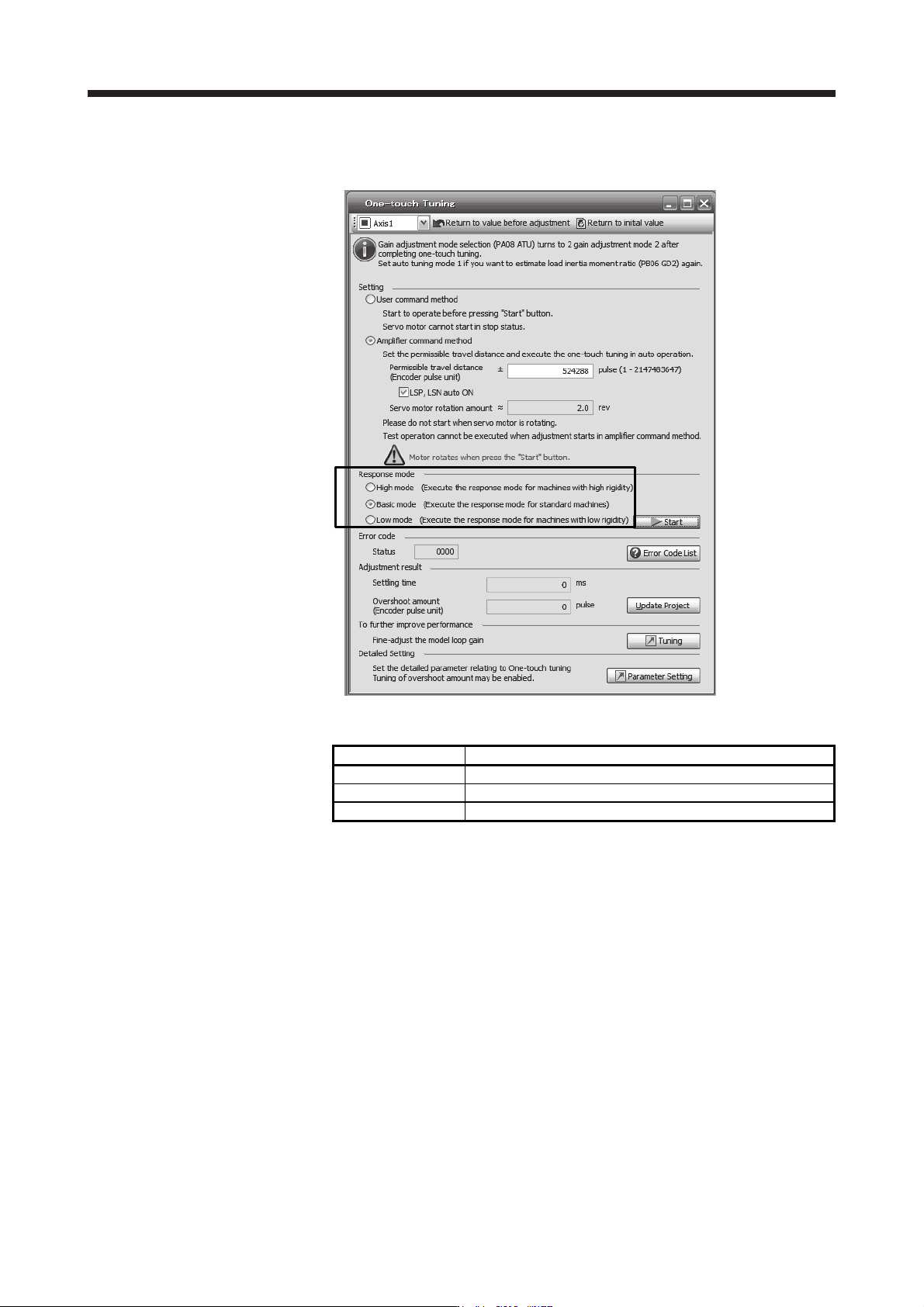
2) Response mode selection
Select a response mode from 3 modes in the one-touch tuning window of MR Configurator2.
Table 17.6 Response mode explanations
Response mode Explanation
High mode This mode is for high-rigid system.
Basic mode This mode is for standard system.
Low mode This mode is for low-rigid system.
17. APPLICATION OF FUNCTIONS
17 - 33
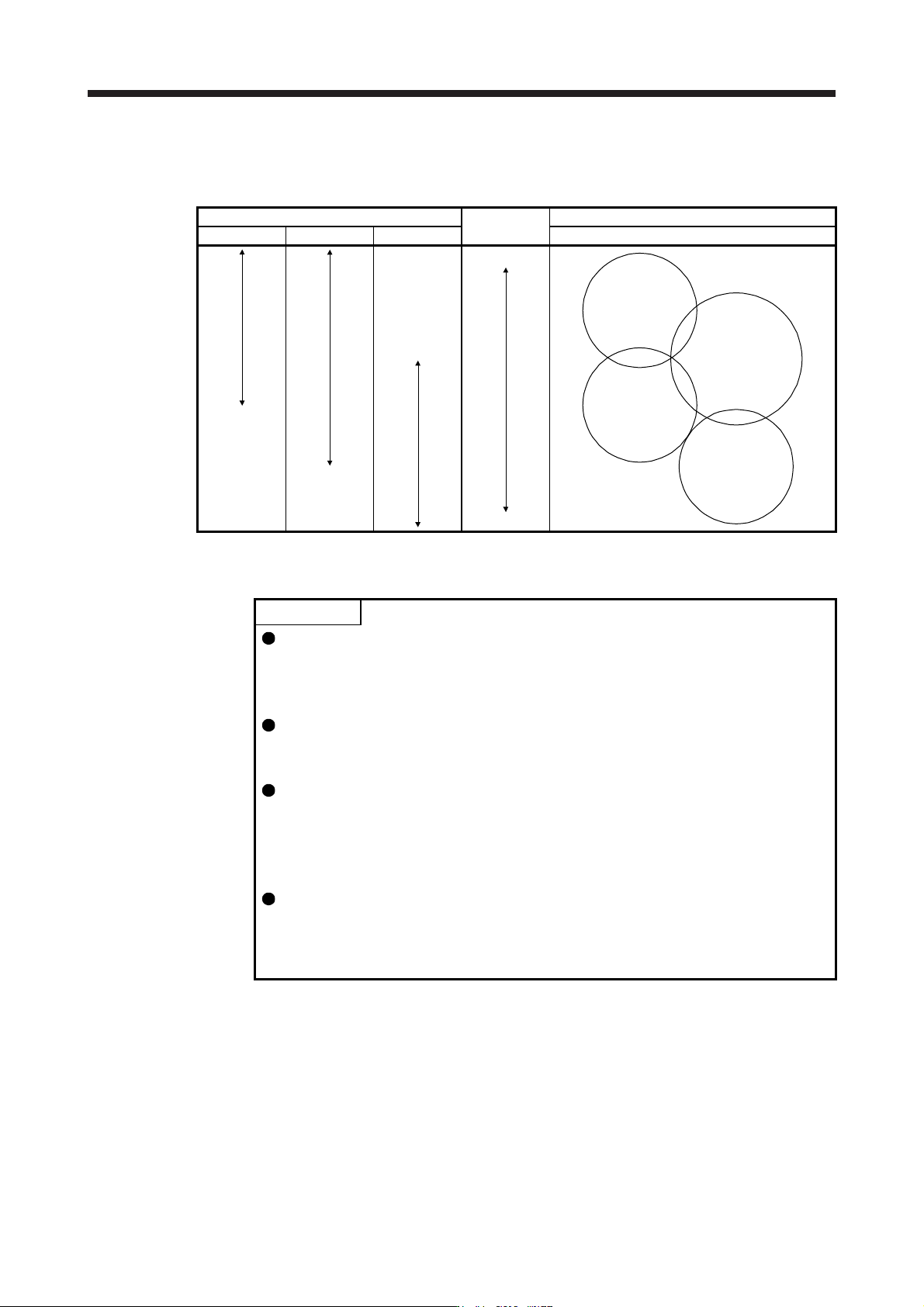
Refer to the following table for selecting a response mode.
Table 17.7 Guideline for response mode
Response mode
Response
Machine characteristic
Low mode Basic mode High mode Guideline of corresponding machine
Low response
General machine
tool conveyor
Arm robot
Precision working
machine
Inserter
Mounter
Bonder
High response
3) One-touch tuning execution
POINT
For equipment in which overshoot during one-touch tuning is in the permissible
level of the in-position range, changing the value of [Pr. PX14 One-touch tuning
overshoot permissible level] will shorten the settling time and improve the
response.
When executing one-touch tuning in the amplifier command method, turn on
EM2. When you turn off EM2 during one-touch tuning, "C008" will be displayed
at status in error code, and the one-touch tuning will be canceled.
When executing the one-touch tuning in the amplifier command method, FLS
(Upper stroke limit) and RLS (Lower stroke limit) will be disabled. Thus, set a
permissible travel distance within a range where moving part collision never
occurs, or execute the one-touch tuning in a state in which the servo motor can
immediately stop in emergency.
When one-touch tuning is executed in the amplifier command method while
magnetic pole detection is not being performed, magnetic pole detection will be
performed, and then one-touch tuning will start after the magnetic pole detection
is completed.
17. APPLICATION OF FUNCTIONS
17 - 34
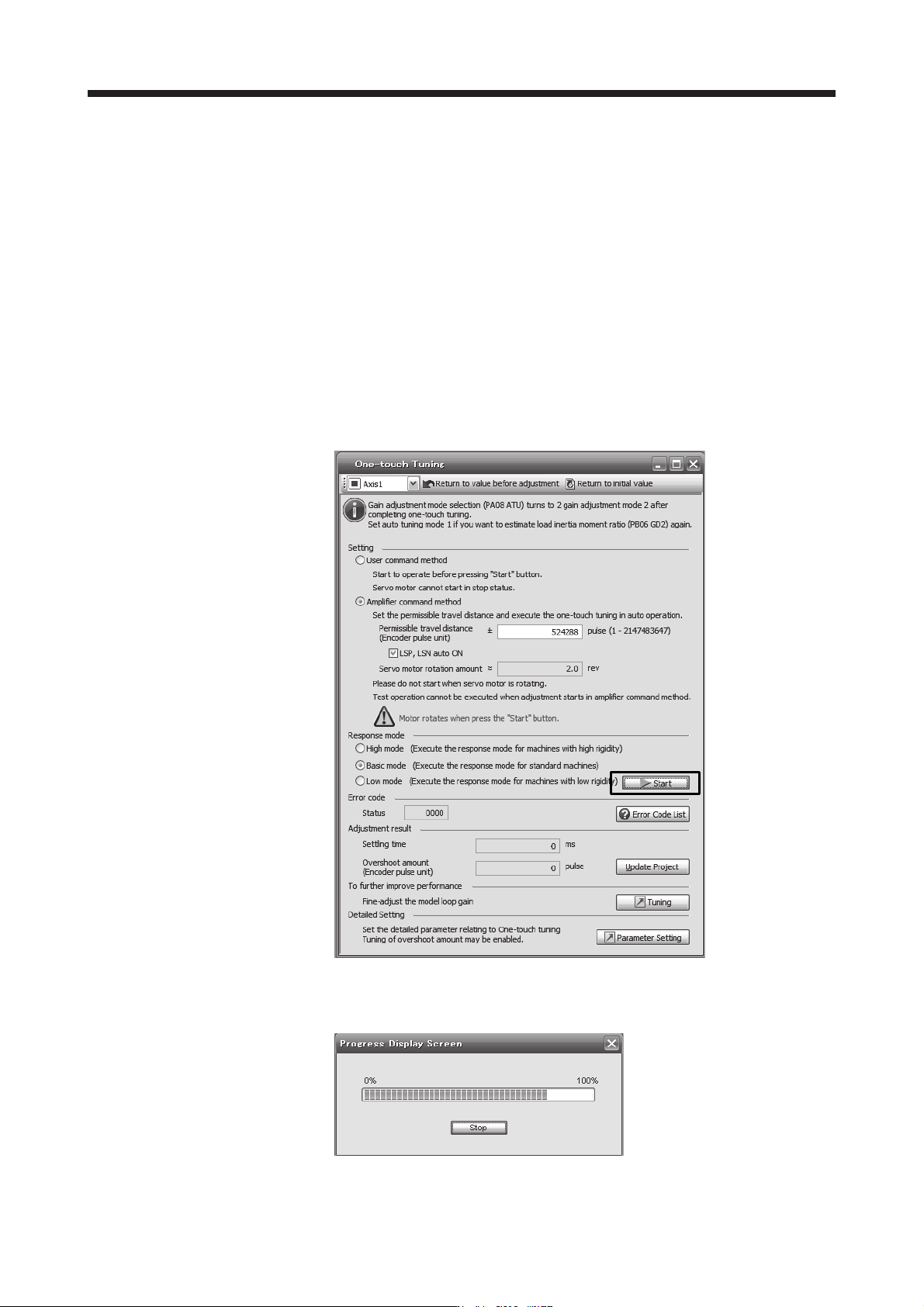
After the response mode is selected in (4) (b) 2) in this section, clicking "start" will start one-touch
tuning. If "start" is clicked while the servo motor stops, "C002" or "C004" will be displayed at
status in error code. (Refer to (4) (b) 5) in this section for error codes.)
Click "Start" with the amplifier command method selected in the servo-off, the servo-on will be
automatically enabled, and the one-touch tuning will start. In the one-touch tuning by the amplifier
command method, an optimum tuning command will be generated in the servo amplifier after
servo-on. Then, the servo motor will reciprocate, and the one-touch tuning will be executed. After
the tuning is completed or canceled, the servo amplifier will be the servo-off status. When the
servo-on command is inputted from outside, the amplifier will be the servo-on status.
After one-touch tuning is executed using the amplifier command method, control will not be
performed by commands from the controller. To return to the state in which control is performed
by commands from the controller, reset the controller or cycle the power.
During processing of one-touch tuning, the progress will be displayed as follows. Tuning will be
completed at 100%.