SLM120_110_Maintenance(Chi_Ver8).pdf - 第43页
Cha pte r 3 Ul tra H ig h Spe ed L E D / Le ns Mo unt er SLM1 20/1 20S/110 Maintenance Handbook 43 每日检查 清除空气中的灰尘、使用空压时防止因杂物等原因发生故障 1. 按 OP 面板的 ‘EMG’ 按钮停止作业后 、 依次按 ‘ST OP’, ‘RESET’ 按钮 。 详细内容请参考‘紧急停止 ( 13 页 )’ 2. 切断供应到设备的 …
Chapter 3
Ultra High Speed LED / Lens Mounter
Chapter 3
每日检查
SLM120/120S/110 Maintenance Handbook 42
每日检查
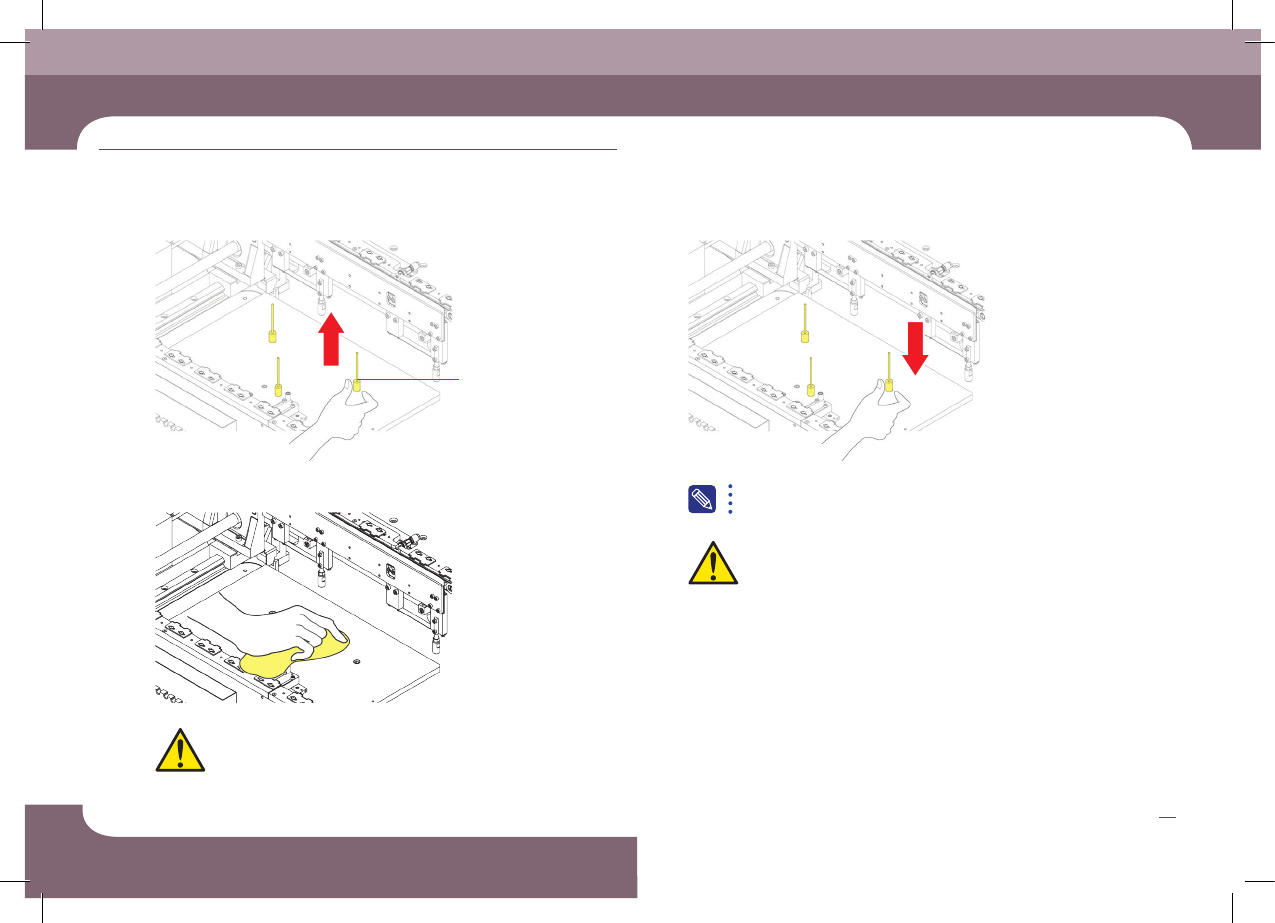
5. 用超细纤维布擦拭Backup Table的顶面
6. 重新设置Backup Pin
请禁止用Air吹走杂物、否则焊料等杂物掉落到下部发生故障
注意 请务必在BACKUP TABLE上升状态下设置BACKUP PIN。
注意
注意
关于Backup Pin配置的详细内容请参阅
“Operation Handbook <Chapter 6> Backup Pin配置”
4. 除去BACKUP PIN
Pin
Chapter 3
Ultra High Speed LED / Lens Mounter
SLM120/120S/110 Maintenance Handbook 43
每日检查
清除空气中的灰尘、使用空压时防止因杂物等原因发生故障
1. 按OP面板的‘EMG’按钮停止作业后、依次按‘STOP’, ‘RESET’按钮。
详细内容请参考‘紧急停止(13页)’
2. 切断供应到设备的Main空压
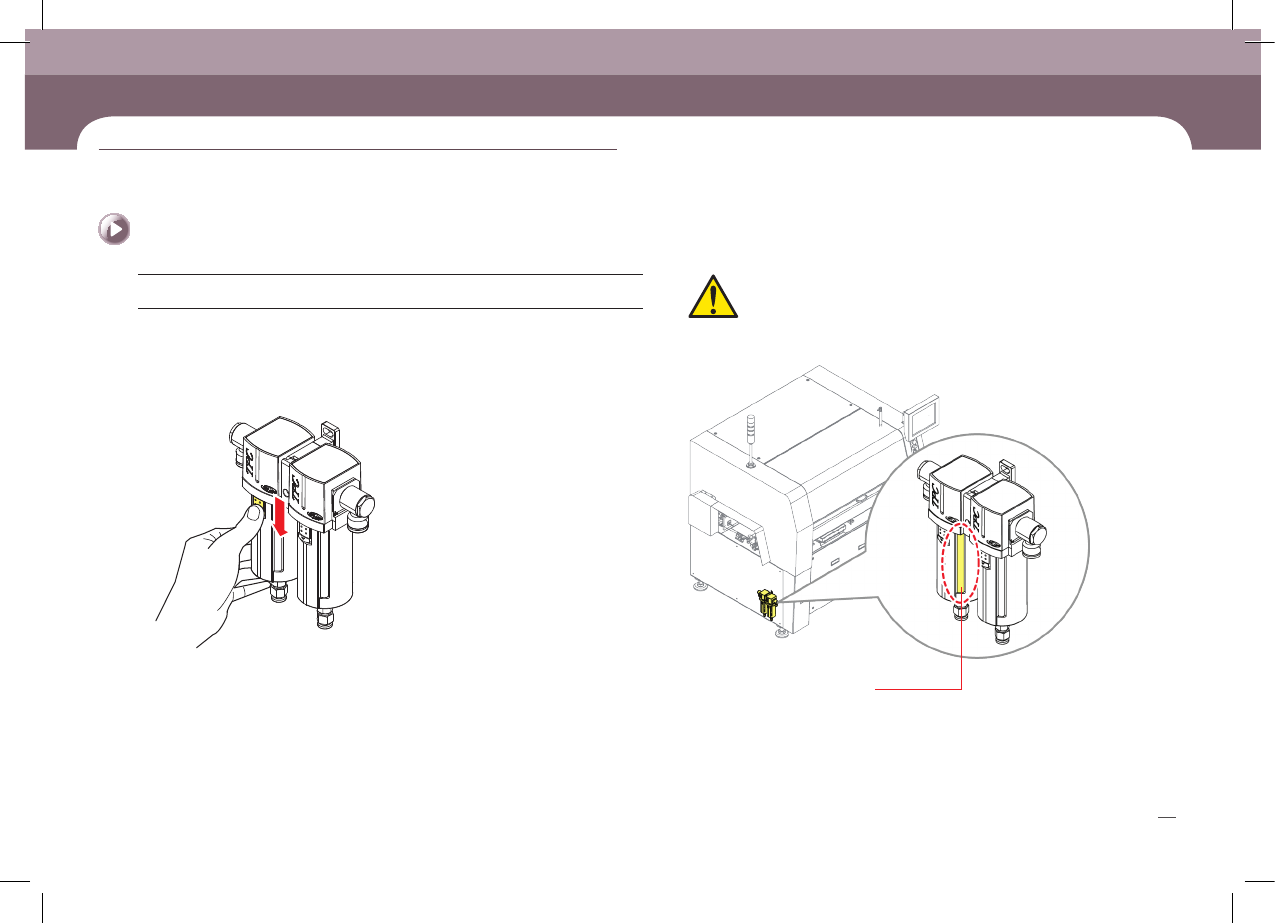
3. 打开设备背面右下角的护门后、拉下Air Filter容器闭锁按键
空气过滤网的检查及更换
(No. D-5)
措施
Air Filter 或Mist Separator Filter更换时如果不切断空压进行作业、
会有受伤的危险。请务必在切断空压的情况下进行操作。
注意
Air Filter
确认变色
Chapter 3
Ultra High Speed LED / Lens Mounter
Chapter 3
每日检查
SLM120/120S/110 Maintenance Handbook 44
每日检查
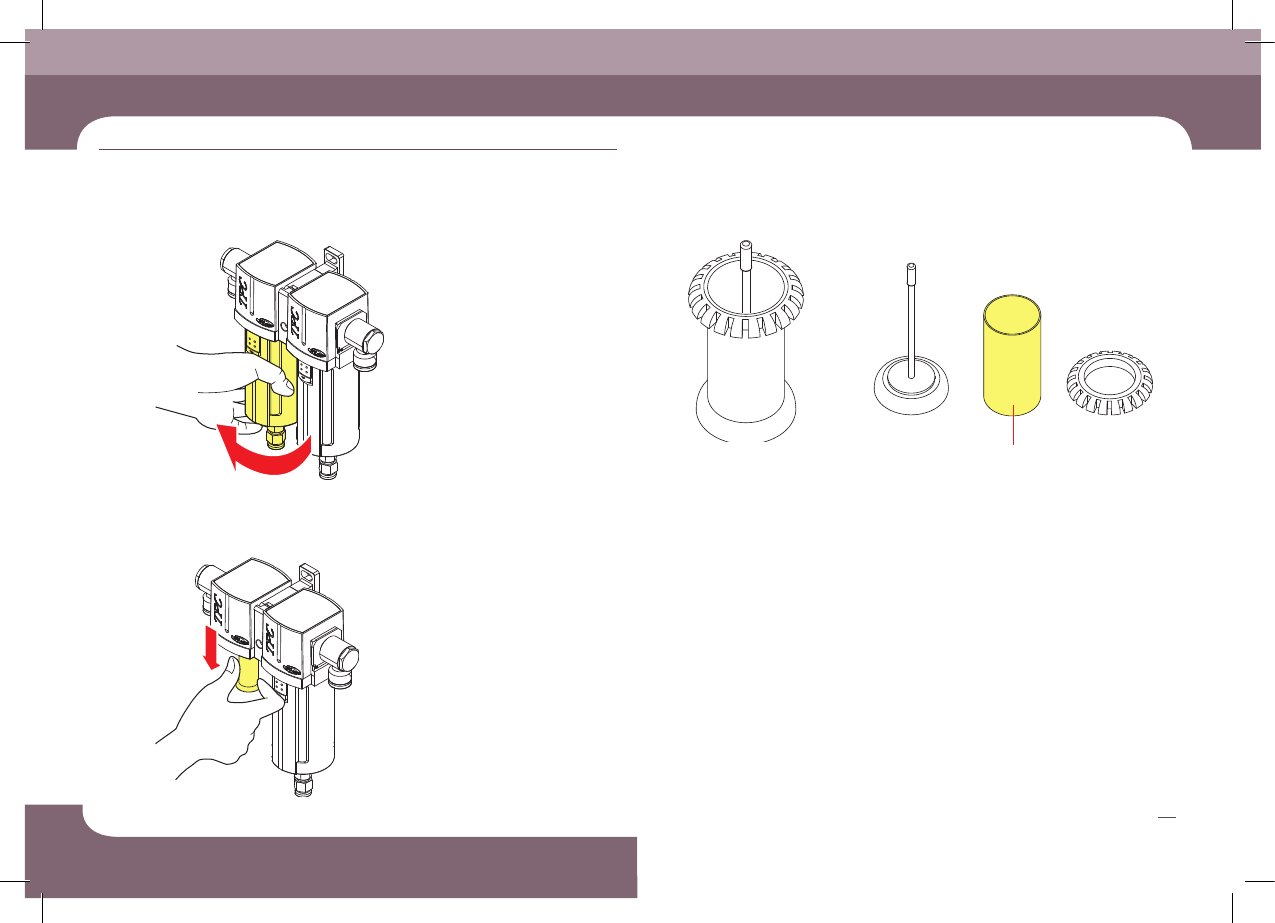
4. 顺时针方向转动、分离容器 6. 在滤件单元中更换滤件(Filter Element)。
7. 连接供应给设备的主(Main)气压。
5. 拆下Filter Element Assembly。
Filter Element Assembly
Filter Element