KY8030 Programmers Manual - 第12页
10 | KY-8030 Series (KYOS-2007001_rev0) 3D In ‐ line Solder Paste Inspection Systems y O-Oblong, y U-Undefined, y P- Sloped Rectangle (A pad sloped by clockwise), y N- Sloped Rectangle (A pad sloped by counte…
Programmers Manual
| 9
1.1.7. Pad Bar
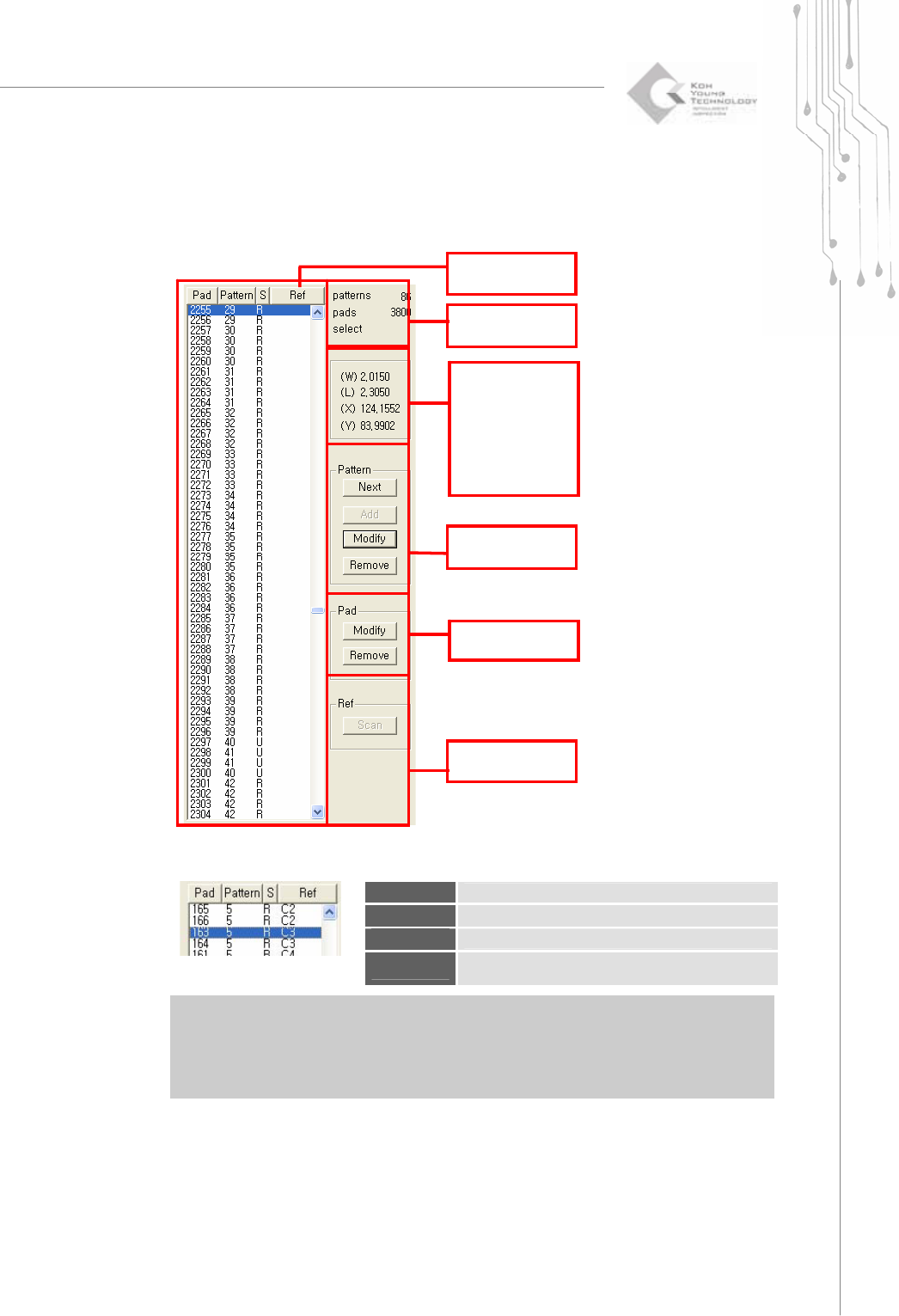
1) Full Display of the Pad Bar.
2) Pad List
Pad
Sort the list in ascending order of pad numbers.
Pattern
Sort the list in ascending order of pattern numbers.
S
Sort the list in ascending order of shape numbers.
Ref
Sort the list in ascending order of reference codes.
※ Note: The available shape types are as follows:
y R – Rectangle,
y C-Circle,
y D-Rounded Rectangle,
Pad List
Quantity Data
The Data for the
Selected
Pattern and
Pad
Pattern
Pad
Ref
10 | KY-8030 Series(KYOS-2007001_rev0)
3DIn‐lineSolderPasteInspectionSystems
y O-Oblong,
y U-Undefined,
y P- Sloped Rectangle (A pad sloped by clockwise),
y N- Sloped Rectangle (A pad sloped by counterclockwise)
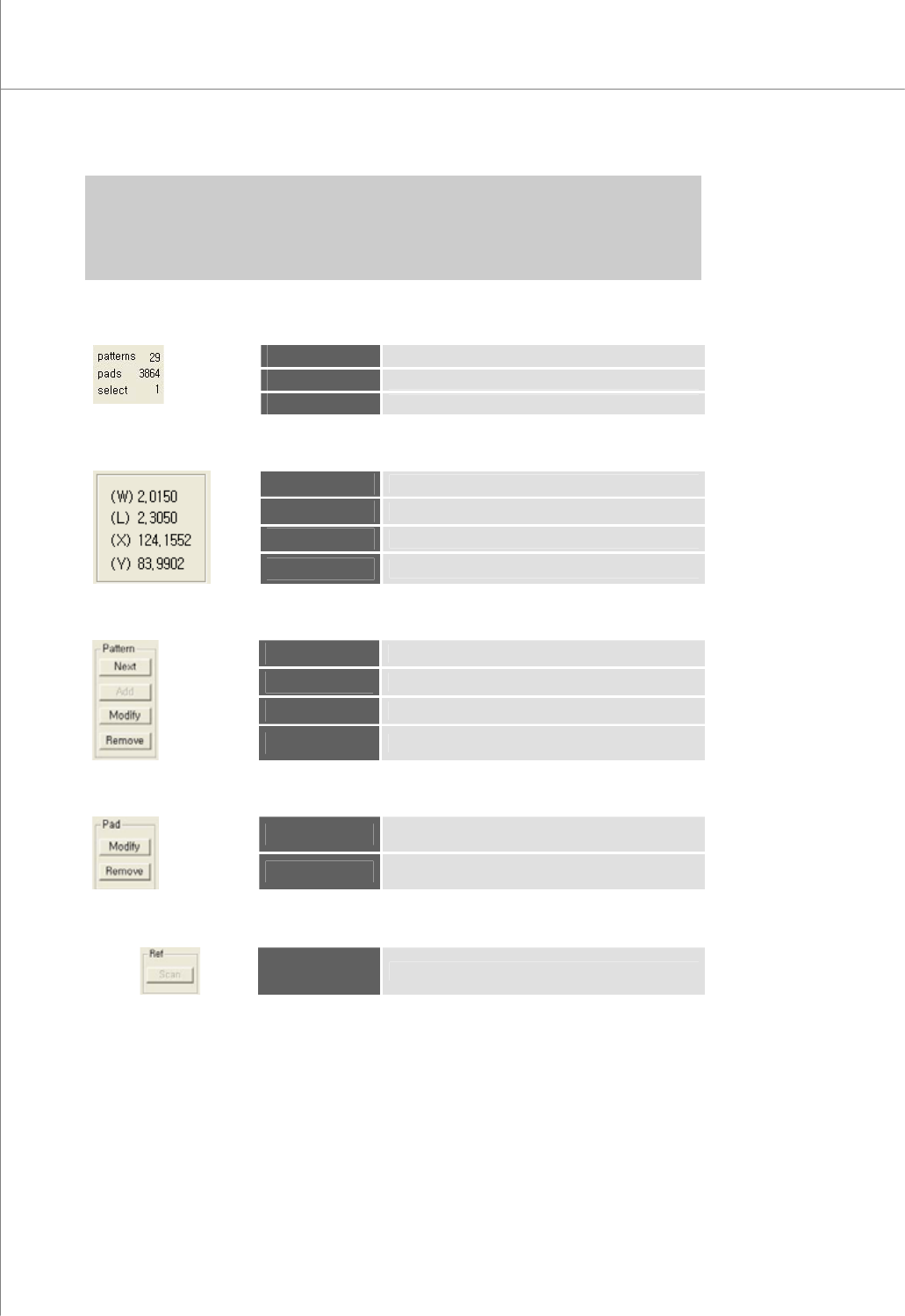
3) Quantity Data
patterns
The total number of patterns
pads
The total number of pads
select
The number of the selected pads
4) The Data for the Selected Pad
(W)
The width of the pad
(L)
The Length of the pad
(X)
The center point (X-coordinate) of the pad
(Y)
The center point (Y-coordinate) of the pad
5) Pattern
Next
Select a pad for the next pattern number.
Add
Add a pattern.
Modify
Modify the selected pattern(s).
Remove
Remove the selected pattern(s).
6) Pad
Modify
Modify the selected pad(s).
Remove
Remove the selected pad(s).
7) Ref
Scan
Scan reference codes for a part.
Programmers Manual
| 11
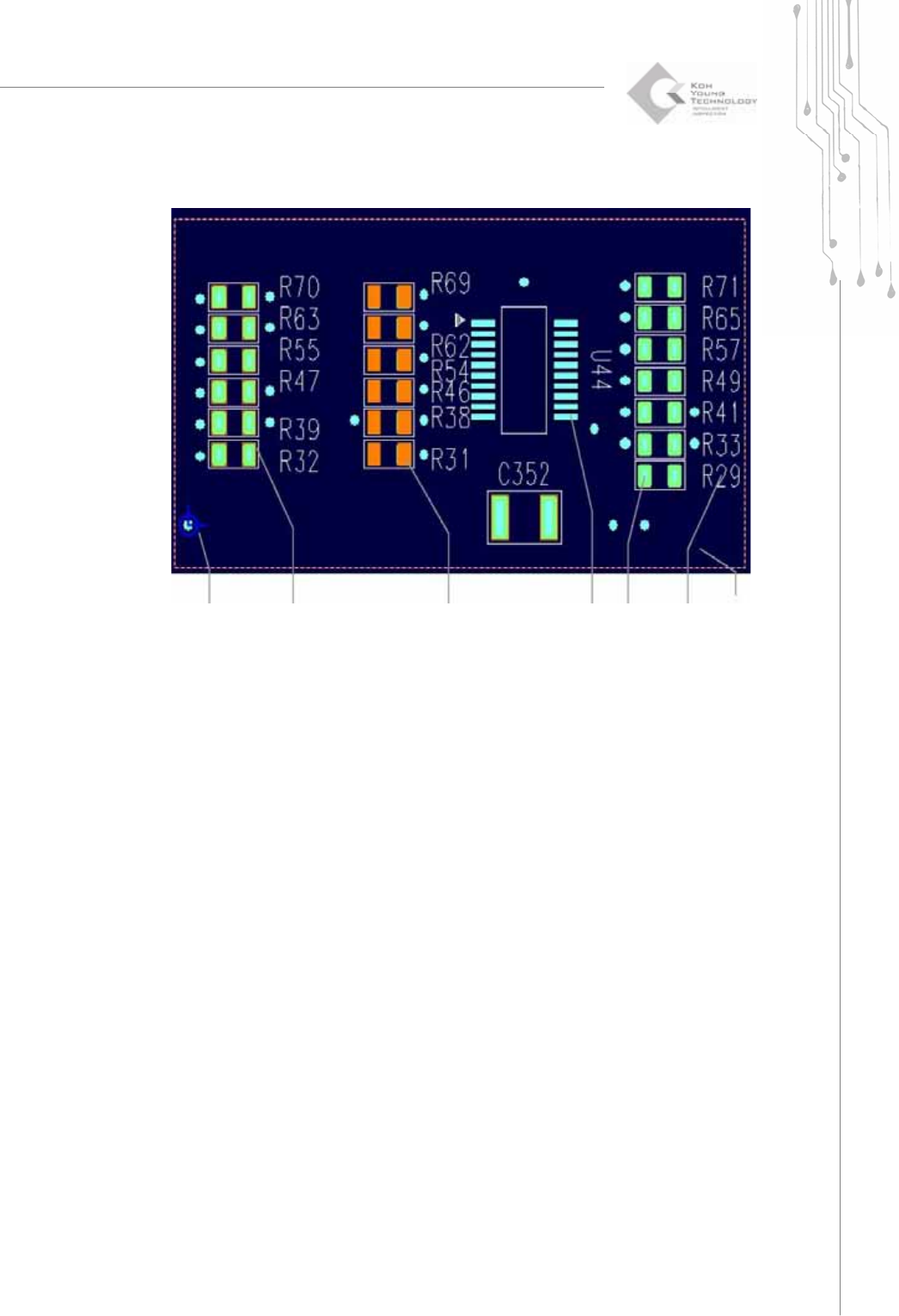
1.1.8. Main View
The Origin &
Coordinate
System
Pad-Ref. Code
Not Included
(outlined in red)
Pad-Ref. Code
Included
(red)
Flash
(light blue)
Trace
(green)
Silk
(white)
Work Area
(dotted in
red)