KY8030 Programmers Manual - 第13页
Program mers Manual | 1 1 1.1.8. Main View The Origin & Coordinate Syst em Pad-Ref. Code Not Included (outlined in re d) Pad-Ref. Code Included (red) Flash (light blue) Trace (green) Silk (whi te) Work Area (dotted i…
10 | KY-8030 Series(KYOS-2007001_rev0)
3DIn‐lineSolderPasteInspectionSystems
y O-Oblong,
y U-Undefined,
y P- Sloped Rectangle (A pad sloped by clockwise),
y N- Sloped Rectangle (A pad sloped by counterclockwise)
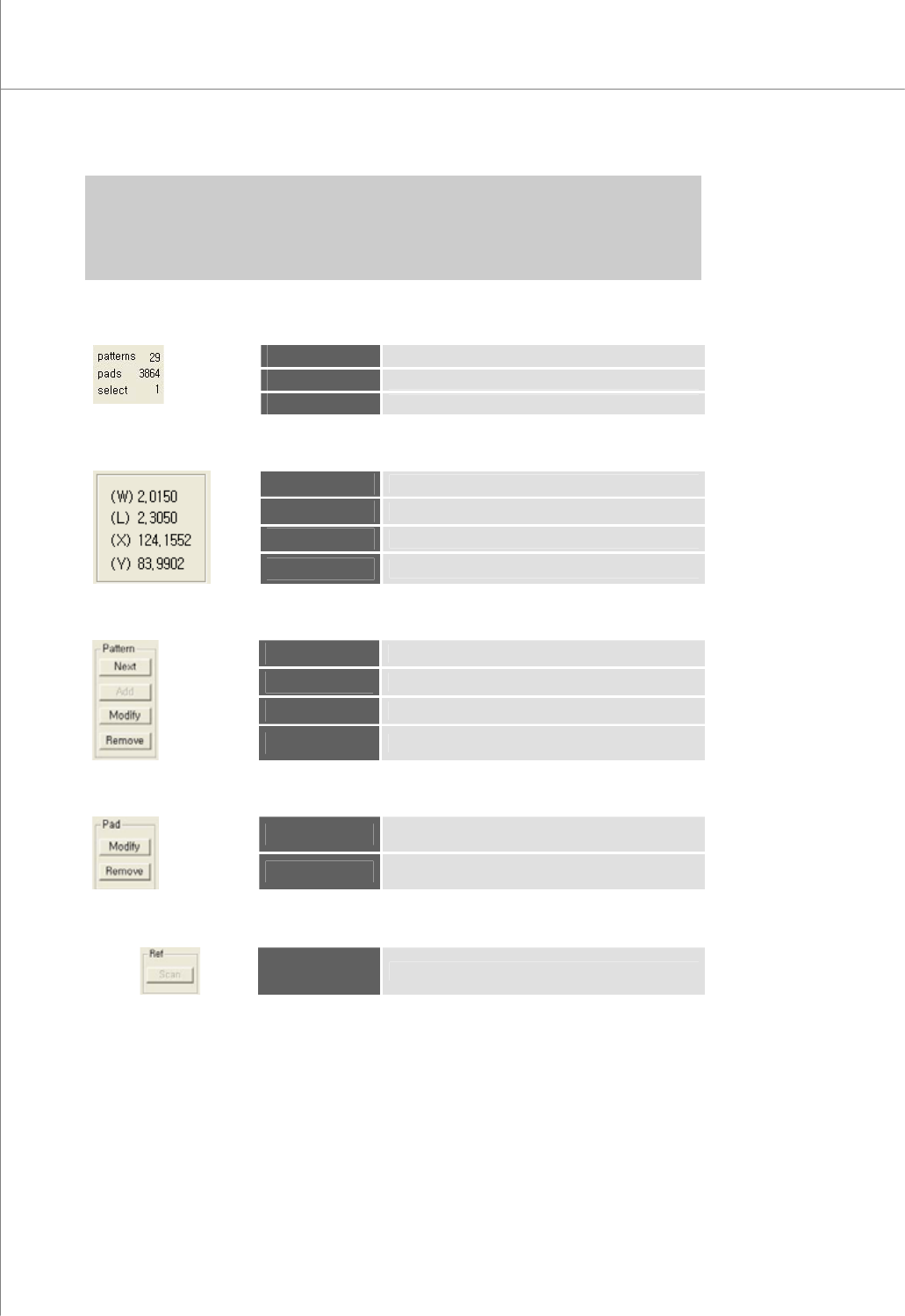
3) Quantity Data
patterns
The total number of patterns
pads
The total number of pads
select
The number of the selected pads
4) The Data for the Selected Pad
(W)
The width of the pad
(L)
The Length of the pad
(X)
The center point (X-coordinate) of the pad
(Y)
The center point (Y-coordinate) of the pad
5) Pattern
Next
Select a pad for the next pattern number.
Add
Add a pattern.
Modify
Modify the selected pattern(s).
Remove
Remove the selected pattern(s).
6) Pad
Modify
Modify the selected pad(s).
Remove
Remove the selected pad(s).
7) Ref
Scan
Scan reference codes for a part.
Programmers Manual
| 11
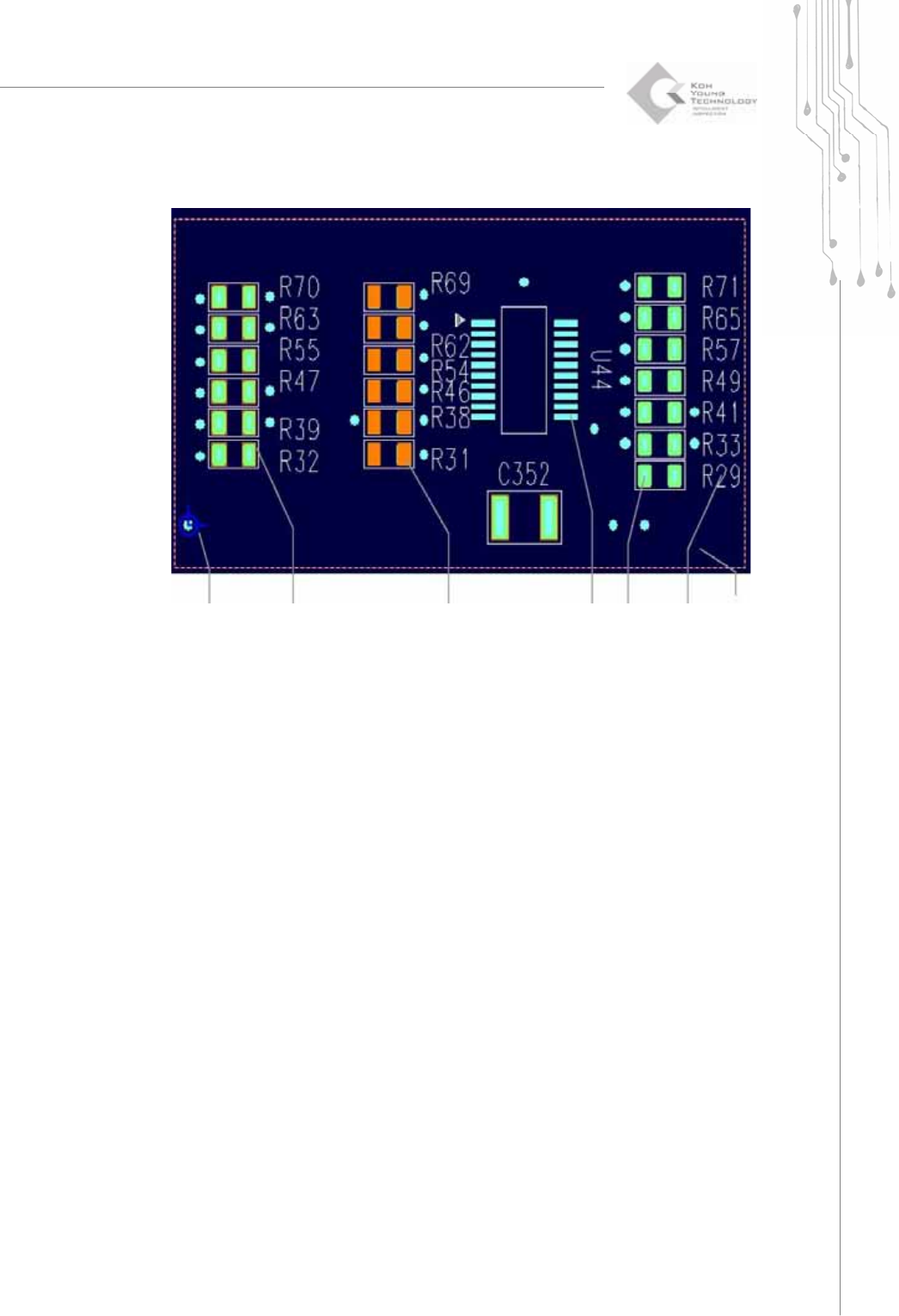
1.1.8. Main View
The Origin &
Coordinate
System
Pad-Ref. Code
Not Included
(outlined in red)
Pad-Ref. Code
Included
(red)
Flash
(light blue)
Trace
(green)
Silk
(white)
Work Area
(dotted in
red)
12 | KY-8030 Series(KYOS-2007001_rev0)
3DIn‐lineSolderPasteInspectionSystems
1.2. Usage Example (Creating a Pad File (*.pad))
The following example shows you how to open, work on, export and save a Gerber file.
More specifically, the following tasks are performed in this example:
z Open a Gerber file.
z Specify a work space and translate a PCB.
z Create a pattern.
z Enter and change the origin.
z Enter the board size (optional).
z Save a file and export.
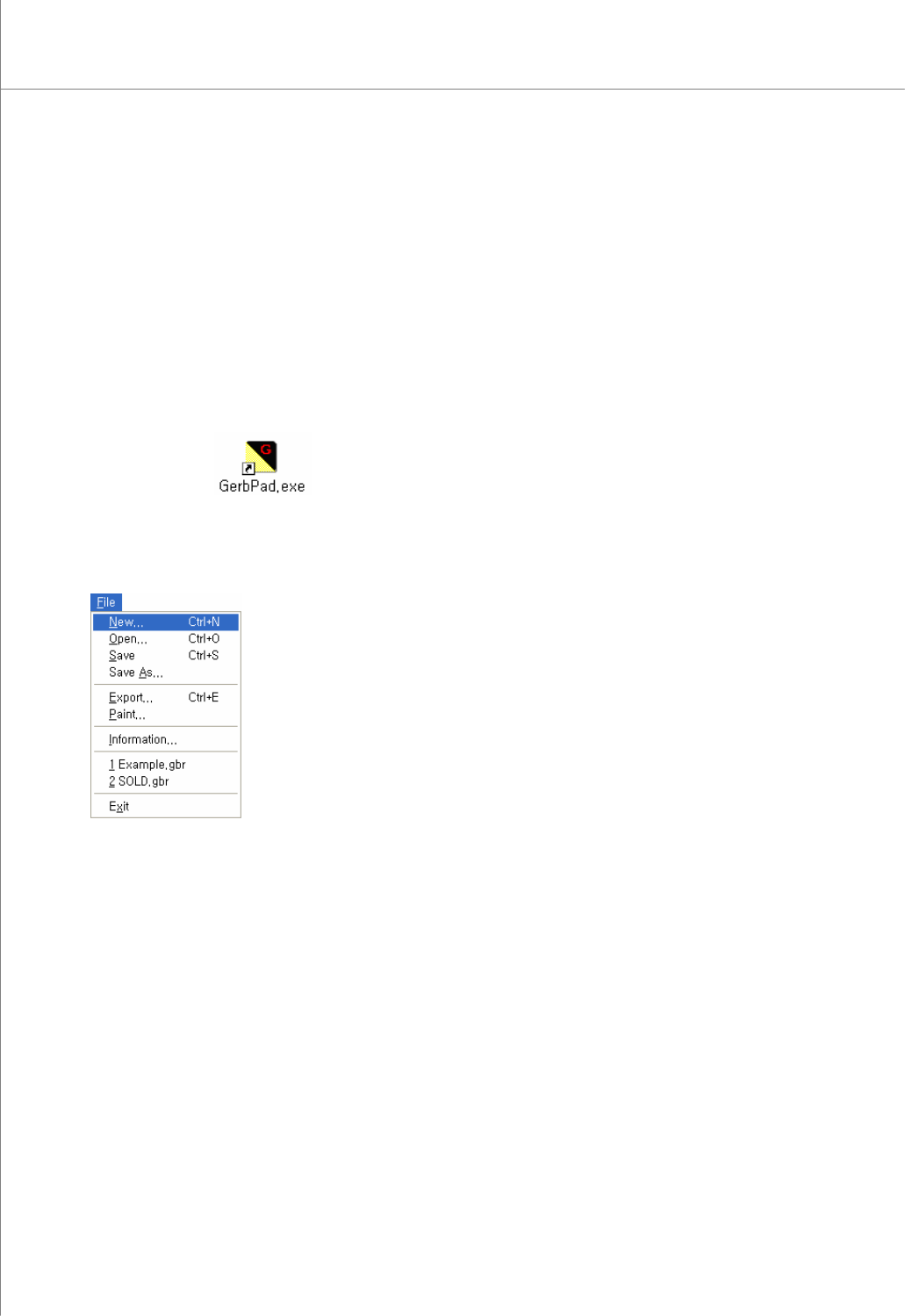
1) Double-click the icon on the Desktop.
to launch the GerbPad program.
2) Select "File New" from the menu bar. The "New" window will appear allowing you
to select a Gerber file.
3) Select a Gerber file (*.gbr). A Gerber file must be a stencil mask Gerber file. A
fiducial or silk file can also be specified as needed.