KY8030 Programmers Manual - 第20页
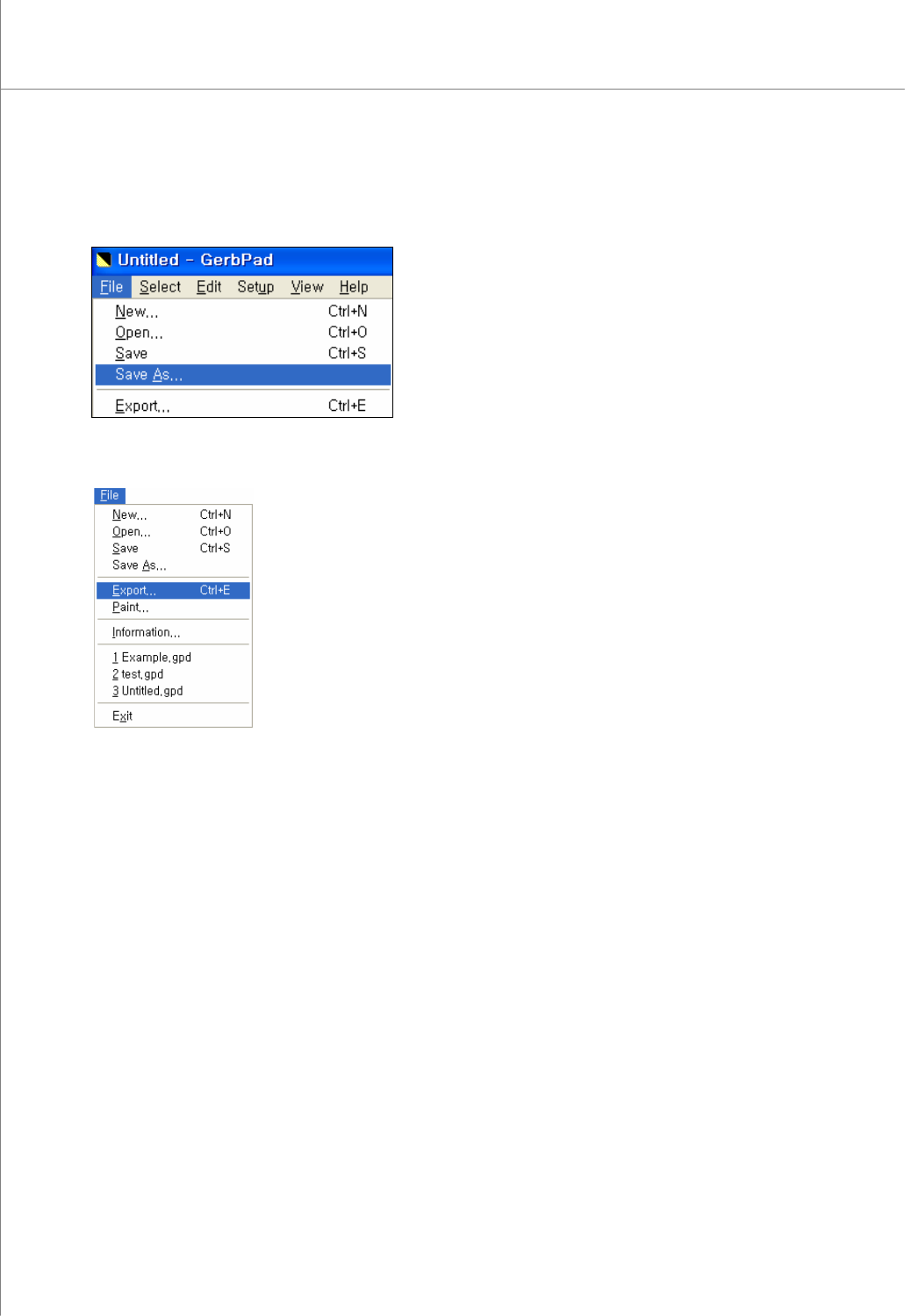
18 | KY-8030 Series (KYOS-2007001_rev0) 3D In ‐ line Solder Paste Inspection Systems 13) Select “File ▶ Save As" in order to save it as “*.gpd”. 14) Select "File ▶ Export" from the menu bar.
Programmers Manual
| 17
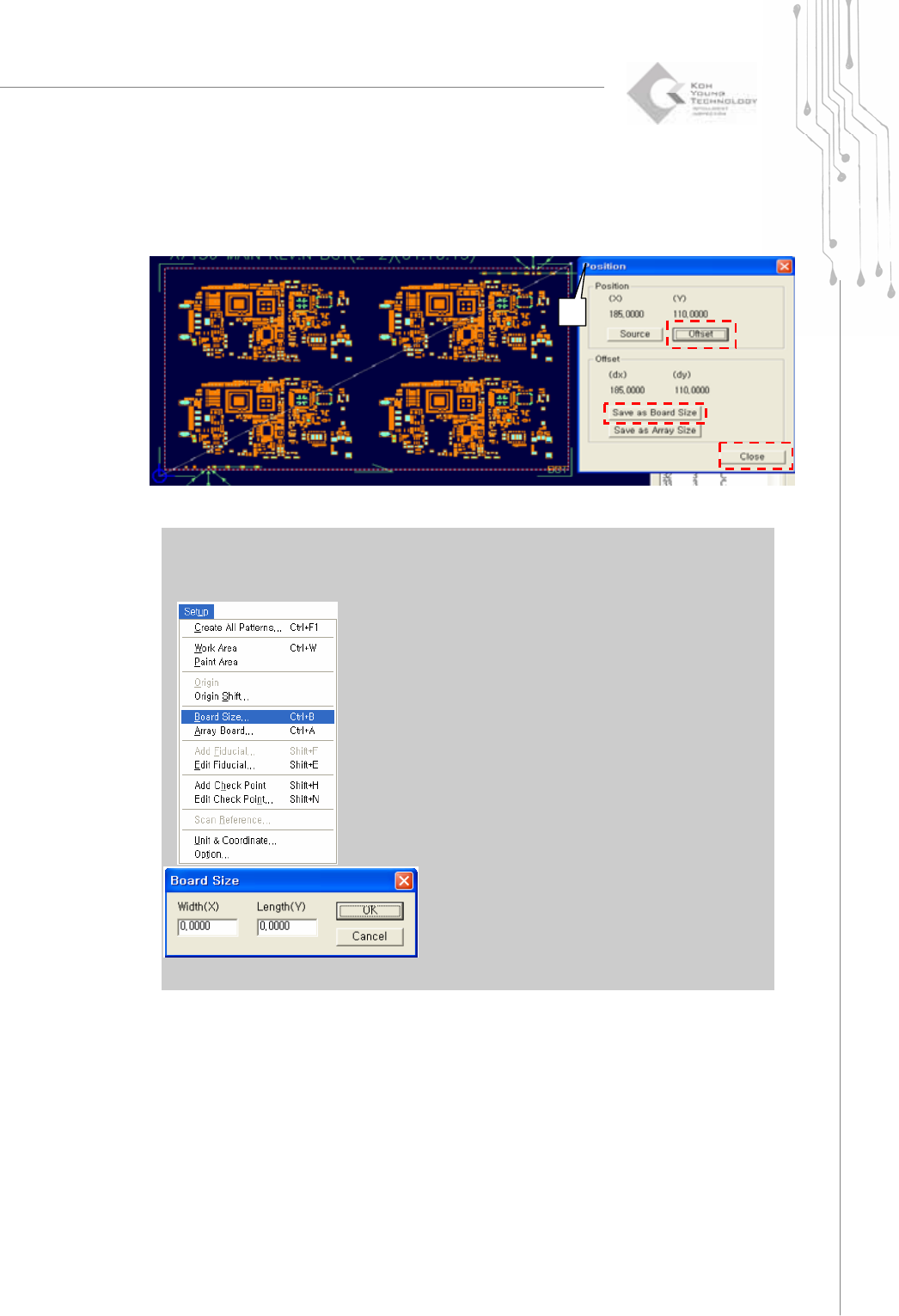
11) Select the right top side of PCB with Trace then right click. Select View Position
and click Offset.
12) Click “Save as Board Size”.
※ Note : If the user know the exact board size, the user can put the board size directly as follows.
a) Select “Setup ▶ Board Size” from the menu bar.
b) Enter the width (X) and length (Y) of the board and click the OK button. The board size will be set
to the X and Y values just entered.
①
②
③
④
18 | KY-8030 Series(KYOS-2007001_rev0)
3DIn‐lineSolderPasteInspectionSystems
13) Select “File ▶ Save As" in order to save it as “*.gpd”.
14) Select "File ▶ Export" from the menu bar.
Programmers Manual
| 19
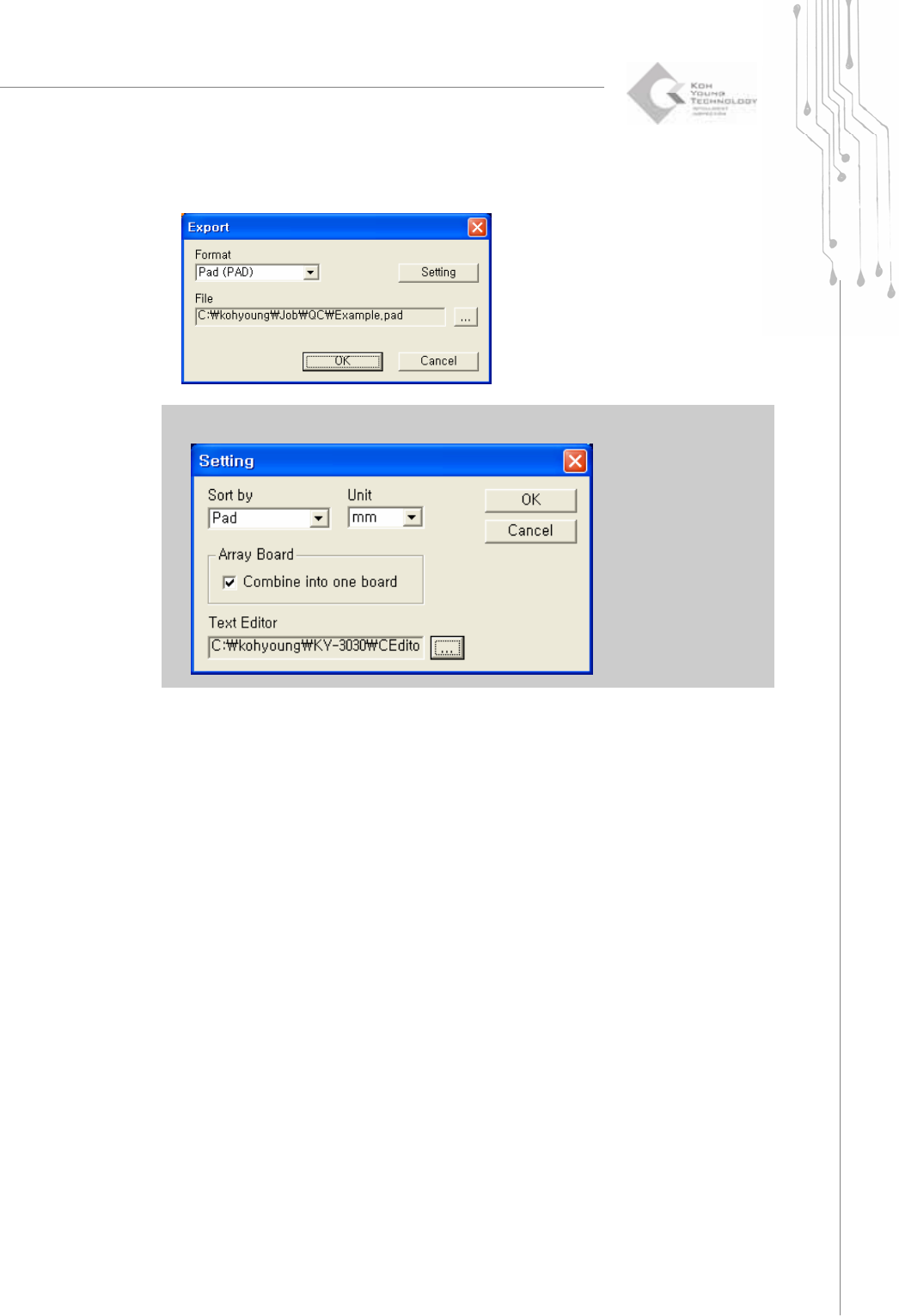
The "Export" window will appear as follows: Click the OK button.
※ Note : If you change the text editor to CEditor in setting menu, CEditor will be run automatically.