KY8030 Programmers Manual - 第23页
Program mers Manual | 2 1 The “Parameter” D ialog Box Unit Select a unit. Digits Enter the number of digits all owed for the integer and deci mal parts, respectively . Notation Select a notation method. Zero Omission S…
20 | KY-8030 Series(KYOS-2007001_rev0)
3DIn‐lineSolderPasteInspectionSystems
1.3. Menu Options
1.3.1. File
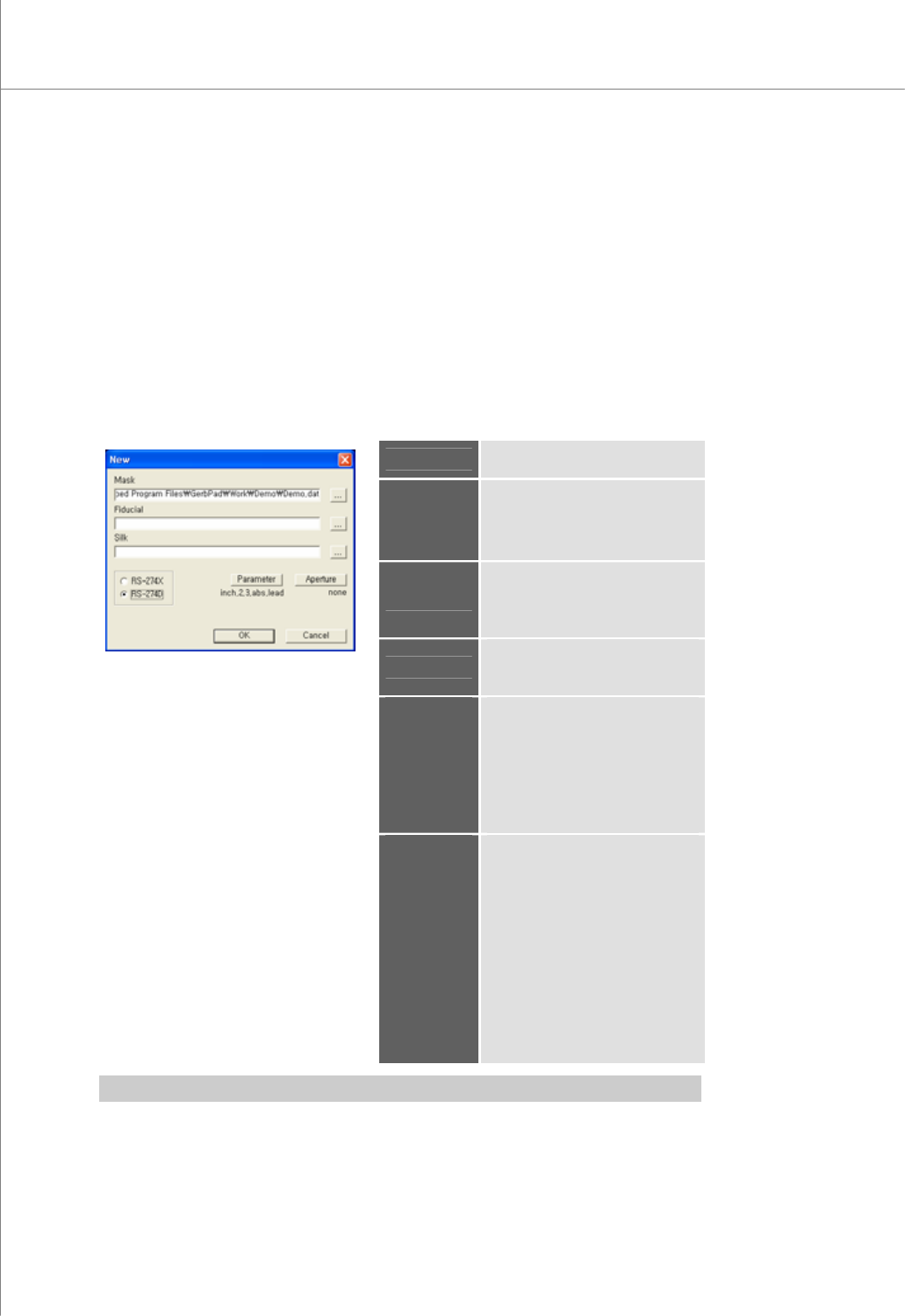
1) New (Ctrl + N)
Load a Gerber file to create a new work file.
All work data not saved will be lost.
Shortcut Key: Ctrl + N
The “New” Dialog Box
Mask
Specify a path for a stencil mask
file.
Fiducial
Specify a path for a fiducial file.
※ Note: This is needed only
when fiducial marks exist in
another file.
Silk
Specify a path for a silk file.
This is needed for entering a part
reference code with silk data.
Format
Select a Gerber file format.
Available Formats: RS-274X, RS-
274D
Parameter
If the Parameter dialog box
appears,
select or specify Gerber
parameters.
※ Note: It is activated only when
the Gerber format is set to "RS-
274D".
Aperture
If the "Aperture" dialog box
appears,
load aperture data.
The load status is indicated under
the button as follows:
set: Aperture data has been
loaded.
none: Aperture data has not been
loaded.
※ Note: Activated only when the
Gerber format is set to "RS-
274D".
※ Note: You should specify Gerber parameters before loading aperture data.
Programmers Manual
| 21
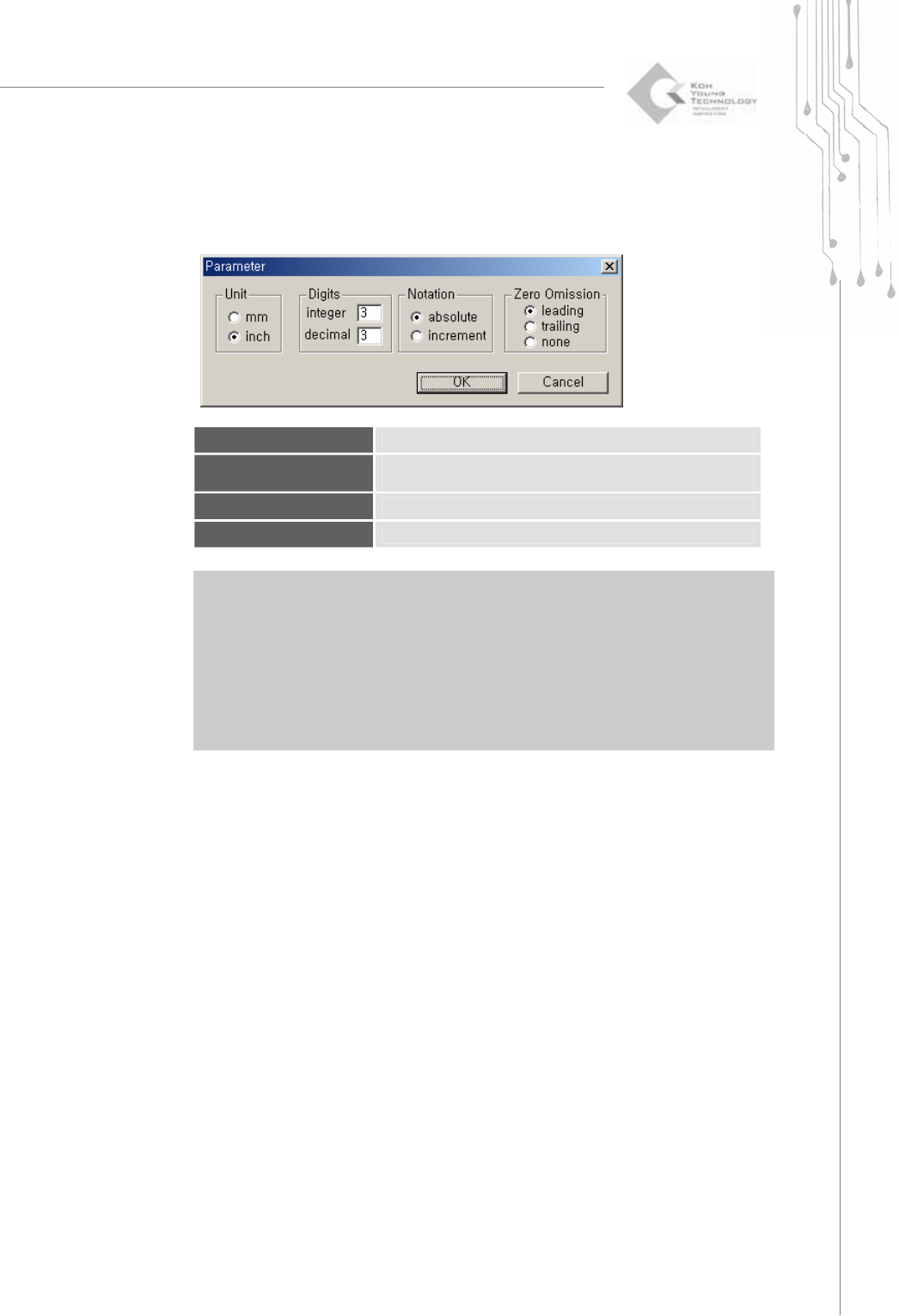
The “Parameter” Dialog Box
Unit
Select a unit.
Digits
Enter the number of digits allowed for the integer and decimal
parts, respectively.
Notation
Select a notation method.
Zero Omission
Specify how 0 (zero) will be treated.
※ Note:: When opening a Gerber file in the RS274D format, the user should set Gerber
parameters directly. Therefore, make sure to check the Gerber parameters first when
opening a Gerber file in RS274D.
※ Caution: If Gerber parameters are not set correctly, it may lead to incorrect board size or
position data, inhibiting normal PCB operation. When opening a Gerber file in the
RS274D format, make sure that the Gerber parameters entered match the actual
size of the PCB.
22 | KY-8030 Series(KYOS-2007001_rev0)
3DIn‐lineSolderPasteInspectionSystems
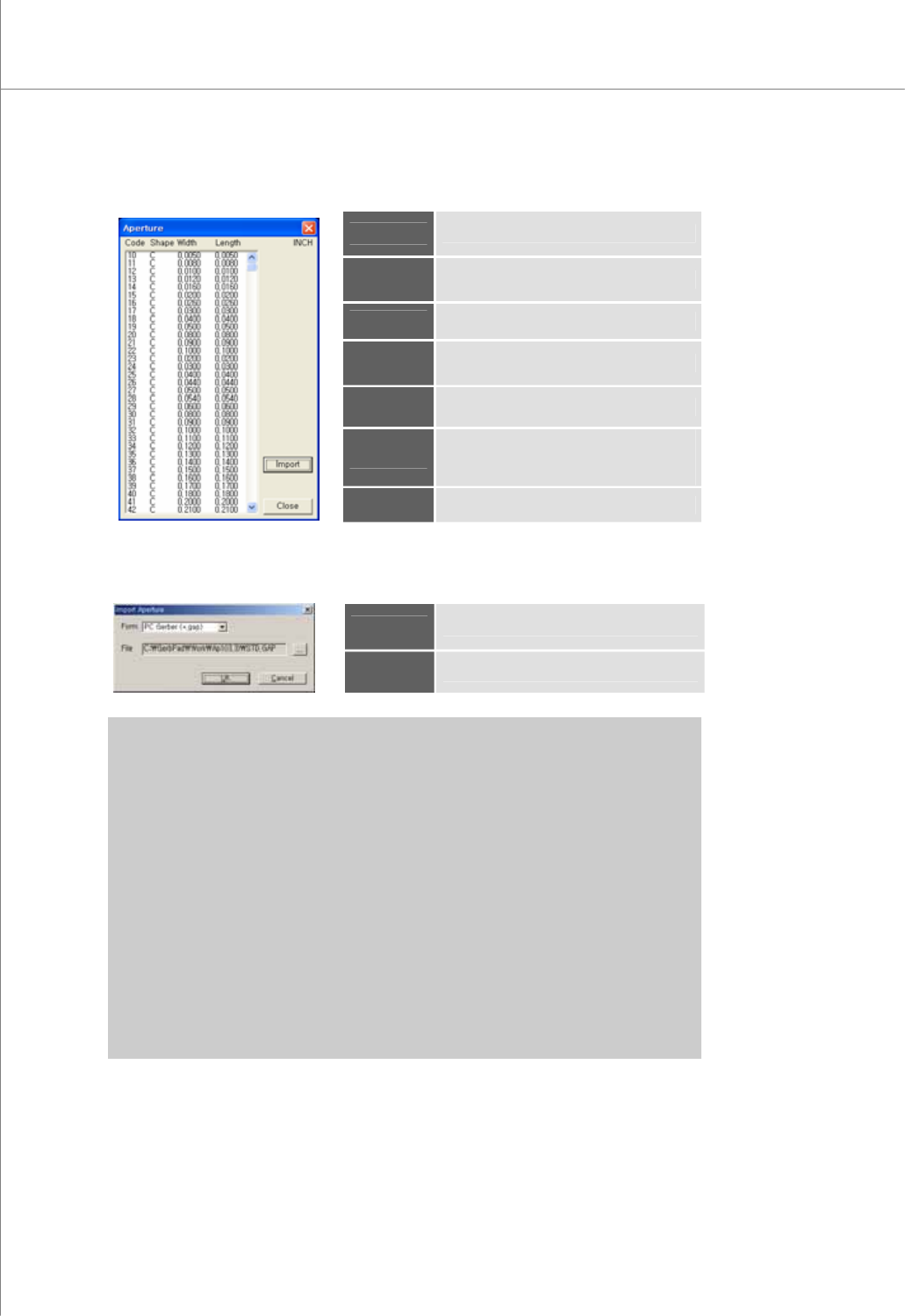
The “Aperture” Dialog Box
Code
Aperture code number
Shape
Aperture shape code
Width
Aperture width
Length
Aperture length
Unit
The unit for aperture width and length
Import
If the "Import Aperture" dialog box
appears,
load the aperture file.
Close
Close the "Aperture" dialog box.
The "Import Aperture" Dialog Box
Form
Select the aperture file format.
File
Specify a path for an aperture file.
※ Note: Aperture formats supported by GerbPad V3.0 are as follows:
y PC Gerber (*.gap)
y CAM350/ECAM V1(*.gap)
y CAM350/ECAM V3(*.gap)
y Report (*.rep;rpt)
y Allegro (*.rpt)
y GerbTool (*.map)
y CadStar (*.usr)
y Mentor (*.apt)
y Zuken (*.l)
y ViewMate (*.env)
y Genesis (*.apr)
y Pads (*.rep)