KY8030 Programmers Manual - 第27页
Program mers Manual | 2 5 The "Setting" Dialog Box If you select "Pad" under "Format" in the "Ex port" dialog box: Sort by Select the sorting criteria for p ad data. (Pad / Patte…
24 | KY-8030 Series(KYOS-2007001_rev0)
3DIn‐lineSolderPasteInspectionSystems
5) Export (Ctrl + E)
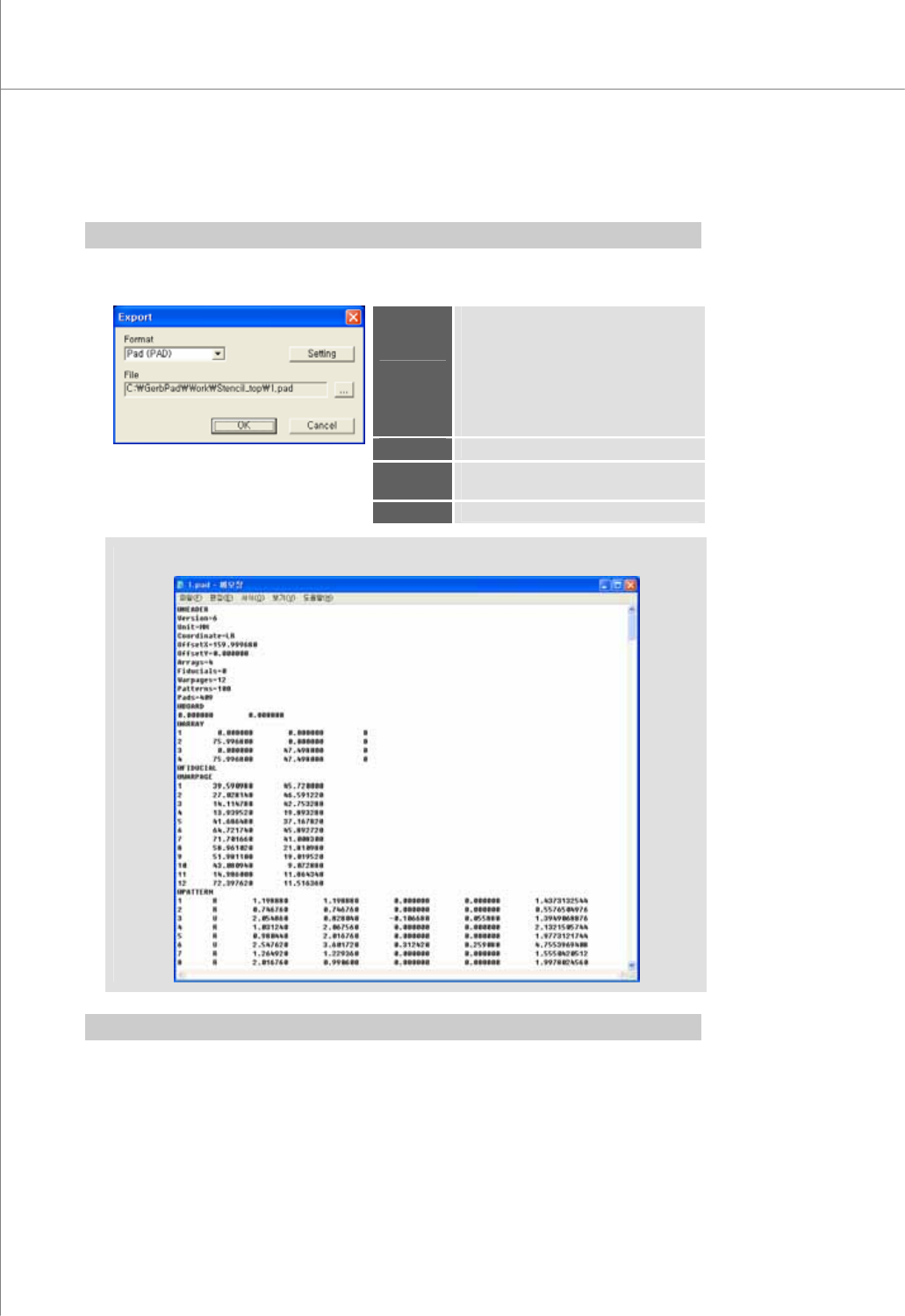
Open the "Export" dialog box to export work data into a text file.
※ Note: Activated when more than one pads have been created.
The "Export" Dialog Box
Format
Select the export file format.
Available Formats: Pad (PAD), TX
1) Pad (PAD): PCB data, pad data
2) TX format: pad data, camera FOV
and path data
* Only the * pad format is supported at
this time.
File
Specify a path for the export file.
Setting
Open the "Setting" dialog box and edit
settings for the export file.
OK
Export data and open the export file.
(An Export File Example)
※ Note: TX format is not used in KY-3030.
Programmers Manual
| 25
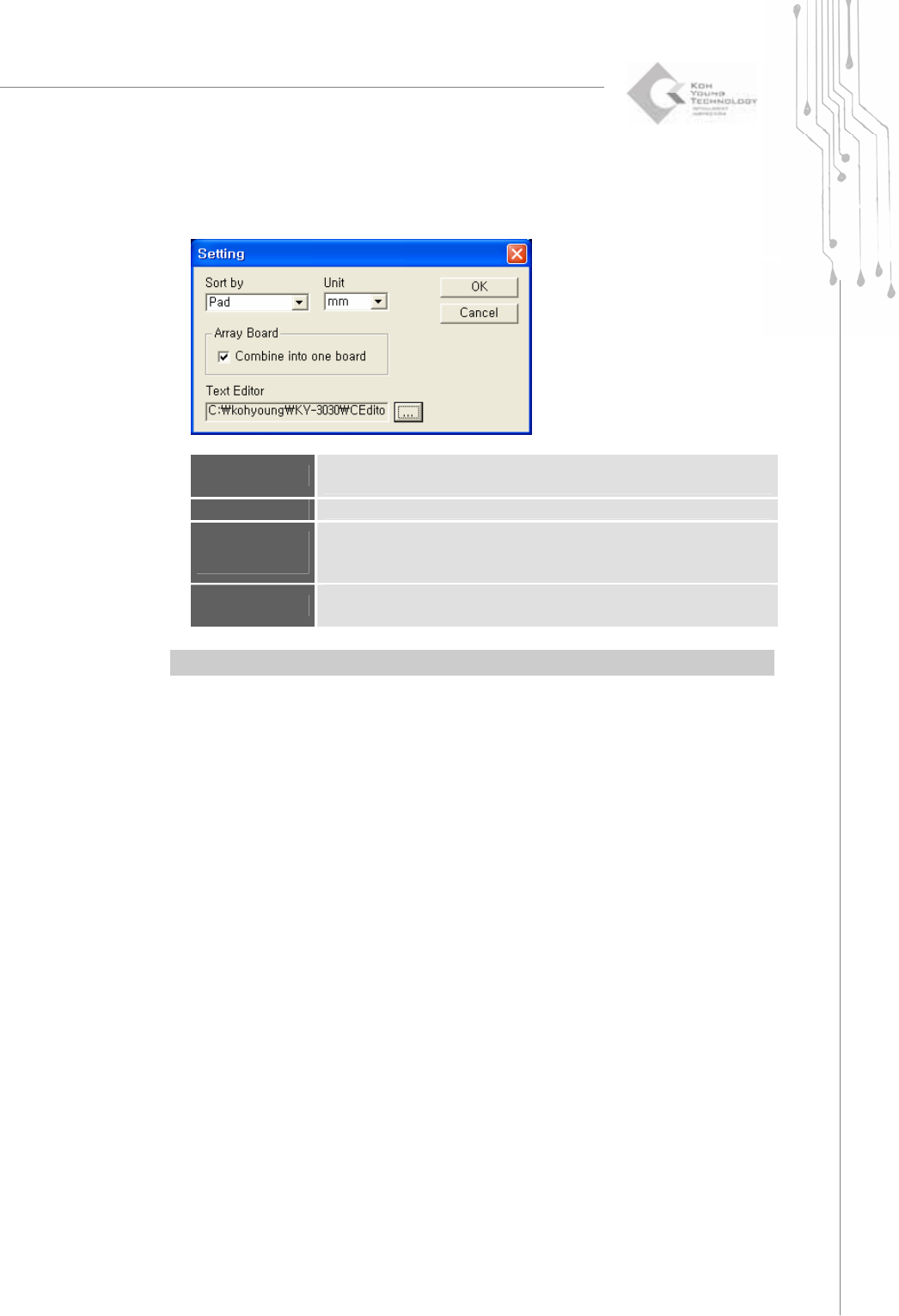
The "Setting" Dialog Box
If you select "Pad" under "Format" in the "Export" dialog box:
Sort by
Select the sorting criteria for pad data.
(Pad / Pattern / Shape / Reference)
Unit
Select the unit for export files (mm/inches).
Combine into
one board
Check this option to export multiple array boards as one.
※ Note: Activated when a PCB is registered as array boards.
Text Editor
Specify a text editor that will be used to view an export file.
※ Note: By default, this is set to Windows Notepad.
※ Note: Set CEditor as a text Editor to run CEditor immediately after exporting.
26 | KY-8030 Series(KYOS-2007001_rev0)
3DIn‐lineSolderPasteInspectionSystems
6) Paint (Ctrl + E)
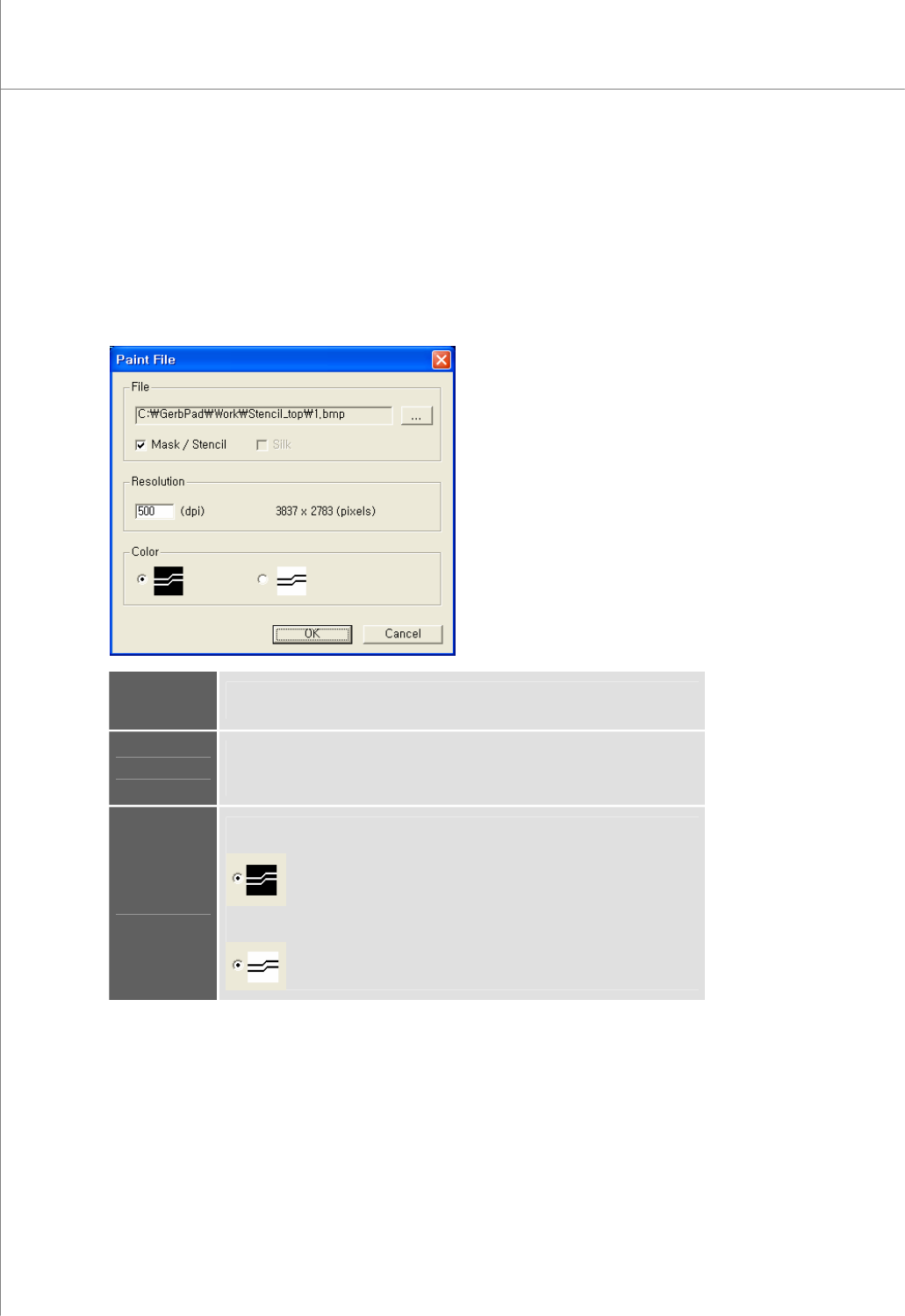
Open the "Paint File" dialog box to export Gerber data as a bmp file.
If a paint area has been specified, only the data of the specified area will be exported.
Otherwise, the entire area will be exported.
The "Paint File" Dialog Box
File
Specify a path for the picture file (*.bmp).
Select the contents that will be put into the picture file.
Resolution
Enter a resolution (dpi) for the picture file.
The ideal resolution is 500 dpi. If the specified resolution is too high (for
example, > 1000 dpi ), a memory error may occur.
Color
Specify foreground and background colors for the picture file.
Foreground = White, Background = Black
Foreground = Black, Background = White