KY8030 Programmers Manual - 第39页
Program mers Manual | 3 7 (Before "Remove Tr ace") (After "Remove Trace") 8) Remove Flash (Ctrl+Del) Remove the sele cted flash. When performing "Create All Pa tterns", first perform "R…
36 | KY-8030 Series(KYOS-2007001_rev0)
3DIn‐lineSolderPasteInspectionSystems
5) Modify Pad
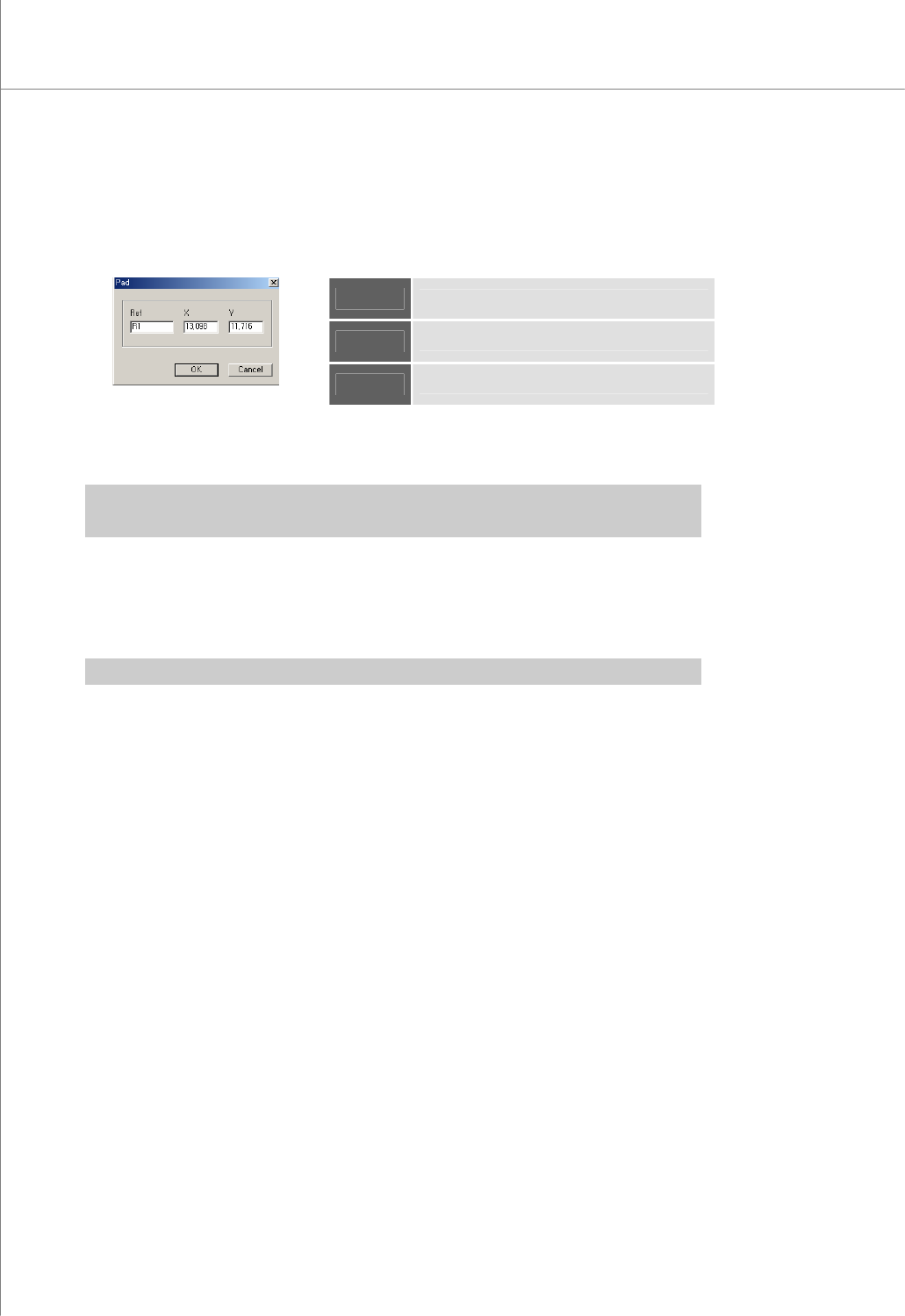
Open the "Pad" dialog box to modify pad data.
The "Pad" Dialog Box
Ref
Part Reference Code
X
The X-coordinate of the pad
Y
The Y-coordinate of the pad.
6) Remove Pad (Del)
Remove the selected pad.
Ú Caution: “Remove Pattern” lets you remove all pads that have the same pattern as the selected
pad while “Remove Pad” lets you remove only the selected pads.
7) Remove Trace (Ctrl+Del)
Remove the selected trace.
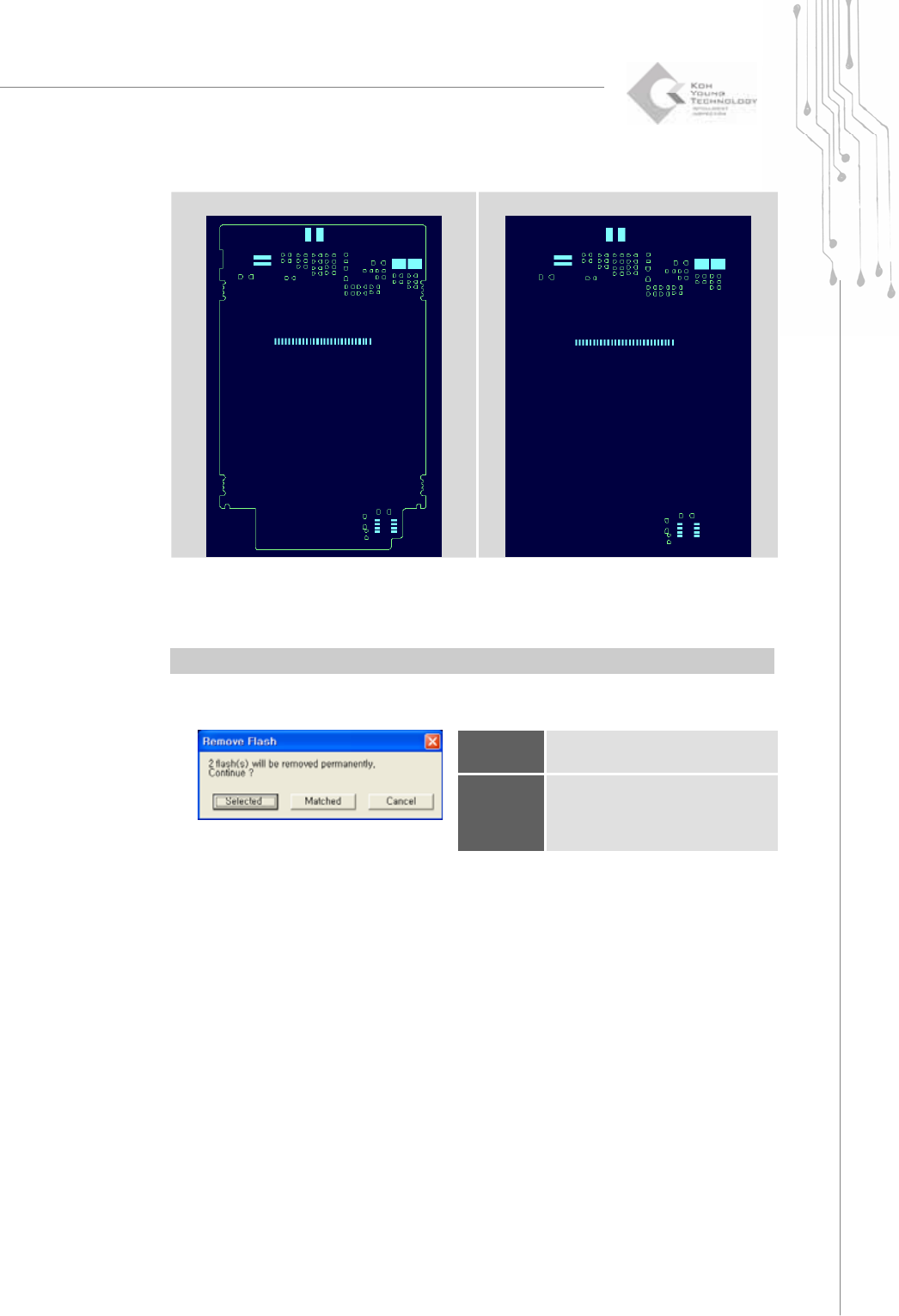
When performing "Create All Patterns", first perform "Remove Trace" to remove
elements (e.g. board contour lines, etc.) that interfere with automatic pattern retrieval.
Ú Caution: Once a trace is removed, it cannot be restored.
Programmers Manual
| 37
(Before "Remove Trace")
(After "Remove Trace")
8) Remove Flash (Ctrl+Del)
Remove the selected flash.
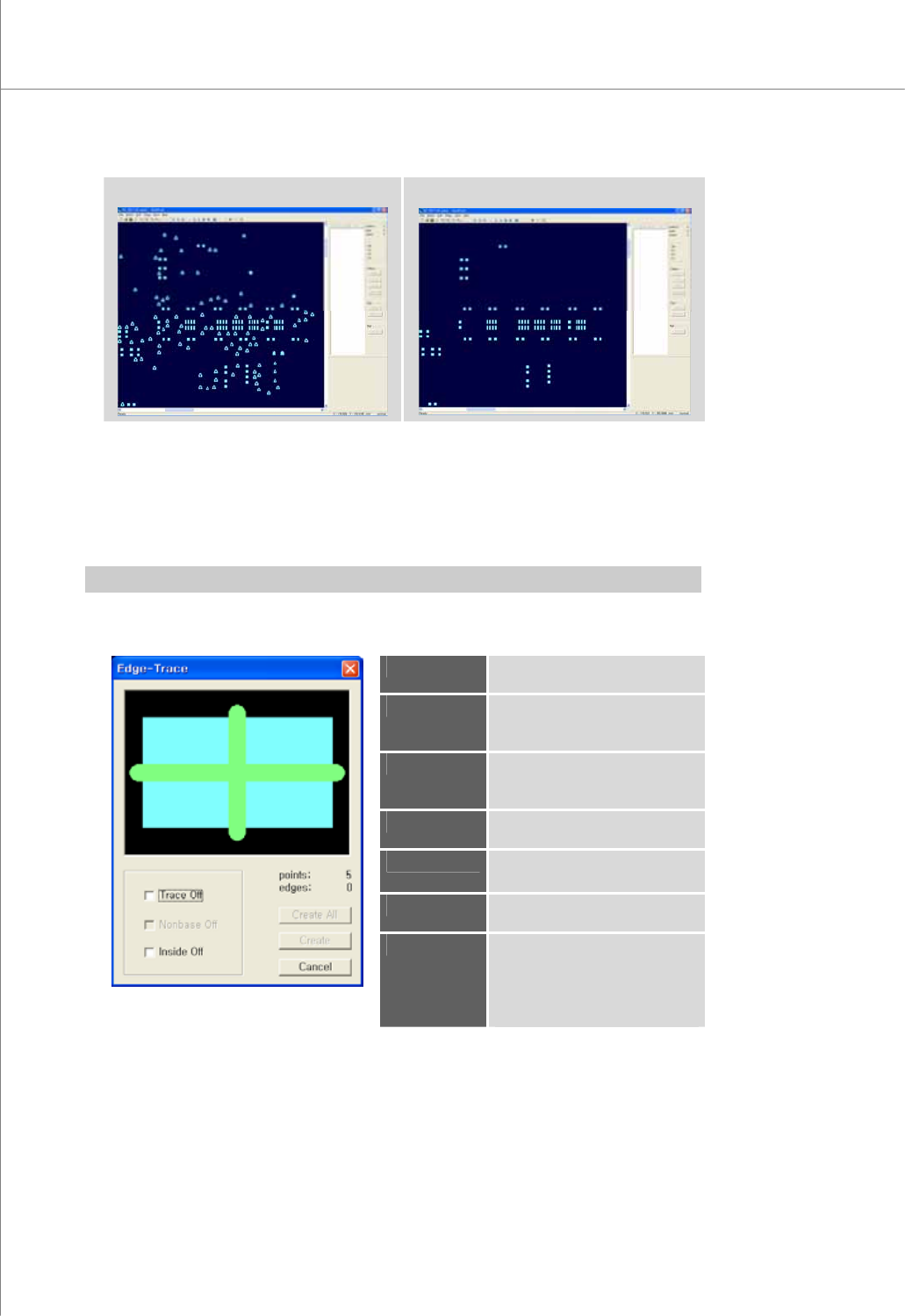
When performing "Create All Patterns", first perform "Remove Flash" to remove
elements (e.g. via hole, etc.) that interfere with automatic pattern retrieval.
Ú Caution: Once a flash is removed, it cannot be restored.
The "Remove Flash" Dialog Box
Selected
Remove only the selected
flash(es).
Matched
Remove all flashes that have
the same size and pattern as
the selected flash.
38 | KY-8030 Series(KYOS-2007001_rev0)
3DIn‐lineSolderPasteInspectionSystems
(Before "Remove Flash")
(After "Remove Flash")
9) Edge-Trace (F1)
Remove unnecessary parts from the selected flashes and traces and create an
edge-trace.
Use an edge-trace when editing a set of flashes and traces that are not appropriate
for pattern registration.
Ú Caution: Once a change is made to a flash or trace, it cannot be reversed.
The “Edge-Trace” Dialog Box
Trace Off
Remove traces only and create an
edge-trace.
Nonbase Off
Remove flashes and traces in a
nonbase layer and create an edge-
trace.
Inside Off
Remove the inside of the
selected flashes and traces and
create an edge-trace.
points
The number of the selected
flashes and traces.
edges
The number of points in an
edge-trace that will be created.
Create
Create an edge-trace for the
selected flashes and traces.
Create All
Create an edge-trace for all
patterns that are identical with
the selected flashes and traces.
However, an edge-trace can be
created within a work area only.