KY8030 Programmers Manual - 第41页
Program mers Manual | 3 9 In case of “Flash + T race” a) Select the flash an d trace together . b) Click then select “T race Of f”. Or right cli ck. Select “ Edge-Trace”. Select “Trace Off”. c ) T race is created i nstea…
38 | KY-8030 Series(KYOS-2007001_rev0)
3DIn‐lineSolderPasteInspectionSystems
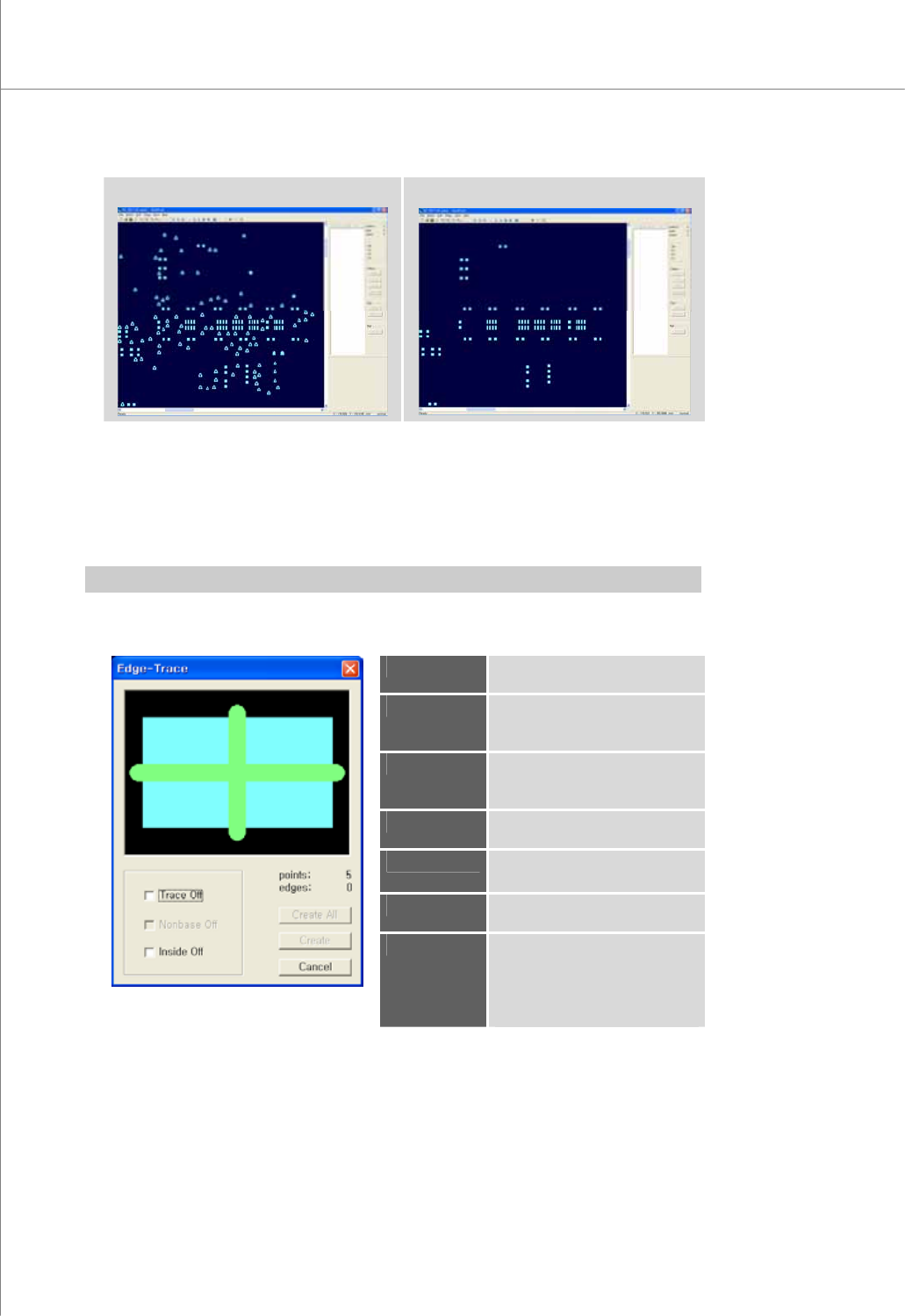
(Before "Remove Flash")
(After "Remove Flash")
9) Edge-Trace (F1)
Remove unnecessary parts from the selected flashes and traces and create an
edge-trace.
Use an edge-trace when editing a set of flashes and traces that are not appropriate
for pattern registration.
Ú Caution: Once a change is made to a flash or trace, it cannot be reversed.
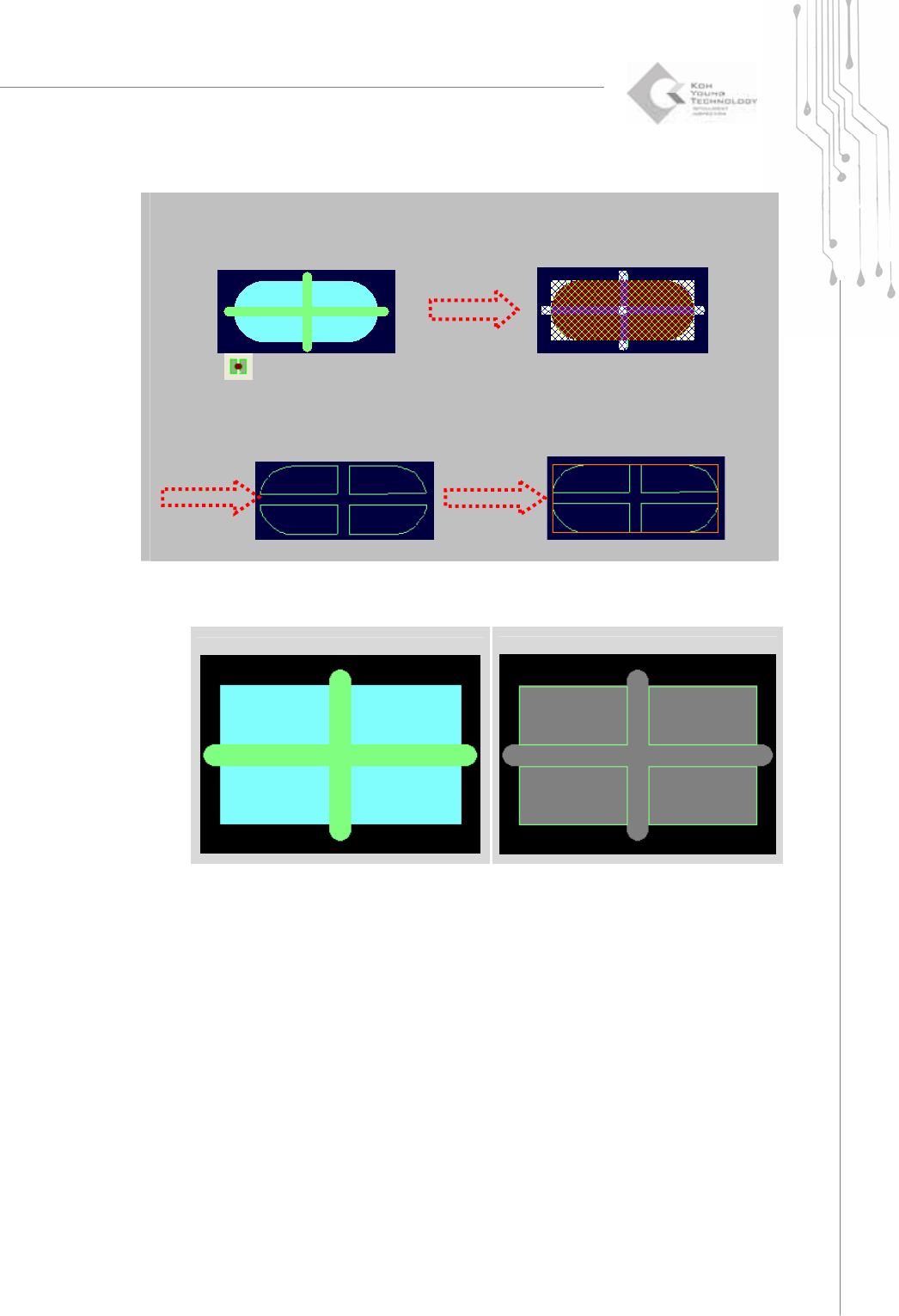
The “Edge-Trace” Dialog Box
Trace Off
Remove traces only and create an
edge-trace.
Nonbase Off
Remove flashes and traces in a
nonbase layer and create an edge-
trace.
Inside Off
Remove the inside of the
selected flashes and traces and
create an edge-trace.
points
The number of the selected
flashes and traces.
edges
The number of points in an
edge-trace that will be created.
Create
Create an edge-trace for the
selected flashes and traces.
Create All
Create an edge-trace for all
patterns that are identical with
the selected flashes and traces.
However, an edge-trace can be
created within a work area only.
Programmers Manual
| 39
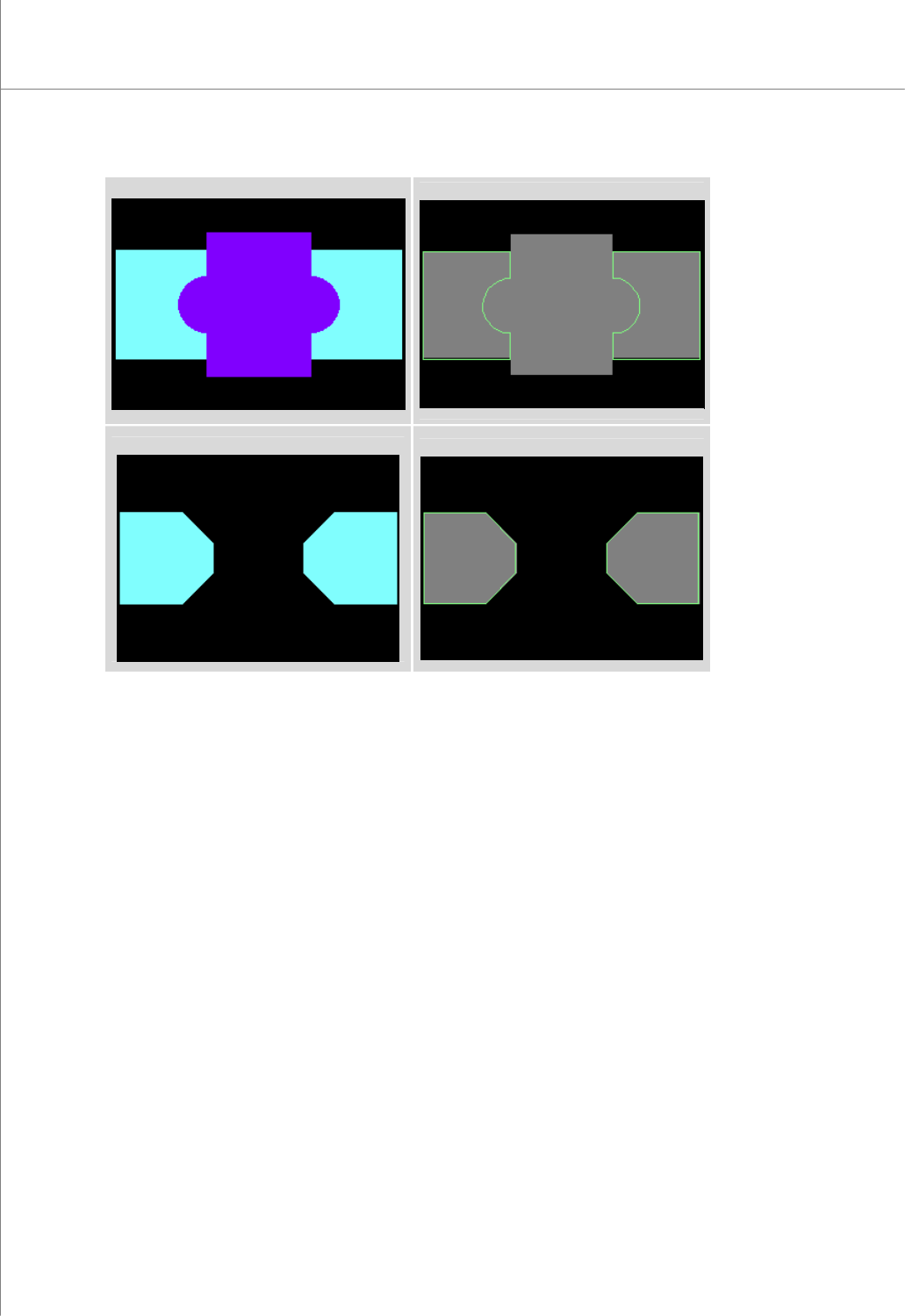
In case of “Flash + Trace”
a) Select the flash and trace together.
b) Click then select “Trace Off”.
Or right click. Select “Edge-Trace”. Select “Trace Off”.
c) Trace is created instead of “Flash + Trace”
d) Select the trace and convert it to the pad.
(Before "Trace Off")
(After "Trace Off")
40 | KY-8030 Series(KYOS-2007001_rev0)
3DIn‐lineSolderPasteInspectionSystems
(Before "Nonbase Off")
(After "Nonbase Off")
(Before "Inside Off")
(After "Inside Off")