KY8030 Programmers Manual - 第70页
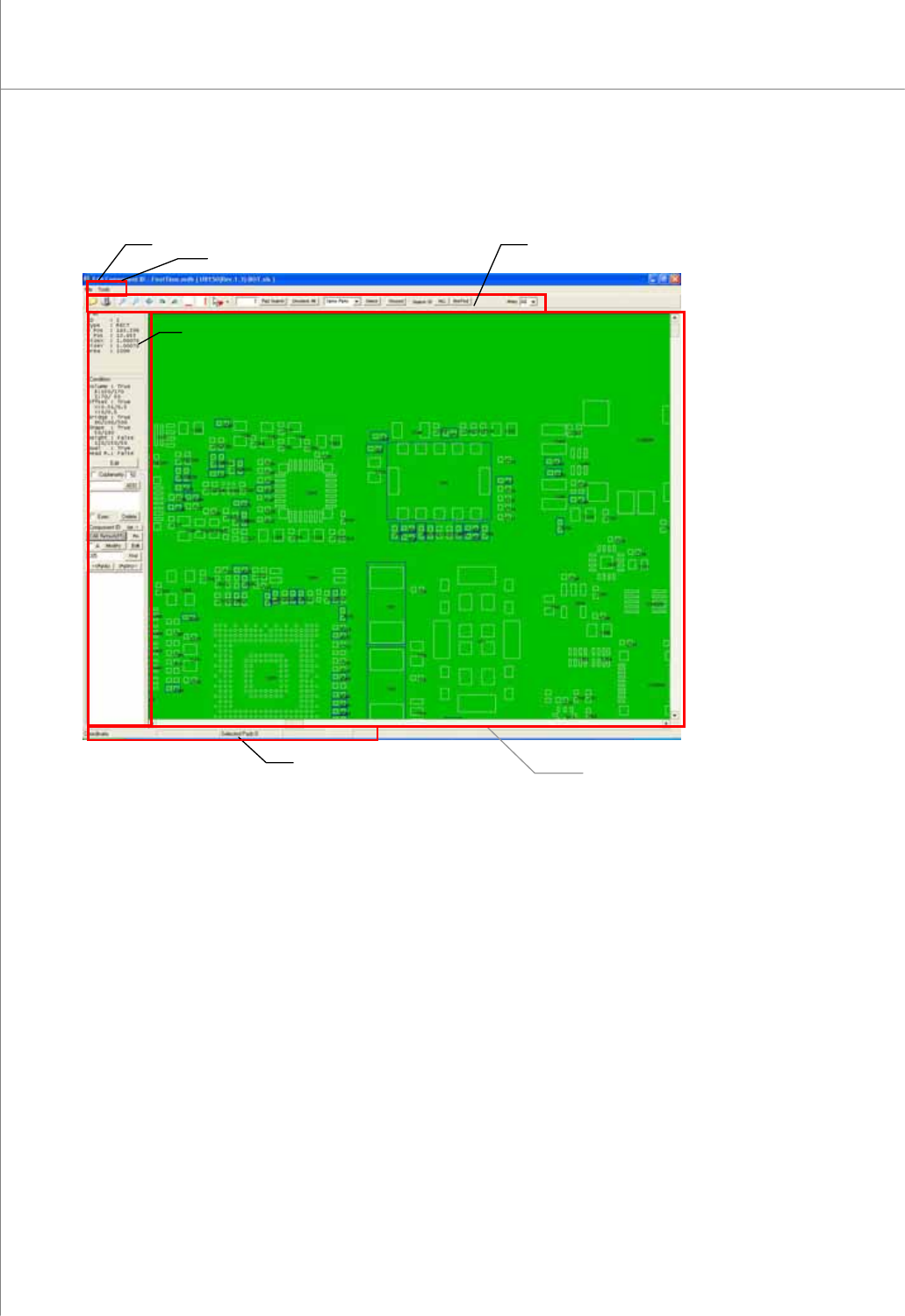
68 | KY-8030 Series (KYOS-2007001_rev0) 3D In ‐ line Solder Paste Inspection Systems 2.1.2. Screen Lay out Status Bar Main View Title Bar Tool Bar Menu Bar Operation Windo w
Programmers Manual
| 67
2. CEditor
2.1. Program Structure
2.1.1. Data Flow Diagram
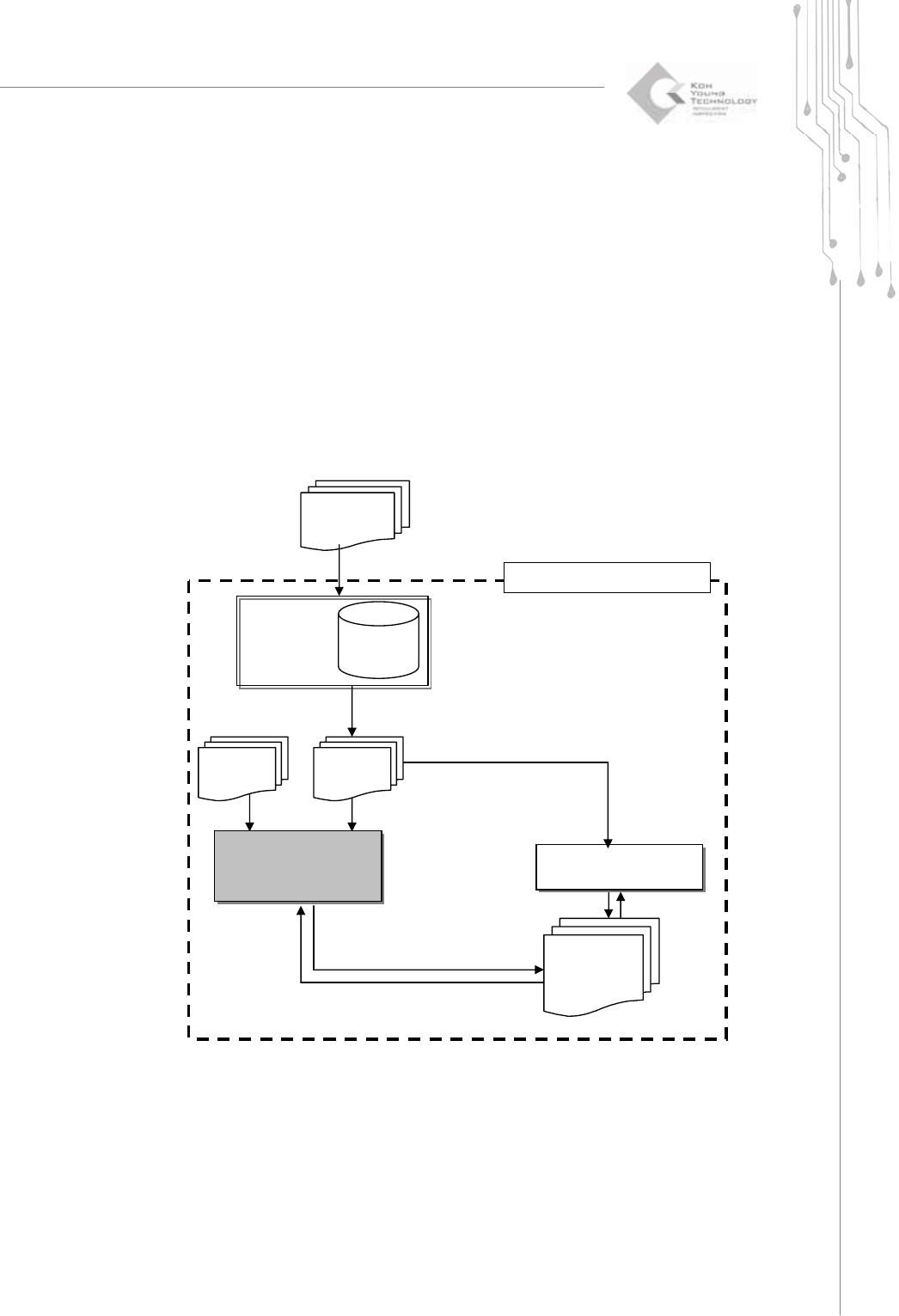
The CEditor program lets you to set the inspection tolerance and to group a series of
pads into a part and assign a part name and component ID to it for easier management
of pad files. In addition to the job file editing function of the 3D Inspector, the CEditor
program allows you to edit a pad or CAD file and save it into a job file for effective
management.
GerbPad
:Retrieve
Pad Data
Job File
*.gpd
Gerber File
*.gbr
CEditor
:Modify Pad File and
Project File
3D Inspector
:PCB Inspection
Pad File
*.pad
Project File
*.mdb
KY-3030 Series
CAD File
*.txt,*.asc
68 | KY-8030 Series(KYOS-2007001_rev0)
3DIn‐lineSolderPasteInspectionSystems
2.1.2. Screen Layout
Status Bar
Main View
Title Bar
Tool Bar
Menu Bar
Operation Window
Programmers Manual
| 69
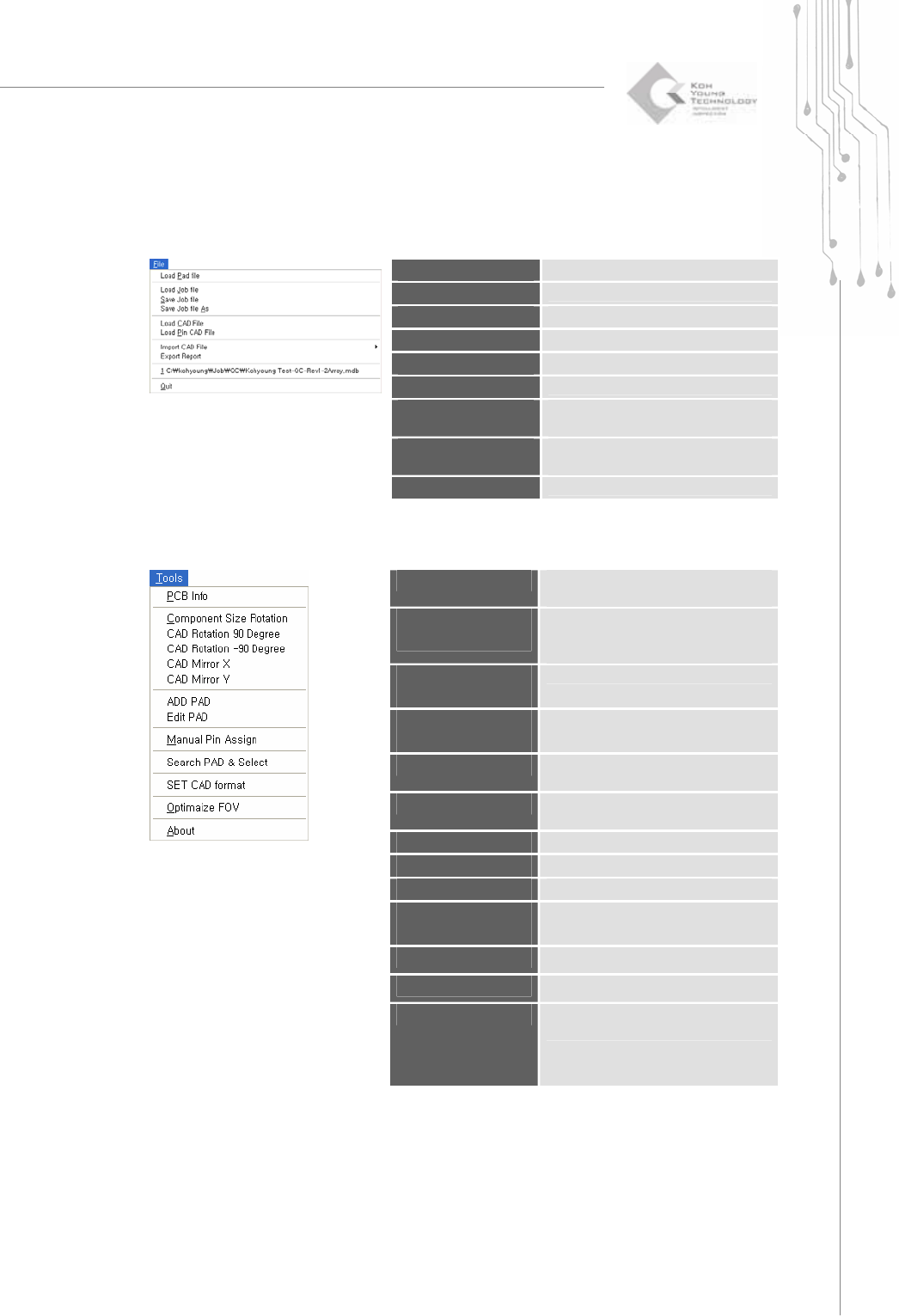
2.1.3. Menu Layout
1) File Menu
Load Pad file
Load a pad file(*.pad ).
Load Job file
Load a job file (*.mdb).
Save Job file
Save a job file (*.mdb).
Load CAD File
Load a CAD file.
Load Pin CAD File
Load a pin CAD file.
Import CAD File
Import a CAD file in various formats.
Export Report
Save the contents of a job file in csv
format (*.csv).
Recent files
Open the most recent job file (up to 10
files).
Quit
Quit the CEditor program.
2) Tools Menu
PCB Info
When a job file (*.mdb) is loaded,
change PCB information.
Component Size
Rotation
Swap the values of the width and
length for a component ID.
(when using CAD file only)
CAD Rotation 90
Degree
Rotate the CAD screen by +90°.
CAD Rotation -90
Degree
Rotate the CAD screen by -90°.
CAD Mirror X
Move the CAD screen symmetrically
along the X-axis.
CAD Mirror Y
Move the CAD screen symmetrically
along the Y-axis.
ADD PAD
Create a pad.
Edit PAD
Edit a pad.
Manual Pin Assign
Assign a pin number manually.
Search PAD &
Select
Search and select a pad by
conditions.
SET CAD Format
Specify a CAD file format.
Optimize FOV
Specify a FOV (Field of View).
About
Display the CEditor program version
and system information.