KY8030 Programmers Manual - 第94页
92 | KY-8030 Series (KYOS-2007001_rev0) 3D In ‐ line Solder Paste Inspection Systems 9) Manual Pin As signment In the “Pi n Assign” dia log box, e nter the re quired i nformat ion and cl ick the App ly button…
Programmers Manual
| 91
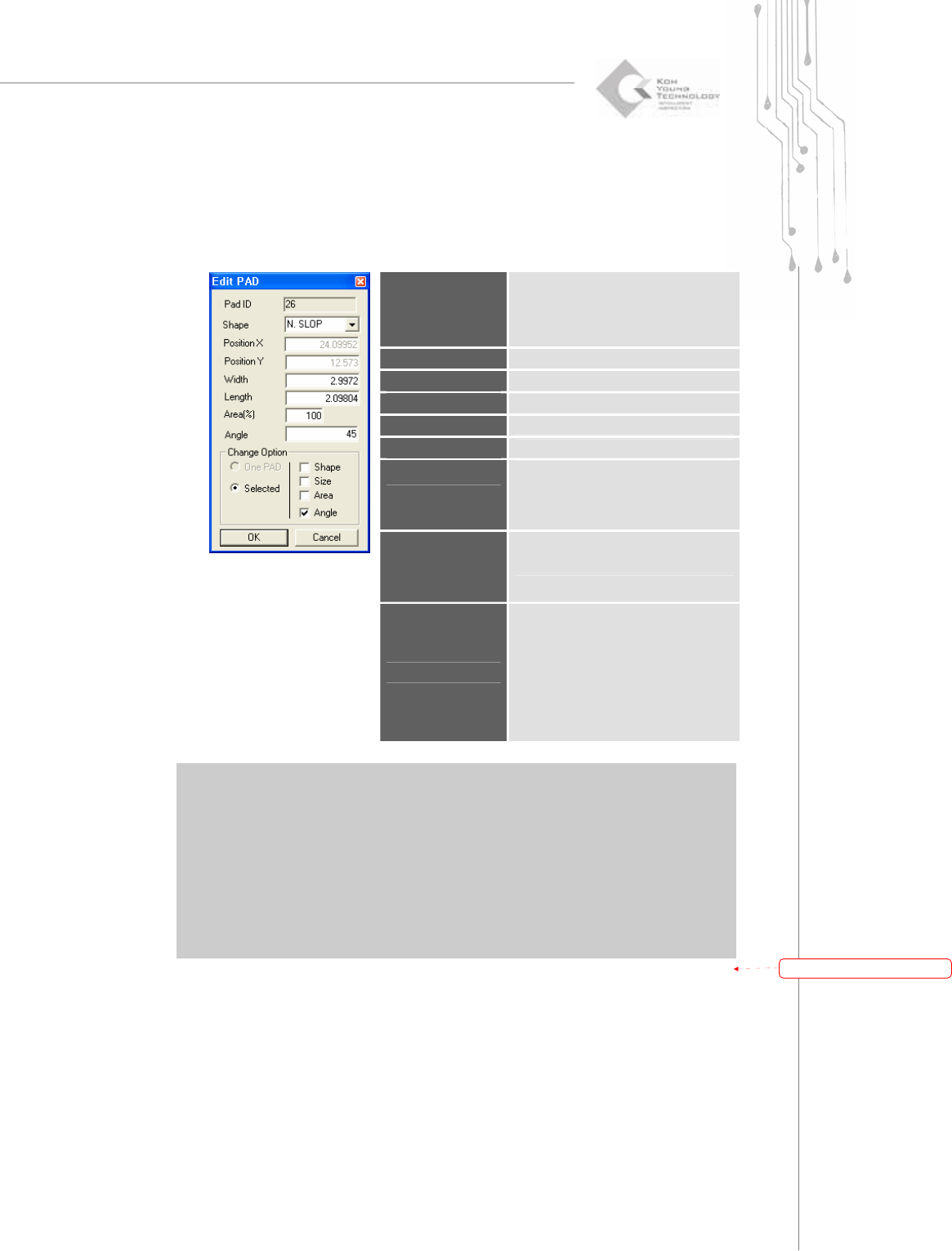
8) Edit PAD
In the “Edit PAD” dialog box, enter pad information and click the OK button. The pad
information will be changed.
“Edit PAD” Dialog Box
Pad ID
Pad ID.
Note: Upon pad creation, a pad ID is
automatically assigned and
cannot be changed.
Shape
The shape of the pad
PositionX
The X-coordinate of the pad
PositionY
The Y-coordinate of the pad.
Width
The width of the pad
Length
The length of the pad
Area(%)
The actual area of the pad.
Note: Click the CAL.button to
calculate the actual area of the
pad shape.
Angle
The angle of the pad
Change Option
Note:
One PAD - Change the shape, size or
area of a single pad.
Selected - Change the shape, size or
area of the selected pads.
※ Note: The available pad shapes are as follows:
R - Rectangle
C - Circle
D - Rounded Rectangle
O - Oblong
U - Undefined
P - Sloped Rectangle (pad sloped forward at 45°),
N - Sloped Rectangle (pad sloped backward at 45°),
带格式的:
项
目符
号
和
编号
92 | KY-8030 Series(KYOS-2007001_rev0)
3DIn‐lineSolderPasteInspectionSystems
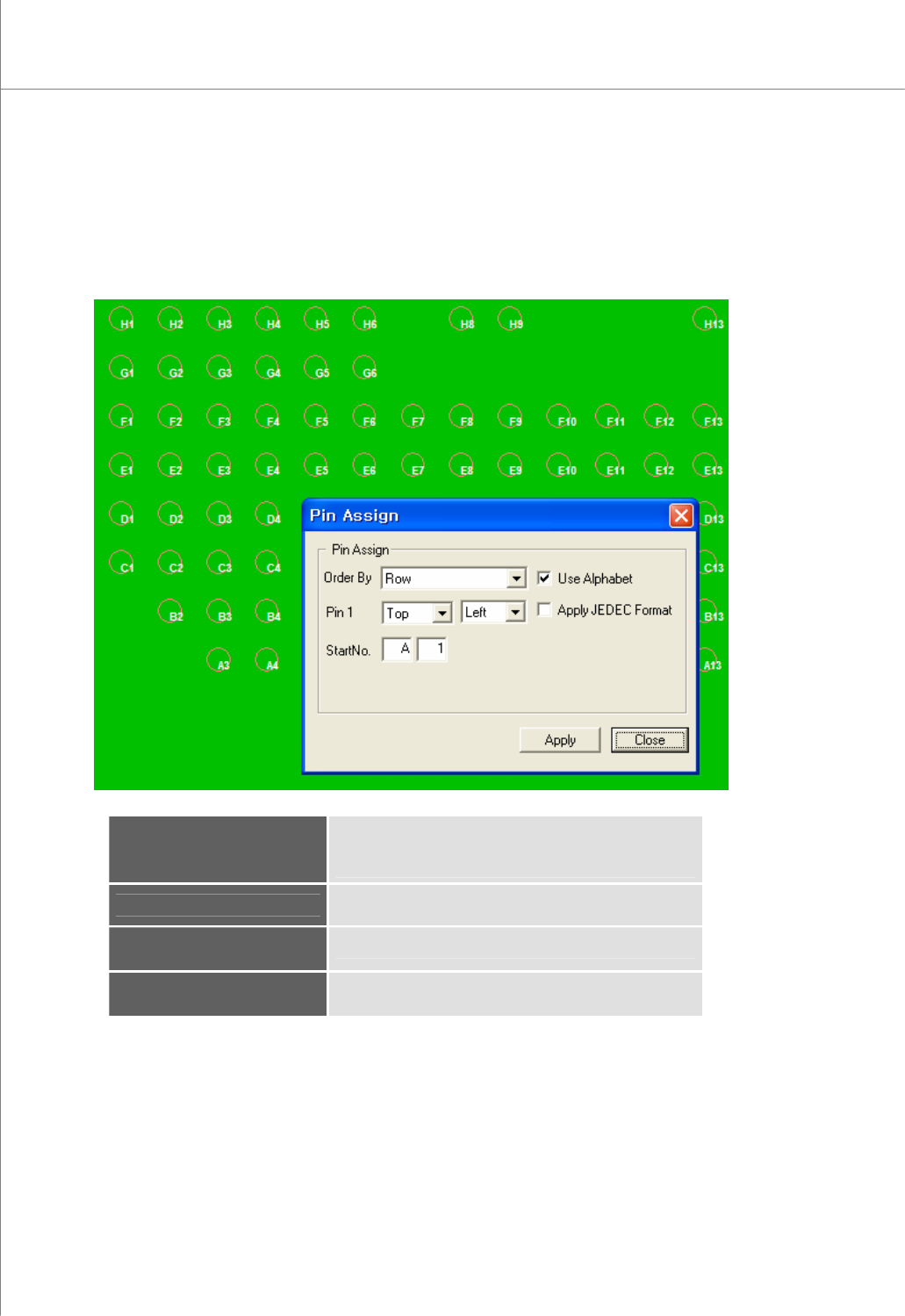
9) Manual Pin Assignment
In the “Pin Assign” dialog box, enter the required information and click the Apply
button. A pin number will be automatically assigned.
The “Pin Assign” Dialog Box
Order By
Specify the order in which pin numbers will be assigned.
(available options: Row, Column, Clockwise,
Counterclockwise)
Pin1
Select a start position.
Select : Top/Bottom Left/Right
Start No.
Start number (Alphabet + Number)
Apply JEDEC Format
Numbering with JEDEC format
Programmers Manual
| 93
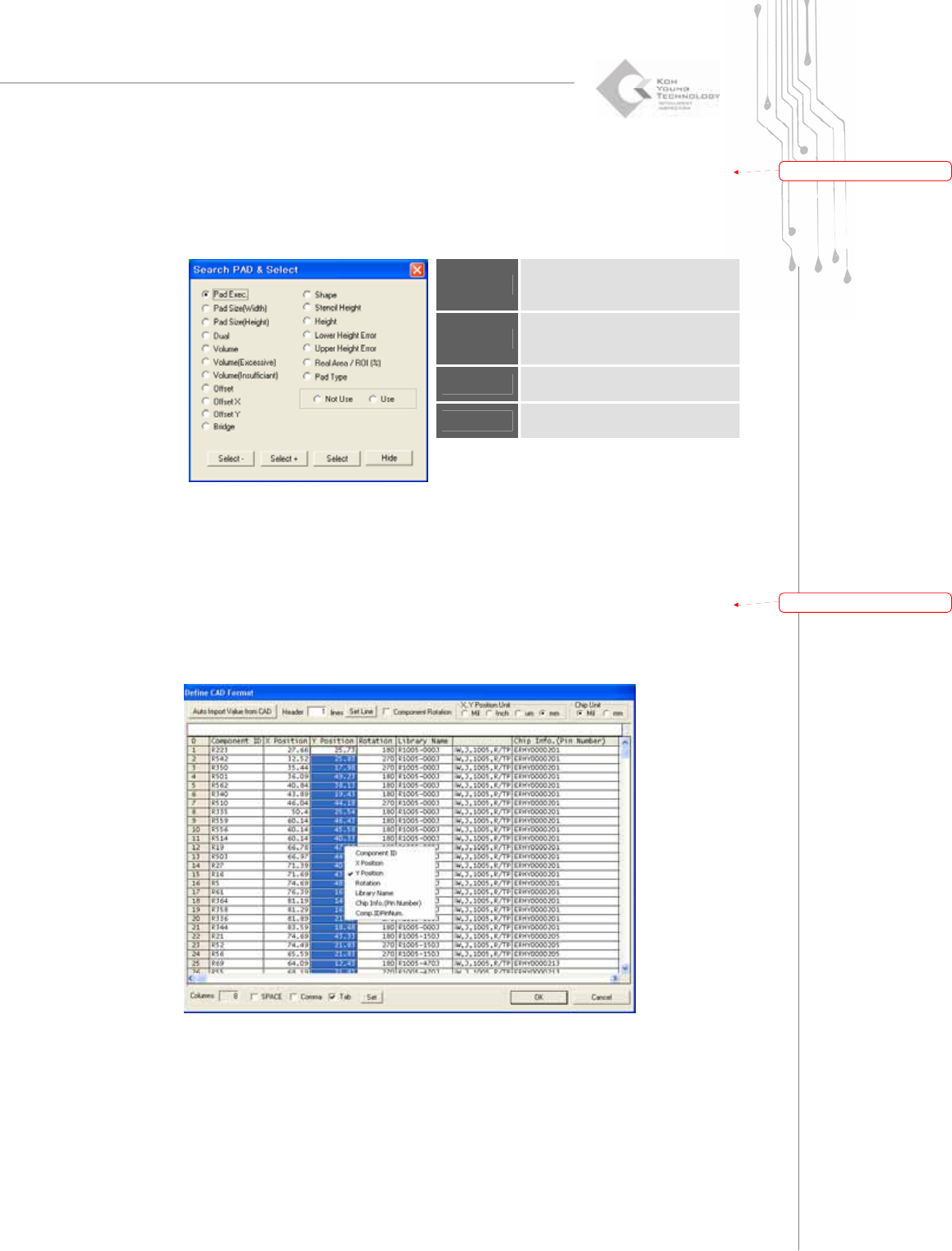
10) Search & Select Pad
Specify a search condition and value and click the Select button.
The “Search PAD & Select” Dialog Box
Select -
Subtract the pad(s) that meet the
search condition from the selected
pads.
Select +
Add the pad(s) that meets the
search condition to the selected
pad group.
Select
Select pad(s) that meets the search
condition.
Hide
Close the “Search Pad & Select”
dialog box.
11) Set CAD Format
Specify a CAD file format.
The “Define CAD Format” Dialog Box
带格式的:
项
目符
号
和
编号
带格式的:
项
目符
号
和
编号