KY8030 Programmers Manual - 第96页
94 | KY-8030 Series (KYOS-2007001_rev0) 3D In ‐ line Solder Paste Inspection Systems Auto Import Value from C AD Match a CAD file to a CAD format automat ically. Header The number of rows that will be used i …
92 | KY-8030 Series(KYOS-2007001_rev0)
3DIn‐lineSolderPasteInspectionSystems
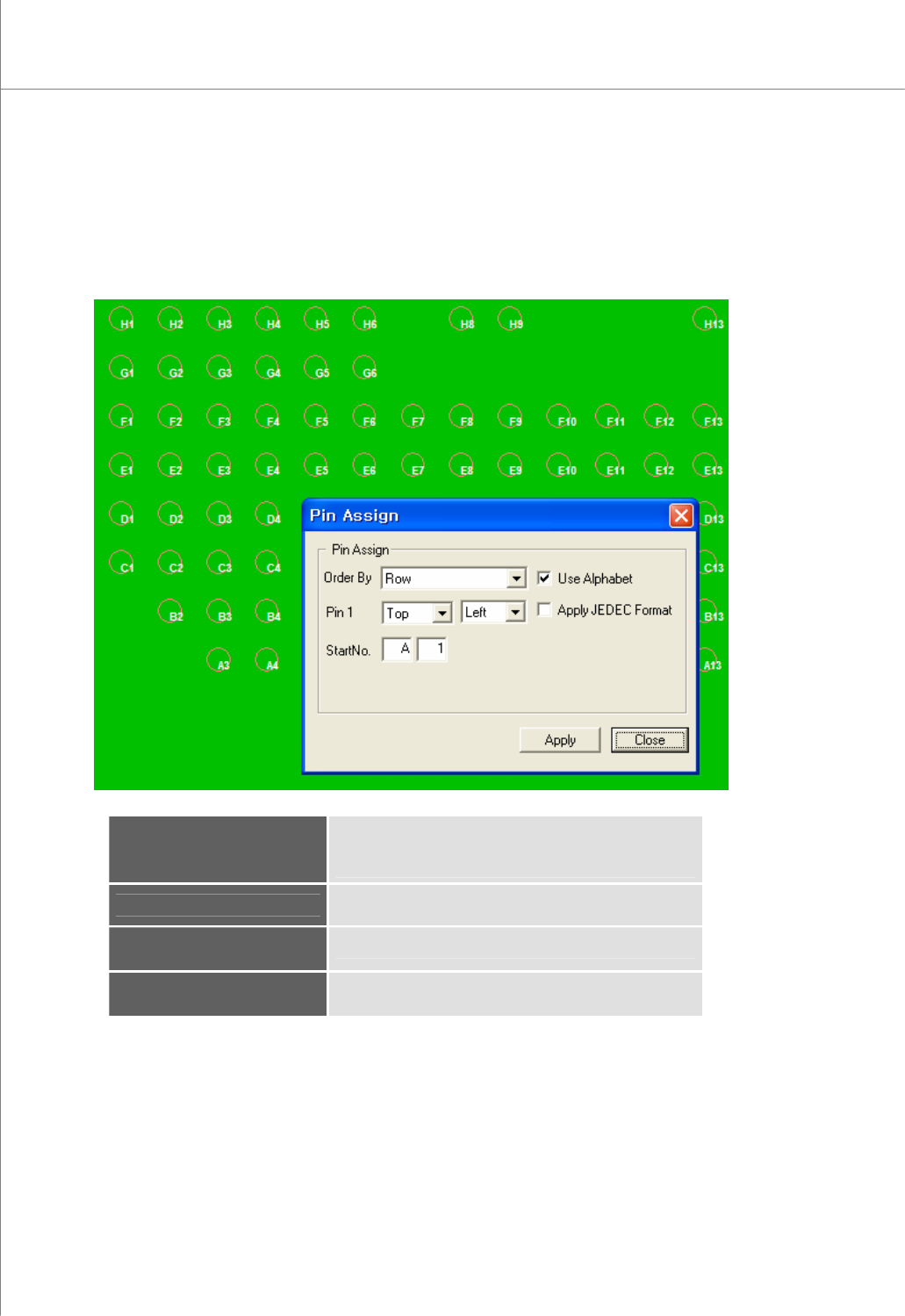
9) Manual Pin Assignment
In the “Pin Assign” dialog box, enter the required information and click the Apply
button. A pin number will be automatically assigned.
The “Pin Assign” Dialog Box
Order By
Specify the order in which pin numbers will be assigned.
(available options: Row, Column, Clockwise,
Counterclockwise)
Pin1
Select a start position.
Select : Top/Bottom Left/Right
Start No.
Start number (Alphabet + Number)
Apply JEDEC Format
Numbering with JEDEC format
Programmers Manual
| 93
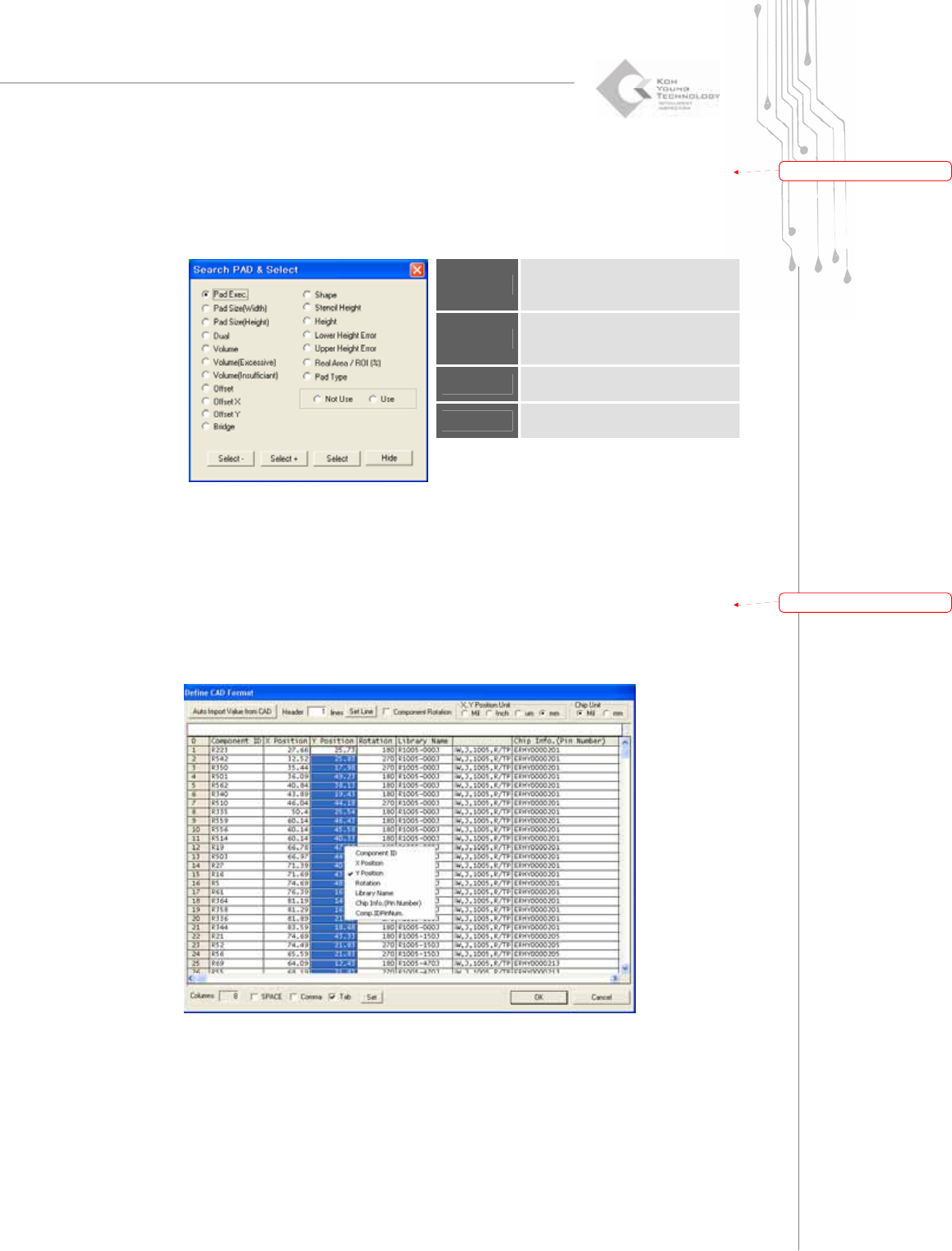
10) Search & Select Pad
Specify a search condition and value and click the Select button.
The “Search PAD & Select” Dialog Box
Select -
Subtract the pad(s) that meet the
search condition from the selected
pads.
Select +
Add the pad(s) that meets the
search condition to the selected
pad group.
Select
Select pad(s) that meets the search
condition.
Hide
Close the “Search Pad & Select”
dialog box.
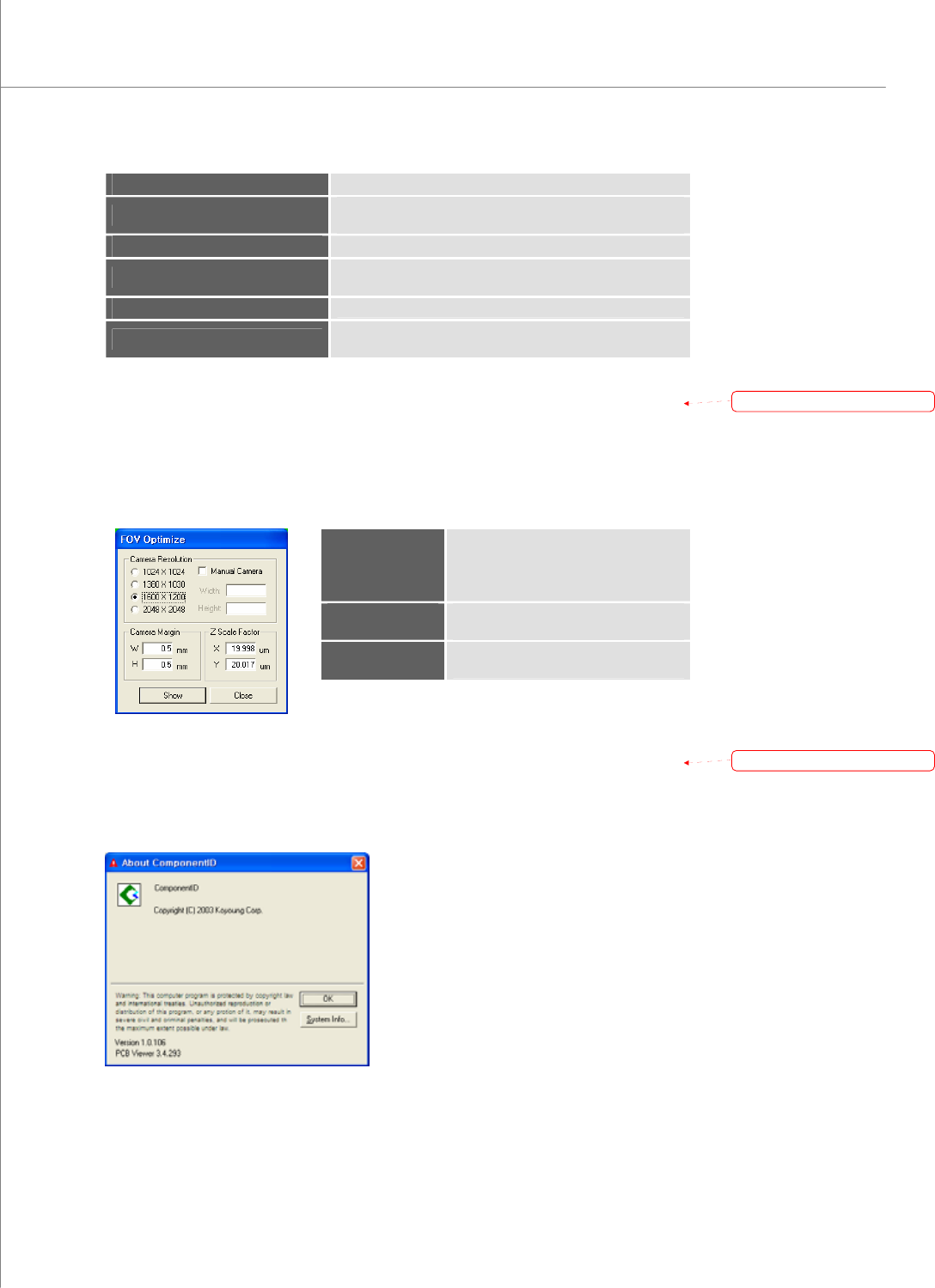
11) Set CAD Format
Specify a CAD file format.
The “Define CAD Format” Dialog Box
带格式的:
项
目符
号
和
编号
带格式的:
项
目符
号
和
编号
94 | KY-8030 Series(KYOS-2007001_rev0)
3DIn‐lineSolderPasteInspectionSystems
Auto Import Value from CAD
Match a CAD file to a CAD format automatically.
Header
The number of rows that will be used in the header.
Click the Set Line button to apply a new setting.
Component Rotation
Switch a row with a column.
X, Y Position Unit
Position units for CAD.
(available options: Mil, inches, um, mm)
Chip Unit
Chip units. (available options: Mil, mm)
SPACE, Comma, Tab
Select a character that delimits CAD information.
(available options: SPACE, Comma, Tab)
12) Optimize FOV
Enter camera information and click the Show button. A FOV (Field of View) will be
set.
The “FOV Optimize” Dialog Box
Camera
Resolution
Specify the camera resolution.
(available options: 1024 x 768, 1380 x
1030, 1600 x 1200, 2048 x 2048)
Camera Margin
Specify the inspection margins for
width and height.
Z scale Factor
Specify X and Y values for a single
pixel.
13) About
Display the version and copyright information for the CEditor program.
The “About Component ID” Dialog Box
带格式的:
项
目符
号
和
编号
带格式的:
项
目符
号
和
编号