SI-F130 Manual(EN)_jpg_ Rev1.pdf - 第139页
Nozzle Omission Detection Sensor P osition Adjustment HLF-10417-01 Nozzle Omission Detection Sensor Position Adjus tment SHEET 4/4 2. Click the Abs . Move button. 3. Click the check box for H axis and put check in it to …
Nozzle Omission Detection Sensor Position Adjustment
HLF-10417-01
Nozzle Omission Detection Sensor
Position Adjustment
SHEET
3/4
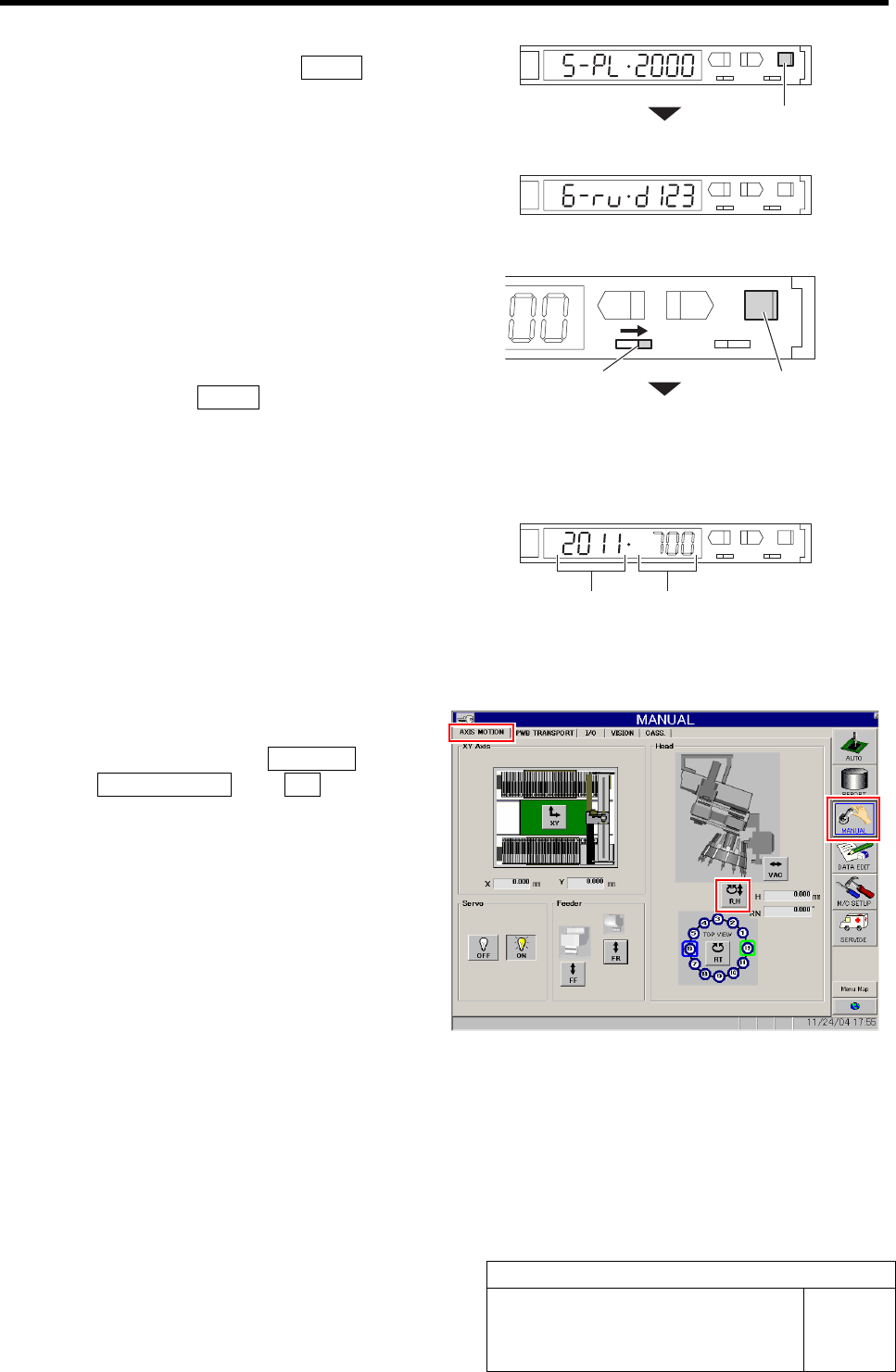
7. Set the “5. Power tuning target value”
to “2000” and press the MODE button.
Changes to the “6. Display direction”.
8. Set the “6. Display direction” to “D123
(normal setting)”.
5 Set sensitivity of the nozzle omission detec-
tion sensor.
1. Turn the SET/RUN selector switch to
the “RUN” side.
2. Press the MODE button for longer
than 3 seconds.
Light receiving value/threshold is automatically
adjusted.
L
SET RUN
UP DOWN MODE
D
3. Check the light receiving value.
If the light receiving value is within a range of
“2000±100”, setting is completed.
If the light receiving value is out of a range of
“2000±100”, re-perform the positional adjust-
ment of the nozzle omission detection sensor per-
formed in the procedures 2 and 3.
6 Set the threshold.
1. Click in an order of MANUAL menuÎ
AXIS MOTION tabÎR.H button.
RN/H Axis screen is displayed.
MODE button
SET/RUN selector switch
MODE button
Light receiving value
Threshold
Nozzle Omission Detection Sensor Position Adjustment
HLF-10417-01
Nozzle Omission Detection Sensor
Position Adjustment
SHEET
4/4
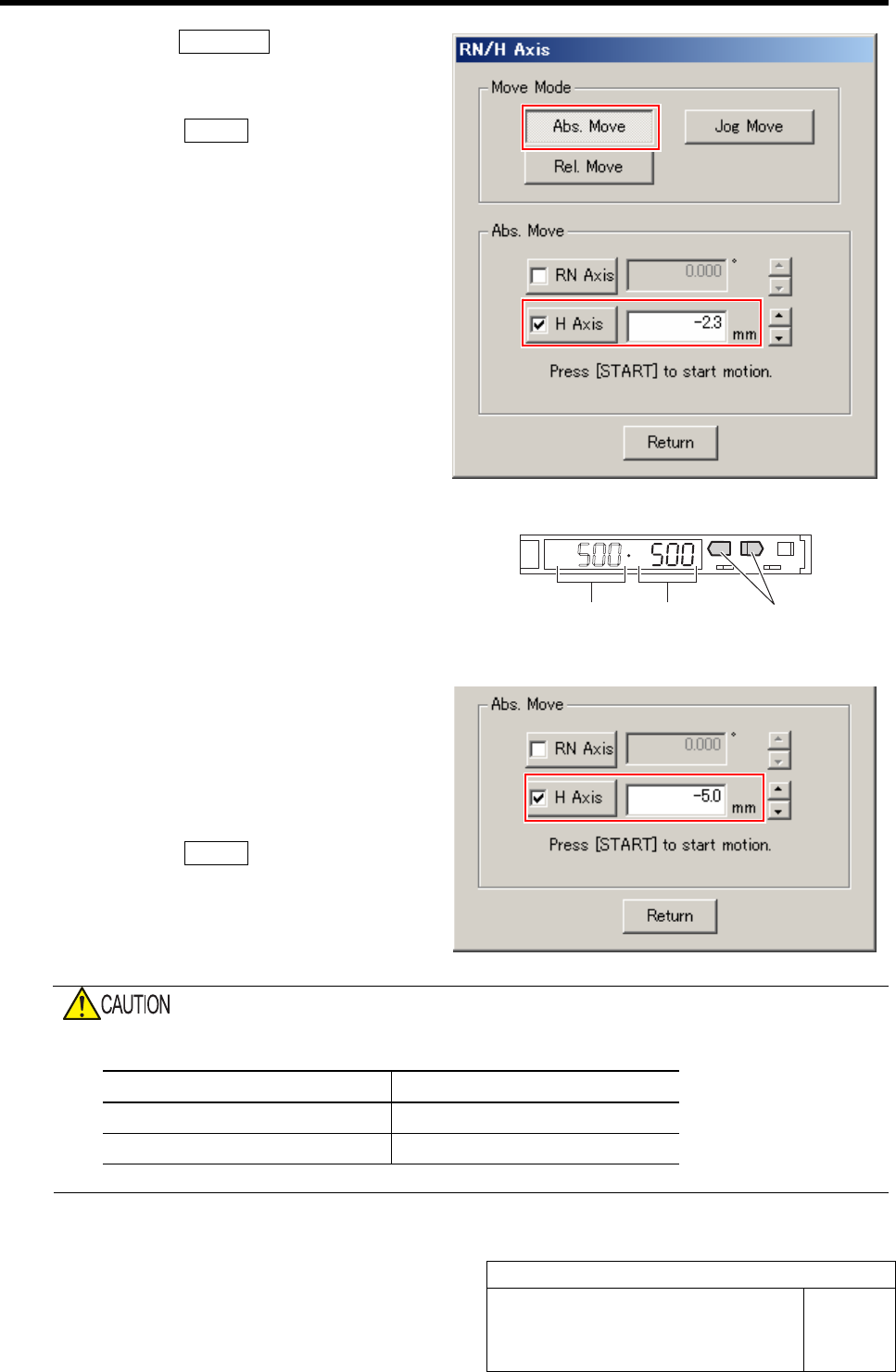
2. Click the Abs. Move button.
3. Click the check box for H axis and put
check in it to input “-2.3”.
4. Press the START button on the opera-
tion panel.
H axis lowers to a position of -2.3 mm.
5. Check the present light receiving
value with the nozzle omission detec-
tion sensor amplifier, and set its value
to the threshold.
Example: If the light receiving value is “500”, set
the threshold to”500”.
7 Check that the sensor is turned off at a posi-
tion where H axis is lowered by -5.0 mm.
1. On the RN/H Axis screen, click check
box for H axis and put check in it to
input “-5.0”.
2. Press the START button on the opera-
tion panel.
H axis lowers to a position of -5.0 mm.
3. Check that the sensor is turned off.
Do not confuse the lowering dimension when checking sensor OFF and the lowering dimension for
setting threshold.
Item H Axis lowering dimension
Threshold setting -2.3 mm
Sensor OFF check -5.0 mm
Light receiving value = Threshold
UP/DOWN button
Phase Adjustment for Nozzle
HLF-10418-01
Phase Adjustment for Nozzle
SHEET
1/8
Phase Adjustment for Nozzle
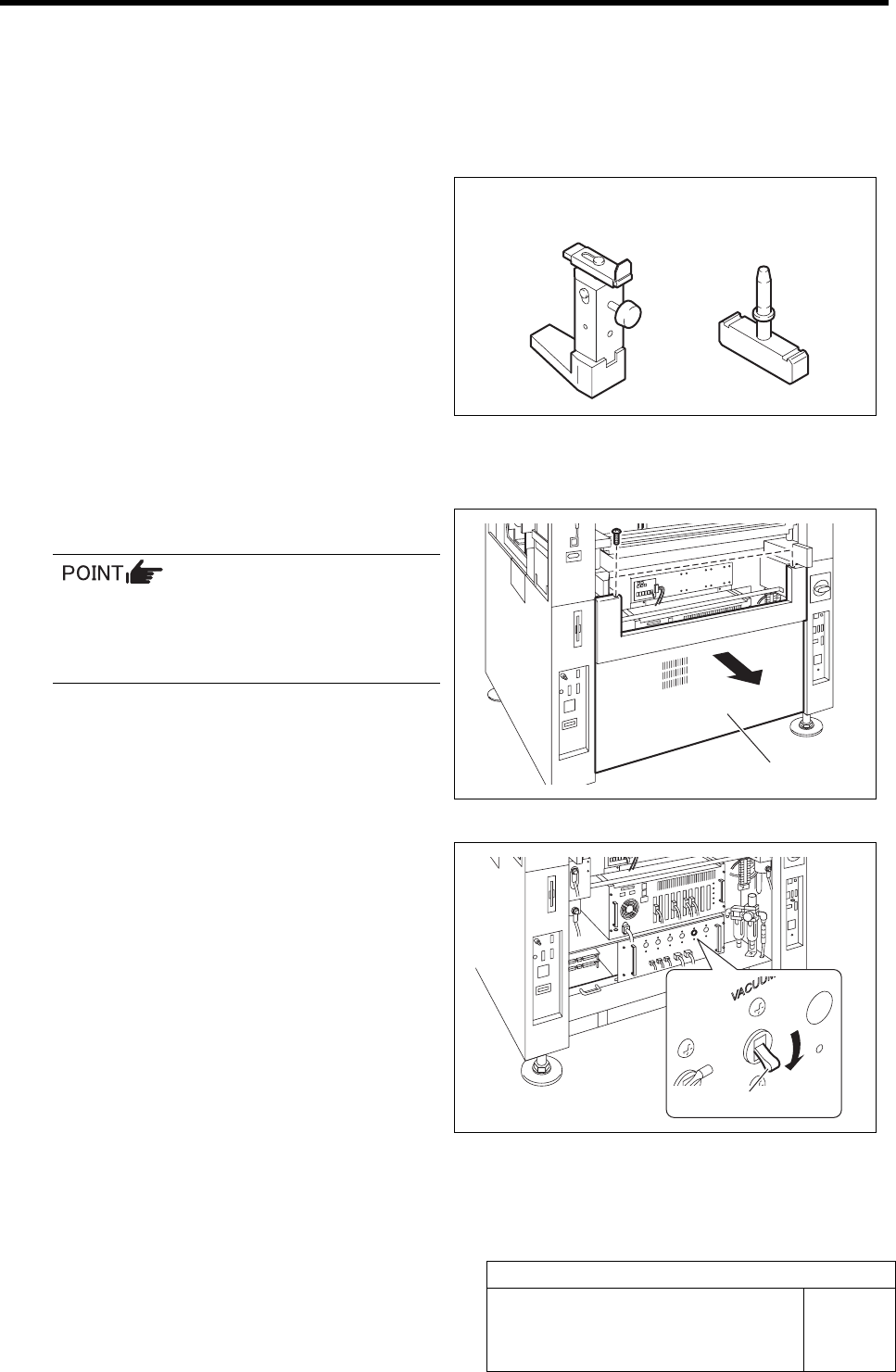
[Necessary jigs]
• Phase adjusting jig for nozzle
• Phase adjusting jig
[Procedure]
1 Turn OFF the VACUUM breaker.
In order to prevent suction of contaminant
and dust from mechanical valve, turn OFF
the VACUUM breaker before removing the
mechanical valve.
1. Loosen 2 screws to remove the lower
panel on the front of the unit.
2. Turn OFF the VACUUM breaker in
the PC unit.
Lower panel
VACUUM breaker
Phase adjusting jig
for nozzle
Phase adjusting jig