SI-F130 Manual(EN)_jpg_ Rev1.pdf - 第15页
How to Display Cali bration Screen HLF-10103-01 How to Display Calibration Screen SHEET 1/3 How to Display Calibration Screen [Necessary jigs] • Jig floppy disk [Procedure] 1 Display the USER LEVEL screen. 1. Click the b…
Remove Production Nozzle
HLF-10102-01
Remove Production Nozzle
SHEET
2/2
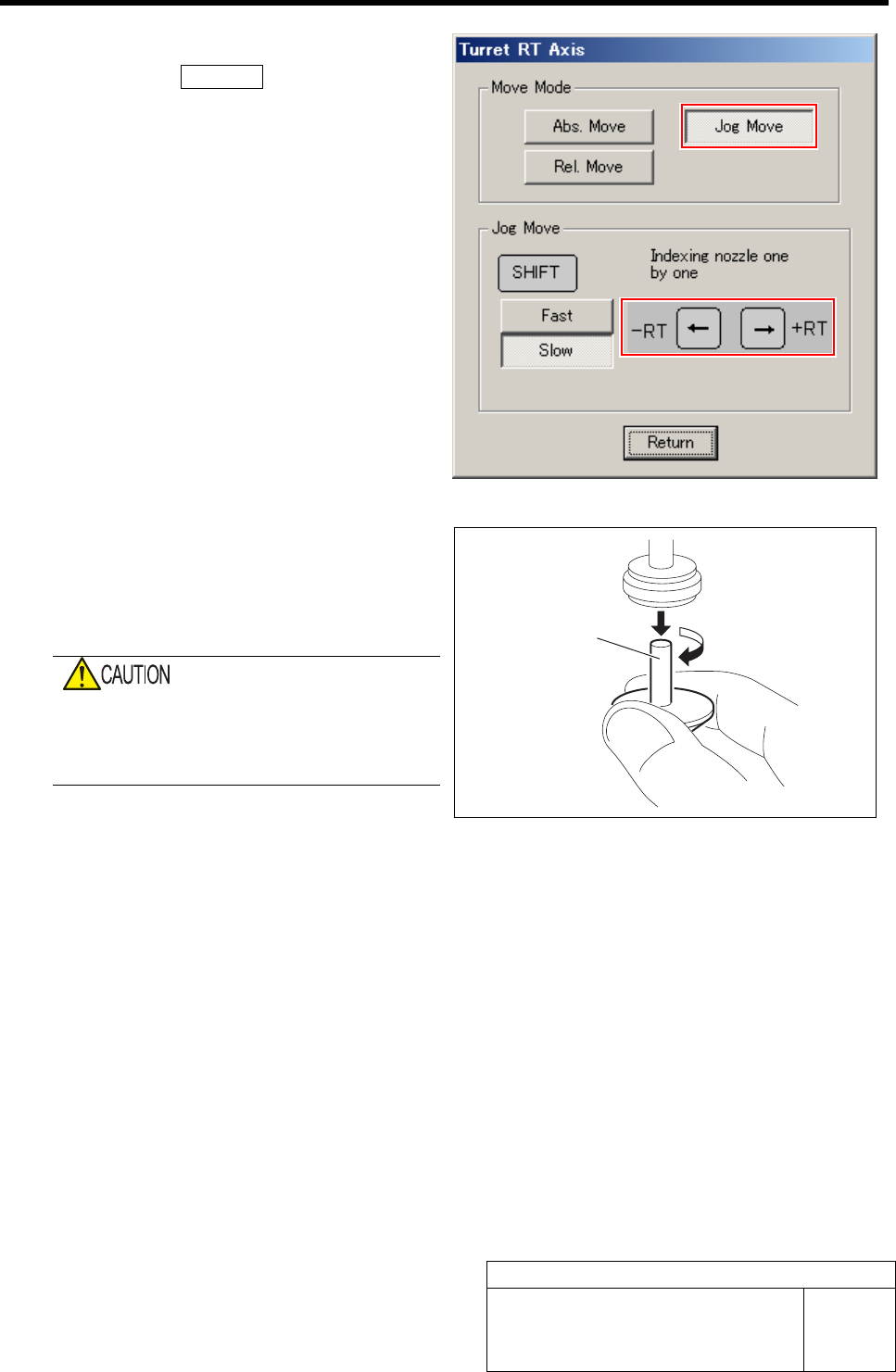
2 Move the nozzle to be removed toward you.
1. Click the Jog Move button in the move
mode.
2. Press the cursor key on the left and
right to jog move the nozzle to be re-
moved toward you.
3 Grab circumference of the nozzle by fingers
and pull out downward with light force while
turning the nozzle slowly.
When removing the nozzle, do not grab the
end of the nozzle.
Otherwise, the nozzle may be deformed,
causing failure of adsorption or placement.
4 Repeat the procedure 2 and 3 to remove all
of the 12 nozzles.
Nozzle
How to Display Calibration Screen
HLF-10103-01
How to Display Calibration Screen
SHEET
1/3
How to Display Calibration Screen
[Necessary jigs]
• Jig floppy disk
[Procedure]
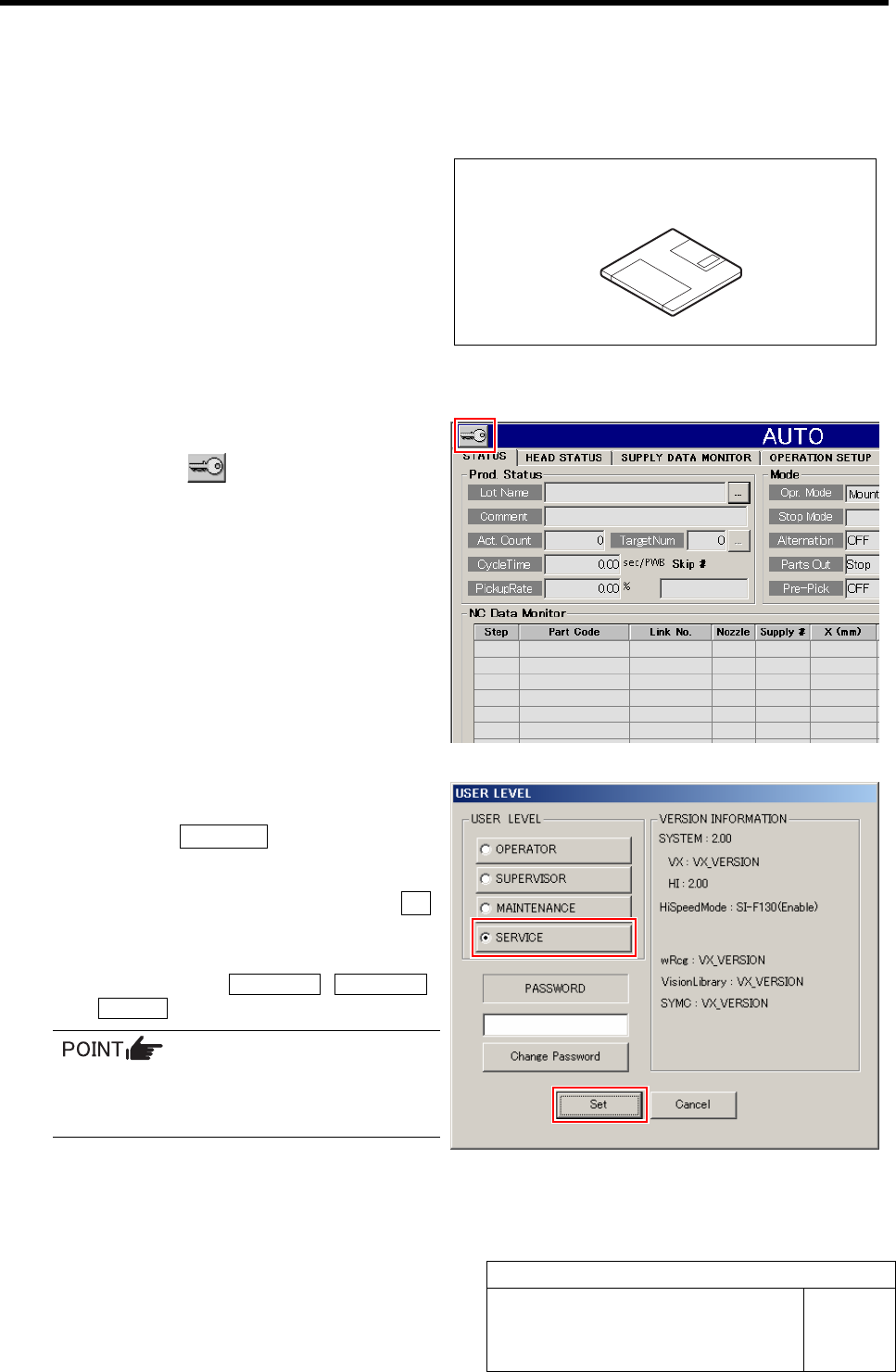
1 Display the USER LEVEL screen.
1. Click the button on the left up-
per of the screen.
USER LEVEL screen is displayed.
2 Change the USER LEVEL to “SERVICE”.
1. Click the SERVICE button.
A cursor appears on a PASSWORD entry space.
2. Enter the password and click the Set
button.
The screen returns to HI screen and respective
menu buttons of DATA EDIT, M/C SETUP,
SERVICE appear on the right of the screen.
To display the calibration screen, it is necessary
to change the USER LEVEL to
[MAINTENANCE] or [SERVICE].
Jig floppy disk
How to Display Calibration Screen
HLF-10103-01
How to Display Calibration Screen
SHEET
2/3
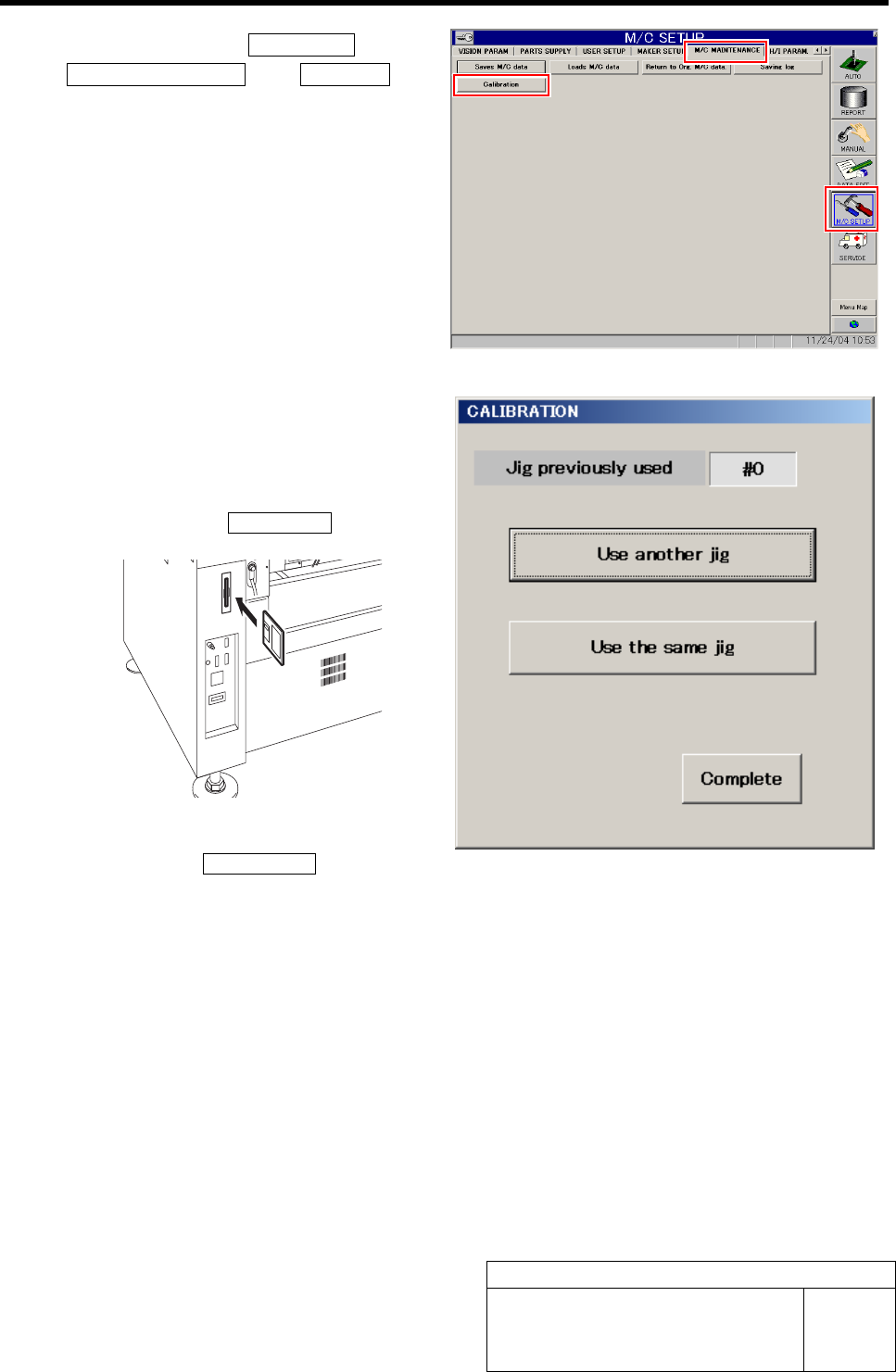
3 Click in an order of M/C SETUP menuÎ
M/C MAINTENANCE tabÎCalibration but-
ton.
A select screen for jig used for calibration appears.
4 Select jig used for calibration.
When performing calibration for the first time, or
when performing calibration by using jig different
from the previous one, set a floppy disk storing ma-
chine data and click the Use another jig.
If calibration has been previously performed by using
the same jig, click the Use the same jig.