SI-F130 Manual(EN)_jpg_ Rev1.pdf - 第2页
CLF-10105-01 SI-F130Service Manual “ Work procedure Content s ” SHEET 1/1 Content s 1-1 Cover removing procedure Removing covers at upper of unit ............................................ WKF-10101-01
1 Work procedure
CLF-10105-01
SI-F130Service Manual
“Work procedure Contents”
SHEET
1/1
Contents
1-1 Cover removing procedure
Removing covers at upper of unit ............................................WKF-10101-01
Removing covers at upper of unit
WKF-10101-01
Removing covers at upper of unit
SHEET
1/4
Removing covers at upper of unit
When accessing servo pack and each board installed at upper of the unit, remove covers according
to procedure in this section.
[Preparation before removing covers]
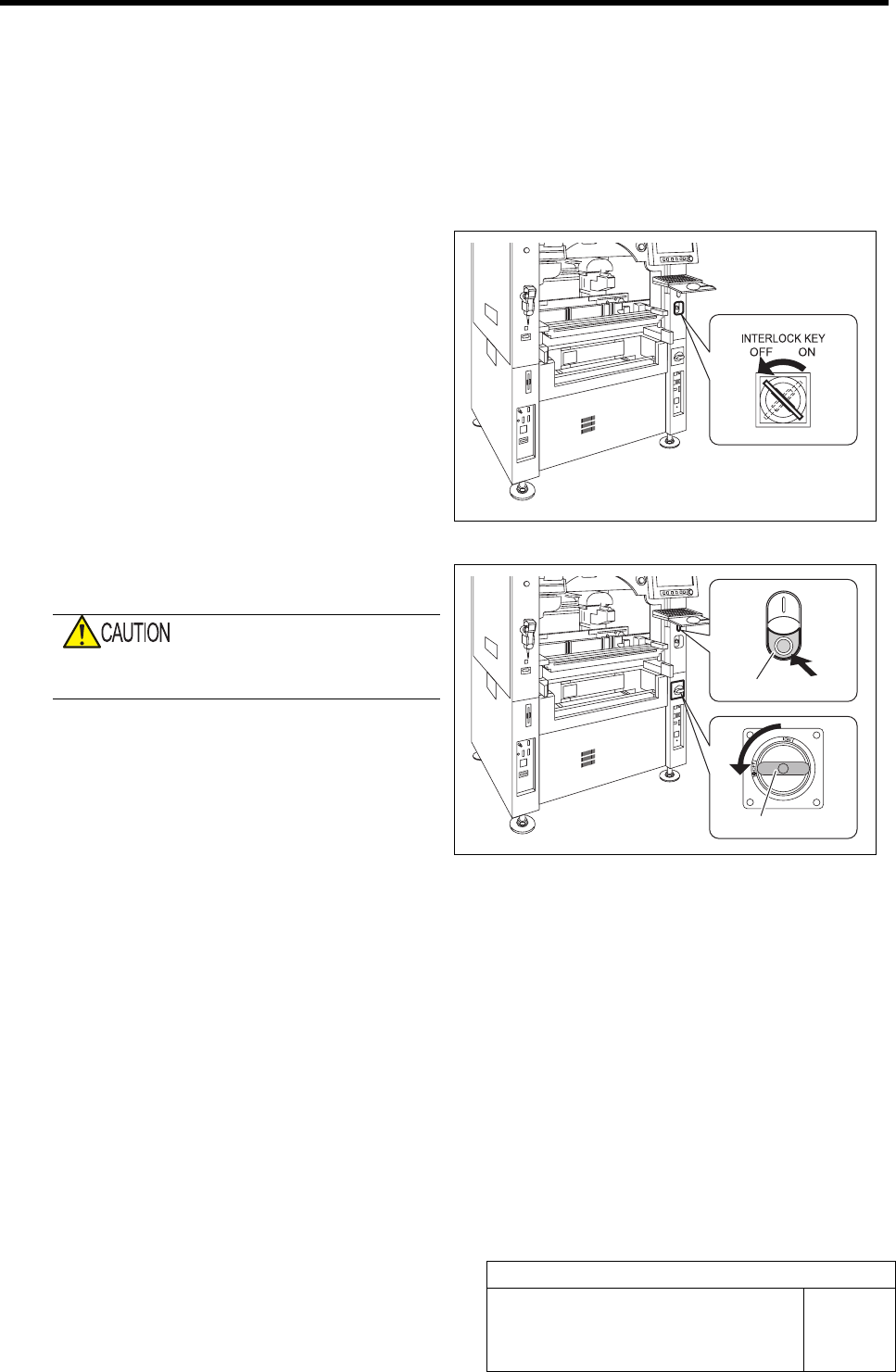
1 Turn the interlock key to OFF side, and turn
OFF the interlock.
2 Shut off the power of the unit.
Do not shut down the power from the start
menu of Windows
®
.
1. Press the power off switch.
Shutting down of the system starts and the power
is automatically shut off.
2. Turn OFF the main breaker.
Power receiving lamp on power panel lights off.
Main breaker
Power off switch