SI-F130 Manual(EN)_jpg_ Rev1.pdf - 第32页
Fiducial Mark Setup HLF-10205-01 Fiducial Mark Setup SHEET 1/2 Fiducial Mark Setup [Necessary jigs] • Do not use jig. [Procedure] 1 Display Fiducial Mark Setup screen. 1. Click the Machine Setup button on the CALIBRA TIO…
PWB Camera Setup
HLF-10204-01
PWB Camera Setup
SHEET
4/4
10 Check again that the nozzle jig (AF06040)
tip enters the nozzle inserting hole of the
calibration plate jig by jog move.
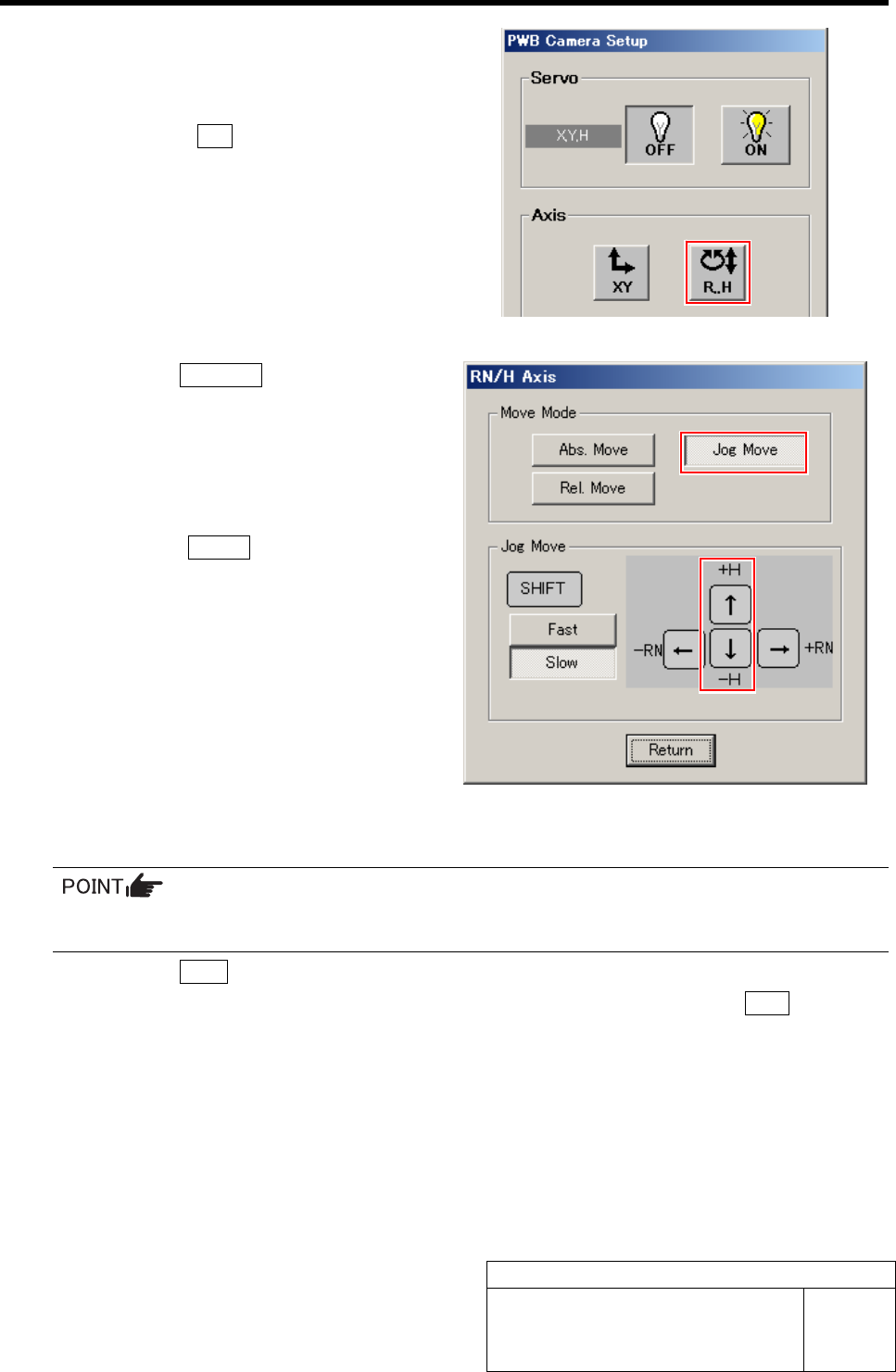
1. Press the R.H button on the PWB
camera Setup screen.
RN/H Axis screen is displayed.
2. Click the Jog Move button.
3. Jog move by the downward cursor key
to check that the nozzle jig (AF06040)
tip enters the nozzle inserting hole.
4. Press the upward cursor key to raise
the H axis.
5. Click the Return button to return to
the PWB Camera Setup screen.
11 Return to the HI screen to perform origin position return.
Since the position of the PWB camera itself has been adjusted, it is unnecessary to save the
position information here.
1. Click the Close button on the PWB Camera Setup screen.
2. Close the Machine Setup screen and CALIBRATION screen and press the ORG button on
the operation panel.
Origin position return is performed.
12 Remove the nozzle jig (AF06040).
Fiducial Mark Setup
HLF-10205-01
Fiducial Mark Setup
SHEET
1/2
Fiducial Mark Setup
[Necessary jigs]
• Do not use jig.
[Procedure]
1 Display Fiducial Mark Setup screen.
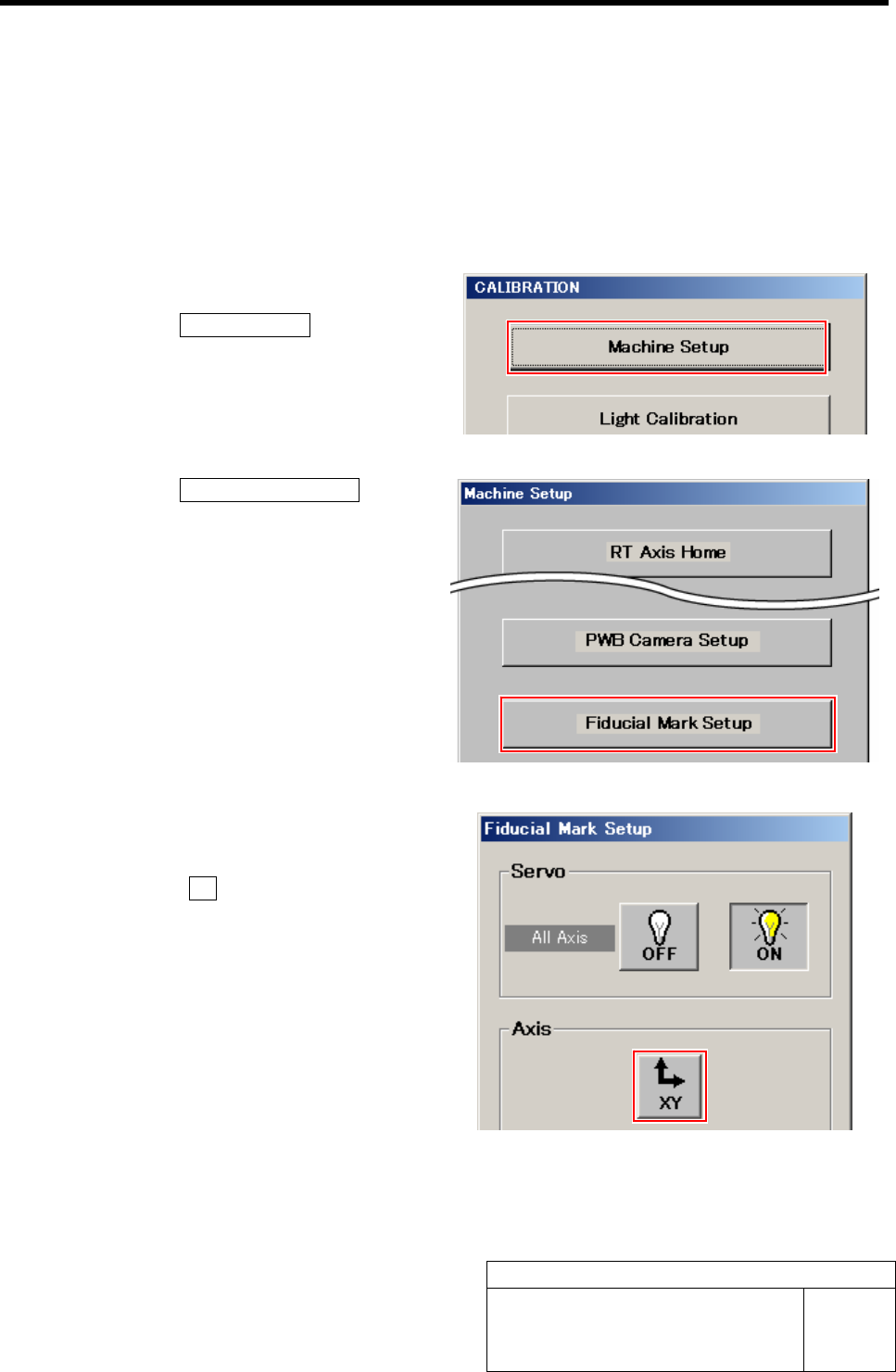
1. Click the Machine Setup button on the
CALIBRATION screen.
Machine Setup screen is displayed.
2. Click the Fiducial Mark Setup button.
Fiducial Mark Setup screen is displayed.
2 Jog move the PWB camera to above the
target mark.
1. Click the XY button on the Fiducial
Mark Setup screen.
XY Axis screen is displayed.
Fiducial Mark Setup
HLF-10205-01
Fiducial Mark Setup
SHEET
2/2
2. Click the Jog Move button.
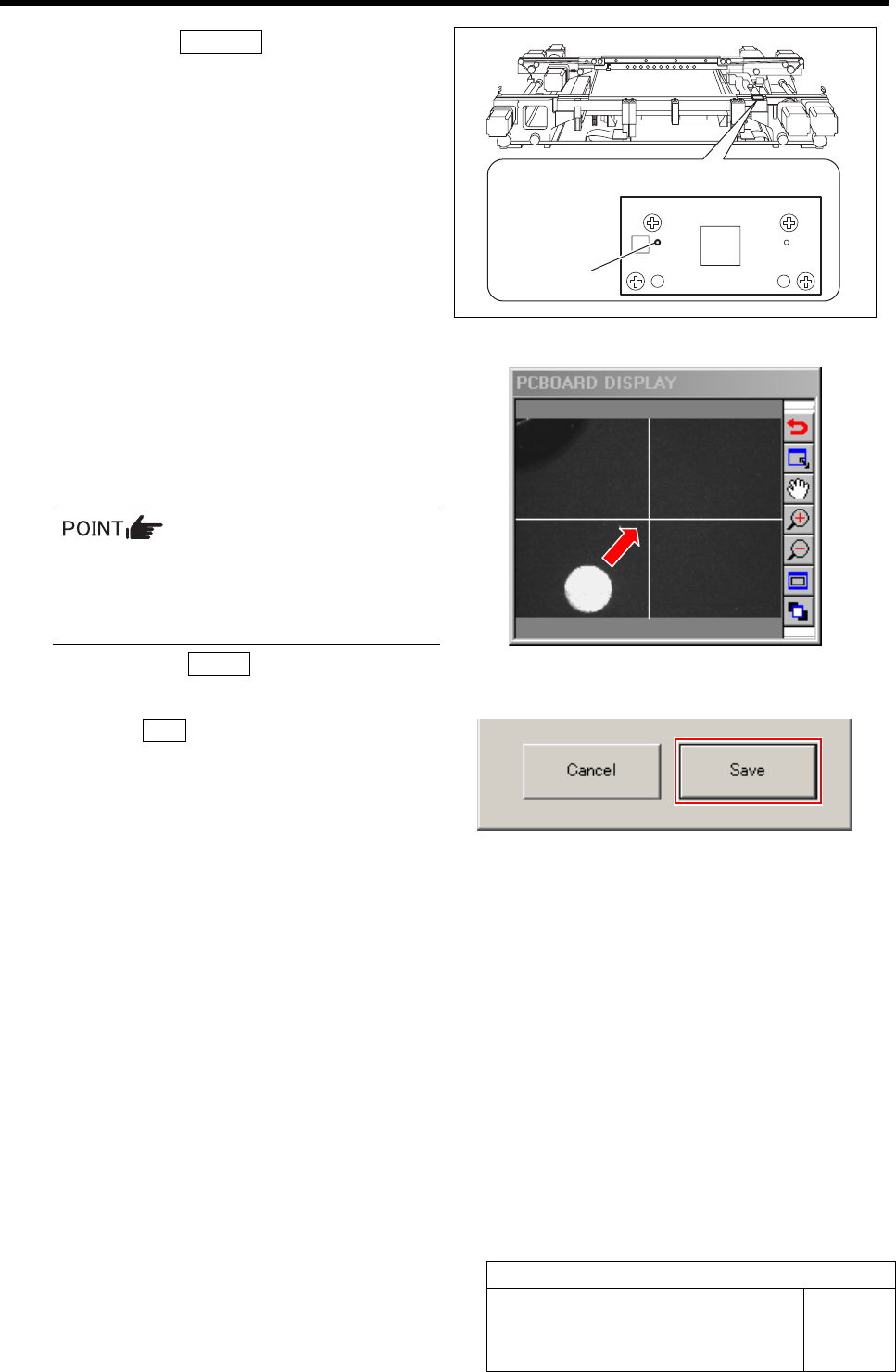
3. Press the cursor key to jog move the
PWB camera to above the target mark
plate installed on the right side of the
conveyor.
3 Mate the cross hairs on the PCBOARD
DISPLAY with the target mark.
1. Adjust by jog moving so that the cross
hairs mate with the target mark while
checking on PCBOARD DISPLAY.
In case of jog fast move, movement by one
stroke can be made every time when the
cursor key is pressed.
When finely adjusting, use jog slow move.
2. Click the Return button to return to
the Fiducial Mark Setup screen.
4 Click the Save button.
The fiducial mark position is saved and the Fiducial
Mark Setup screen closes.
Target mark plate upper surface figure
Target mark