SI-F130 Manual(EN)_jpg_ Rev1.pdf - 第51页
Fixed Camera Upper Li ght Calibration HLF-10305-01 Fixed Camera Upper Light Calibration SHEET 2/3 2 Select jig No. of fixed camera light calibration jig from the list box. 3 Click the Calibration S tart button. “Install …
Fixed Camera Upper Light Calibration
HLF-10305-01
Fixed Camera Upper Light
Calibration
SHEET
1/3
Fixed Camera Upper Light Calibration
[Necessary jigs]
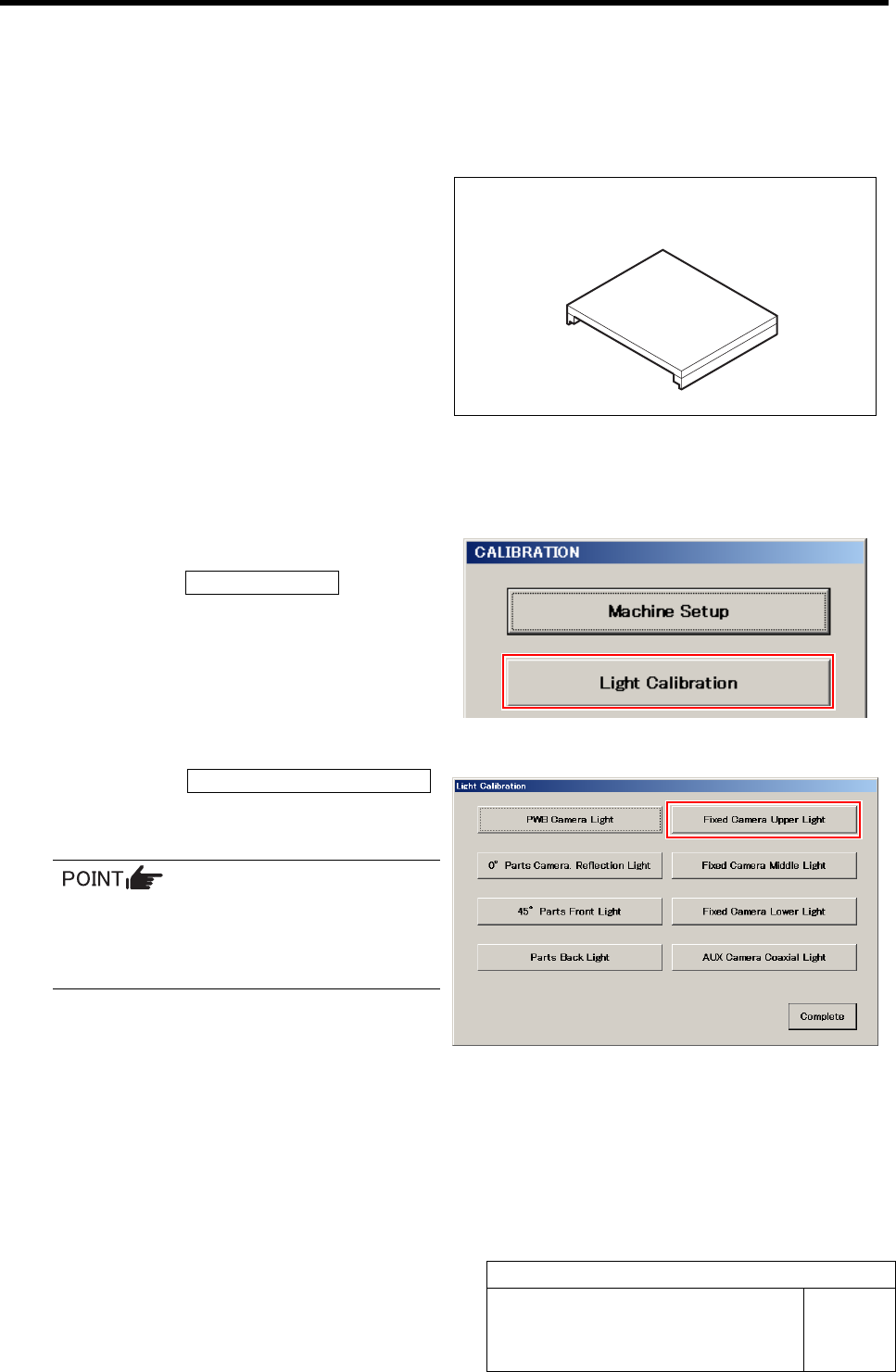
• Fixed camera light calibration jig
[Procedure]
1 Display a Fixed Camera Upper Light screen.
1. Click the Light Calibration button on
the CALIBRATION screen.
Light Calibration screen is displayed.
2. Click the Fixed Camera Upper Light
button on the Light Calibration screen.
Fixed Camera Upper Light screen is displayed.
Each Fixed Camera Light button on the
right of the Light Calibration menu be-
comes effective in case of fixed camera
specification device.
Fixed camera light calibration jig
Fixed Camera Upper Light Calibration
HLF-10305-01
Fixed Camera Upper Light
Calibration
SHEET
2/3
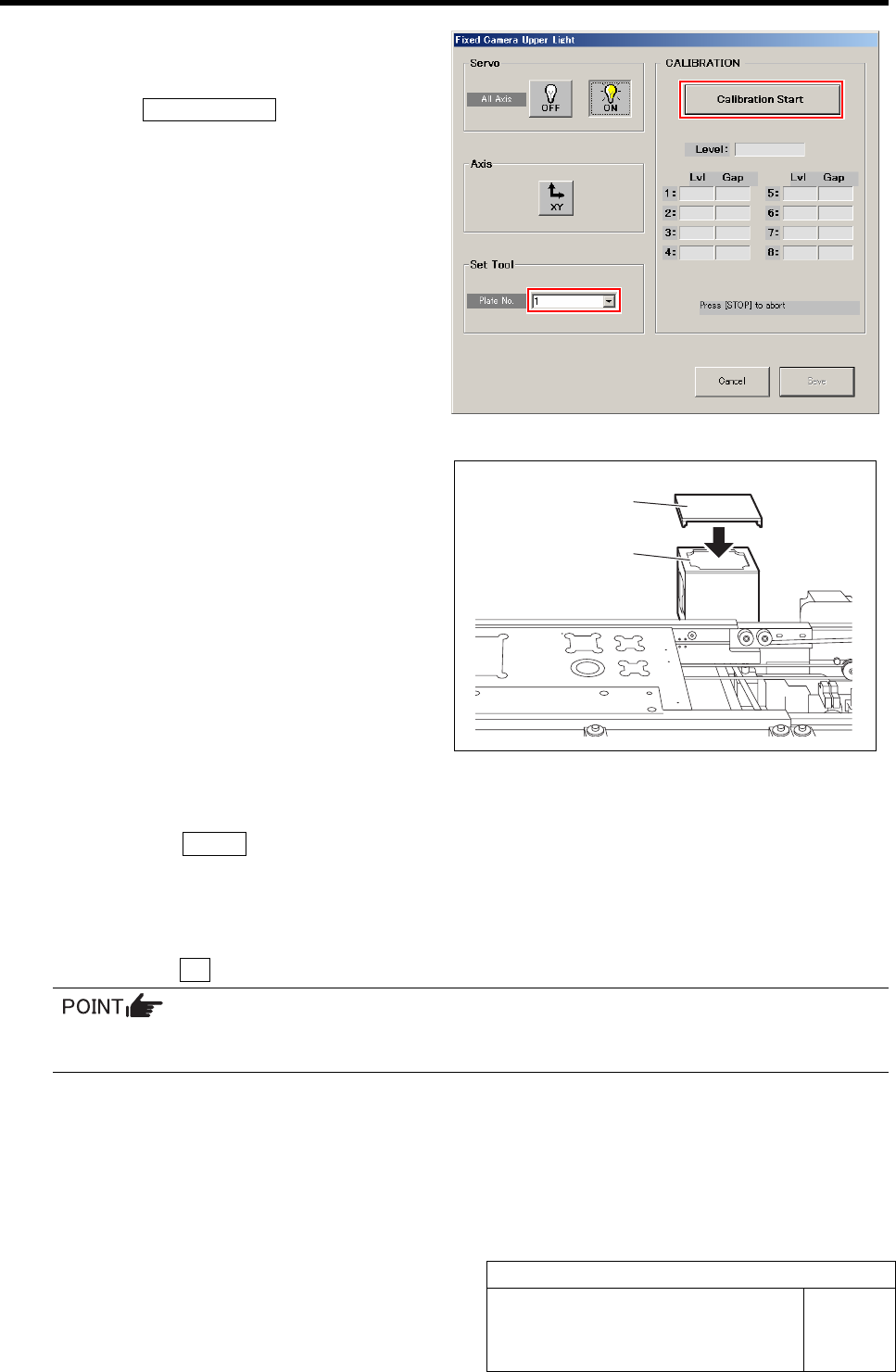
2 Select jig No. of fixed camera light
calibration jig from the list box.
3 Click the Calibration Start button.
“Install calibration jig for fixed light. Press [START]
to start light calibration” is displayed on the message
screen.
4 Install the fixed camera light calibration jig to
the fixed camera.
5 Fixed camera upper light calibration is started.
1. Press the START button on the operation panel.
Calibration is started.
After a few minutes, the calibration ends, and “Remove calibration jig for fixed light” is displayed on the message
screen.
2. Click the OK button to close the message screen.
If fixed camera light calibration is subsequently performed, it is unnecessary to remove the
fixed camera light calibration jig.
Fixed camera
light calibration jig
Fixed camera
Fixed Camera Upper Light Calibration
HLF-10305-01
Fixed Camera Upper Light
Calibration
SHEET
3/3
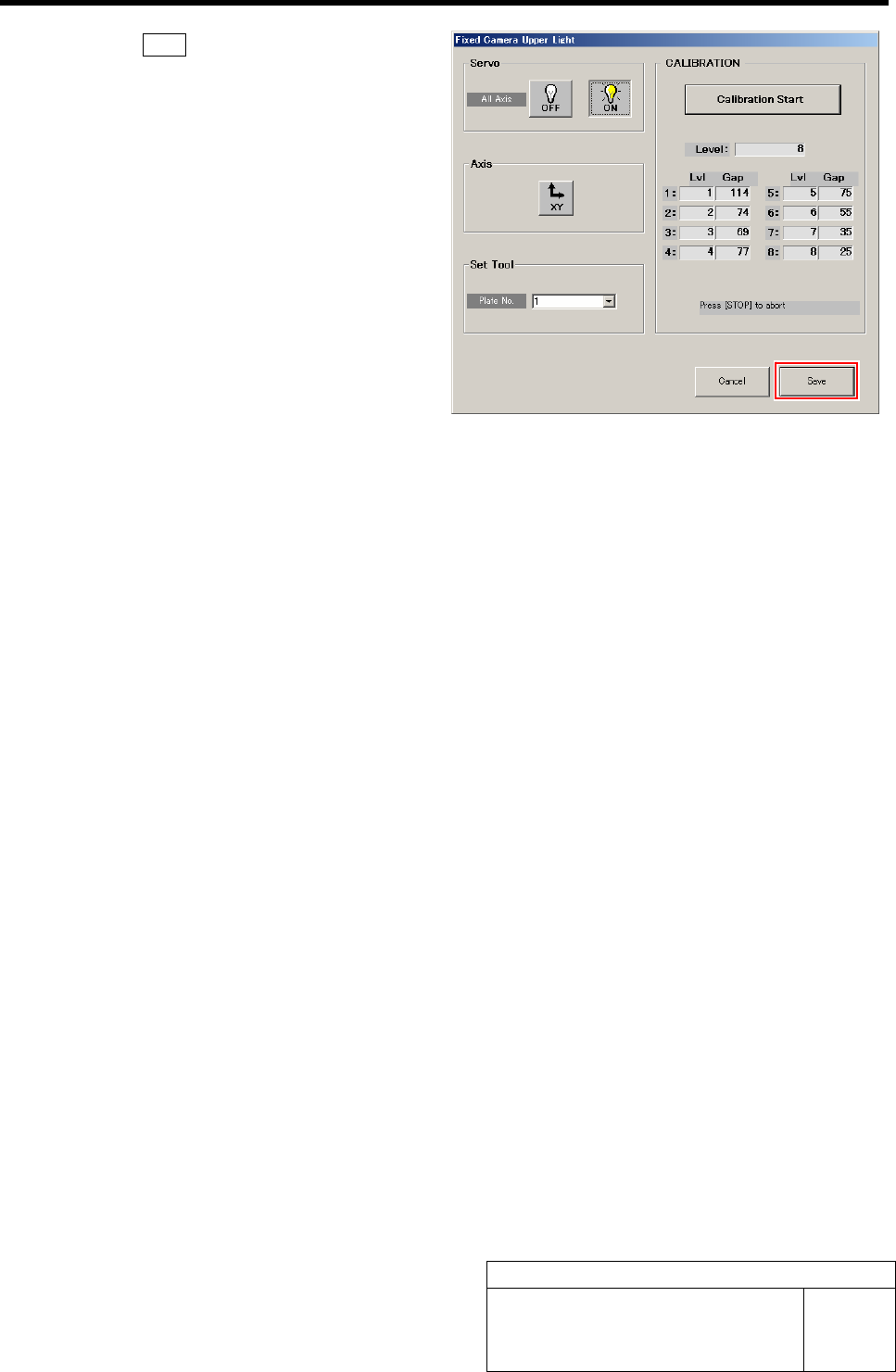
6 Click the Save button.
The Gap values of Lvl 1 to 8 are saved and the Fixed
Camera Upper Light screen closes.