SI-F130 Manual(EN)_jpg_ Rev1.pdf - 第6页
Removing covers at upper of unit WKF-10101-01 Removing covers at uppe r of unit SHEET 4/4 [Removing right and lef t upper covers] 1 Open the front and rear doors. 2 Unscrew respective two cap screws o n the right and lef…
Removing covers at upper of unit
WKF-10101-01
Removing covers at upper of unit
SHEET
3/4
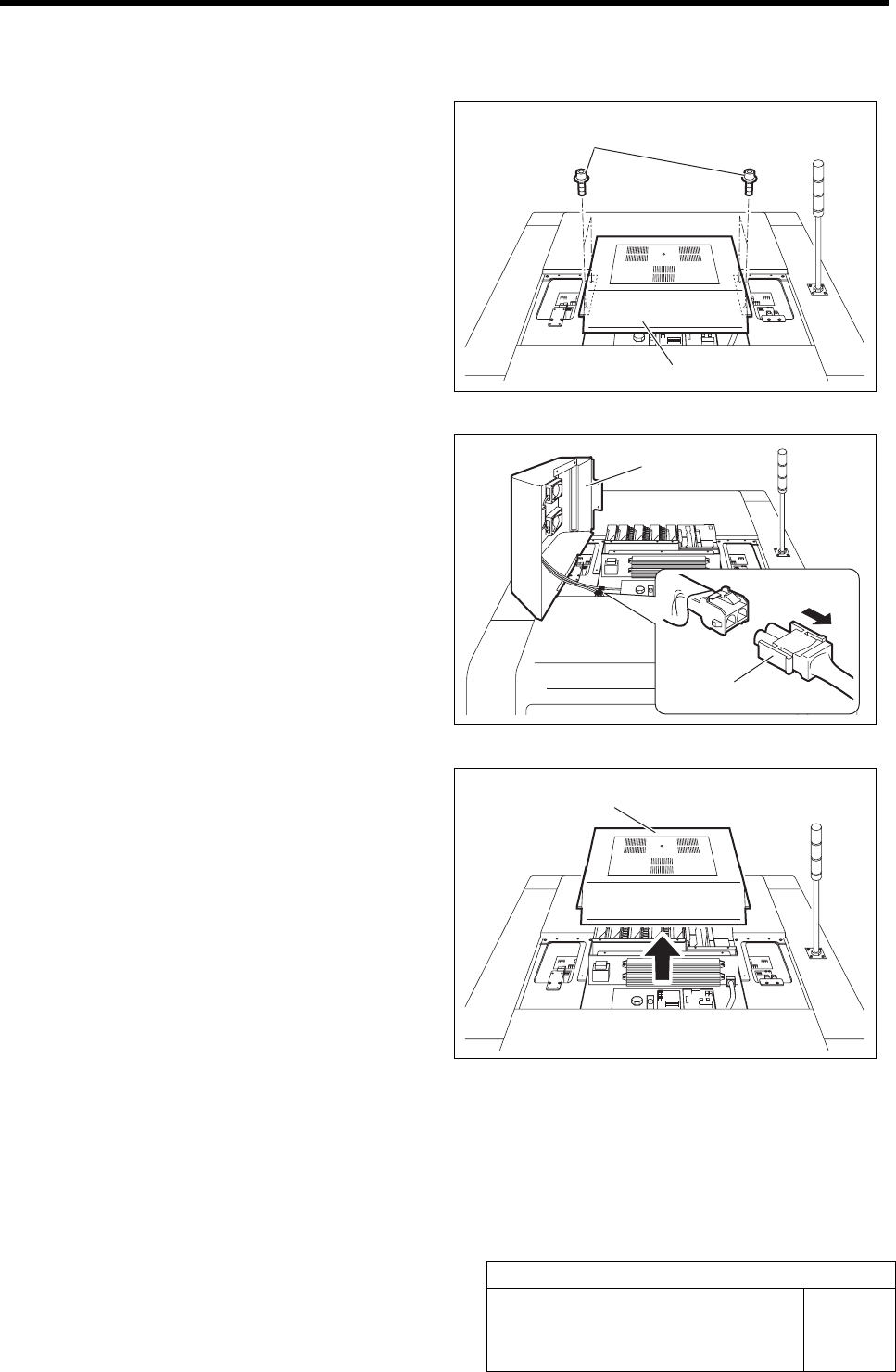
[Removing outer cover for servo unit]
1 Unscrew the cap screws on the outer cover
for the servo unit two by two on the right and
left.
2 Bring up the outer cover slightly and remove
the three connectors of FAN-AC.
3 Bring the outer cover upward to remove.
Outer cover
Cap screw
Outer cover
Connector
Outer cover
Removing covers at upper of unit
WKF-10101-01
Removing covers at upper of unit
SHEET
4/4
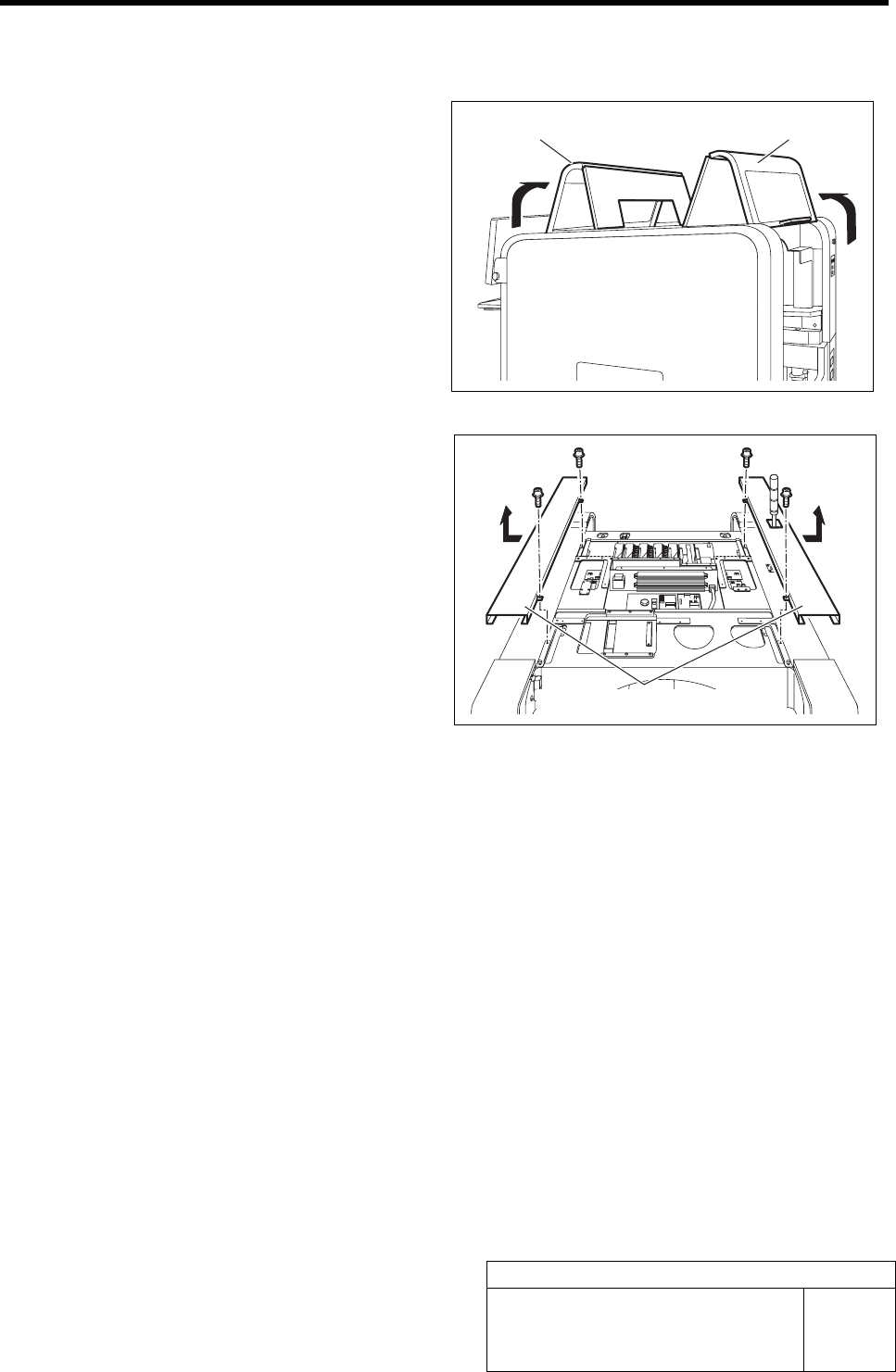
[Removing right and left upper covers]
1 Open the front and rear doors.
2 Unscrew respective two cap screws on the
right and left upper covers.
3 Slide the right and left upper covers outward,
and bring them upward to remove.
Front door Rear door
Right and left upper covers
2 Console Operation
Procedure