SI-F130 Manual(EN)_jpg_ Rev1.pdf - 第63页
Pickup Camera Calibration HLF-1031 1-01 Pickup Camera Calibration SHEET 1/5 Pickup Camera Calibration [Necessary jigs] A Calibration plate jig B Jig positioning pin C Pickup inspection camera calibration jig D Length ref…
Calibration Data Edit
HLF-10310-01
Calibration Data Edit
SHEET
1/1
Calibration Data Edit
[Necessary jigs]
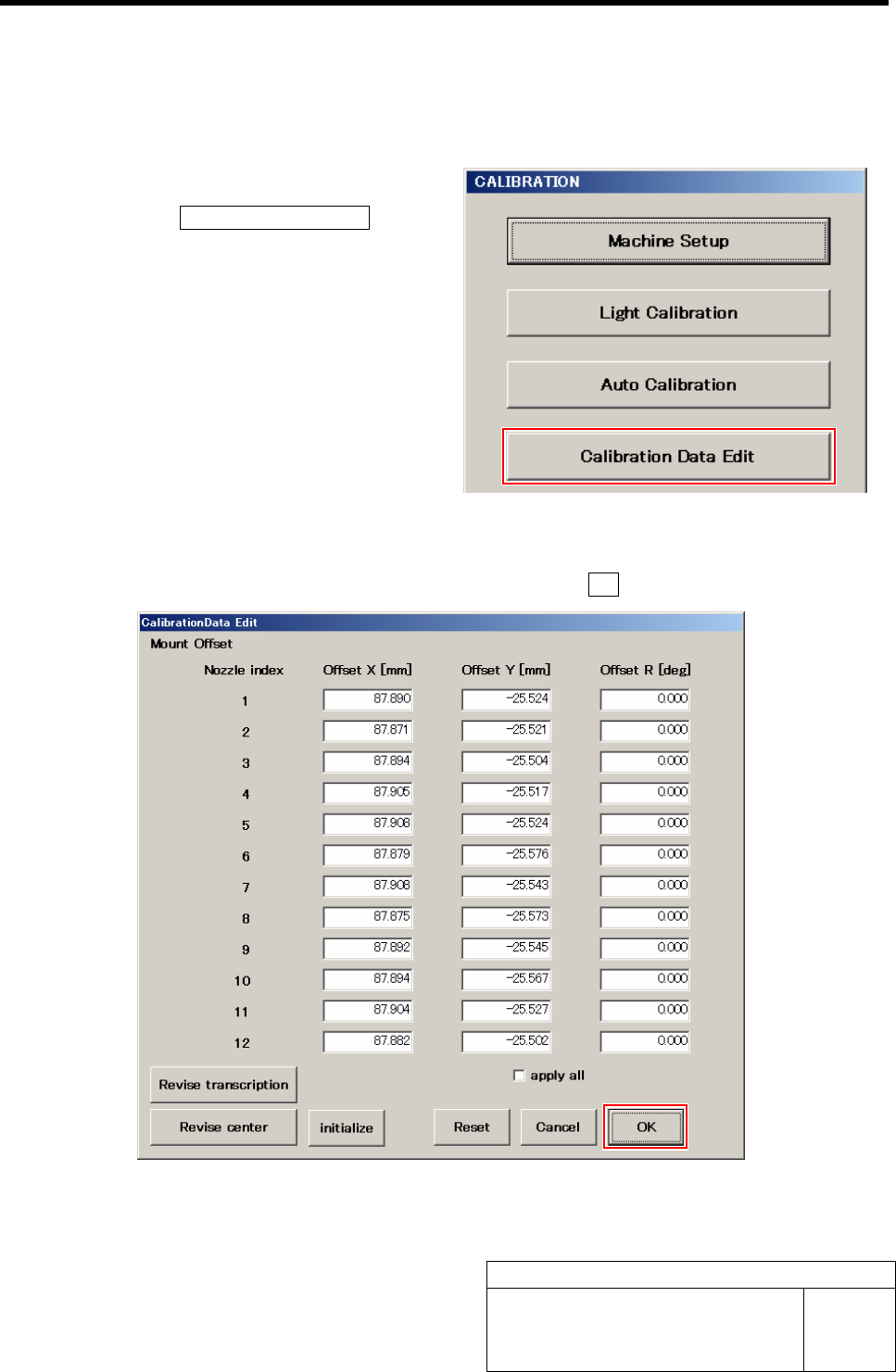
1 Display a Calibration Data Edit screen.
1. Click the Calibration Data Edit button
on the CALIBRATION screen.
Calibration Data Edit screen is displayed.
2 Change values of each offset obtained in the auto calibration.
1. Re-enter value in the box you want change, and click the OK button.
Pickup Camera Calibration
HLF-10311-01
Pickup Camera Calibration
SHEET
1/5
Pickup Camera Calibration
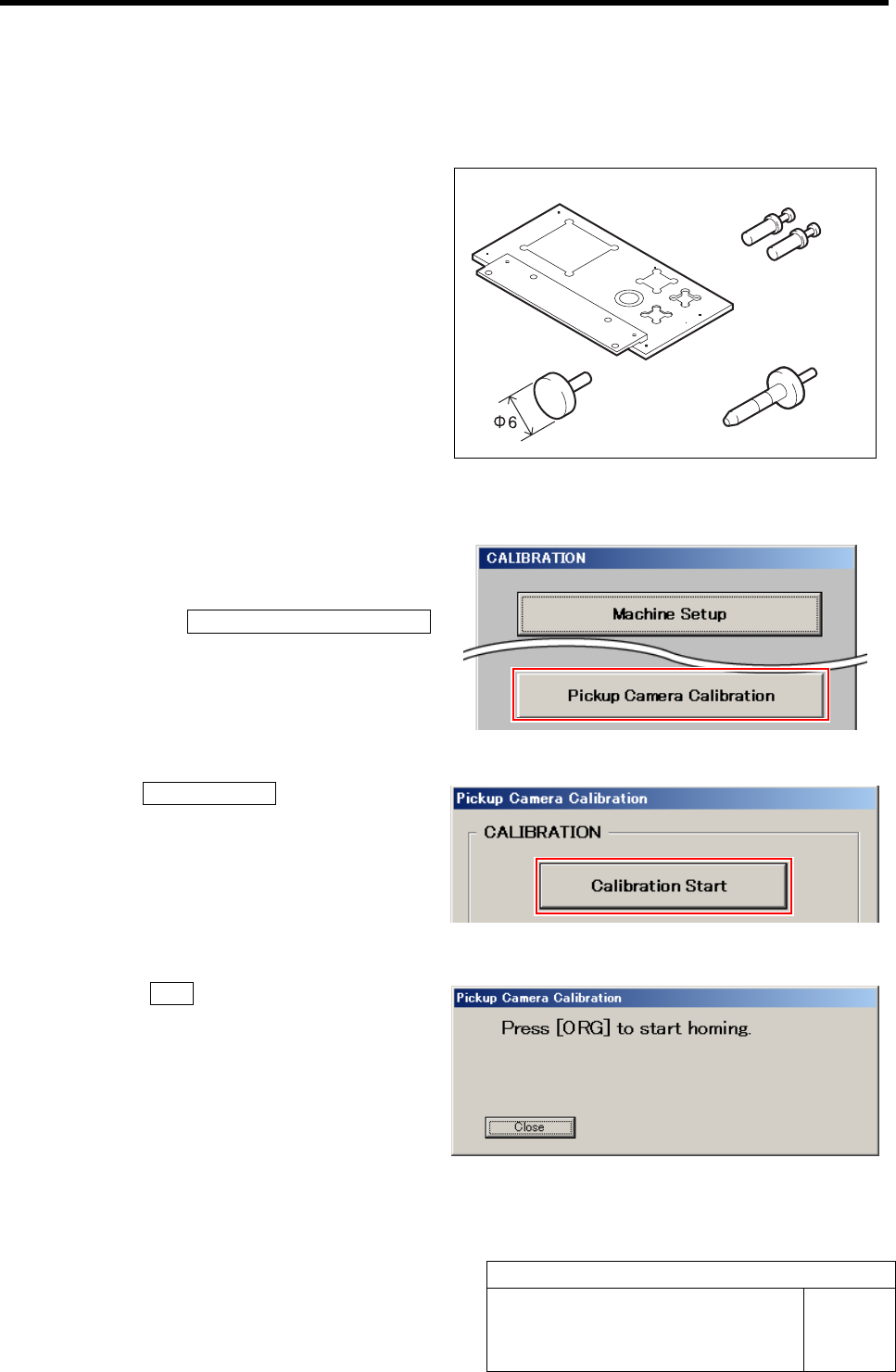
[Necessary jigs]
A Calibration plate jig
B Jig positioning pin
C Pickup inspection camera calibration jig
D Length reference nozzle jig
[Procedure]
1 Display a Pickup Camera Calibration
screen.
1. Click the Pickup Camera Calibration
button on the CALIBRATION screen.
Pickup Camera Calibration screen is displayed.
2 Click the Calibration Start button.
“Press [ORG] button to start homing” is displayed on
the message screen.
3 Press the ORG button on the operation
panel.
Origin position return is performed and “Install jig
onto plate” is displayed on the message screen.
AB
CD
Pickup Camera Calibration
HLF-10311-01
Pickup Camera Calibration
SHEET
2/5
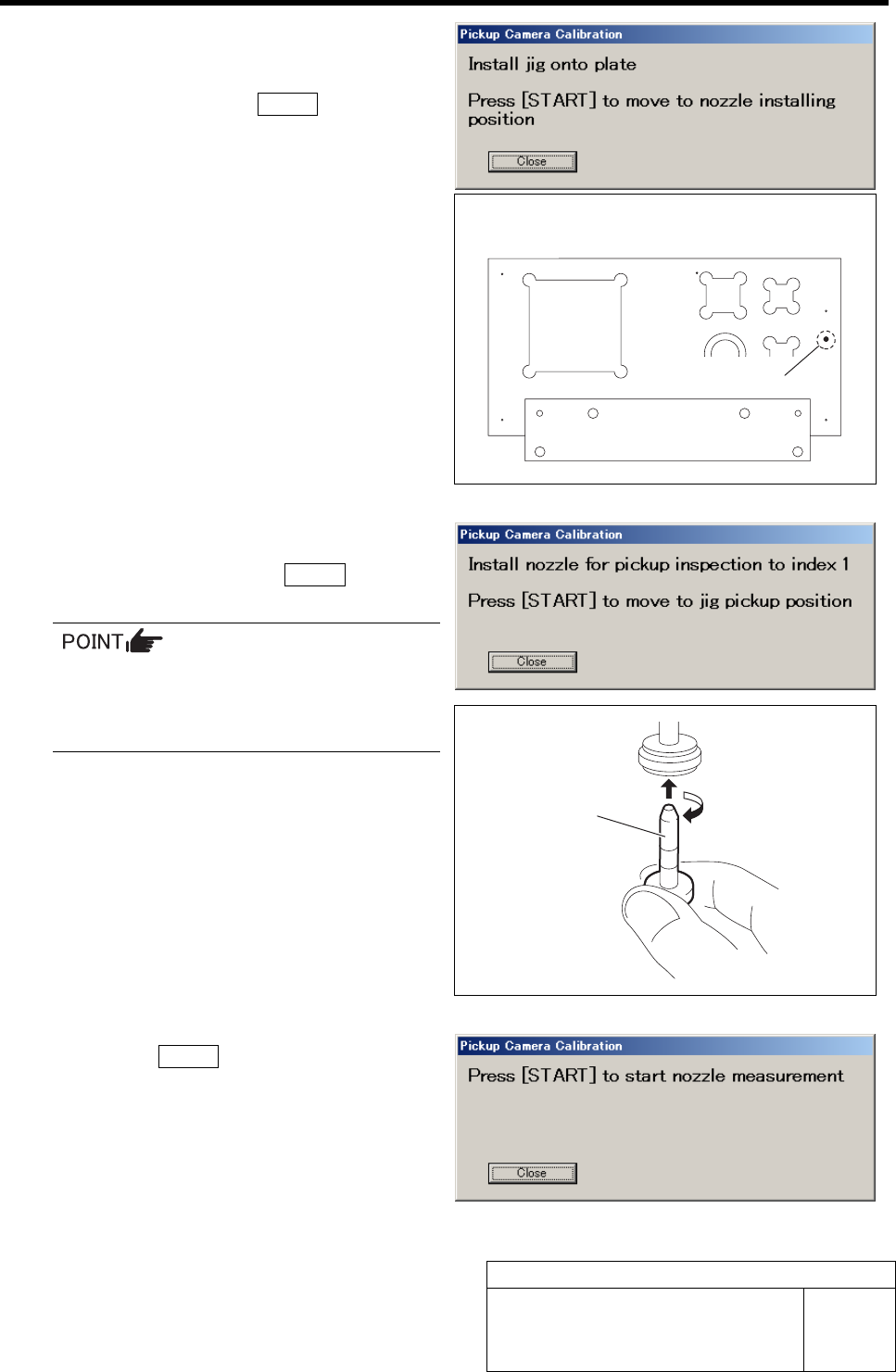
4 Set the pickup inspection camera calibration
jig into the insertion hole on the calibration
plate jig, and press the START button on the
operation panel.
Head portion moves to the jig setup position, and “In-
stall nozzle for pickup inspection to index 1” is dis-
played on the message screen.
5 Install the length reference nozzle jig to the
turret No.1 and press the START button on
the operation panel.
When installing the nozzle, insert it while
slowly turning.
After inserting the nozzle, check that it is
not drawn out by pulling downward.
The length reference nozzle jig moves to the measur-
ing position and “Press [START] to start nozzle
measurement” is displayed on the message screen.
6 Press the START button on the operation
panel.
Length reference nozzle jig measurement is per-
formed and “Press [START] to start jig measurement”
is displayed on the message screen.
Calibration plate upper surface figure
Insertion hole
Length reference
nozzle jig