SI-F130 Manual(EN)_jpg_ Rev1.pdf - 第72页
Fixed Camera Cali bration HLF-10313-01 Fixed Camera Calibration SHEET 1/7 Fixed Camera Calibration [Necessary jigs] A Calibration plate jig B Jig positioning pin C Nozzle jig (AF80400) D Fixed camera jig 1 E Fixed camera…
Fixed Camera Rcg Height Calibration
HLF-10312-01
Fixed Camera Rcg Height Calibration
SHEET
4/4
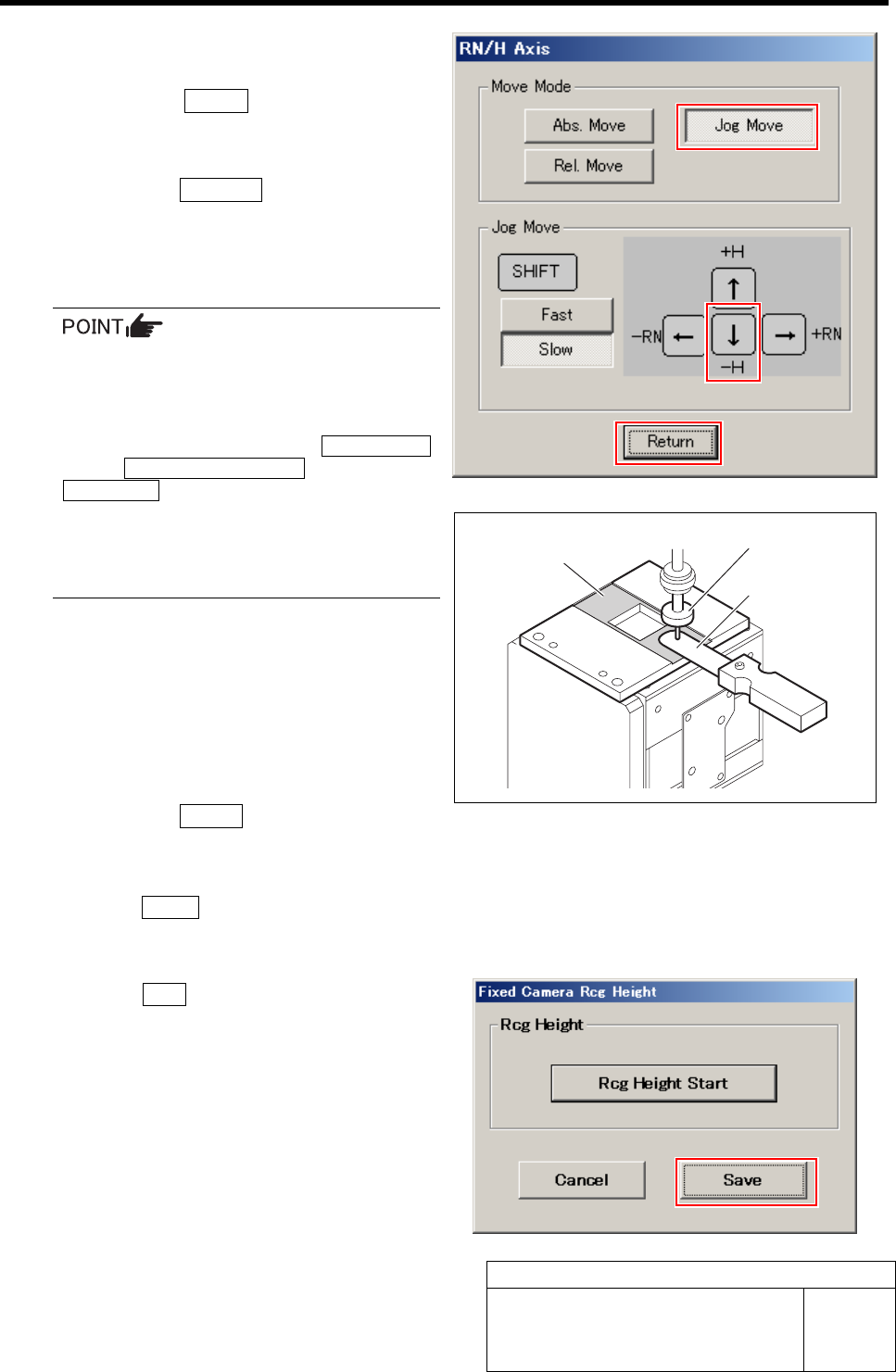
12 Adjust gap between the fixed camera jig
base and length reference nozzle jig.
1. Press the START button on the opera-
tion panel.
RN/H Axis screen is displayed.
2. Click the Jog Move button.
3. Press the downward cursor key to lower
the length reference nozzle jig to height
of 0.01mm above the fixed camera jig
base (low level difference face).
If any error occurs when lowering the
length reference nozzle jig, change the
negative values of the H axis software
limit to remedy as follows.
Click in an order of the M/C SETUP
menuÎMOTOR PARAMETER tabÎ
Axis param. tab and change the negative value
of H axis software limit from [-15.0] to [-16.0].
After fixed camera rcg height is completed, be
sure to return the value of software limit to the
original value.
4. Check the gap between the length ref-
erence nozzle jig and fixed camera jig
base (low level difference face) using
thickness gauge of 0.01mm.
5. After adjusting the gap, pull out the
thickness gauge and lower the H axis
by 0.01 mm (one click) by Low speed
Jog Move.
6. Click the Return button.
“Press [START] to display H axis move dialog”
is displayed on the message screen.
13 Press the START button on the operation panel.
The present position of H axis is obtained and returns
to the Fixed Camera Rcg Height screen.
14 Click the Save button.
The fixed camera rcg height is saved and the Fixed
Camera Rcg Height screen closes.
15 Remove the fixed camera jig base and
length reference nozzle jig.
Low level difference
face
Length reference nozzle jig
Thickness gauge
Fixed Camera Calibration
HLF-10313-01
Fixed Camera Calibration
SHEET
1/7
Fixed Camera Calibration
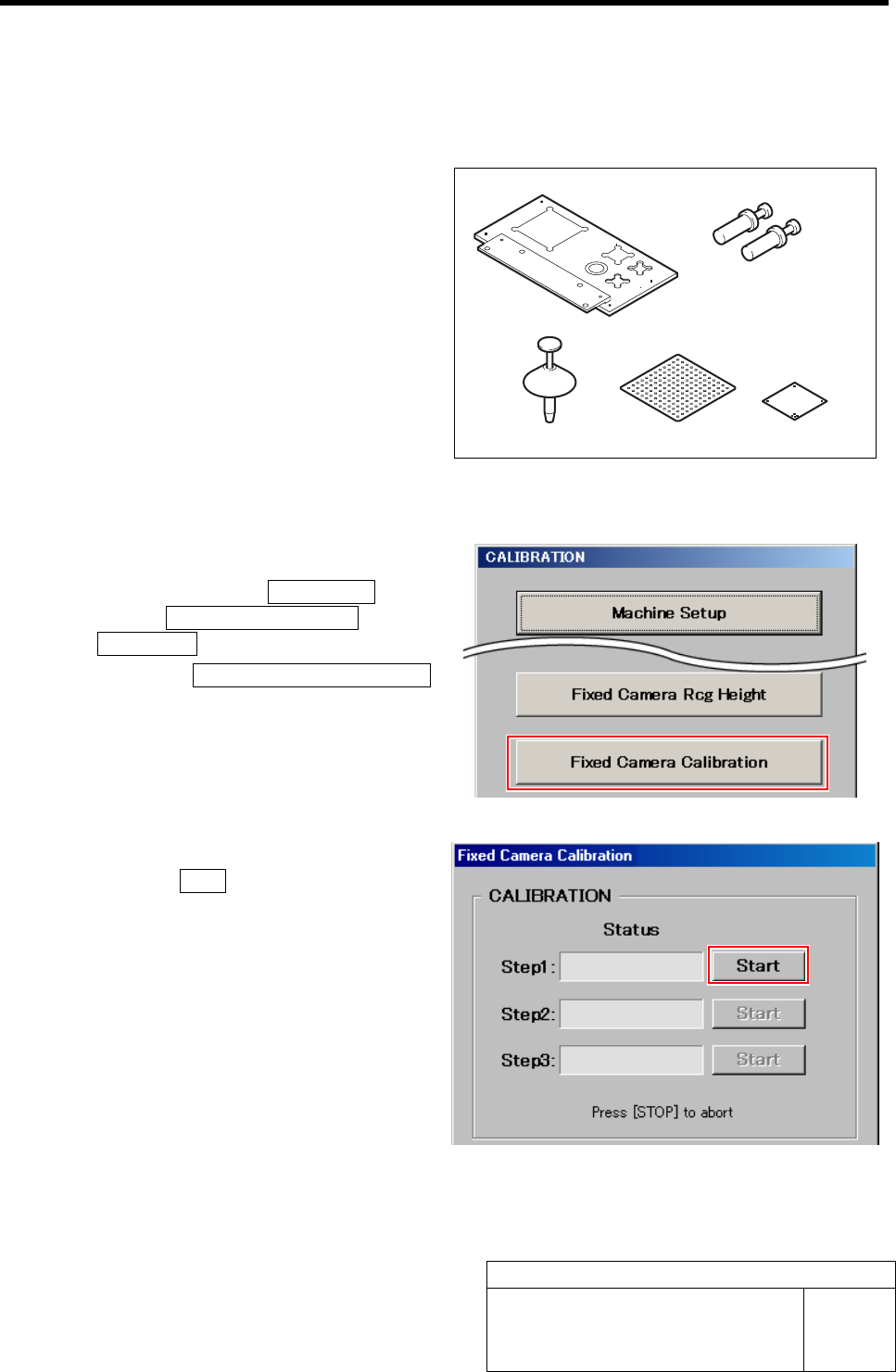
[Necessary jigs]
A
Calibration plate jig
B Jig positioning pin
C Nozzle jig (AF80400)
D Fixed camera jig 1
E Fixed camera jig 2
[Procedure]
1 Display a Fixed Camera Calibration screen.
1. Click in an order of M/C SETUP
menuÎM/C MAINTENANCE tabÎ
Calibration button.
2. Click the Fixed Camera Calibration
button on the CALIBRATION screen.
Fixed Camera Calibration screen is displayed.
2 Start the Step1.
1. Click the Start button for Step1.
“Setup jig?” is displayed on the message screen.
A
B
CD
E
Fixed Camera Calibration
HLF-10313-01
Fixed Camera Calibration
SHEET
2/7
3 Install the nozzle jig (AF80400) to the turret
No.1.
1. Click the Yes button.
“Press [START] to move to nozzle installing po-
sition” is displayed on the message screen.
2. Press the START button on the opera-
tion panel.
Turret No.1 moves to the nozzle installing posi-
tion.
3. Install the nozzle jig (AF80400) to the
turret No.1.
• When installing the nozzle, insert it while slowly turning.
After inserting the nozzle, check that it is not drawn out by pulling downward.
• Use the nozzle jig used for auto calibration.
4 Press the ORG button on the operation
panel.
Origin position return is performed.
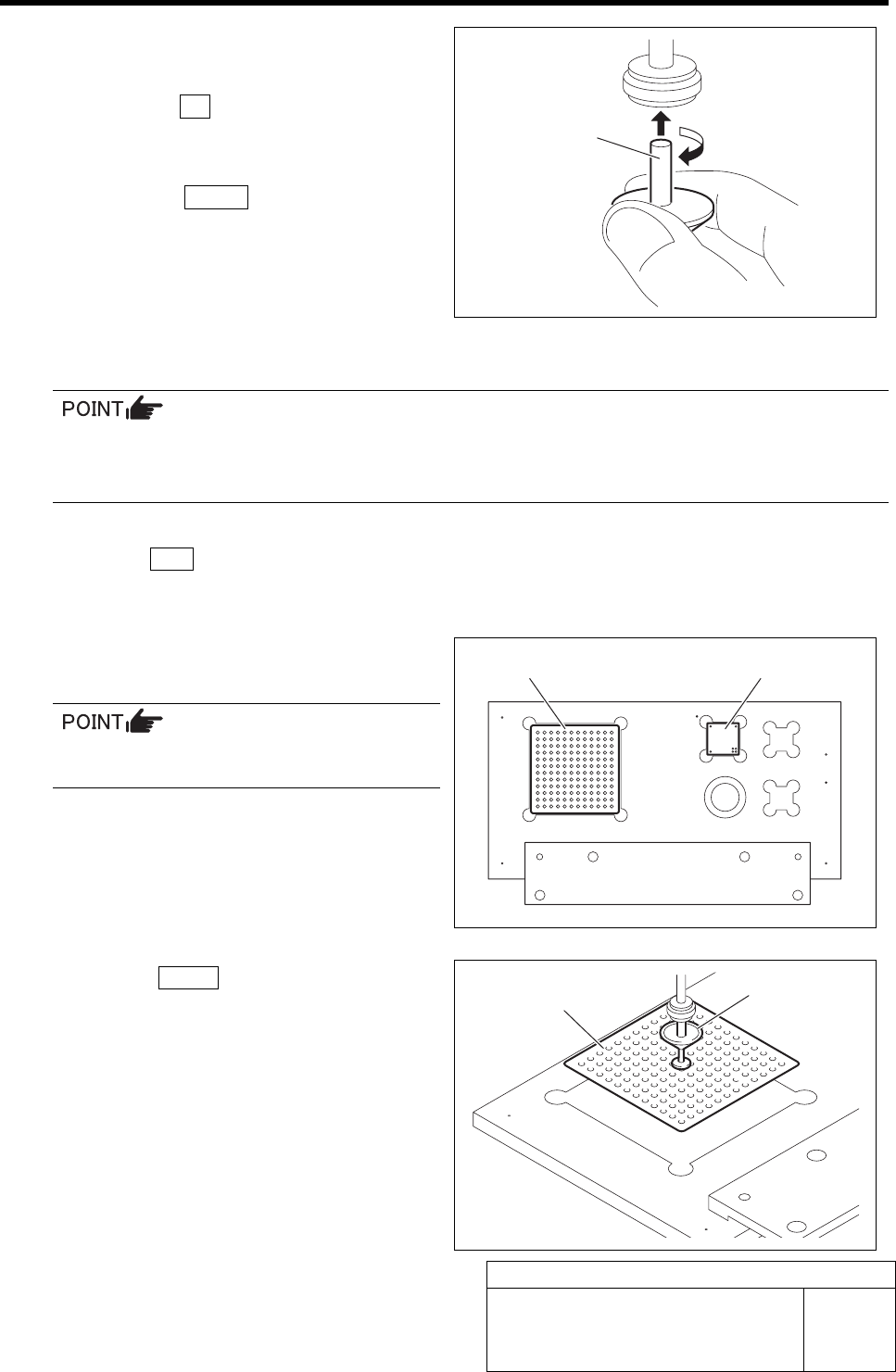
5 Place the fixed camera jigs 1, 2 on the cali-
bration plate jig.
Place the fixed camera jig 2 so that the 4
holes are on the right front.
6 Press the START button on the operation
panel.
The nozzle jig (AF80400) installed on the turret No.1
picks up the fixed camera jig 1and the head stops.
“Fixed camera position teaching completed?” is dis-
played on the message screen.
Fixed camera jig 1 Fixed camera jig 2
Fixed camera jig 1
Nozzle jig
(AF80400)
Nozzle jig
(AF80400)