SI-F130 Manual(EN)_jpg_ Rev1.pdf - 第86页
Software Limit Setup HLF-10315-01 Soft w are Limit Setup SHEET 1/7 Sof tware Limit Setup [Necessary jigs] • Do not use jig. [Procedure] In order to set up software limit, it is necessary to change the de fault value at f…
Pickup Position Setup
HLF-10314-01
Pickup Position Setup
SHEET
7/7
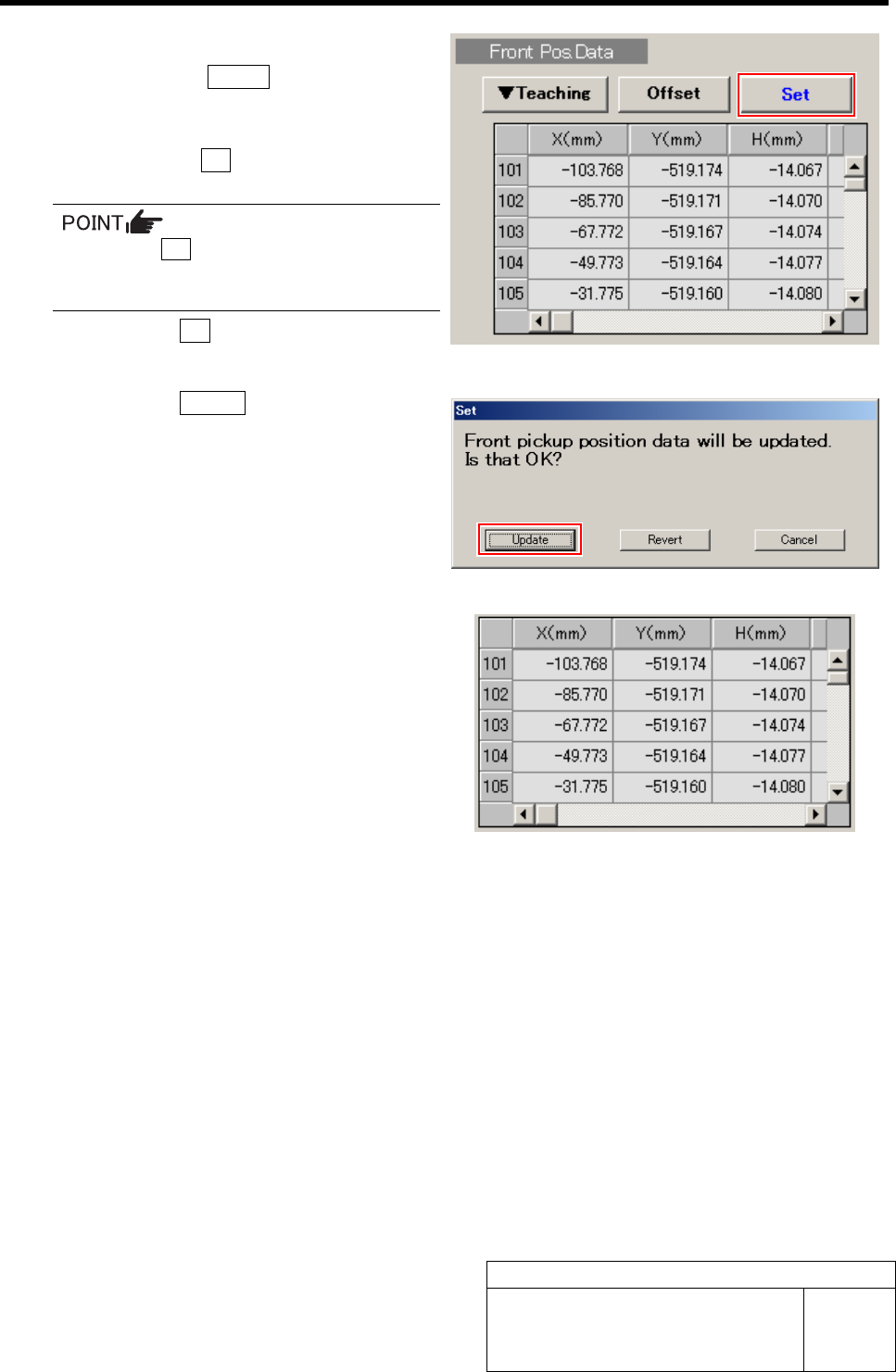
7 Set the calculated position data.
1. Click the Return button on the
Front/All Cass. Pos. Teaching by Tools
screen to close the screen.
2. Check the Set button for the Front
Pos. Data is displayed in blue letter.
Unless the Set button is displayed in blue,
position calculation is not performed.
Again, perform “Acq.Pos.” or “Calc.”.
3. Click the Set button.
Confirmation window for setting is displayed.
4. Click the Update button.
X, Y, H position data for parts pickup position is
updated.
5. Check that the front position data
value was updated.
8 Set up the rear position data in the same procedure as that for the front position data setup (XY
position data teaching, H position data teaching)
Measuring locations of the rear position data are “Z202” for #1, “Z220” for #2 and “Z235” for #3.
Software Limit Setup
HLF-10315-01
Software Limit Setup
SHEET
1/7
Software Limit Setup
[Necessary jigs]
• Do not use jig.
[Procedure]
In order to set up software limit, it is necessary to change the default value at first so that the
software limit does not function.
Before setting up the software limit, change the default values of the software limit according to the
following procedure.
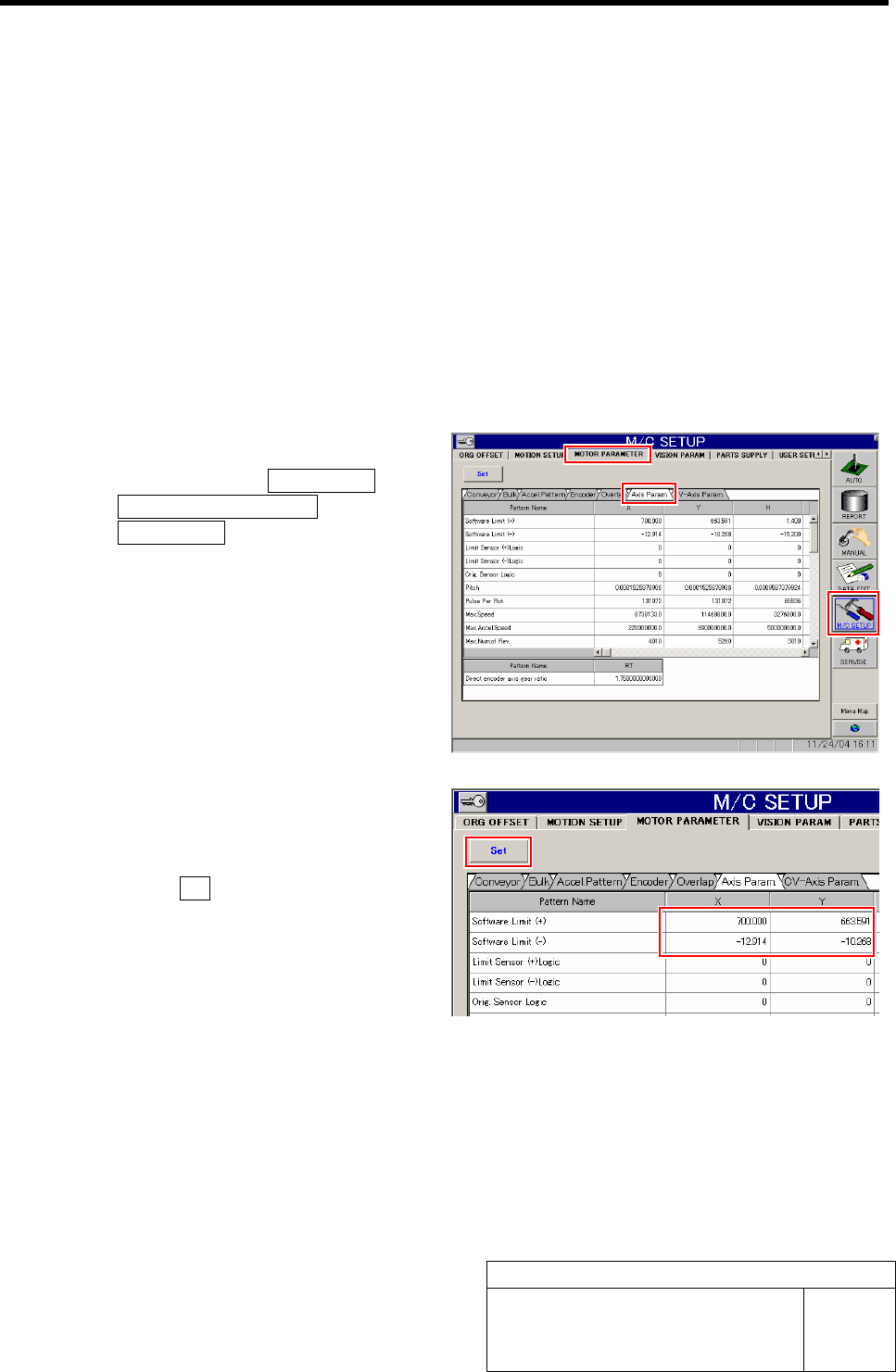
1 Change the default value of the software.
1. Click in an order of M/C SETUP men
ÎMOTOR PARAMETER tab
ÎAxis Param. tab.
Axis Parameter screen is displayed.
2. Input values for which “100” is respec-
tively added to software limit +/- val-
ues of XY axis.
3. Click the Set button.
The updated software limit values are saved.
Software Limit Setup
HLF-10315-01
Software Limit Setup
SHEET
2/7
[Procedure]
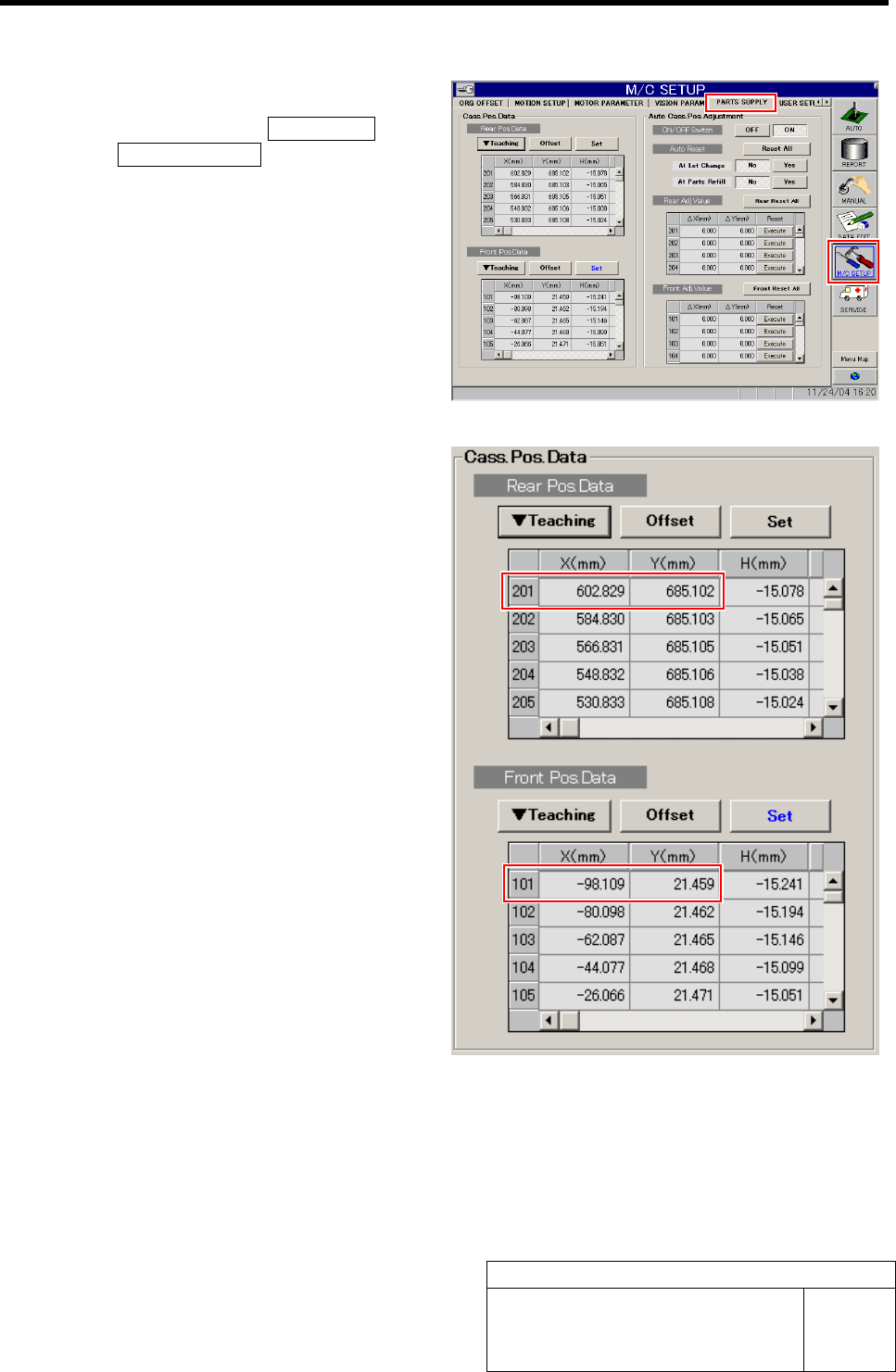
1 Check the cassette pickup position data.
1. Click in an order of M/C SETUP menu
ÎPARTS SUPPLY tab.
PARTS SUPPLY screen is displayed.
2. Make a memo of XY position data of
cassette position “101” and “201” dis-
played on the cassette position data
table.
3. Scroll down the cassette position data
table and make a memo of XY position
data of cassette positions “140” and
“240”.