SM321 SERVICE MANUAL.pdf - 第119页
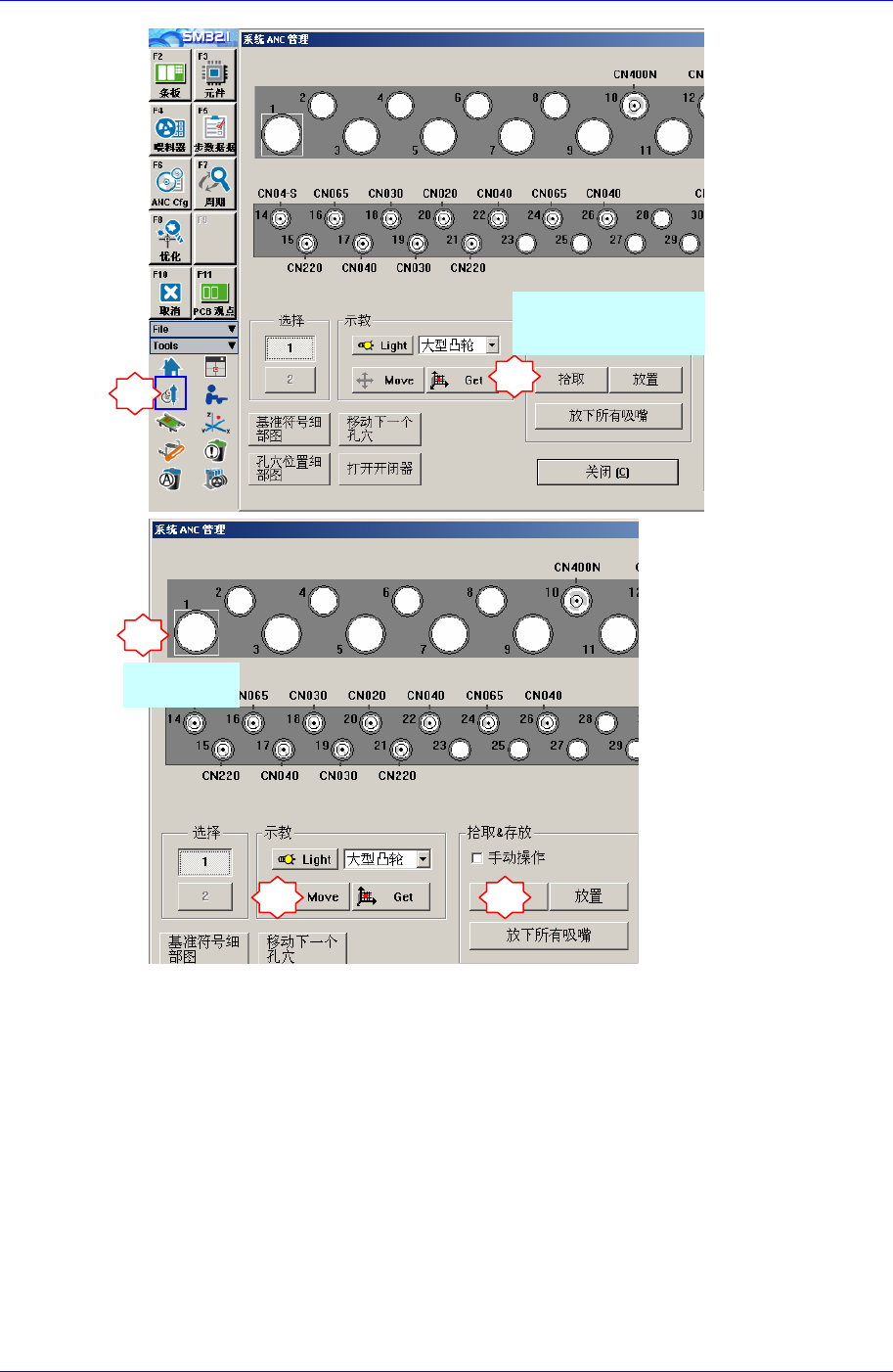
Head Module 4-15 点击 <Move> 按钮后 , 再点击 <Prepare Aligne T est> 按钮。 1 2 3 4 5
Samsung Component Placer SM321 Service Manual
4-14
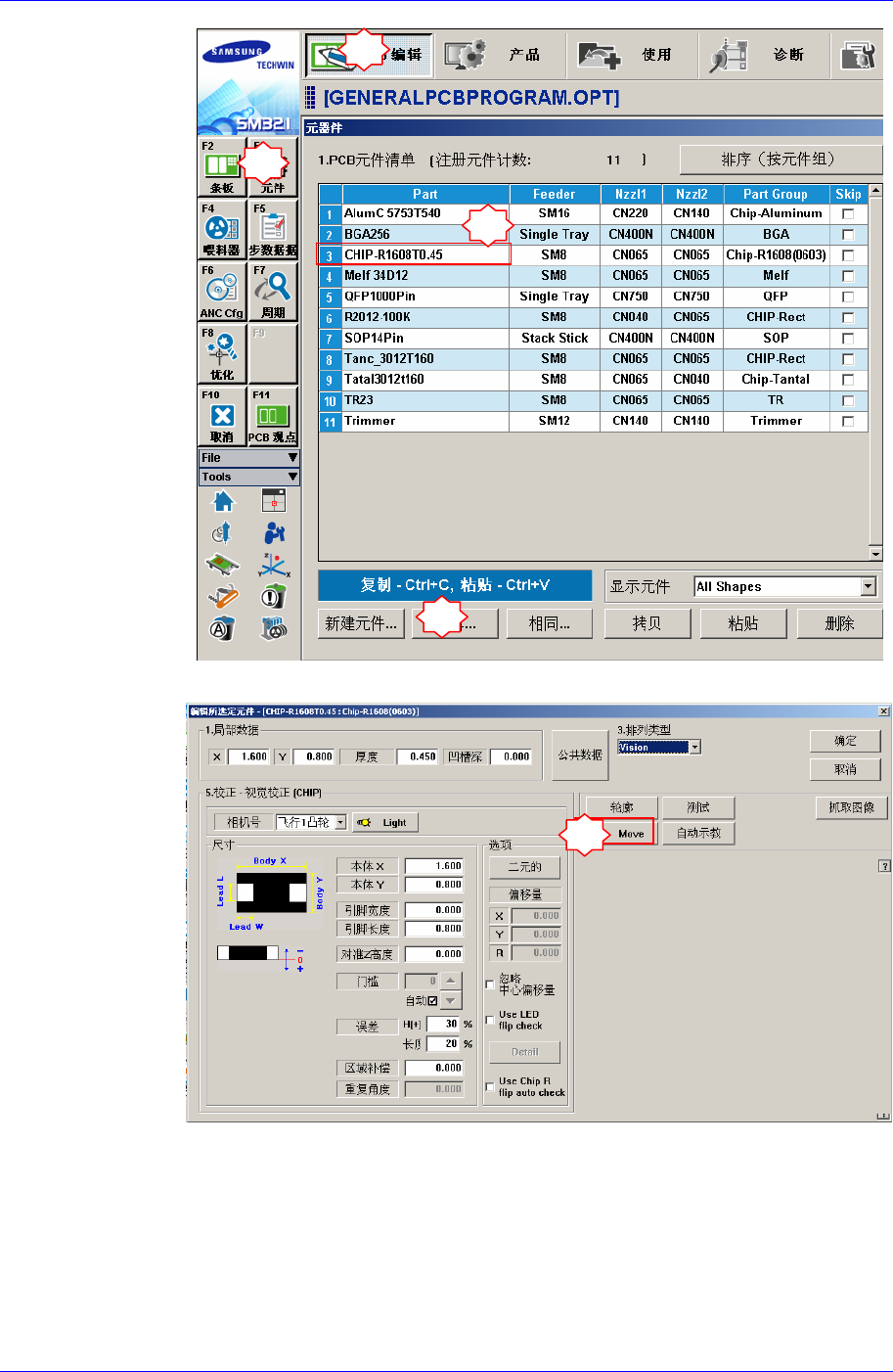
8. 为了把Calibration Tool移动到Align高度,请执行如下过程。
“Parts” 对话框中选择任意部件(1005)后点击<Edit>按钮,执行“Part Editor”
对话框。
1
2
选择替换的摄像机
相应的头部
4
3
选择CNT20
5
Head Module
4-15
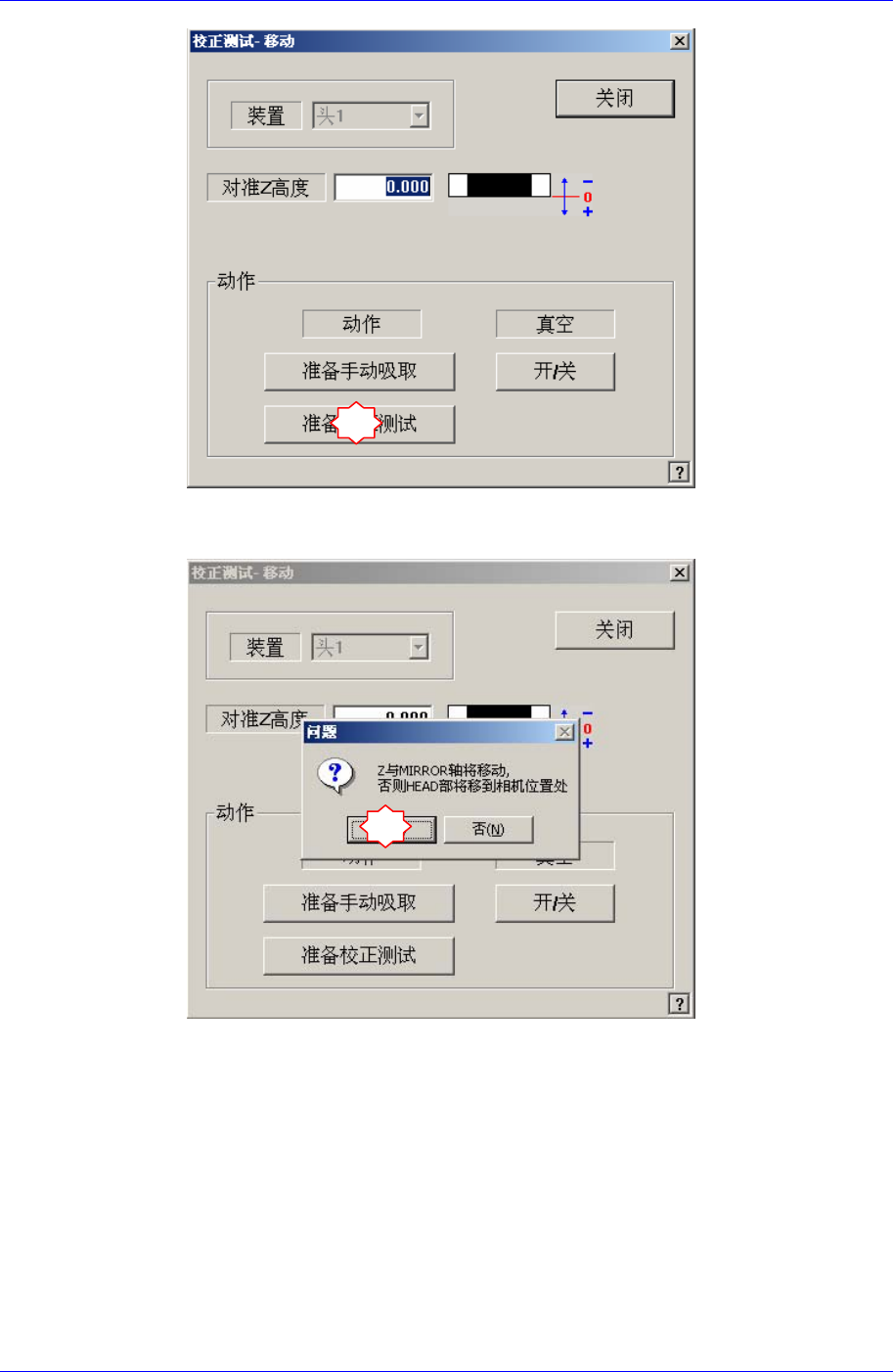
点击<Move> 按钮后, 再点击<Prepare Aligne Test>按钮。
1
2
3
4
5
Samsung Component Placer SM321 Service Manual
4-16
如果显示“Z and Mirror axis will move or Head Block will move tothe Fix
Camera Position”信息,请点击Yes。
那么, Z轴和Mirror移动到识别位置。
6
7