00197454-01_AI_Portal_40mm_TwinVHF_SX12_de_en - 第126页
assembly Final Wo rk 3.7.7 Performing Calibration 126 Reconfiguration Kit Twin VHF with Gantry Reconfiguration Ki t T w i n V H F m i t P o r - 3.7.7.1 3 . 7 . 7 . 1 D e s c r ip t io n a n d C o n n e c t io n s o n t h…
assembly
3.7.7 Performing Calibration Final Work
Reconfiguration Kit Twin VHF with Gantry Reconfiguration Kit Twin VHF mit Portal 125
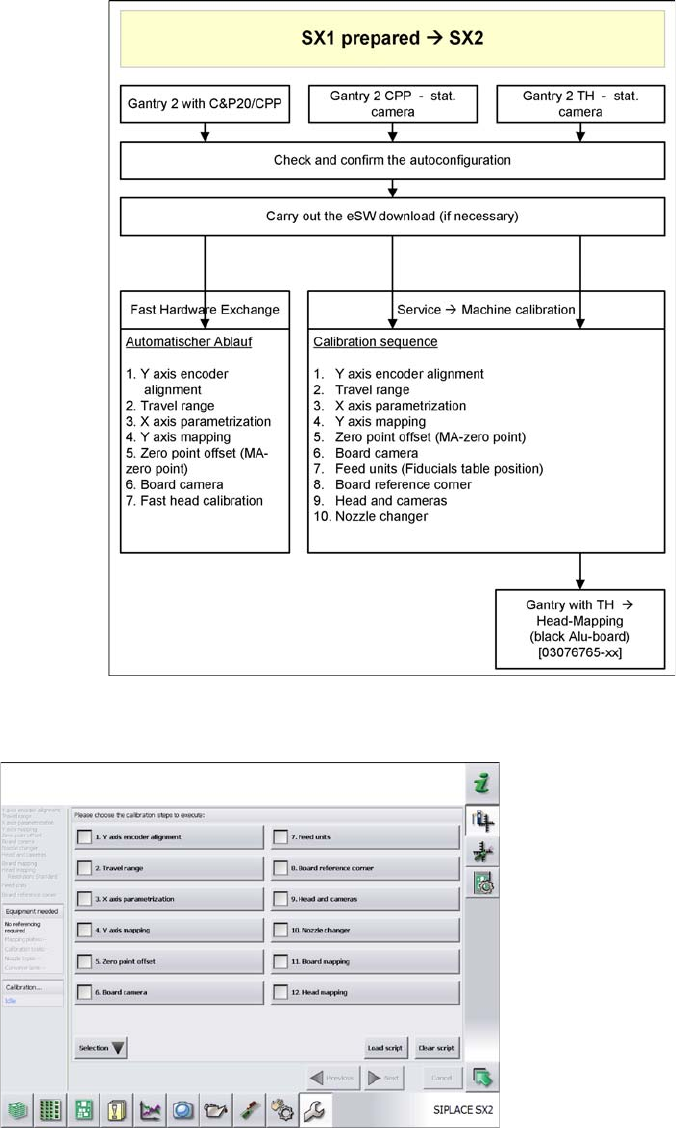
Calibration
► SR 704.xx
► User => Service
► Machine Service => Machine Configuration
► Confirm and Change Configuration => confirm
assembly
Final Work 3.7.7 Performing Calibration
126 Reconfiguration Kit Twin VHF with Gantry Reconfiguration Kit Twin VHF mit Por
-
3.7.7.1
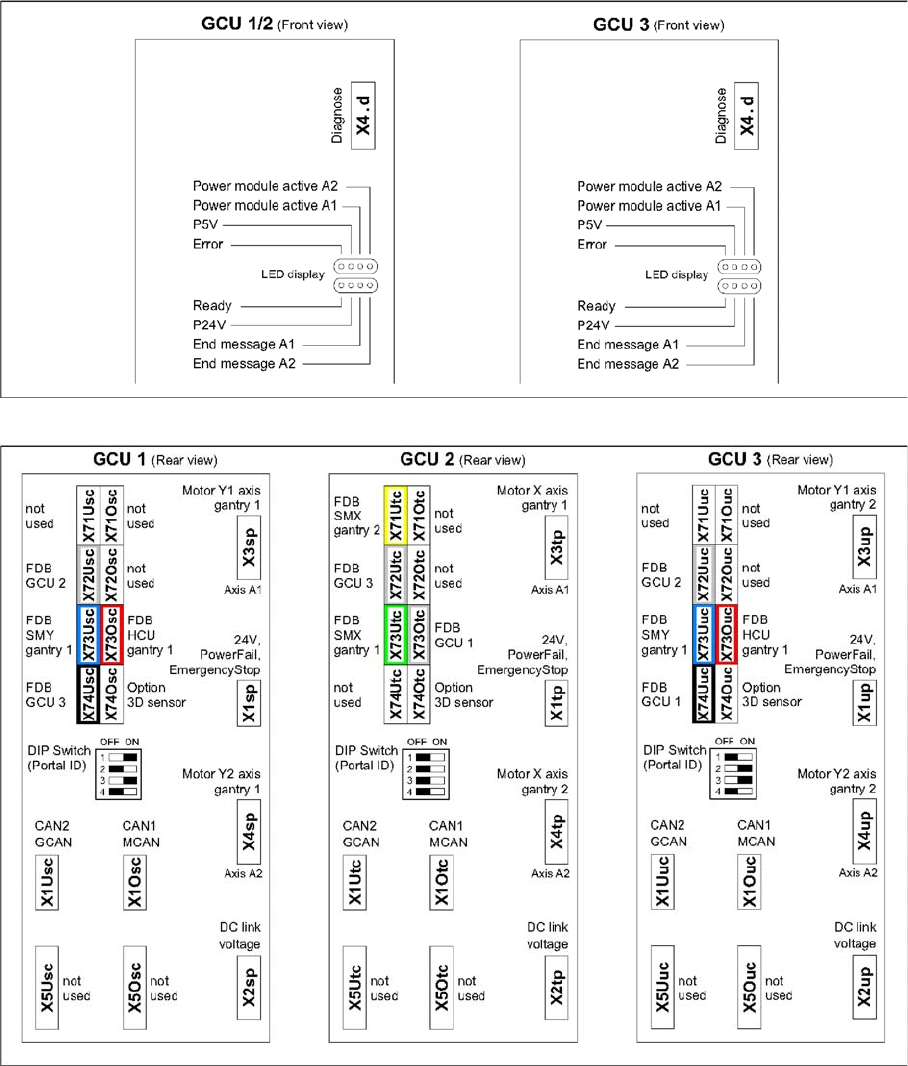
3.7.7.1 Description and Connections on the GCU
Description and Connections on the GCU
GCU - front side
GCU - rear side
assembly
3.7.7 Performing Calibration Final Work
Reconfiguration Kit Twin VHF with Gantry Reconfiguration Kit Twin VHF mit Portal 127
3.7.7.2
3.7.7.2 Firmware Download
Firmware Download
► Select the Update machine.. button to check the whole machine and to perform an eSW download
for multiple subsystems.
► Select the Update subsystem... button to select and check a specific subsystem, in order to perform
an eSW download.
► Select theVersion Information... button in order to display all subsystem versions, Bios application 1/
2.
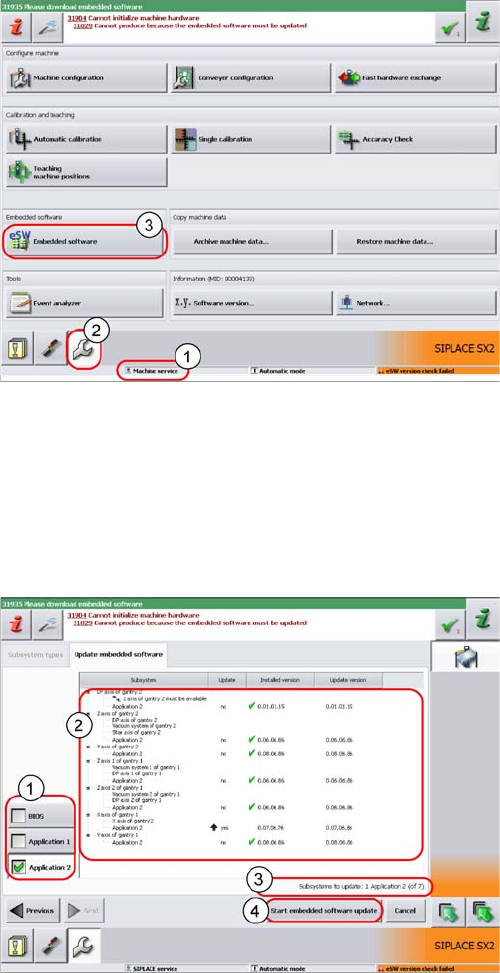
► The function Firmware Download can be performed
with the operator levels (1) Machine-Service or
SIPLACE-Service.
► Switch over to the service menu (2).
► Select the button Embedded Software (3).
1. Selection button, BIOS application 1/2
2. Shows the status of the individual subsystems.
3. Update information about the number of subsystems
which still have to be downloaded.
4. Starts the download.